How Do I Reset My Camry Complete Step by Step Guide
Knowing how to reset your Camry saves time and money. This complete guide covers every reset procedure you need, from clearing dashboard warning lights to performing a full factory reset. Whether you drive a standard Camry or a hybrid model, you will find clear, practical steps that actually work.
There is something satisfying about fixing things yourself. Whether it is a stubborn warning light on your dashboard or a maintenance reminder that just will not go away, knowing how to handle your own car repairs builds confidence. If you own a Toyota Camry, you are in luck. This vehicle is one of the most popular sedans on the road, and resetting it is a straightforward process once you know what you are doing.
This guide walks you through every reset procedure you might need. From clearing a check engine light to resetting the oil life monitor, we have you covered. You will learn the exact steps for each type of reset, discover common mistakes to avoid, and find out when it is time to visit a professional. No fluff, no filler, just practical advice that gets results.
We have organized this guide into clear sections so you can jump straight to what you need. Each section includes step-by-step instructions, helpful tips, and real-world examples. Whether you are a complete beginner or a seasoned DIYer, you will find valuable information here. Let us dive in and get your Camry back to running its best.
Key Takeaways
- Multiple reset types exist: Dashboard warnings, oil life, TPMS, infotainment, and full factory resets all require different approaches.
- Most resets are DIY-friendly: You can handle the majority of Camry reset procedures at home with no special tools.
- Hybrid models need extra steps: Toyota Camry hybrid reset procedures differ slightly from gas-only models.
- Safety first: Always park on a flat surface and turn off the engine before attempting any reset.
- Know when to call a pro: Some warning lights signal serious problems that a simple reset will not fix.
- Regular resets keep your Camry running smoothly: Staying on top of maintenance resets helps your vehicle perform better.
📑 Table of Contents
- Why You Might Need to Reset Your Camry
- How to Reset Dashboard Warning Lights on Your Camry
- Factory Reset Procedures for Your Camry
- Step-by-Step Oil and Maintenance Reset
- Common Mistakes to Avoid When Resetting Your Camry
- When to Seek Professional Help for Your Camry Reset
- Final Thoughts on Resetting Your Camry
Why You Might Need to Reset Your Camry
Toyota Camry reset procedures are not just about clearing annoying lights. They serve an important purpose in keeping your vehicle running properly. When a warning light appears on your dashboard, it is your car telling you something needs attention. Sometimes, after you fix the problem, the light stays on. That is where resetting comes in.
Here are the most common reasons you might need to reset your Camry:
- Maintenance reminders: Your Camry tracks oil life and service intervals. After an oil change or other service, you need to reset these reminders so they do not keep nagging you.
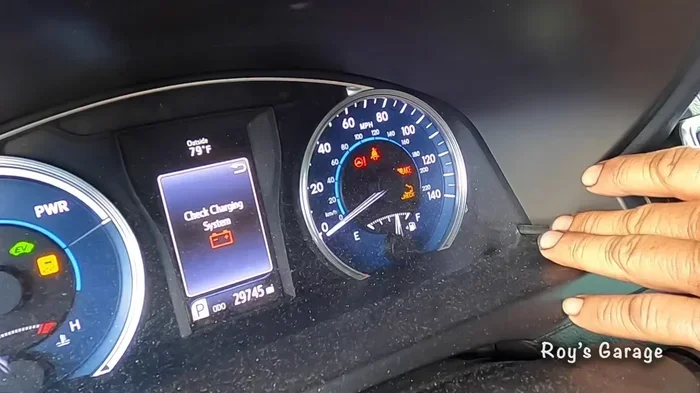
- Warning lights: Lights like the check engine light, TPMS light, or oil pressure warning can sometimes stay on even after the issue is resolved. Resetting clears them.
- Infotainment glitches: The touchscreen and audio system on your Camry can freeze or act up. A reset often fixes these minor electronic issues.
- Hybrid system updates: If you drive a Camry Hybrid, the hybrid battery management system may need a reset after certain repairs or battery replacements.
- Trip meter and odometer corrections: Sometimes you need to reset your trip meter for fuel tracking or before a long journey.
Understanding why you need a reset helps you choose the right procedure. Not every reset is the same, and using the wrong method can lead to frustration. That is exactly why this guide breaks everything down by reset type.
Common Toyota Camry Reset Procedures
Toyota has built several reset functions into the Camry over the years. The exact steps vary depending on your model year and trim level. Here are the most common Toyota Camry reset procedures you will encounter:
- Dashboard warning light reset: Clears check engine lights, TPMS alerts, and other warning indicators after repairs are completed.
- Oil life reset: Resets the oil change counter after you have replaced your oil and filter.
- Trip meter reset: Clears individual trip readings for accurate fuel economy tracking.
- Infotainment system reset: Restarts the touchscreen and audio system when it becomes unresponsive.
- Factory reset: Restores all settings to their original defaults, useful before selling or trading in your vehicle.
Each of these procedures requires a different approach. The following sections walk you through each one in detail.
How to Reset Dashboard Warning Lights on Your Camry
Dashboard warning lights are the most common reason Camry owners search for reset instructions. These lights can be alarming, especially when they appear out of nowhere. The good news is that many of them can be cleared with simple steps you can do at home.
Resetting the Check Engine Light
The check engine light is one of the most misunderstood warning indicators. It can come on for something as simple as a loose gas cap or something more serious like a failing catalytic converter. Before you attempt any Toyota Camry dashboard reset, make sure you have addressed the root cause of the light.
Here is how to clear a check engine code on most Camry models:
- Park your Camry on a flat surface and turn off the engine.
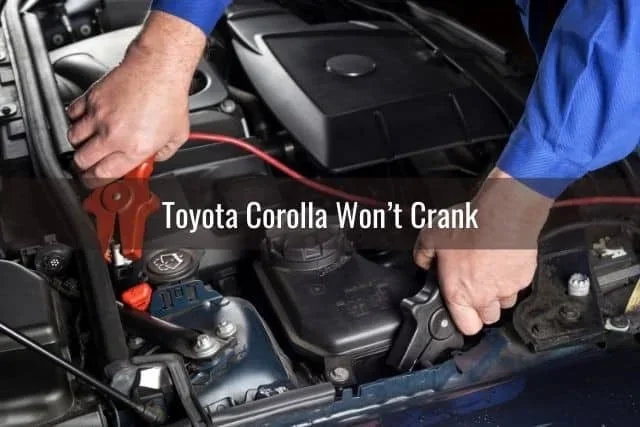
- Open the hood and locate the negative battery terminal.
- Use a wrench to loosen the nut on the negative terminal.
- Carefully remove the cable from the terminal and set it aside.
- Wait at least 15 minutes. This allows the vehicle’s computer to fully discharge.
- Reconnect the negative cable and tighten the nut securely.
- Start the engine and check if the warning light has cleared.
If the light comes back on after a few driving cycles, there is an underlying issue you need to address. In that case, you may want to use an OBD-II scanner to read the specific error code. Alternatively, you can visit a parts store like AutoZone or O’Reilly, as they often clear a check engine code for free.
Resetting the TPMS Light
The Tire Pressure Monitoring System light looks like a horseshoe with an exclamation point in the middle. It illuminates when one or more tires are underinflated. After you check and inflate your tires to the proper pressure, you need to reset the system.
To clear your TPM reset on a Camry, follow these steps:
- Make sure all tires are inflated to the recommended PSI, which you can find on the driver-side door jamb.
- Start the engine and locate the TPMS reset button, usually beneath the steering column.
- Press and hold the button until the TPMS warning light blinks three times.
- Release the button and drive the vehicle at speeds above 30 mph for at least 10 minutes.
- The light should turn off and stay off on the next ignition cycle.
Resetting the Engine Management Light
If your engine management light is on and you have already fixed the underlying problem, you may want to clear it. This light is different from the check engine light and often indicates a broader electronic system issue. Before attempting any reset, make sure you have properly diagnosed and fixed the issue that triggered the light in the first place. Clearing a light without fixing the problem will only cause it to return.
Factory Reset Procedures for Your Camry
A factory reset restores your Camry’s electronic systems to their original factory settings. This is useful in several situations. Maybe you are selling your vehicle and want to clear all personal data. Perhaps your infotainment system is acting up and a simple restart did not help. Or you may have performed a software update and want to start fresh.
Resetting the Infotainment System
The touchscreen system in modern Camry models can occasionally freeze or become unresponsive. Before performing a full reset, try a simple restart first. Turn off the engine, remove the key, and wait 60 seconds before restarting. This clears minor glitches without erasing any of your settings.
If a simple restart does not work, you can perform a deeper reset:
- Turn off the engine and remove the key from the ignition.
- Press and hold the power button on the infotainment screen for 10 to 15 seconds.
- Release the button and wait for the system to restart.
- Once the system boots back up, check if the issue is resolved.
For more persistent issues, a full factory reset of the infotainment system may be necessary. Refer to your owner’s manual for model-specific instructions, as the process varies between different Camry generations.
Hybrid System Reset for Camry Hybrid Models
If you drive a Camry Hybrid, the hybrid battery and power management system occasionally need a reset. This is especially true after a hybrid battery replacement or after the vehicle has been sitting unused for an extended period. You can factory reset your Hybrid Connect system by following the specific hybrid reset procedure outlined in your owner’s manual.
For most Camry Hybrid models, the hybrid system reset involves:
- Turning off the engine and engaging the parking brake.
- Opening the hood and locating the hybrid battery disconnect fuse.
- Removing the fuse and waiting at least 5 minutes.
- Reinstalling the fuse and closing the hood.
- Starting the engine and allowing the hybrid system to reinitialize.
Important safety note: Always consult your owner’s manual before working on hybrid components. The high-voltage hybrid battery can be dangerous if handled improperly. If you are not comfortable with any step, it is best to visit a certified Toyota dealership.
Step-by-Step Oil and Maintenance Reset
The oil life monitoring system in your Camry tracks driving conditions and tells you when it is time for an oil change. After you have changed your oil, you need to reset this counter. Forgetting to do so means the reminder will keep flashing, which gets annoying fast.
Oil Life Reset Process
Here is how to reset your Camry oil life indicator:
- Turn the ignition to the “ON” position without starting the engine.
- Press the trip meter reset button until the odometer screen displays the oil life percentage.
- Turn the ignition off, then back to the “ON” position.
- Press and hold the trip meter reset button for about 10 seconds.
- The oil life indicator should reset to 100% and the maintenance light should turn off.
Some Camry models use a slightly different procedure. If the steps above do not work for your specific year, check the owner’s manual or search for your exact model year online. The process is nearly identical across most Camry generations from 2010 onward.
Other Maintenance Resets You Should Know
Beyond the oil life system, your Camry has several other maintenance reminders that may need resetting:
- Brake pad wear indicator: After replacing brake pads, reset the brake maintenance reminder.
- Tire rotation reminder: Reset this after completing a tire rotation service.
- Fluid change alerts: Coolant, transmission fluid, and brake fluid change reminders can all be reset following the same general process as the oil life reset.
Keeping up with these resets helps you stay on top of your Camry’s maintenance schedule. It also prevents unnecessary trips to the dealership for simple reminder clearances.
Common Mistakes to Avoid When Resetting Your Camry
Resetting your Camry is generally simple, but mistakes do happen. Avoiding these common errors will save you time and prevent potential problems.
Resetting Without Fixing the Underlying Problem
This is the number one mistake Camry owners make. A warning light exists for a reason. Simply resetting the light without addressing the root cause means the light will return, often with a more serious problem. Always diagnose and fix the issue first, then clear the warning.
Disconnecting the Battery for Too Short a Time
When clearing dashboard codes by disconnecting the battery, 15 minutes is the minimum wait time. Some owners disconnect the battery for just a minute or two, which is not long enough for the vehicle’s computer to fully reset. Be patient and wait the full time for the best results.
Using the Wrong Reset Procedure
Not all resets are the same. The procedure for resetting the oil life monitor is different from resetting the TPMS light. Using the wrong procedure can confuse the system and sometimes make things worse. Always follow the specific steps for the reset you are performing.
Ignoring Model Year Differences
Toyota updated the Camry’s electronic systems across different generations. A reset procedure that works on a 2015 Camry may not work on a 2022 model. Always verify the steps are correct for your specific model year before proceeding.
Attempting Hybrid Resets Without Proper Knowledge
The hybrid system in a Camry Hybrid operates at high voltage. Attempting to reset hybrid components without understanding the system can be dangerous. If you are unsure about any hybrid reset procedure, seek professional help.
When to Seek Professional Help for Your Camry Reset
Most Toyota Camry reset procedures are straightforward and can be done at home. However, there are situations where professional help is the right choice. Understanding these scenarios saves you from making things worse and keeps your vehicle safe.
You should consider visiting a mechanic or Toyota dealership if:
- The check engine light keeps returning: If you reset the light and it comes back within a few days, there is a persistent issue that needs professional diagnosis.
- Multiple warning lights are on at once: This often indicates a serious electrical or system problem that goes beyond a simple reset.
- Your Camry will not start after a reset: While rare, improper battery disconnection can sometimes cause starting issues that require professional attention.
- You are uncomfortable with any step: There is no shame in asking for help. A certified Toyota technician can handle any reset procedure quickly and safely.
- Your vehicle is still under warranty: Performing certain resets yourself could potentially void your warranty. Check with your dealer before attempting complex resets on a new Camry.
A professional can also run a full diagnostic scan to make sure there are no hidden issues. This is especially valuable if you bought a used Camry and are not sure what maintenance has been performed. Many dealerships offer free diagnostic checks, so it is always worth asking.
Final Thoughts on Resetting Your Camry
Resetting your Camry does not have to be intimidating. With the right information and a little patience, most reset procedures are something you can handle yourself at home. From clearing a stubborn check engine light to resetting the oil life monitor after an oil change, the steps are simple and straightforward.
The key is to always address the root cause before clearing any warning light. Resetting without fixing the problem just masks the issue and leads to more trouble down the road. Use this guide as your reference whenever you need to perform a Toyota Camry reset, and you will handle it with confidence.
Keep this guide bookmarked for future reference. Every Camry owner should know these basic reset procedures. They save time, money, and unnecessary trips to the shop. Your Camry is a reliable vehicle, and with the knowledge in this guide, you can keep it running at its best for years to come.
Frequently Asked Questions
Can I reset my Camry without disconnecting the battery?
Yes, many Camry resets can be done through the steering wheel controls or infotainment system without touching the battery. Dashboard warning lights, oil life monitors, and trip meters can all be reset using the vehicle’s onboard menu system in most model years.
How long does a Camry factory reset take?
A factory reset typically takes about 15 to 30 minutes, depending on the system being reset. The infotainment system reboots quickly, while a full hybrid system reset may require a few minutes of waiting time for the systems to reinitialize properly.
Will resetting my Camry erase my saved settings?
A full factory reset will erase personalized settings like radio presets, Bluetooth pairings, and navigation home addresses. However, a simple dashboard warning light reset or oil life reset will not affect any of your saved settings or personal data.
Why does my check engine light keep coming back after I reset it?
If the check engine light returns after a reset, it means the underlying problem has not been fully resolved. The vehicle’s computer detects the issue again during normal driving. You should have the system scanned with an OBD-II tool to identify the specific fault code and address it properly.
Is it safe to drive my Camry with a warning light on?
It depends on the light. A steady check engine light usually allows for safe driving to a service center, but a flashing check engine light or a red warning light like oil pressure requires immediate attention. When in doubt, pull over safely and seek assistance.
Do I need special tools to reset my Camry?
Most Camry resets require no special tools at all. A basic wrench for battery terminal work and access to the vehicle’s onboard menu system are all you need. For more advanced diagnostics, an OBD-II scanner can be helpful but is not required for most common resets.