Can You See Tire Pressure Readings on the Toyota App
Yes, you can see tire pressure readings on the Toyota App if your Toyota model supports the Tire Pressure Monitoring System (TPMS). The Toyota mobile app connects to your vehicle and can display tire pressure data directly on your phone. This guide covers which Toyotas support it, how to set it up, and what to do if readings don’t appear.
Have you ever parked your car and wondered about the air in your tires? Maybe you saw the little warning light blink on your dashboard. Or perhaps you just want to be safe before a long road trip. Either way, the question is simple: can you see tire pressure on the Toyota App? The short answer is yes, but there are some important details you need to know. Let’s walk through everything step by step.
The Toyota App has grown into a powerful tool for Toyota owners. It lets you lock and unlock doors, start your engine remotely, and check vehicle status right from your phone. One of the most useful features is the ability to monitor tire pressure readings without ever popping the hood. But not every Toyota supports this feature equally. And knowing how it works can save you time, money, and a lot of stress on the road.
In this guide, we will cover exactly how tire pressure works in the Toyota App. We will look at which models support it, how to set it up, what the readings mean, and common troubleshooting steps. Whether you drive a Camry, a RAV4, or a brand-new 2024 model, this article has you covered. Let’s dive in.
Key Takeaways
- Tire Pressure Readings Are Available: The Toyota App can display real-time tire pressure for supported models with TPMS.
- Not All Models Are Compatible: Older Toyota models or trims without TPMS may not show tire pressure in the app.
- Setup Is Simple: You just need to link your Toyota account, pair your vehicle, and access the vehicle status section.
- Low Tire Pressure Warnings Appear Too: The app can alert you when tire pressure drops below safe levels.
- Manual Checks Still Matter: The app is a helpful tool but should not replace a physical tire pressure gauge check.
- Multiple Drivers Can Use the App: Two people can use the Toyota App for the same car with separate accounts.
📑 Table of Contents
- What Is the Toyota App and How Does It Monitor Tire Pressure?
- Which Toyota Models Support Tire Pressure Readings on the App?
- How to Set Up Tire Pressure Monitoring in the Toyota App
- Understanding Tire Pressure Readings on the Toyota App
- Troubleshooting: Why Tire Pressure May Not Show on the Toyota App
- How Tire Pressure Monitoring Fits Into Overall Vehicle Health
- Comparison: Toyota App Tire Pressure vs. Manual Tire Pressure Gauge
- Expert Insights on Tire Pressure and Toyota Connected Features
- Key Takeaways
- Conclusion
What Is the Toyota App and How Does It Monitor Tire Pressure?
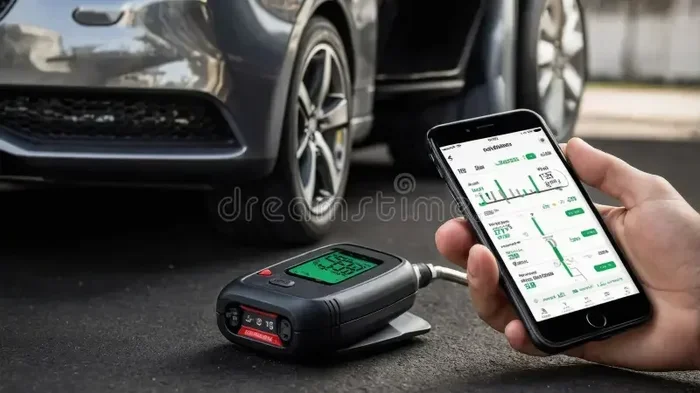
The Toyota App is a mobile application that connects your smartphone to your Toyota vehicle. It uses Bluetooth and cellular connectivity to send real-time data from your car to your phone. This includes things like fuel level, door lock status, and of course, tire pressure monitoring. The app pulls data from the Tire Pressure Monitoring System (TPMS) built into your Toyota.
Here is how it works in simple terms. Each tire has a small sensor attached to the valve stem. This sensor measures the air pressure inside the tire. It sends that information to your car’s computer. Then, if your Toyota supports the connected features, the data gets forwarded to the Toyota App on your phone. The whole process happens in seconds.
How TPMS Works in Toyota Vehicles
Toyota uses two types of TPMS systems. The first is called direct TPMS. This uses actual sensors inside each tire. These sensors measure the exact pressure and send it to the car’s computer. The second type is indirect TPMS. This does not use physical sensors. Instead, it uses the car’s anti-lock brake sensors to detect when a tire is spinning differently from the others. A tire with low pressure has a smaller rolling radius, which the system can detect.
Most newer Toyota models come with direct TPMS. This is the type that sends detailed pressure readings to the Toyota App. Older models or base trims might only have indirect TPMS. In those cases, the app may not show exact numbers. It might only display a warning light.
Which Toyota Models Support Tire Pressure Readings on the App?
Not every Toyota vehicle can display tire pressure in the app. Support depends on the model year, trim level, and whether the car has the connected services package. Here is a breakdown of what to expect.
Toyota Camry
The Toyota Camry is one of the most popular sedans on the road. Most Camry models from 2018 onward come with direct TPMS and Toyota connected services. This means you can view tire pressure readings in the app. If you are wondering about a specific Camry trim, higher trims like the XLE and XSE are more likely to include the connected features that enable this.
Toyota RAV4
The RAV4 is a SUV that also supports tire pressure monitoring through the app. The RAV4 has been a strong seller for Toyota, and most recent models include the tech needed for app-based tire readings. If your RAV4 has the Toyota multimedia system with a connected navigation package, you are in good shape.
Toyota Corolla
The Corolla is Toyota’s compact sedan. Newer models from 2019 and up generally support tire pressure readings in the app. However, base trims may not include the connected services package. You will want to check your specific trim to be sure.
Toyota Highlander and Other Models
The Highlander, Tacoma, and Tundra also support this feature in most recent years. If you are not sure whether your specific Toyota model supports tire pressure readings, you can check the owner’s manual or visit the Toyota website. You can also look for the TPMS warning light on your dashboard. If your car has that light, it likely has the hardware needed.
How to Set Up Tire Pressure Monitoring in the Toyota App
Setting up tire pressure monitoring on the Toyota App is straightforward. Follow these steps to get started. First, download the Toyota App from the App Store or Google Play Store. Make sure your phone is compatible and updated to the latest operating system.
Next, create a Toyota account or sign in to your existing one. You will need your vehicle’s 17-character VIN number. You can find this on the driver’s side dashboard or on your vehicle registration. Enter the VIN to link your account to your specific Toyota.
Once your vehicle is linked, go to the vehicle status section. Look for a menu option called “Vehicle Health” or “Tire Pressure.” If your car supports it, you will see the current pressure for each tire displayed in PSI (pounds per square inch). The app updates this data whenever your phone is within range of the vehicle or when you open the app.
Quick Tips for First-Time Setup
- Keep Bluetooth enabled: The app uses Bluetooth to communicate with your Toyota.
- Check for software updates: Make sure both your phone and your car’s infotainment system are up to date.
- Park near your car: Initial pairing works best when you are close to the vehicle.
- Restart the app if needed: Sometimes a simple restart fixes connection issues.
- Check your subscription: Some connected features require a Toyota Care or paid subscription plan.
Understanding Tire Pressure Readings on the Toyota App
Once you can see tire pressure in the app, it is important to understand what the numbers mean. Every Toyota has a recommended tire pressure level. This number is usually printed on a sticker inside the driver’s door frame. It is also listed in the owner’s manual.
Most Toyota passenger cars recommend tire pressure between 32 and 35 PSI. Light trucks and SUVs may require slightly higher pressure, sometimes around 35 to 40 PSI. When you open the Toyota App, you will see a number for each tire. If that number is close to the recommended level, your tires are in good shape.
What Do the Different Readings Mean?
A reading that is within 2 PSI of the recommended number is perfectly fine. A reading that is 3 to 5 PSI below the recommended level means you should add air soon. A reading that is more than 5 PSI low is a serious concern. You should not drive far on a tire that low. It can cause uneven wear, poor fuel economy, and even a dangerous blowout.
The Toyota App will often display a color code next to each tire reading. Green means the pressure is good. Yellow means it is slightly low and needs attention soon. Red means the pressure is dangerously low and you should stop and check the tire immediately.
Common Tire Pressure Problems Detected by the App
- Slow leaks: A tire that loses 1 to 2 PSI per week may have a small puncture or a faulty valve stem.
- Temperature changes: Cold weather can cause tire pressure to drop. The app may show lower readings in winter months.
- Uneven wear: If one tire consistently reads lower than the others, it may be time for a rotation or replacement.
- Sensor battery failure: TPMS sensors have batteries that eventually die. A dead sensor will not send readings to the app.
Troubleshooting: Why Tire Pressure May Not Show on the Toyota App
Sometimes the Toyota App will not display tire pressure even though your car has TPMS. This can be frustrating. But there are several common reasons and fixes. Let’s go through them one by one.
1. Your Model Does Not Support Connected Tire Pressure
This is the most common reason. Some Toyota models have TPMS hardware but do not send that data to the app. This is especially true for older models or base trims that lack the connected services package. If your car has TPMS but the app does not show readings, this is likely the explanation.
2. Bluetooth or Wi-Fi Connection Issues
The Toyota App needs a connection to your vehicle to pull data. If Bluetooth is turned off or your phone is too far away, the app cannot retrieve tire pressure readings. Make sure Bluetooth is on and your phone is within 30 feet of the vehicle. You should also check that your phone has a data connection, as some features require cellular service.
3. Software or App Needs Updating
Toyota regularly updates the app to fix bugs and add new features. An outdated version of the app may not display tire pressure correctly. Check the App Store or Google Play Store for any available updates. Also check if your car’s infotainment system has a pending software update.
4. TPMS Sensor Battery Is Dead
Every TPMS sensor has a small battery inside. These batteries typically last 5 to 10 years. When the battery dies, the sensor stops sending data. If one or more tires show no reading at all, a dead sensor battery could be the cause. You will need to replace the sensor to restore readings.
5. Dashboard Warning Light Is On but App Shows Nothing
If your low tire pressure warning light is on but the app shows no readings, the issue could be with the app’s connection rather than the sensor itself. Try closing the app completely and reopening it. If that does not work, try uninstalling and reinstalling the app. Also check Toyota’s service website for any known app outages or bugs.
How Tire Pressure Monitoring Fits Into Overall Vehicle Health
Tire pressure is just one part of keeping your Toyota in great shape. The Toyota App provides a dashboard of vehicle health metrics. These include oil life, battery status, brake pad wear, and more. Monitoring tire pressure regularly helps you catch problems early. It also keeps you safe on the road.
When you think about vehicle maintenance, tire care is one of the easiest and most impactful things you can do. Properly inflated tires improve fuel economy. They make your car handle better. They last longer. And they reduce the risk of a blowout or accident. The Toyota App makes it easy to stay on top of this important task.
If you notice that your maintenance required light is on, it could be related to tire pressure or another issue. Check out our guide on driving with the maintenance required light on to learn more about what this warning means and how to address it.
Some drivers also wonder about other dashboard alerts. For example, if you see a low oil warning, the Toyota App can help you monitor that too. Low engine oil does show on the dashboard, and the app can help you track these alerts over time.
Comparison: Toyota App Tire Pressure vs. Manual Tire Pressure Gauge
While the Toyota App is convenient, it is not a replacement for a manual check. Here is a quick comparison of both methods.
| Feature | Toyota App | Manual Tire Pressure Gauge |
|---|---|---|
| Convenience | Check from anywhere with your phone | Must be physically at the tire |
| Accuracy | Good, based on TPMS sensors | Very accurate, depends on gauge quality |
| Real-Time Updates | Yes, when connected | No, manual reading only |
| Cost | Free with the app | $10 to $30 for a gauge |
| Works Without Phone | No | Yes |
| Alerts and Warnings | Yes, color-coded notifications | No, you must interpret the reading yourself |
| Battery Dependent | Yes, phone battery | No |
The best approach is to use both. The Toyota App gives you a quick daily check. A manual gauge gives you a precise reading when you are at the gas station or before a long trip. Together, they keep your tires in excellent condition.
Expert Insights on Tire Pressure and Toyota Connected Features
Toyota has invested heavily in connected car technology over the past several years. The Toyota App is part of a broader ecosystem that includes remote start, GPS tracking, and vehicle health monitoring. Tire pressure monitoring is one of the most practical features in this ecosystem.
According to Toyota’s own documentation, the TPMS in newer vehicles is designed to be highly accurate. The sensors are calibrated at the factory and provide readings within 1 PSI of the actual pressure. This level of accuracy is more than enough for everyday driving. It gives drivers confidence that their tires are properly inflated without needing to get out and check manually every time.
One thing to keep in mind is that the Toyota App is constantly evolving. New features are added with software updates. Some older Toyotas may gain tire pressure app support through a firmware update to the infotainment system. If your car does not currently support this feature, it is worth checking if an update is available.
Another important point: two people can use the Toyota App for the same car. This means a spouse or family member can also monitor tire pressure from their own phone. This is especially useful for households with multiple drivers. Everyone can stay informed about the vehicle’s tire health.
Key Takeaways
- Tire Pressure Readings Are Available: The Toyota App can display real-time tire pressure for supported models with TPMS.
- Not All Models Are Compatible: Older Toyota models or trims without TPMS may not show tire pressure in the app.
- Setup Is Simple: You just need to link your Toyota account, pair your vehicle, and access the vehicle status section.
- Low Tire Pressure Warnings Appear Too: The app can alert you when tire pressure drops below safe levels.
- Manual Checks Still Matter: The app is a helpful tool but should not replace a physical tire pressure gauge check.
- Multiple Drivers Can Use the App: Two people can use the Toyota App for the same car with separate accounts.
Conclusion
So, can you see tire pressure on the Toyota App? The answer is yes, for most modern Toyota vehicles that support connected services and TPMS. The app gives you a quick, convenient way to check your tire pressure from anywhere. It uses color-coded alerts to tell you when your tires are in good shape or when they need attention. This is a genuinely useful feature that adds real value to the Toyota ownership experience.
However, the app is not perfect. Some older models and base trims may not support tire pressure readings. And even when the app works, it should be used alongside regular manual checks with a quality tire pressure gauge. Together, these tools keep your tires safe, your fuel economy high, and your rides smooth.
If you have any trouble getting tire pressure to show in the app, check the troubleshooting steps we covered above. And remember, staying on top of your tire pressure is one of the easiest ways to take care of your Toyota. It keeps you safe and saves you money in the long run. So go ahead, open the Toyota App, and give your tires a quick check today.
For more helpful Toyota tips and guides, explore our other articles on vehicle maintenance, app features, and Toyota model comparisons. We are here to help you get the most out of your Toyota ownership experience.
Frequently Asked Questions
Can I check tire pressure on the Toyota App for any Toyota model?
Not all Toyota models support tire pressure readings in the app. The feature requires both TPMS hardware and the Toyota connected services package. Newer models from 2018 and up are more likely to support it. Check your specific model and trim to confirm.
Why does the Toyota App show no tire pressure readings?
There are several reasons this can happen. Your model may not support connected tire pressure. Bluetooth might be turned off. The app may need updating. Or a TPMS sensor battery could be dead. Try the troubleshooting steps in this article to identify the cause.
How often should I check my tire pressure using the Toyota App?
It is a good habit to check your tire pressure at least once a week using the app. You should also do a manual check once a month. The app is great for daily monitoring, but a physical gauge gives you the most precise reading.
Is the tire pressure data in the Toyota App accurate?
Yes, the data is generally very accurate. TPMS sensors in Toyota vehicles are calibrated to provide readings within 1 PSI of the actual pressure. However, sensor batteries can degrade over time, which may affect accuracy.
Can I use the Toyota App to check tire pressure on a used Toyota?
Yes, as long as the used Toyota has TPMS and connected services support. When you buy a used Toyota, you can link the Toyota App to the vehicle by entering the VIN. Check if the feature is available for your specific model and year.
Does the Toyota App alert me when tire pressure is low?
Yes, the Toyota App can send alerts when tire pressure drops below safe levels. The app uses color-coded indicators to show which tires need attention. You can enable push notifications in the app settings to receive these alerts in real time.