Can I Unlock My Tundra With My Phone And Save Time
Yes, you can unlock your Toyota Tundra with your phone using the Toyota Remote Connect app and digital key features. This guide covers how phone-as-a-key technology works, setup steps, benefits, and common troubleshooting tips. You will learn how to save time, boost convenience, and stay ahead with smart truck technology.
Can I unlock my Tundra with my phone? The short answer is yes. You absolutely can. And it is one of the coolest features modern Toyota trucks offer today.
Imagine walking up to your Toyota Tundra on a cold morning. Your phone is in your pocket. You tap the door handle. The truck unlocks. No fumbling for keys. No digging through your bag. Just pure, simple convenience.
This guide will walk you through everything you need to know about unlocking your Toyota Tundra with your phone. We will cover how it works, how to set it up, what apps you need, and what to do when things go wrong. You will also learn about remote start, smart key features, and how Toyota connected services make your life easier.
Whether you own a 2022 Tundra or a newer model, phone-based unlocking is a game changer. Let us dive in.
Key Takeaways
- Phone-as-a-Key Technology: Your smartphone can act as a digital key to lock, unlock, and start your Toyota Tundra.
- Toyota Remote Connect App: The official Toyota app lets you control your Tundra remotely from your phone.
- Easy Setup: Pairing your phone with your Tundra takes just a few simple steps and minutes of your time.
- Built-In Convenience: Features like remote start, lock/unlock, and vehicle finder save you real time every day.
- Works with Bluetooth and Wi-Fi: Your Tundra uses wireless connections to communicate with your phone seamlessly.
- Common Issues Are Fixable: Most problems with phone unlocking are easy to solve with basic troubleshooting.
- Future-Ready Tech: Toyota continues to add new smart features that make owning a Tundra even better.
📑 Table of Contents
- How Phone-as-a-Key Technology Works in the Toyota Tundra
- Setting Up Phone Unlocking on Your Toyota Tundra
- Benefits of Unlocking Your Tundra With Your Phone
- Troubleshooting Common Phone Unlock Issues
- Comparing Phone Unlocking With Traditional Key Fob
- Expert Tips for Getting the Most Out of Phone Unlocking
- What the Future Holds for Toyota Phone Integration
- Conclusion
How Phone-as-a-Key Technology Works in the Toyota Tundra
Toyota has embraced phone-as-a-key technology in recent models. This means your smartphone can replace your traditional wireless key fob. The system uses Bluetooth and near-field communication to detect your phone and grant access to your truck.
The technology is built into the Tundra’s smart key system. When your phone is within range, the truck recognizes it. You can lock, unlock, and even start the engine without ever taking your phone out of your pocket.
The Role of Bluetooth and Proximity Sensors
Your Tundra uses Bluetooth connectivity to communicate with your phone. The proximity sensor detects when your phone is nearby. Once it senses your device, it wakes up the door lock system. This is called keyless entry, and it works just like a regular smart key fob.
The Bluetooth range is typically around 30 to 50 feet. So you can unlock your truck from a reasonable distance. Some models also support Wi-Fi connectivity for extended range features through the Toyota app.
Digital Key vs. Traditional Key Fob
A digital key stored on your phone works just as well as a physical key fob. In fact, many owners find it even more convenient. You do not need to worry about losing your fob. Your phone is always with you.
Here is a quick comparison:
- Traditional Key Fob: Uses radio frequency. Small and easy to carry. Can be lost or damaged.
- Digital Phone Key: Uses Bluetooth and NFC. Always with you since you carry your phone. Requires a charged phone and compatible model.
Both options keep your Tundra secure. But the phone-based option adds a layer of convenience that fits modern lifestyles perfectly.
Setting Up Phone Unlocking on Your Toyota Tundra
Setting up phone unlocking on your Tundra is straightforward. You will need a compatible smartphone and the right Toyota app. Let us walk through the steps.
Step-by-Step Setup Guide
- Check Compatibility: Make sure your Tundra model supports phone-as-a-key. Most 2022 and newer models do. Check your owner’s manual or visit a Toyota dealer to confirm.
- Download the Toyota App: Search for the Toyota Remote Connect app on your phone. It is available for both iPhone and Android devices.
- Create an Account: Sign up with your Toyota credentials. You will need your vehicle identification number and some basic information.
- Pair Your Phone: Follow the in-app instructions to pair your phone with your Tundra. This usually involves going to the vehicle settings menu and selecting the digital key option.
- Test It Out: Walk away from your truck. Try unlocking it using the app. Walk back and see if the truck recognizes your phone automatically.
Once setup is complete, your phone becomes your primary digital key. The process takes about 10 to 15 minutes. It is well worth the small time investment.
Required Apps and Services
The main app you need is the Toyota Remote Connect app. This app gives you access to several powerful features:
- Remote Lock and Unlock: Control your truck doors from anywhere.
- Remote Start: Start your engine before you get in.
- Vehicle Finder: Locate your Tundra in a crowded parking lot.
- Smart Alerts: Get notifications about your vehicle status.
Some features require a subscription to Toyota connected services. The remote start feature, for example, often comes with a trial period. After that, a yearly subscription may be needed. Check with your dealer for current pricing.
Benefits of Unlocking Your Tundra With Your Phone
Using your phone to unlock your Toyota Tundra offers many real-world benefits. These are not just nice-to-have features. They genuinely save you time and effort every day.
Save Time Every Day
Think about how often you interact with your truck locks. You unlock it when you arrive. You lock it when you leave. Over a year, that adds up to hundreds of interactions. Phone unlocking makes each one faster and smoother.
You do not need to pull out a key fob. You do not need to press a button. Your phone handles everything automatically through proximity detection. This is especially helpful when you are carrying groceries, a child, or heavy packages.
Enhanced Security Features
Phone-based keys offer strong security. The digital key is encrypted. It uses secure elements built into your smartphone. Only your registered phone can unlock your Tundra.
If you lose your physical key fob, you can still access your truck through your phone. You can also remotely lock or unlock your vehicle if you think someone unauthorized might have access.
Toyota also allows you to share digital keys with family members. You can grant temporary access to a friend or a service provider. This is done securely through the app. No need to make extra physical copies of your key fob.
Remote Start and Climate Control
One of the best features of the Toyota Remote Connect app is remote start. You can start your Tundra from your phone before you even walk out the door.
This is incredibly useful in winter. You can warm up the cabin and defrost the windshield from your couch. In summer, you can cool down the interior before you step inside. It is a small luxury that adds up to big time savings over the years.
Remote start also works with the lock and unlock features. You can start your truck, lock the doors, and walk away. The engine keeps running safely until you return.
Troubleshooting Common Phone Unlock Issues
Like any technology, phone unlocking can sometimes have hiccups. Most issues are easy to fix. Here are the most common problems and their solutions.
Phone Not Recognized by the Truck
If your Tundra does not recognize your phone, the first thing to check is Bluetooth. Make sure Bluetooth is turned on and your phone is connected to the truck. Sometimes a simple re-pairing fixes the issue.
Also check your phone battery. If your phone is low on power, the Bluetooth signal may weaken. Keep your phone charged above 20% for best results.
App Not Responding
If the Toyota Remote Connect app is not responding, try these steps:
- Close the app completely and reopen it.
- Check your internet connection. The app needs Wi-Fi or cellular data.
- Make sure the app is updated to the latest version.
- Restart your phone and try again.
If none of these work, uninstall and reinstall the app. This usually resolves any glitchy behavior.
Digital Key Not Working After Phone Update
Sometimes a phone software update can interfere with the digital key function. If your phone key stops working after an update, go to your phone settings and check for any permissions related to the Toyota app. Make sure Bluetooth and location services are enabled for the app.
You may also need to re-link your digital key through the app. This process takes just a couple of minutes and usually fixes the problem right away.
Comparing Phone Unlocking With Traditional Key Fob
Let us look at how phone unlocking stacks up against the traditional key fob approach. Both methods have their strengths.
| Feature | Phone Key | Traditional Key Fob |
|---|---|---|
| Convenience | Always with you | Easy to lose |
| Range | 30-50 feet Bluetooth | 30-60 feet RF |
| Security | Encrypted digital key | Rolling code technology |
| Setup Time | 10-15 minutes | Instant out of box |
| Battery Dependent | Yes (phone charge) | Yes (fob battery) |
| Sharing Access | Easy through app | Requires physical copy |
| Remote Start | Yes via app | Yes via fob button |
Both options work well. But phone unlocking offers more flexibility and modern features. It fits naturally into how most people use their smartphones today.
Expert Tips for Getting the Most Out of Phone Unlocking
Here are some practical tips from experienced Tundra owners and Toyota experts to help you get the best experience with phone unlocking.
Keep Your App Updated
Toyota regularly releases updates for the Remote Connect app. These updates improve performance and add new features. Set your app to auto-update so you always have the latest version.
Use a Phone Case That Does Not Block Signals
Some thick phone cases can interfere with Bluetooth and NFC signals. If you notice your phone is not unlocking your Tundra consistently, try removing the case. A slim case usually does not cause any problems.
Register a Backup Method
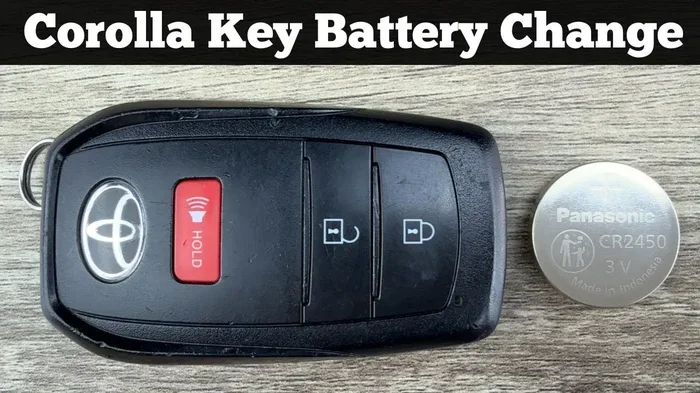
Even with phone unlocking, it is smart to keep a physical key fob as a backup. If your phone dies or gets damaged, you still need a way to access your truck. Toyota dealerships can help you set up a backup fob easily.
Explore Toyota Connected Services
Toyota connected services go beyond just unlocking. You can track maintenance reminders, get roadside assistance, and even locate your vehicle if it is stolen. These services integrate with the Remote Connect app and make owning a Tundra even more convenient.
Share Keys With Trusted Family Members
The digital key sharing feature is a great tool for families. You can let your spouse or older teen unlock and start the Tundra using their phone. You control the access level and can revoke it anytime through the app.
What the Future Holds for Toyota Phone Integration
Toyota is investing heavily in smart vehicle technology. The Tundra is at the forefront of this shift. In the near future, we can expect even more seamless phone integration features.
Digital wallet integration may allow you to pay for fuel directly from your phone. Enhanced AI features could learn your daily habits and automate tasks like pre-conditioning the cabin. The possibilities are exciting.
Toyota’s commitment to smartphone integration means your Tundra will continue to get smarter over time. Owning a Toyota truck today means being part of a connected ecosystem that grows with you.
Phone unlocking is just the beginning. It is a small feature that opens the door to a much bigger picture of smart, connected truck ownership.
Conclusion
Unlocking your Toyota Tundra with your phone is not just a cool tech trick. It is a practical, time-saving feature that makes daily life easier. From the Toyota Remote Connect app to digital key technology, Toyota has built a smart system that fits seamlessly into your routine.
You have learned how phone-as-a-key technology works, how to set it up, and what benefits it brings. You also know how to troubleshoot common issues and get the most from your Tundra’s smart features. The ability to unlock your Tundra with your phone puts convenience right at your fingertips.
Take a few minutes today to set up phone unlocking on your Toyota Tundra. You will wonder how you ever lived without it. Your time is valuable. Let your phone help you save it.
Frequently Asked Questions
Can I unlock my Tundra with my phone without the Toyota app?
No, you need the Toyota Remote Connect app to use phone unlocking features. The app is the bridge between your phone and your truck. Download it from the App Store or Google Play and follow the setup instructions to pair your phone with your Tundra.
Does phone unlocking work if my phone battery is dead?
No, phone unlocking requires your phone to have battery power. The Bluetooth and NFC features need energy to communicate with your truck. This is why it is wise to keep a backup physical key fob for emergencies when your phone is dead.
Can I share my digital key with someone else?
Yes, the Toyota Remote Connect app allows you to share digital keys securely. You can grant access to family members or trusted friends. You control the permissions and can revoke access at any time through the app settings.
Is phone unlocking safe and secure for my Tundra?
Yes, Toyota uses encrypted digital keys that are very secure. The system uses secure elements built into your smartphone. Only your registered phone can unlock and start your Tundra. It is just as safe as a traditional key fob, if not safer.
Can I use phone unlocking on older Toyota Tundra models?
Phone unlocking works best on 2022 and newer Tundra models. Older models may not support all digital key features. Check with a Toyota dealer to see if your specific model year is compatible with phone-as-a-key technology.
What happens if my phone is lost or stolen?
If your phone is lost or stolen, you can remotely disable the digital key through the Toyota app. You can also use a backup physical key fob to access your truck. Toyota recommends enabling remote wipe and lock features on your phone for extra security.