How Do I Reset My Digital Radio And Get It Working Again
A digital radio reset is simpler than most people think. Whether your radio is frozen, showing no signal, or stuck on one station, a reset often solves the problem fast. This guide walks you through every method, from a basic power cycle to a full factory reset, so you can get back to clear sound in minutes.
Key Takeaways
- A soft reset fixes most minor glitches without losing your saved stations.
- A factory reset clears all settings and should be your last resort.
- Checking the fuse and antenna solves many radio problems before you even reset.
- Power cycling is the easiest and most overlooked fix for a frozen digital radio display.
- Updating firmware can prevent repeat issues and improve reception.
- Knowing your radio model helps you find the exact reset steps fast.
- Professional help is worth it if the problem persists after a full reset.
📑 Table of Contents
- How Do I Reset My Digital Radio And Get It Working Again
- Why Does Your Digital Radio Need A Reset
- Quick Checks Before You Reset
- How To Perform A Soft Reset On Your Digital Radio
- How To Perform A Factory Reset On Your Digital Radio
- Digital Radio Troubleshooting: Common Problems And Fixes
- When To Seek Professional Help
- Preventing Future Radio Problems
- Final Thoughts On Resetting Your Digital Radio
How Do I Reset My Digital Radio And Get It Working Again
Your digital radio suddenly goes blank. The display freezes. Stations you once loved disappear into static. It is frustrating, especially when you rely on your radio for news, music, or traffic updates during your daily commute. The good news is that a digital radio reset often fixes these issues in just a few minutes.
Whether you are dealing with a car radio that will not turn on or a home digital receiver that lost its signal, this guide has you covered. We will walk you through every method, from the simplest power cycle to a full factory reset. You will learn what to check before you reset, how each reset type works, and when it is time to call a professional. Let us get your sound back.
Many people skip the basic checks and jump straight to a reset. That is fine, but knowing a few simple troubleshooting steps first can save you time. We will cover those too, so you walk away with a complete understanding of how to fix a digital radio that is not working properly.
Why Does Your Digital Radio Need A Reset
Digital radios are smart devices, but they are not immune to glitches. Software hiccups, signal interference, and power surges can all cause problems. Understanding why your radio acts up helps you choose the right fix.
Common Signs Your Radio Needs A Reset
Here are the most common warning signs that a reset might help:
- The display is blank or frozen. You press buttons but nothing happens on screen.
- Static or crackling noise. Your usual stations sound distorted or unclear.
- Radio will not turn on. You have power, but the unit stays dark.
- Stations are missing. Preset stations you saved suddenly disappear.
- The screen shows an error code. A message or code appears that you do not recognize.
- Signal keeps dropping. You lose reception frequently, even in areas that used to work fine.
If any of these sound familiar, you are in the right place. A reset can often clear these problems and restore normal function. But first, let us check a few things that do not even require a reset.
Quick Checks Before You Reset
Before you dive into a full reset, try these simple checks. They take only a few minutes and solve many radio problems on the spot.
Check the Power Source
Sounds obvious, right? But a loose power cable or a dead battery is the number one cause of radio issues. Make sure your radio is plugged in firmly or that the battery has enough charge. If you are dealing with a car radio, check that the ignition is in the right position. Sometimes the radio loses power when the vehicle stalls or the battery is low.
Inspect the Antenna Connection
A loose or damaged antenna causes poor reception and static. Look at the antenna wire and make sure it is securely plugged in. If the antenna is broken or corroded, replacing it might fix your problem without any reset at all. For car radios, also check that the antenna mast on the roof is not bent or damaged.
Look at the Fuse Box
Many car radios have a dedicated fuse. A blown fuse cuts power to the unit entirely. Open your fuse box and locate the radio fuse. If it looks burned or broken, swap it with a matching fuse of the same rating. This simple fix can bring your radio back to life.
Quick Tip: Always keep spare fuses in your glove box. You never know when you will need one.
How To Perform A Soft Reset On Your Digital Radio
A soft reset is the first step in most troubleshooting. It clears temporary glitches without erasing your saved stations or settings. Think of it like restarting your phone when it acts slow.
Method One: The Power Cycle
This is the easiest method and works for most digital radios:
- Turn off the radio using the power button.
- Unplug the radio from the power source or turn off the car ignition.
- Wait at least 30 seconds. This lets the internal capacitors drain completely.
- Plug the radio back in or turn the ignition on.
- Press the power button and wait for the display to come back on.
In most cases, this simple power cycle fixes the problem. The 30-second wait is key. It gives the system time to fully discharge and clear any temporary errors.
Method Two: The Reset Button
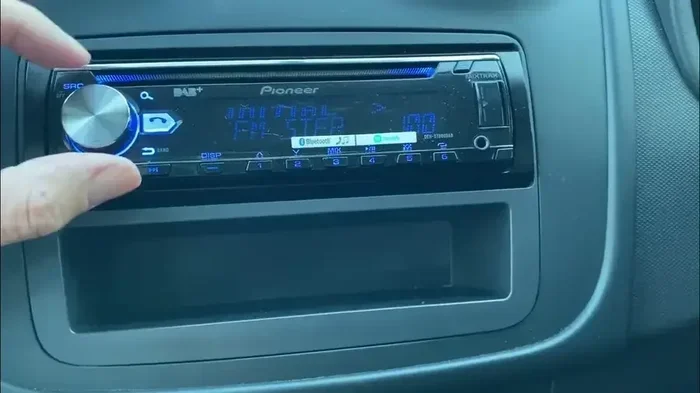
Many digital radios have a small reset button on the back or side. Look for a tiny pinhole labeled “Reset.” Use a paperclip or a thin pin to press it gently. The radio will restart and return to its default state. Your saved stations usually stay intact with this method.
If you own a car radio, you might also need to reset the radio after a battery disconnect. This happens naturally when you replace your car battery, and the process is similar to the power cycle method above.
When A Soft Reset Does Not Work
If a soft reset fails, do not worry. The next step is a harder reset that clears more data. But before you go there, try checking your signal strength. Sometimes the issue is not the radio itself but the broadcast signal in your area. Move to a different location and try again. If the radio works in a new spot, the problem is signal-related, not hardware-related.
How To Perform A Factory Reset On Your Digital Radio
A factory reset wipes all your settings, saved stations, and custom preferences. Use this only when a soft reset does not fix the problem. Think of it as a last resort before seeking professional help.
Step-By-Step Factory Reset Guide
Here is how to do a factory reset on most digital radios:
- Turn on the radio.
- Press and hold the “Menu” or “Settings” button for five seconds.
- Look for a “Factory Reset” or “Restore Defaults” option on the screen.
- Confirm your choice when prompted.
- Wait for the radio to restart. This can take one to three minutes.
- Once it powers back on, set the time, date, and your favorite stations again.
The exact steps vary by model, so check your user manual if you get stuck. Most modern digital radios also have a reset option hidden in the settings menu under “System” or “About.”
What Happens After A Factory Reset
After a factory reset, your radio returns to the exact state it was in when you first bought it. All saved stations are gone. Custom EQ settings return to default. The clock resets to zero. You will need to reprogram everything from scratch. It takes a few minutes, but it often solves deep software issues that a soft reset cannot touch.
Important: Make sure you know your radio’s security code before performing a factory reset. Some units require a code to unlock after a reset. This code is usually in your owner’s manual or on the manufacturer’s website.
Digital Radio Troubleshooting: Common Problems And Fixes
Not every radio problem requires a reset. Some issues have simple fixes that take seconds. Here are the most common problems and how to solve them.
Problem One: Radio Shows Static On Every Station
Static on all stations usually points to an antenna issue or a problem with the tuner. Try these fixes:
- Check the antenna connection and make sure it is tight.
- Move the radio to a different location to test signal strength.
- Perform a digital radio tuner reset through the settings menu.
- Check for nearby electronic devices that might cause interference.
Problem Two: Radio Display Is Blank But It Still Works
If the radio plays but the screen is dark, the display backlight may be failing. Try dimming the display brightness in settings first. If that does not work, the issue could be a loose ribbon cable inside the unit. This one might need a technician, but sometimes reseating the cable fixes it.
Problem Three: Radio Will Not Save Stations
If your radio keeps forgetting saved stations, the internal memory might be corrupted. A factory reset usually fixes this. After the reset, save your stations again and see if the problem returns.
Problem Four: Radio Freezes During Broadcast
A frozen display during a broadcast often means the digital signal dropped. This is common in areas with weak coverage. Try driving to a different area or moving the radio near a window. If the freezing happens often, a reset can clear the software error that causes it.
When To Seek Professional Help
Most digital radio issues resolve with a reset or a simple fix. But some problems need a trained eye. Here are signs it is time to visit a professional:
- The radio still does not work after a full factory reset. This suggests a hardware failure, not a software glitch.
- You see or smell smoke. Unplug the radio immediately and do not try to use it again.
- The display shows a persistent error code. Some error codes point to specific internal parts that need replacement.
- The radio works intermittently. If it works sometimes and not others, the circuit board may have a loose connection.
- You recently had work done on your vehicle. If the radio problem started after a mechanic worked on your car, they may have accidentally damaged a wire.
Professional repair costs vary, but many shops offer free diagnostics. It is always worth a quick check before you buy a replacement unit. Also, if your radio is still under warranty, check with the manufacturer first. You do not want to void your coverage by opening the unit yourself.
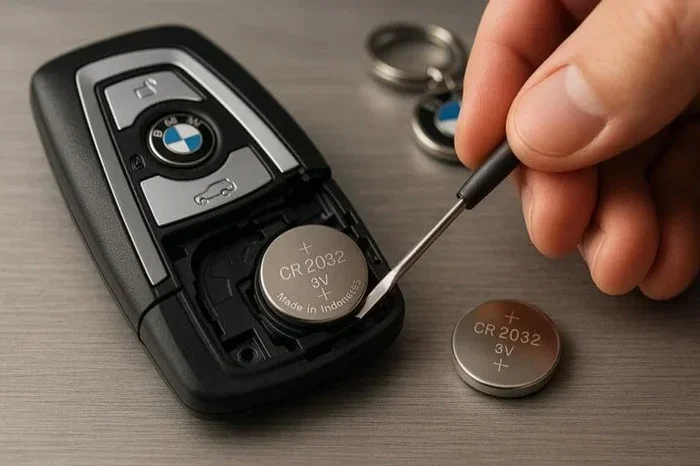
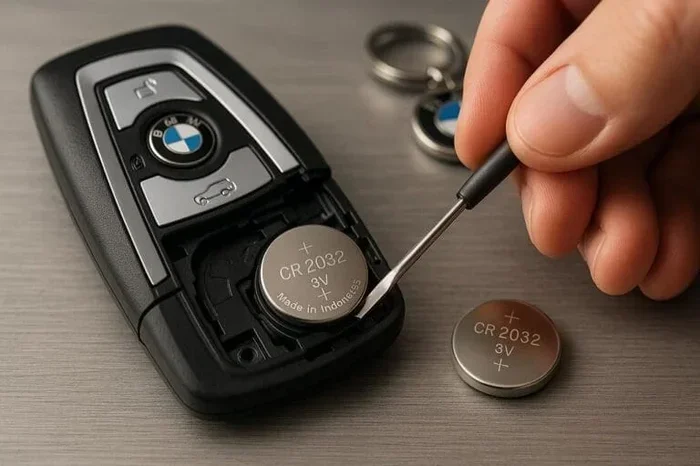
Similar to how you would reset a key fob after replacing the battery, resetting a digital radio follows the same principle of clearing temporary errors and restoring normal function. The process is straightforward once you know the steps.
Preventing Future Radio Problems
Once you get your digital radio working again, you want to keep it that way. A few simple habits can prevent most common issues.
Keep Your Radio Clean
Dust and debris can build up around vents and buttons. Use a soft, dry cloth to wipe down the exterior regularly. For car radios, a compressed air can works great for cleaning out vents and crevices.
Protect Against Power Surges
Power surges are one of the biggest threats to electronic devices. Use a surge protector for home radios. For car radios, make sure your vehicle’s electrical system is in good shape. A failing alternator can send irregular voltage to your radio and cause damage over time.
Update Firmware When Available
Many modern digital radios have updatable firmware. Manufacturers release updates that fix bugs and improve performance. Check the manufacturer’s website or your radio’s settings menu for available updates. Keeping your firmware current can prevent many of the issues that lead to a reset in the first place.
Store Your Radio Properly
Extreme heat and cold can damage electronic components. If you store your radio for long periods, keep it in a cool, dry place. Avoid leaving it in a hot car or a damp basement. Proper storage extends the life of your radio significantly.
Final Thoughts On Resetting Your Digital Radio
A digital radio reset is one of the simplest and most effective ways to bring your radio back to life. Whether you need a quick power cycle or a full factory reset, the steps are straightforward and do not require special tools or technical skills. Start with the basic checks, move to a soft reset, and only try a factory reset if needed.
Most of the time, your radio will be working perfectly again within minutes. If the problem persists, do not hesitate to seek professional help. A trained technician can diagnose issues that go beyond what a reset can fix.
Keep this guide bookmarked for the next time your radio acts up. And remember, taking care of your radio with regular cleaning and firmware updates can prevent many problems before they start. Your radio works hard for you, and with a little care, it will keep working for years to come.
Just like how you would handle other car electronics, such as rolling down your windows with your Toyota key fob or starting your Toyota Highlander with a key, understanding how your radio works gives you confidence to handle small issues on your own. A little knowledge goes a long way in saving time and money.
Frequently Asked Questions
How long does a digital radio reset take?
A soft reset takes about one to two minutes. A factory reset takes three to five minutes, plus extra time to reprogram your settings. The entire process is quick and does not require any special tools or technical skills.
Will resetting my digital radio delete my saved stations?
A soft reset usually keeps your saved stations intact. A factory reset wipes all saved data, including stations, clock settings, and custom preferences. Always note down your favorite stations before performing a factory reset.
Can I reset my digital radio without the remote or manual?
Yes. Most digital radios have a physical reset button on the back or side. You can also perform a power cycle by unplugging the unit for 30 seconds. These methods do not require a remote or manual.
Why does my digital radio keep needing resets?
If your radio needs frequent resets, there may be an underlying issue. Check the antenna, power supply, and firmware version. A recurring problem could also indicate a failing internal component that needs professional repair.
Is it safe to reset a digital radio while it is playing music?
It is best to pause or stop playback before resetting. A sudden reset during active use can sometimes cause data corruption. Power down the radio first, wait a few seconds, and then proceed with the reset.
What is the difference between a soft reset and a factory reset?
A soft reset clears temporary errors and restarts the system. It does not delete your data. A factory reset wipes all settings and returns the radio to its original out-of-box state. Use a soft reset first and a factory reset only if the soft reset fails.