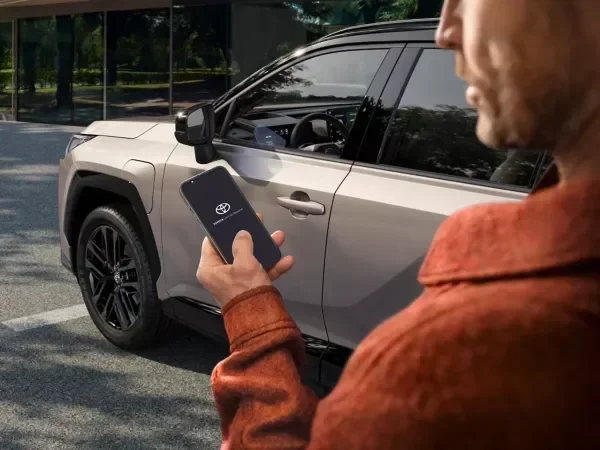
Can Two People Use the Toyota App for the Same Car
Yes, two people can use the Toyota App for the same car. The Toyota App supports multiple user profiles, allowing family members or couples to share vehicle access, remote controls, and Toyota connected services. This guide walks you through setup, benefits, limitations, and expert tips for seamless car sharing with the Toyota mobile app.
Have you ever wondered whether your partner, roommate, or family member can access the Toyota App on their phone too? Maybe you share a car and want both of you to enjoy the convenience of remote start, lock controls, and vehicle tracking. The good news is that the answer is yes. Two people can absolutely use the Toyota App for the same car. In this guide, we will walk you through everything you need to know about multi-user access, how to set it up, what features you can share, and a few things to watch out for.
The Toyota App has become a must-have tool for modern Toyota owners. It connects your smartphone directly to your vehicle, giving you control over climate settings, door locks, and even maintenance alerts. But not everyone knows that the app supports more than one user per vehicle. Whether you are managing a family car or simply want a trusted person to have access while you are away, understanding how shared vehicle access works can save you time and frustration.
Key Takeaways
- Multi-user access is supported: The Toyota App allows multiple users to link the same vehicle and access features remotely.
- Easy setup process: Adding another person involves a simple invitation through the app settings.
- Shared features include remote start, lock/unlock, and location tracking: Both users can control key vehicle functions.
- Privacy and security controls are built in: Each user has their own login, and owners can manage permissions.
- Family and couples benefit the most: Shared vehicle access simplifies daily routines for households with multiple drivers.
- Some limitations exist: Certain features may be restricted based on the vehicle model and Toyota connected services plan.
- Regular updates keep the experience smooth: Keeping the app updated ensures all shared features work properly.
📑 Table of Contents
- Understanding the Toyota App and Its Core Features
- Can Two People Use the Toyota App for the Same Car?
- How to Set Up Multiple Users on the Toyota App
- Benefits of Sharing the Toyota App with Another Person
- Limitations and Things to Consider
- Tips for a Smooth Multi-User Experience
- Comparison: Single User vs. Multi-User Toyota App Access
- Common Mistakes to Avoid When Sharing the Toyota App
- Expert Insights on Toyota App Sharing
- Key Takeaways
- Frequently Asked Questions
- Final Thoughts
Understanding the Toyota App and Its Core Features
Before diving into multi-user setup, it helps to understand what the Toyota App actually offers. The app serves as a digital bridge between you and your vehicle. It uses Toyota connected services to deliver real-time information and remote controls right to your phone.
What Can You Do with the Toyota App?
The Toyota App comes packed with features designed to make car ownership easier. Here are some of the most popular functions:
- Remote start and stop: Warm up or cool down your car before you get in.
- Lock and unlock doors: Control your doors from anywhere with an internet connection.
- Vehicle location tracking: Find your car in a crowded parking lot or on the street.
- Climate control: Pre-set your interior temperature before your drive.
- Maintenance alerts: Get notified when your car needs oil changes, tire rotations, or other service.
- Trip history: Review where your car has been and how far it has traveled.
- Digital key access: Some Toyota models support smart key functionality through the app.
These features rely on Toyota connected services, which require a compatible vehicle and an active subscription. Not all Toyota models support every feature, so it is worth checking your specific model and year. But the core functionality of remote access and vehicle management is available across most newer Toyota vehicles.
Can Two People Use the Toyota App for the Same Car?
The short answer is yes. The Toyota App supports multiple user profiles for a single vehicle. This means you can invite another person — a spouse, a family member, or a trusted friend — to link the same car to their smartphone. Once linked, both users can access most of the shared features without needing to share a single login.
How Does Multi-User Access Work?
When you set up the Toyota App, you create a primary account tied to your vehicle. From there, you can add secondary users through the app’s sharing settings. Each secondary user gets their own login credentials, which means they can access the vehicle controls from their own phone. The system works by assigning app permissions to each user, allowing the vehicle owner to control what features each person can use.
This setup is different from simply sharing your username and password. Instead, the Toyota App uses a secure invitation system. The primary owner sends an invite, the second person accepts it, and the vehicle is linked to their account. This keeps your personal data safe and gives you full control over who has access.
Who Benefits Most from Shared App Access?
Several common situations make shared vehicle access incredibly useful:
- Couples sharing a car: Both partners can lock, unlock, and start the vehicle without passing a phone back and forth.
- Families with multiple drivers: Parents can give older teens or a spouse access to the family vehicle.
- Car-sharing within households: Roommates or partners who take turns driving the same car can each manage their own access.
- Trusted backup drivers: You can grant access to a close friend or family member in case of emergencies.
In each case, the Toyota App makes it easy to share vehicle controls without compromising security or privacy.
How to Set Up Multiple Users on the Toyota App
Setting up a second user on the Toyota App is a straightforward process. Here is a step-by-step guide to help you get it done.
Step 1: Open the Toyota App and Go to Settings
Launch the Toyota App on your smartphone and log in to your primary account. Navigate to the settings menu, which is usually represented by a gear icon in the top corner of the screen. Look for a section labeled “Vehicle Settings” or “User Management.”
Step 2: Select Your Vehicle
Choose the vehicle you want to share from your list of registered cars. Make sure you are on the correct vehicle profile before proceeding. This ensures that the invitation is sent for the right car.
Step 3: Find the Share or Invite Option
Within the vehicle settings, look for an option like “Add User,” “Invite Driver,” or “Share Vehicle.” The exact wording may vary depending on your app version. Tap this option to begin the invitation process.
Step 4: Enter the Second User’s Information
You will need the email address or phone number of the person you want to invite. Enter their details and send the invitation. The other person will receive a notification with instructions on how to accept and link the vehicle to their own Toyota App account.
Step 5: Set Permissions (Optional but Recommended)
Some versions of the Toyota App allow you to customize what each user can do. For example, you might want to give your partner full access but limit a secondary user to only lock and unlock functions. Review the permission settings and adjust them to fit your needs.
Step 6: Confirm the Setup
Once the second user accepts the invitation, both of you should be able to see the shared vehicle in your respective app dashboards. Test a few features like locking the doors or checking the vehicle location to make sure everything is working correctly.
Quick Tip: Make sure both users have the latest version of the Toyota App installed. Outdated app versions can sometimes cause syncing issues or missing features.
Benefits of Sharing the Toyota App with Another Person
Sharing Toyota connected services with another person comes with several real-world advantages. Let us look at the biggest benefits.
Convenience for Daily Routines
Imagine you are running late for work and your partner is already at the door with the car keys. Instead of handing over your phone, they can simply use their own app to start the car and set the temperature. This small convenience adds up significantly over time, especially in busy households.
Enhanced Security and Peace of Mind
When you share access through the official Toyota App, you do not have to give out your personal login information. Each user has their own secure account. The vehicle owner can also revoke access at any time, which is especially useful if the shared user no longer needs it. This level of control gives Toyota owners peace of mind.
Better Vehicle Management
With multiple users, maintenance reminders and service alerts reach more than one person. If you are the primary driver but your partner also uses the car, both of you will receive notifications about upcoming oil changes or tire rotations. This shared awareness helps keep the vehicle in better shape.
Emergency Situations
In an emergency, having a trusted person with app access can be a lifesaver. They can locate the vehicle, unlock the doors, or even start the car if needed. This feature is especially valuable for families with elderly members or individuals who may need assistance.
Limitations and Things to Consider
While the Toyota App supports multi-user access, there are some limitations you should be aware of before setting things up.
Not All Features Are Shareable
Some advanced features may be restricted to the primary account holder only. For example, certain vehicle settings or billing information might not be accessible to secondary users. The level of access depends on your specific Toyota model, the app version, and your Toyota connected services plan.
Subscription Requirements
The Toyota App relies on Toyota connected services, which often require a paid subscription. If your subscription is tied to your primary account, it should still work for all users. However, if the subscription lapses or is canceled, all users lose access to connected features. Make sure your subscription is active and up to date.
Vehicle Compatibility
Older Toyota models may not support all the features needed for multi-user access. The app’s sharing capabilities are tied to the vehicle’s onboard technology. If your car was manufactured before the widespread adoption of Toyota connected services, some features may not be available or may work differently.
Privacy Considerations
Even though each user has their own login, sharing a vehicle account means that some data is visible to both parties. Trip history, location data, and usage patterns may be accessible to the secondary user. If privacy is a major concern, review the app’s data-sharing settings carefully.
App Performance with Multiple Users
In rare cases, having multiple users linked to the same vehicle can cause minor syncing delays. If you notice that the app is slow to respond or not updating in real time, try logging out and back in, or check for app updates. Restarting the app usually resolves most issues.
Tips for a Smooth Multi-User Experience
Getting the most out of shared Toyota App access is all about a few smart habits. Here are some practical tips to keep things running smoothly.
Keep the App Updated
Toyota regularly releases updates that improve performance and add new features. Both users should keep the app updated on their phones to ensure compatibility and access to the latest functionality.
Use Strong, Unique Passwords
Even though you are sharing vehicle access, each user should maintain their own strong password. Avoid using the same password across multiple apps or accounts. This keeps your Toyota App secure and reduces the risk of unauthorized access.
Review Permissions Regularly
Every few months, check the user permissions in your Toyota App settings. If someone no longer needs access, remove them from the shared vehicle list. This keeps your account clean and secure.
Communicate with Your Co-User
If you share the car with a partner or family member, set some basic ground rules. Who gets to use remote start first in the morning? What happens if one person needs to locate the car while the other is driving? Simple communication prevents confusion and keeps things running smoothly.
Explore the Toyota Owner’s Manual for Your Model
Different Toyota models have different levels of smart key and app integration. Your owner’s manual will provide model-specific details about what is supported and how to get the most out of the Toyota App.
Contact Toyota Support if Needed
If you run into any issues during setup or while using the shared features, Toyota customer support can help. They can walk you through troubleshooting steps and confirm whether your specific model supports all the features you want to share.
Comparison: Single User vs. Multi-User Toyota App Access
| Feature | Single User | Multi-User |
|---|---|---|
| Remote Start | Available | Available to all users |
| Lock/Unlock Doors | Available | Available to all users |
| Vehicle Location | Available | Available to all users |
| Climate Control | Available | Available to all users |
| Maintenance Alerts | Sent to primary user | Can be sent to all users |
| Permission Controls | N/A | Owner can customize access |
| Separate Logins | N/A | Each user has own account |
| Trip History Visibility | Owner only | May be visible to all users |
As you can see, the multi-user setup offers nearly all the same features as a single-user setup, with the added benefit of shared access and customizable permissions. The main difference lies in the level of control the primary owner has over what each user can see and do.
Common Mistakes to Avoid When Sharing the Toyota App
Setting up multi-user access is simple, but a few common mistakes can cause headaches. Here is what to watch out for.
- Forgetting to update permissions: If you no longer want someone to have access, remove them from the app. Leaving old users linked can create security risks.
- Ignoring app updates: Outdated versions of the Toyota App may not support the latest sharing features or may have bugs that cause sync problems.
- Sharing your primary login: Never share your main Toyota App username and password. Always use the official invitation system to add secondary users.
- Assuming all features work the same on every model: Your Toyota model may not support every shared feature. Check your vehicle specifications before setting up multi-user access.
- Not testing the setup: After adding a second user, test the key features before you actually need them in a real situation.
Avoiding these mistakes ensures that your shared vehicle access experience is smooth, secure, and hassle-free.
Expert Insights on Toyota App Sharing
According to Toyota’s official support resources, the Toyota App is designed with modern households in mind. As more families share vehicles and more couples own a single car, the demand for reliable multi-user access has grown. Toyota has responded by building secure sharing features directly into the app’s core architecture.
Automotive experts also point out that Toyota connected services represent a significant step forward in vehicle technology. The ability to share app access is just one part of a broader ecosystem that includes over-the-air updates, remote diagnostics, and integrated navigation. For Toyota owners who want to get the most out of their vehicle, understanding and using the sharing features is a smart move.
From a security standpoint, the app’s invitation-based system is considered best practice in the industry. Unlike older methods that required sharing a single set of credentials, the Toyota App’s approach keeps each user’s identity separate while still allowing seamless vehicle control. This balance of convenience and security is what makes the multi-user feature so valuable.
Key Takeaways
- Multi-user access is supported: The Toyota App allows multiple users to link the same vehicle and access features remotely.
- Easy setup process: Adding another person involves a simple invitation through the app settings.
- Shared features include remote start, lock/unlock, and location tracking: Both users can control key vehicle functions.
- Privacy and security controls are built in: Each user has their own login, and owners can manage permissions.
- Family and couples benefit the most: Shared vehicle access simplifies daily routines for households with multiple drivers.
- Some limitations exist: Certain features may be restricted based on the vehicle model and Toyota connected services plan.
- Regular updates keep the experience smooth: Keeping the app updated ensures all shared features work properly.
Frequently Asked Questions
Can I remove someone from the Toyota App after I add them?
Yes, you can remove a secondary user at any time. Go to the vehicle settings in the Toyota App, find the user management section, and select the person you want to remove. Their access will be revoked immediately, and they will no longer be able to control your vehicle through the app.
Do both users need to have a Toyota App account?
Yes, each user needs their own Toyota App account to receive and accept the vehicle sharing invitation. The process is free and quick, requiring only a valid email address or phone number to set up.
Will adding a second user affect my Toyota connected services subscription?
No, adding a second user does not change your subscription status or cost. The subscription is tied to the vehicle, not to individual users. Both users can access connected features as long as the subscription is active.
Can a secondary user use the digital key feature?
This depends on your Toyota model and the specific features included in your connected services plan. Some models allow digital key sharing with secondary users, while others restrict this feature to the primary account holder only. Check your owner’s manual or contact Toyota support for model-specific details.
What happens if I change my primary email or phone number?
You can update your contact information in the Toyota App settings at any time. This change does not affect the secondary users who have been added to your vehicle. However, make sure to keep your primary account information current for security and login purposes.
Is the Toyota App multi-user feature available on all Toyota models?
The multi-user feature is available on most Toyota models equipped with Toyota connected services. However, the range of shareable features may vary depending on the model year and trim level. Newer models generally offer the most comprehensive sharing capabilities.
Final Thoughts
The Toyota App makes it easy for two people to share access to the same vehicle, and that is a big deal for modern households. Whether you are part of a couple, a family, or simply want a trusted person to have backup access, the app’s multi-user features deliver real convenience and peace of mind. From remote start to vehicle location tracking, the shared experience is designed to make daily life smoother for everyone involved.
Setting up a second user is simple, secure, and free. With just a few taps in the app, you can invite someone and start enjoying shared Toyota connected services right away. Just remember to review permissions regularly, keep the app updated, and communicate with your co-user about how you prefer to manage shared access.
If you have been on the fence about exploring the multi-user features of the Toyota App, now is the perfect time to try it out. The process is quick, the benefits are clear, and the peace of mind that comes with secure, controlled sharing is well worth it. Two people can use the Toyota App for the same car, and once you set it up, you will wonder how you ever managed without it.