Quick Ways to Reset the Maintenance Light on a 2013 Corolla
Resetting the maintenance light on a 2013 Corolla is simple and can be done in minutes using your dashboard buttons. Whether the maintenance required light is on after an oil change or you just need to clear the reminder, this guide walks you through every method. You will learn the odometer trick, the trip meter method, and how to handle common reset problems with confidence.
There is something satisfying about pressing a button and watching that annoying little light disappear from your dashboard. If you own a 2013 Toyota Corolla, you have probably seen the maintenance required light come on at the worst possible moment. Maybe you just got your oil changed and forgot to reset it. Or maybe it popped on out of nowhere and you are not sure what it means.
The good news is that resetting the maintenance light on a 2013 Corolla is incredibly easy. You do not need a mechanic. You do not need expensive tools. All you need is about five minutes and a little patience. This guide will walk you through every method that works on the 2013 model, explain why the light comes on in the first place, and help you avoid common mistakes that trip people up.
Let us get into it. By the end of this article, you will know exactly how to clear that service reminder and keep your Corolla running smoothly.
Key Takeaways
- Quick Reset Method: The odometer button method is the fastest way to reset the maintenance light on a 2013 Corolla.
- Trip Meter Alternative: You can also use the trip meter reset button to clear the service reminder.
- No Tools Needed: This process requires no special equipment or mechanic visits.
- Common Issues: If the light won’t turn off, check your battery or try holding the button longer.
- Maintenance Schedule: Keeping up with your Toyota maintenance schedule helps prevent future light issues.
- Driving Safety: You can safely drive with the maintenance light on, but resetting it after service is best practice.
📑 Table of Contents
- Understanding the Maintenance Light on a 2013 Corolla
- Why You Should Reset Your Maintenance Light
- How to Reset the Maintenance Light Using the Odometer Method
- Using the Trip Meter to Reset the Maintenance Light
- Common Problems When Resetting the Maintenance Light
- Maintenance Schedule Tips for Your 2013 Corolla
- When to See a Professional
- Conclusion
Understanding the Maintenance Light on a 2013 Corolla
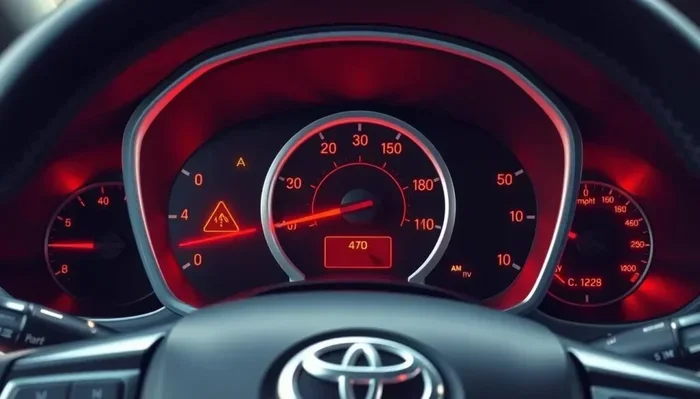
The maintenance light on your 2013 Toyota Corolla is not the same as the check engine light. It is a service interval reminder. Toyota designed it to tell you when it is time for routine maintenance like an oil change, tire rotation, or fluid check. The light usually looks like a small wrench or the words “MAINTENANCE REQUIRED” on your dashboard display.
This system is based on your driving habits and mileage. Toyota uses a smart algorithm to estimate when your car needs service. The maintenance reminder typically triggers around 5,000 miles after the last reset. However, if you drive in harsh conditions like extreme heat or stop-and-go traffic, it may come on sooner.
It is worth noting that the wrench light on a Toyota is purely a maintenance reminder. It does not indicate a mechanical failure. This is different from the check engine light, which signals a problem with your emissions system or engine sensors. If you are unsure which light you are seeing, check out this guide on what the wrench light means to be sure.
What Triggers the Maintenance Light?
Several things can cause the maintenance light to appear on your Corolla’s dashboard:
- Mileage interval: The most common trigger is reaching a set mileage since the last reset.
- Oil change due: Your engine oil needs replacing, and the system is reminding you.
- Time-based reminder: Even if you drive low miles, time can trigger the light.
- After service: If a mechanic or you forget to reset the system after completing maintenance.
- Dashboard reset: Sometimes a battery disconnect or jump start resets the system and triggers the light.
Understanding what triggers the light helps you know when to take action and when it is just a harmless reminder. If you are wondering whether it is safe to keep driving with the light on, this article explains everything about driving with the maintenance required light on your Toyota.
Why You Should Reset Your Maintenance Light
Some people ignore the maintenance light and never reset it. That is fine if you keep track of your service dates another way. But there are good reasons to reset it every time you complete maintenance.
First, it keeps your dashboard clean and easy to read. When the light stays on after you have already serviced your car, it creates confusion. You cannot tell at a glance whether the light means something is actually wrong or if it just needs a reset.
Second, resetting the light helps you track your maintenance schedule. The Toyota maintenance system counts miles from the last reset. If you never reset it, the system gets confused and may not alert you at the right time.
Third, it keeps your car’s service history accurate. If you ever sell your Corolla or take it to a new mechanic, a clean maintenance log adds value and trust.
Benefits of Staying on Top of Maintenance Reminders
- Better engine health: Regular oil changes and services keep your engine running smoothly for years.
- Higher resale value: A well-maintained Corolla holds its value better than one with missed services.
- Peace of mind: Knowing your car is up to date on service removes one worry from your daily driving.
- Early problem detection: Staying current with maintenance helps catch small issues before they become big expensive repairs.
For more tips on keeping your Toyota in top shape, check out how to check your car battery as part of your regular maintenance routine.
How to Reset the Maintenance Light Using the Odometer Method
The odometer method is the most common way to reset the maintenance light on a 2013 Corolla. It works every time when done correctly. Here is exactly how to do it step by step.
Step-by-Step Odometer Reset Process
- Turn the ignition to the ON position. Do not start the engine. Just press the start button once or turn the key to the ON position. The dashboard lights will come on.
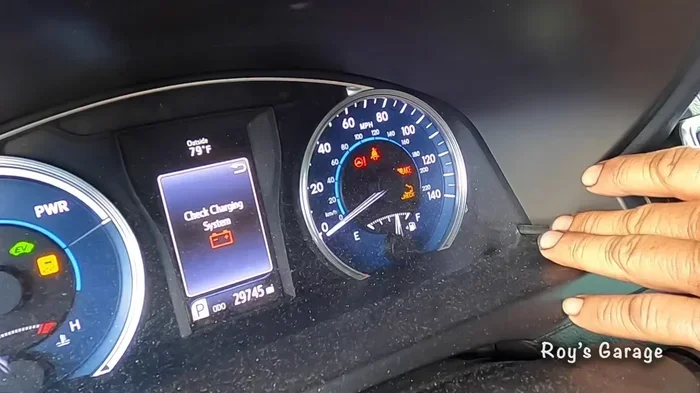
- Locate the odometer reset button. On the 2013 Corolla, this is the small button on the far left side of the instrument cluster. It is right next to the odometer display.
- Press and hold the button. Keep holding it down. You will see the odometer number start to change or flash.
- Turn the ignition to the OFF position. While still holding the button, turn the key back to OFF or press the start button once to turn the car off.
- Release the button. Now let go of the odometer reset button.
- Turn the ignition back to ON. Press the start button again without pressing the gas pedal.
- Check the display. The maintenance light should now be off. If it is still on, repeat the process.
This method works because it forces the Toyota maintenance reminder system to restart its countdown from zero. The system interprets the reset as a completed service and turns off the light.
Tips for Success with the Odometer Method
- Be patient: Hold the button for at least 10 seconds before turning the ignition off.
- Watch the display: The odometer number should change or flash while you hold the button.
- Do not rush: Releasing the button too early is the most common reason the reset fails.
- Try again if needed: Sometimes it takes two or three attempts for the light to clear.
If the light still will not go off after multiple attempts, do not worry. We will cover troubleshooting below. You can also learn how to clear other dashboard warning lights if your Corolla has multiple lights on.
Using the Trip Meter to Reset the Maintenance Light
The trip meter method is an alternative approach that some Corolla owners prefer. It works slightly differently but achieves the same result. This method is especially useful if the odometer button feels sticky or unresponsive.
Step-by-Step Trip Meter Reset Process
- Press the trip meter button on the steering wheel. This button is usually located on the left side of the steering column. Press it to cycle through the display options.
- Select the trip odometer display. Keep pressing until you see the trip A or trip B mileage on your dashboard.
- Press and hold the trip reset button. This is the same button you use to reset individual trip meters. Hold it down for about 10 to 15 seconds.
- While holding, turn the ignition to OFF. Keep holding the button as you turn the car off.
- Release the button after the car is off. Wait a few seconds.
- Turn the ignition back to ON. The maintenance light should now be cleared from the display.
Both methods are effective. The odometer method is slightly more common for the 2013 Corolla, but the trip meter method works just as well. If you are having trouble with one method, try the other. Sometimes the system responds better to one approach than the other.
Which Method Should You Use?
Here is a quick comparison of the two methods:
- Odometer method: Uses the button next to the odometer display. Most users find this easier because the button is clearly labeled.
- Trip meter method: Uses the steering wheel button. Better if the odometer button is hard to reach or feels worn out.
Either method gets the job done. The key is to hold the button long enough and follow the steps in the correct order. Rushing through the process is the number one reason people fail to reset the light.
Common Problems When Resetting the Maintenance Light
Sometimes the maintenance light on a 2013 Corolla just will not go away, no matter how many times you try. This is frustrating but very common. Here are the most frequent problems and how to fix them.
The Light Won’t Turn Off
If you have tried both methods and the light is still on, the most likely cause is a weak car battery. The Toyota maintenance system needs stable electrical power to complete the reset process. A low battery voltage can interrupt the reset and leave the light on.
Try these fixes before giving up:
- Check your battery voltage. A healthy battery should read 12.6 volts or higher. If it is below 12.0 volts, charge it or replace it.
- Make sure the car is fully off. Some owners accidentally leave accessories on, which prevents a full reset.
- Hold the button longer. Try holding the reset button for 20 seconds instead of 10.
- Wait 30 seconds between attempts. Let the system fully power down before trying again.
The Light Comes Back After Resetting
This happens when the maintenance service has not actually been completed. The Toyota system tracks your mileage and will trigger the light again once you reach the next service interval. If you reset the light but have not changed the oil or completed the service, it will just come back.
Another reason the light returns is a battery disconnect. If you recently disconnected the battery for any reason, the maintenance system resets to its default state and triggers the light again. Simply repeat the reset process after the battery is reconnected.
Dashboard Display Shows Error Messages
In rare cases, the Corolla display may show an error message instead of clearing the light. This usually indicates a deeper electrical issue. If you see error messages like “Maintenance Required” flashing repeatedly or the display going blank, it is worth having a professional diagnose the issue.
For general dashboard light troubleshooting, understanding what each warning means is important. Clearing a check engine code follows a similar logic, and the same reset principles often apply.
Maintenance Schedule Tips for Your 2013 Corolla
Resetting the maintenance light is only half the battle. The other half is actually keeping up with your Toyota’s service schedule. A 2013 Corolla is a reliable car, but it still needs regular attention to stay in top shape.
Recommended Service Intervals
Toyota recommends the following maintenance schedule for the 2013 Corolla:
- Every 5,000 miles or 6 months: Oil change, tire rotation, and basic inspection.
- Every 15,000 miles: Replace the engine air filter and inspect the cabin air filter.
- Every 30,000 miles: Replace the spark plugs and inspect the brake system.
- Every 60,000 miles: Replace the timing belt and inspect the transmission fluid.
- Every 90,000 miles: Full major service including all fluids, belts, and hoses.
Following this schedule keeps your Corolla maintenance light accurate and your car running strong. The maintenance reminder system works best when you reset it immediately after completing each service.
Quick Tips to Remember Your Maintenance Dates
- Set a phone reminder: Calendar alerts are simple and effective for tracking service dates.
- Use a maintenance log: Write down each service and the mileage in a notebook or app.
- Reset immediately after service: Never wait. Reset the light the moment the work is done.
- Keep receipts: Service receipts help you track what has been done and when.
Staying organized with your maintenance routine saves money in the long run. Small problems caught early are always cheaper to fix than big problems ignored for too long.
When to See a Professional
Most of the time, resetting the maintenance light is a DIY job that takes five minutes. But there are situations where professional help is the right call.
If the maintenance light stays on after you have tried every method in this guide, there may be an electrical issue or a deeper problem with the Toyota maintenance system. A qualified mechanic can run a diagnostic scan and identify the root cause.
Also, if you notice other warning lights alongside the maintenance light, do not ignore them. Multiple dashboard lights could indicate a more serious problem that needs immediate attention. While some issues are simple fixes, others require professional diagnosis.
Trust your instincts. If something feels off with your car, it is always better to get it checked. A quick visit to the mechanic can save you from costly repairs down the road.
Conclusion
Resetting the maintenance light on a 2013 Corolla is one of the simplest and most useful skills any car owner can learn. Whether you use the odometer method or the trip meter method, the process takes just a few minutes and requires no special tools. The key is to be patient, follow the steps carefully, and hold the reset button long enough for the system to respond.
Remember that the maintenance light is your friend, not your enemy. It is there to remind you to take care of your car at the right intervals. Once you reset it after completing your service, you keep your dashboard clean and your maintenance schedule accurate.
Keep this guide bookmarked for the next time that wrench icon shows up on your Corolla’s dashboard. With the steps above, you will be back to normal in no time. And if you ever run into trouble, the troubleshooting tips will help you work through it. Your 2013 Toyota Corolla is a dependable car, and with regular maintenance and timely resets, it will keep running beautifully for many miles to come.
Frequently Asked Questions
How do I reset the maintenance light on a 2013 Corolla without starting the engine?
You can reset the light without starting the engine by turning the ignition to the ON position and following the odometer or trip meter reset steps. The engine does not need to be running for the reset to work. Just make sure all accessories are off before you begin.
Why does my maintenance light keep coming back after I reset it?
The light comes back if you have not actually completed the maintenance service, such as an oil change. The Toyota system tracks mileage from the last reset and triggers the light again at the next service interval. Make sure the service is done before resetting.
Can I drive my 2013 Corolla with the maintenance light on?
Yes, it is safe to drive with the maintenance light on. The light is only a reminder for routine service and does not indicate a mechanical problem. However, you should schedule your service soon to keep your car in good condition.
What is the difference between the maintenance light and the check engine light on a Corolla?
The maintenance light is a service reminder for oil changes and routine upkeep. The check engine light signals a problem with your emissions system or engine sensors. They mean very different things and require different responses.
How long does it take to reset the maintenance light on a 2013 Corolla?
The reset process takes about 3 to 5 minutes. Most owners complete it on the first try if they follow the steps carefully. Holding the reset button long enough is the most important part of the process.
Do I need any special tools to reset the maintenance light on my Corolla?
No special tools are needed at all. You only need the buttons on your dashboard and steering wheel. The entire reset process is done manually using the odometer or trip meter buttons built into your 2013 Corolla.