How Do I Connect My Toyota to Remote Connect Today
Connecting your Toyota to Remote Connect is easier than you think. This guide walks you through every step of the Toyota Remote Connect setup process, from downloading the app to pairing your vehicle. You will learn how to unlock doors, start the engine remotely, and use all the smart features that come with Toyota connected services.
Have you ever wished you could start your car from your couch? Or unlock the doors while your hands are full of groceries? Toyota Remote Connect makes all of that possible. It is a powerful connected car feature that puts your Toyota at your fingertips. Whether you own a Camry, RAV4, or Highlander, Toyota Remote Connect gives you real-time access to your vehicle.
In this guide, we will walk you through exactly how to connect your Toyota to Toyota Remote Connect. You will learn the setup process, the features you get, and how to troubleshoot common problems. By the end, you will feel confident using your Toyota smartphone link every single day. Let us get started.
Setting up Toyota Remote Connect is not hard, but it does require a few simple steps. You need the right app, a compatible vehicle, and a bit of patience. Once everything is paired, you will wonder how you ever drove without it. Toyota connected services have changed the way people interact with their cars, and this guide will help you get the most out of them.
Key Takeaways
- Toyota Remote Connect lets you control your vehicle from your smartphone with a few simple taps.
- Setting up Toyota Remote Connect requires the Toyota app, a stable WiFi connection, and a compatible Toyota model.
- You can remotely start your engine, lock and unlock doors, and track your vehicle location using Toyota connected services.
- Common setup issues like login errors or pairing failures are easy to fix with basic troubleshooting steps.
- Keeping your Toyota mobile app updated ensures the best performance and security for remote access features.
- Toyota Remote Connect works best when your vehicle has a compatible infotainment system and active subscription.
- You can also explore related Toyota features like starting your Toyota Highlander with a key for added convenience.
📑 Table of Contents
- What Is Toyota Remote Connect?
- How to Set Up Toyota Remote Connect
- Features You Get with Toyota Remote Connect
- Troubleshooting Common Toyota Remote Connect Issues
- Tips to Get the Most Out of Toyota Remote Connect
- Is Toyota Remote Connect Worth It?
- Final Thoughts on Connecting Your Toyota to Remote Connect
What Is Toyota Remote Connect?
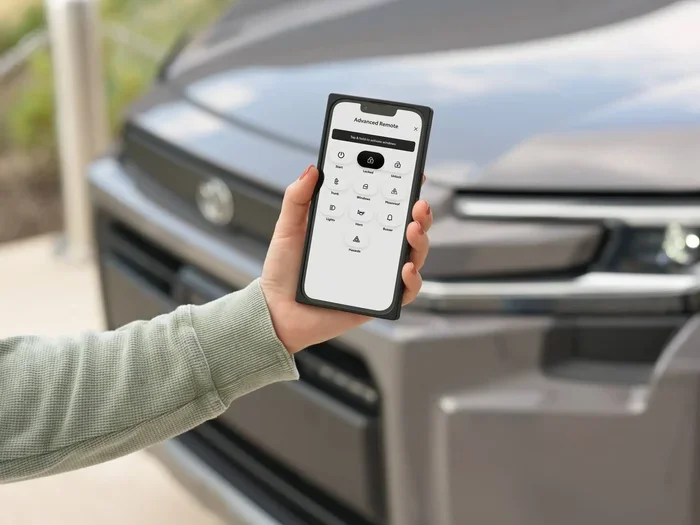
Toyota Remote Connect is a subscription-based service that lets you control certain features of your Toyota from your phone. Think of it as a digital key that lives inside your smartphone. Through the Toyota mobile app, you can lock doors, start the engine, and even find your car in a crowded parking lot.
This service uses vehicle connectivity technology to communicate between your car and the cloud. Your Toyota sends signals to Toyota servers, and the app relays those signals to you. It works over WiFi or cellular data, so you do not need to be near the vehicle to use it.
Who Can Use Toyota Remote Connect?
Not every Toyota model supports Toyota Remote Connect. Generally, newer models from 2018 and onward have the hardware needed. You will also need an active Toyota connected services subscription. Some Toyota dealers include a free trial period when you purchase the vehicle, so check with your dealer to see what is available.
Here are the key requirements:
- A compatible Toyota model with the Toyota multimedia system
- A smartphone running iOS or Android
- A working WiFi or cellular data connection
- An active Toyota Remote Connect subscription
- A registered Toyota account
How to Set Up Toyota Remote Connect
The setup process is straightforward, but you need to follow each step carefully. Skipping a step can cause pairing issues later. Take your time and make sure everything is correct before moving to the next step.
Step 1: Download the Toyota App
First, go to the Apple App Store or Google Play Store. Search for Toyota Remote Connect or the Toyota mobile app. Download the official app and install it on your phone. Make sure your phone has enough storage space and is running the latest operating system version.
Step 2: Create Your Toyota Account
Open the app and tap on “Create Account.” You will need your email address, a strong password, and your Toyota vehicle details. Enter your vehicle identification number, also known as the VIN. This links the app directly to your specific car. Toyota Remote Connect uses this information to identify your vehicle on the network.
Step 3: Pair Your Vehicle
Now comes the pairing step. Go to your Toyota’s infotainment screen and navigate to the connected services menu. Follow the on-screen prompts to enable WiFi connectivity in your car. The vehicle will generate a pairing code. Enter this code into the app on your phone. Once the code matches, your Toyota smartphone link is established.
Step 4: Test Your Connection
After pairing, try a simple action like locking the doors remotely. Open the app and tap the lock icon. If your car responds within a few seconds, you are all set. If nothing happens, check your WiFi signal and make sure your subscription is active. You can also try resetting your Hybrid Connect if the connection is not responding properly.
Features You Get with Toyota Remote Connect
Once your Toyota Remote Connect is up and running, you gain access to a suite of powerful features. These tools make daily driving more convenient and give you peace of mind. Here is what you can do:
Remote Engine Start
This is the most popular feature. You can start your Toyota engine from up to 30 feet away using the app. On cold winter mornings, you can warm up the cabin before you step outside. On hot summer days, you can cool the interior in advance. The engine runs for a set time, usually 10 to 15 minutes, and then shuts off automatically.
Remote Lock and Unlock
Forgot to lock the doors? No problem. With Toyota Remote Connect, you can lock or unlock your vehicle from anywhere. This is especially handy when you realize you left the car unlocked after parking. You simply open the app, tap unlock, and your doors are secured.
Vehicle Location Tracking
Parked in a huge lot and cannot find your car? The app shows your vehicle’s exact GPS location on a map. This feature is a lifesaver in big shopping centers or crowded parking garages. It works as long as your car has a GPS signal and an active data connection.
Vehicle Health Alerts
Toyota connected services can send you alerts about your vehicle’s health. You might receive notifications about low tire pressure, low fuel levels, or maintenance reminders. This helps you stay on top of car care without having to remember to check everything manually.
Climate Control Pre-Conditioning
Some Toyota models allow you to pre-condition the cabin temperature through the app. You can set the heater or air conditioning to turn on before you get in the car. This feature works especially well with Toyota hybrid battery systems, which can power climate control even when the engine is off.
Troubleshooting Common Toyota Remote Connect Issues
Even with a smooth setup, you may run into issues from time to time. Toyota Remote Connect relies on several technologies working together, so a problem in any one area can cause the whole system to fail. Here are the most common issues and how to fix them.
App Won’t Connect to the Vehicle
If the app cannot reach your car, the first thing to check is your WiFi connection. Make sure your car’s WiFi hotspot is turned on and broadcasting. Also check that your phone is connected to the same network. Sometimes simply restarting the infotainment system fixes the problem. Turn the car off, wait 30 seconds, and turn it back on.
Login Errors and Account Issues
Getting locked out of your account? Try resetting your password through the app’s login screen. Make sure you are using the correct email address associated with your Toyota account. If the problem persists, clear the app cache or reinstall the Toyota mobile app. This often resolves login glitches caused by outdated data.
Remote Start Not Working
If remote start fails, check your subscription status first. An expired Toyota Remote Connect subscription will disable this feature. Next, make sure the car is in park and the doors are closed. Remote start will not work if the parking brake is not engaged. Also verify that your key fob is inside the vehicle, as the system requires it to be within range.
Slow Response Times
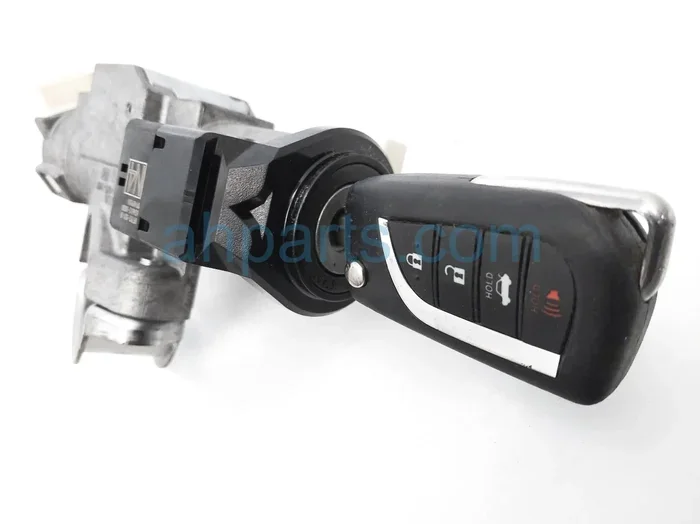
If commands take a long time to execute, your WiFi signal may be weak. Park your car in an area with strong cellular or WiFi coverage. You can also try using your Toyota key fob for basic functions as a backup when the remote connection is slow.
Tips to Get the Most Out of Toyota Remote Connect
To enjoy the best experience with Toyota Remote Connect, follow these practical tips. They will help you stay connected and get the most value from your subscription.
Keep Your App Updated
Toyota regularly releases updates to improve app performance and security. Check for updates in your app store at least once a month. An outdated app version can cause compatibility issues with your vehicle’s connected car system.
Use Strong WiFi Passwords
Your car’s WiFi network needs a strong password to prevent unauthorized access. Use a unique password that you do not share with others. This protects your Toyota smartphone link and keeps your vehicle secure from remote intruders.
Monitor Your Subscription
Set a reminder to check your Toyota connected services subscription status every few months. Some plans auto-renew, while others require manual renewal. An expired subscription means you lose access to remote features until you resubscribe.
Explore the Full App Menu
The Toyota mobile app has many features beyond just remote start and lock. Take time to explore the menu and discover tools you may not have known about. Features like geofencing, trip logging, and driver scoring can add real value to your ownership experience.
Keep Your Vehicle Charged
If you drive a hybrid or electric Toyota, keeping the battery charged ensures Toyota Remote Connect works reliably. A low high-voltage battery can limit the functionality of remote features. For tips on maintaining your hybrid battery, check out our guide on how to make your hybrid battery last longer.
Is Toyota Remote Connect Worth It?
The value of Toyota Remote Connect depends on your lifestyle and driving habits. If you commute daily, travel often, or simply enjoy having the latest car technology, this service is a great investment. The ability to start your car remotely, track its location, and receive health alerts adds real convenience and safety.
Most Toyota dealers offer Toyota Remote Connect with a trial period of 1 to 3 years. This gives you time to test the features and decide if the full subscription is worth continuing. The cost is typically affordable, especially when you consider the time and comfort it saves you every week.
Compare this to manually going outside to start your car in freezing weather or walking across a parking lot to unlock your doors. Toyota Remote Connect eliminates those small daily frustrations. It is one of those features that, once you start using it, you will not want to live without.
Final Thoughts on Connecting Your Toyota to Remote Connect
Toyota Remote Connect transforms your Toyota from a regular vehicle into a smart, connected machine. The setup process is simple, and the features are genuinely useful. Whether you want to start the engine before your morning commute or find your car in a massive parking lot, Toyota connected services deliver real value every single day.
Follow the steps in this guide, keep your app updated, and monitor your subscription. You will enjoy a seamless remote vehicle access experience that makes owning a Toyota even better. If you ever run into issues, come back to this guide for quick solutions. And remember, you are not alone, thousands of Toyota owners use Toyota Remote Connect every day to stay connected to their vehicles.
Take a few minutes today to set up your Toyota Remote Connect. You will be glad you did. And if you want to learn more about your Toyota’s capabilities, explore our other guides on topics like checking your car battery and making your car last longer.
Frequently Asked Questions
What is Toyota Remote Connect?
Toyota Remote Connect is a subscription service that lets you control your Toyota vehicle remotely using the Toyota mobile app. You can start the engine, lock and unlock doors, and track your vehicle location from your smartphone.
How do I know if my Toyota is compatible with Remote Connect?
Most Toyota models from 2018 and newer support Toyota Remote Connect. Check your vehicle’s infotainment system for a connected services menu, or consult your owner’s manual. You can also contact your Toyota dealer to confirm compatibility.
Do I need a WiFi connection to use Toyota Remote Connect?
Yes, your Toyota needs an active WiFi connection through the built-in WiFi hotspot to communicate with the app. You also need a working cellular data connection on your phone to access the app remotely.
How much does Toyota Remote Connect cost?
The cost varies depending on the subscription plan and your Toyota dealer. Many new Toyota vehicles come with a free trial period of 1 to 3 years. After that, you will need to renew the subscription to continue using remote features.
Can I use Toyota Remote Connect on more than one phone?
Yes, you can register multiple phones to the same Toyota account. This is useful for families who share a vehicle. Each user can download the app and log in with the same credentials to access Toyota Remote Connect.
What should I do if my Toyota Remote Connect stops working?
Start by checking your WiFi connection and subscription status. Restart your vehicle’s infotainment system and make sure the app is updated. If the issue persists, try resetting your connected services or contact your Toyota dealer for assistance. You can also explore immobiliser troubleshooting if your vehicle is not responding to remote commands.