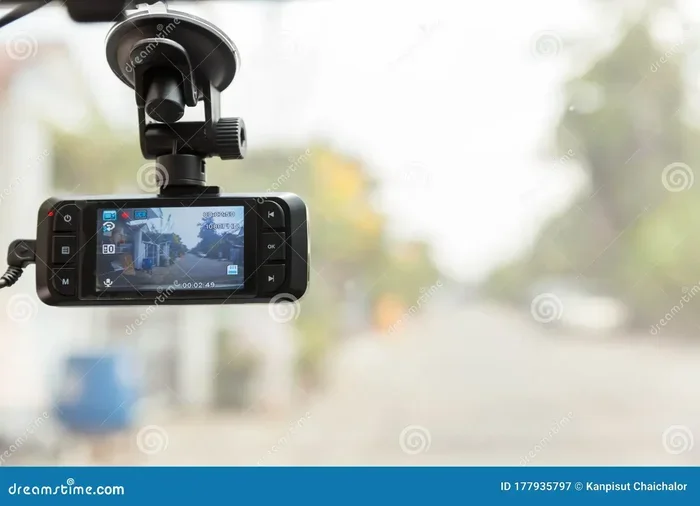
Is My Dash Cam Always Recording During Your Daily Drive
Your dash cam does not always record by default. Most dash cameras use loop recording and only save footage when motion or impact is detected. Understanding how dash cam always recording works helps you choose the right settings for full-time coverage and peace of mind.
You get into your car, turn the key, and start driving. But have you ever stopped to think about whether your dash cam always recording during that drive? It is a question more drivers should be asking, especially as dashboard cameras become standard equipment in modern vehicles. Your dash cam might be your best witness in a hit-and-run, a parking lot scrape, or a serious collision. But if it is not recording when you need it most, all that expensive equipment is useless.
In this guide, we will walk you through everything you need to know about dash cam always recording behavior. We will cover how loop recording works, what parking mode does, and why your dash cam might not be capturing footage the way you think it is. By the end, you will know exactly how your camera operates and what you can do to make sure it is always ready to protect you on the road.
Key Takeaways
- Dash cams use loop recording: This feature automatically overwrites old files when the storage card is full, keeping your most recent clips safe.
- Parking mode is not always on: Many dash cams only start recording in parking mode when motion or a G-sensor detects an impact.
- Hardwiring makes a big difference: A hardwired installation keeps your dash cam powered even when the engine is off, enabling continuous surveillance.
- Storage card size matters: A larger SD card means longer footage retention and fewer gaps in your recording history.
- Auto-start features vary by model: Some dash cams begin recording the moment you turn the ignition, while others need manual activation.
- Not all dash cams record 24/7: Always check your specific model’s settings to confirm whether continuous recording is enabled.
📑 Table of Contents
What Is a Dash Cam and How Does It Work?
A dash camera, commonly called a dash cam, is a small video camera mounted on your windshield or dashboard. It records everything happening in front of your vehicle (and sometimes behind it too) while you drive. Think of it as a security camera for your car. The device captures video resolution footage in real time and stores it on a memory card, usually an SD card.
Most dash cams use a wide-angle lens to capture a broad view of the road. This lens gives you a panoramic perspective, so you can see lane markings, other vehicles, pedestrians, and road signs clearly. Higher-end models offer 4K or 2K video resolution, which means the footage is sharp enough to read license plates from a good distance.
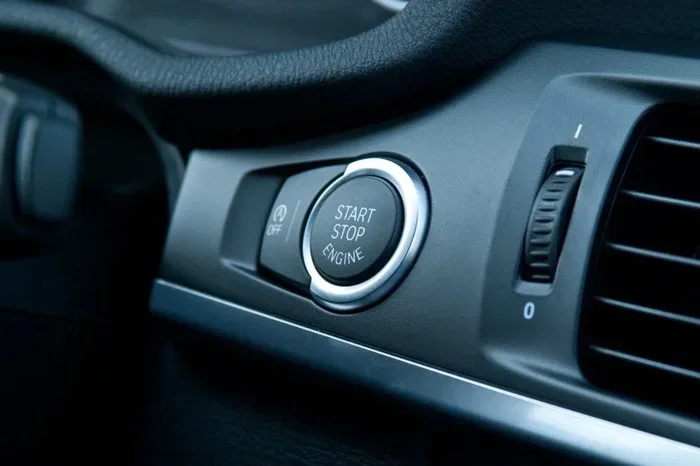
The dash cam connects to your car’s electrical system. When you turn the ignition on, the camera powers up and starts capturing video. When you turn the engine off, the behavior depends entirely on your settings and the type of dash cam you own. Some cameras stop immediately, while others continue recording in a lower-power state.
Key Components of a Dash Cam System
Understanding the parts of your dash cam setup helps you troubleshoot recording issues. Here are the main components:
- Camera unit: The actual recording device with the lens, sensor, and processor.
- SD card: The storage medium where all your footage is saved. Most dash cams use microSD cards ranging from 32GB to 256GB.
- Power cable: Connects the dash cam to your car’s 12V power outlet or is hardwired directly into the vehicle’s electrical system.
- G-sensor: A built-in accelerometer that detects sudden movements or collisions and locks the current file so it cannot be overwritten.
- LCD screen or app connection: Lets you review footage, adjust settings, and monitor live feeds from your smartphone.
Each of these parts plays a role in whether your dash cam always recording mode works properly. If one component fails, your entire surveillance system could go offline without you even knowing.
Does Your Dash Cam Record All the Time?
The short answer is: it depends. Most dash cams do not record continuously by default. Instead, they use a system called loop recording that starts and stops based on your car’s ignition. Here is how it typically works.
How Loop Recording Works
Loop recording is the default setting on almost every dash cam. When the storage card fills up, the camera automatically overwrites the oldest footage with new clips. This means your dash cam is always ready to record fresh video, but it is not saving every single second of footage all the time.
When you start the engine, the dash cam powers on and begins recording. When you turn off the ignition, the camera stops. The footage is saved in short segments, usually one to five minutes long. This makes it easy to review specific clips after an event.
But here is the catch. If your car is parked and someone bumps it, your dash cam might not record anything at all unless you have specific features enabled. This is where many drivers get surprised.
Continuous Recording vs. Event-Based Recording
There is a big difference between continuous recording and event-based recording. With continuous recording, your dash cam always recording mode stays active as long as the camera has power. This means it captures every drive, every parking session, and every moment in between.
Event-based recording, on the other hand, only saves footage when something specific happens. The G-sensor detects a sudden jolt, the motion detection sensor picks up movement, or you manually press the save button. Only then does the camera lock and save that particular clip.
Most factory-installed dash cams in newer vehicles use event-based recording. Aftermarket dash cams usually give you the option to switch between continuous and event-based modes. This flexibility is one of the biggest advantages of buying your own dashboard camera.
| Feature | Continuous Recording | Event-Based Recording |
|---|---|---|
| Records when engine is on | Yes | Yes |
| Records when car is parked | Yes (if powered) | Only on motion/impact |
| Storage usage | High | Low |
| Battery drain | Moderate to high | Low |
| Best for | Full surveillance | Saving storage space |
| Footage coverage | Complete | Event-only |
As you can see from the table above, choosing between these two modes depends on what you want from your vehicle surveillance system. If you want complete coverage, continuous recording is the way to go. If you want to save battery and storage, event-based recording makes more sense.
How Parking Mode Changes Everything
Parking mode is one of the most important features on a modern dash cam. It allows your camera to keep recording even when the engine is off and you are away from the vehicle. But parking mode does not mean your dash cam is always recording in the same way it does while driving.
What Happens in Parking Mode?
When your car is turned off, the dash cam enters a low-power state. In this state, it is not actively recording full-quality video. Instead, it is waiting for a trigger. There are two main triggers that activate recording in parking mode:
- Motion detection: The camera’s sensor detects movement in front of the vehicle. It then starts recording a short clip to capture whatever is happening.
- G-sensor impact detection: If someone hits your car, the G-sensor feels the sudden force and locks the current footage so it is not overwritten.
Some dash cams also offer a time-lapse mode in parking mode. This records a frame every few seconds, creating a compressed video of your entire parking session. It uses very little storage and barely drains your battery.
Why Parking Mode Matters for Hit-and-Run Protection
Hit-and-run incidents happen more often than most people think. If someone scratches your car in a parking lot and drives away, your dash cam might be the only witness. Without parking mode enabled, you could miss the entire event. With parking mode turned on, the camera captures the incident and saves it as an accident evidence file that you can share with your insurance company or police.
However, parking mode has a limitation. Most dash cams rely on your car’s battery for power. If the camera draws too much power over a long period, it can drain your car battery. This is why many enthusiasts recommend a hardwired installation with a capacitor battery or a low-voltage cutoff feature.
Quick Tips for Parking Mode
- Use a hardwired power adapter instead of the cigarette lighter plug for reliable parking mode.
- Enable the low-voltage protection setting to prevent battery drain.
- Check your dash cam’s manual for the recommended parking mode sensitivity level.
- Consider a dash cam with a built-in supercapacitor for better heat resistance and longer parking surveillance.
What Happens to Old Footage?
One of the most common questions drivers ask is what happens to their old recordings. The answer lies in how your dash cam manages footage retention and storage space.
The SD Card and Memory Card Overwrite
Your dash cam saves all video to an SD card. When that card reaches its storage capacity, the camera begins memory card overwrite. This means the oldest files are deleted to make room for new ones. It is a circular process that keeps your dash cam running without you needing to manage files manually.
The length of time you keep footage depends on several factors:
- SD card size: A 64GB card holds roughly 4 to 6 hours of 1080p footage. A 256GB card can store 16 to 24 hours.
- Video resolution: Higher resolution files take up more space, so 4K footage fills a card much faster than 720p.
- Recording mode: Continuous recording fills the card faster than event-based recording because it saves everything.
- Clip length settings: Shorter clips (one minute) mean more files and slightly more storage used for file headers.
If you want longer footage retention, invest in a larger SD card. Most dash cam experts recommend at least a 64GB card, with 128GB being the sweet spot for most drivers.
When Footage Gets Locked
Not all footage gets overwritten. When the G-sensor detects a hard impact, the dash cam automatically locks that file. Locked files are marked with a special tag and are skipped during the overwrite process. This means your accident evidence stays safe even when the storage card is full.
You can also manually lock a file by pressing the save button on the dash cam or in the companion app. This is useful if you witness an accident or notice something suspicious while driving.
Common Mistakes That Cause Lost Footage
- Using a fake or low-quality SD card: Cheap cards fail often and corrupt files, causing you to lose important recordings.
- Never formatting the SD card: Over time, SD cards develop errors. Formatting them every few months keeps things running smoothly.
- Ignoring storage warnings: Most dash cams show a storage full message. Ignoring this means new footage will not be saved until you free up space.
- Not checking locked files regularly: If you never review your locked footage, you might miss important evidence that was saved during an incident.
Common Dash Cam Myths Debunked
There are a lot of misconceptions about dash cams and their recording behavior. Let us clear up some of the most common ones.
Myth 1: Dash Cams Record 24/7 No Matter What
This is probably the biggest myth. Most dash cams only record when the ignition is on. Unless you have hardwired installation with a dedicated power source, your dash cam stops when you turn off the engine. Even with hardwiring, parking mode behavior varies by model and settings.
Myth 2: All Dash Cam Footage Is Saved Forever
Unless you manually lock a file, your dash cam will overwrite it within hours or days depending on your storage capacity. Footage is not stored permanently by default. This is why it is important to review and save important clips to your phone or computer.
Myth 3: Parking Mode Will Drain Your Battery Every Time
Modern dash cams are designed to minimize battery drain. Many models include smart power management that shuts the camera off if the car battery voltage drops below a safe level. A capacitor battery setup is even better because it stores energy temporarily and releases it only when needed for recording.
Expert Insight
Automotive technology specialist Mike Chen says, “The biggest mistake drivers make is assuming their dash cam works perfectly without ever checking it. A dash cam is like any other electronic device. It needs regular maintenance, proper settings, and a reliable power source to do its job. Take five minutes every month to review your footage and clean the lens. It could save you thousands of dollars in insurance disputes.”
How to Make Sure Your Dash Cam Is Always Ready
Now that you understand how dash cam always recording works, let us talk about how to make sure your camera is always ready to capture what matters. These practical steps will help you get the most out of your dashboard camera.
Step 1: Check Your Auto-Start Setting
Most dash cams have an auto-start feature that begins recording when you turn the ignition on. Go into your camera settings and make sure this feature is enabled. Without it, you might forget to press record before every drive, leaving you unprotected.
Step 2: Use a High-Quality SD Card
Not all memory cards are created equal. For reliable dash cam performance, use a high-endurance microSD card designed for continuous writing. Regular SD cards are not built for the constant read-write cycle that dash cams demand, and they tend to fail much faster.
Step 3: Keep the Lens Clean
A dirty lens ruins even the best dash cam footage. Dust, fingerprints, and smudges reduce video quality and can make license plates unreadable. Wipe the lens with a microfiber cloth every time you fill up your gas tank. It takes two seconds and makes a huge difference.
Step 4: Hardwire Your Dash Cam for Parking Mode
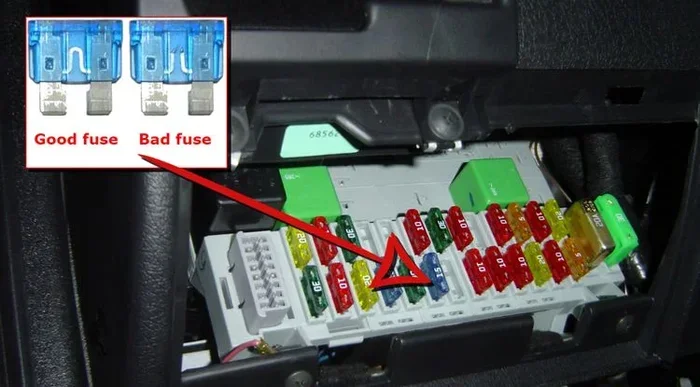
If you want true continuous recording and parking surveillance, consider a hardwired installation. This involves connecting the dash cam directly to your car’s fuse box instead of using the cigarette lighter plug. A hardwired setup gives you constant power, enables parking mode without battery drain concerns, and ensures your camera is always recording when you need it.
Step 5: Update Your Firmware Regularly
Dash cam manufacturers release firmware updates that fix bugs, improve video resolution, and add new features. Check the manufacturer’s app or website every few months to see if an update is available for your model. Keeping your firmware current ensures your camera operates at peak performance.
Step 6: Test Your Dash Cam Before Long Trips
Before any road trip, take a few minutes to test your dash cam. Start the car, check that the camera powers on, and confirm that it is recording. Look at the live feed on the screen or app to make sure the lens is clean and the angle is correct. This simple habit can save you from discovering a problem only after an incident has already occurred.
Quick Setup Checklist for New Dash Cam Owners
- Format the SD card in the dash cam before first use.
- Set loop recording to the recommended clip length (usually 1 to 3 minutes).
- Enable auto-start on ignition.
- Adjust the G-sensor sensitivity to medium for balanced protection.
- Set parking mode to motion detection if you want surveillance while parked.
- Mount the camera behind the rearview mirror for the best wide-angle view.
- Lock the firmware version and check for updates monthly.
Why Continuous Dash Cam Recording Matters
There is no overstating the value of having your dash cam always recording while on the road. Dashboard cameras provide objective evidence that can make or break an insurance claim. Without footage, your word is just one person’s account against another’s. With video, you have undeniable proof of what actually happened.
Beyond accidents, dash cam footage can capture reckless driving, road rage incidents, and even criminal activity. Many drivers have used their footage to help police identify thieves, vandals, and hit-and-run drivers. The vehicle surveillance footage you capture today could be the key evidence that solves a crime tomorrow.
For rideshare drivers and delivery workers, continuous recording is practically essential. You spend hours on the road with strangers in your vehicle. A dash cam that is always recording protects you from false claims and provides a safety net during every shift.
Even if you are just a daily commuter, the peace of mind that comes from knowing your dash cam is capturing everything is invaluable. You drive with confidence, knowing that no matter what happens on the road, you have a reliable witness riding along with you.
The Bottom Line on Dash Cam Recording
Your dash cam is a powerful tool, but only if you set it up correctly and understand how it works. By enabling loop recording, configuring parking mode, using a quality SD card, and performing regular maintenance, you ensure that your dash cam always recording setup is working hard for you every single time you get behind the wheel. Take a few minutes today to review your settings. It is one of the smartest investments you can make for your safety and your wallet.
Frequently Asked Questions
Does a dash cam record when the car is turned off?
It depends on your settings and installation. If you have parking mode enabled and the camera is hardwired to a constant power source, it will continue recording in a low-power state. Otherwise, the dash cam stops when the ignition is off. Check your specific model to confirm its behavior.
How long can a dash cam record continuously?
The recording duration depends on your SD card size and video resolution. A 128GB card with 1080p footage can hold roughly 8 to 12 hours of continuous recording. Higher resolutions like 4K fill the card much faster. Most dash cams use loop recording so the oldest files are overwritten automatically.
Will parking mode drain my car battery?
Parking mode can drain your battery if left on for extended periods, especially in older vehicles. However, most modern dash cams include low-voltage protection that shuts the camera off before the battery is damaged. Hardwiring with a capacitor battery or voltage cutoff eliminates this risk entirely.
What is the difference between a dash cam and a行车记录仪?
They are the same device. Dash cam is the English term, while 行车记录仪 is the Chinese term for a dashboard camera. Both refer to a video recording device mounted in a vehicle to capture road footage. The features and functionality are identical regardless of the name used.
Can I use my dash cam footage as evidence in court?
Yes, dash cam footage is widely accepted as valid evidence in insurance claims and legal proceedings. For the best results, make sure your footage is clear, unedited, and properly saved. Locked files that were protected by the G-sensor carry the most weight because they cannot be tampered with.
How often should I replace my dash cam SD card?
Most experts recommend replacing your SD card every 6 to 12 months. The constant write and overwrite cycle wears out memory cards over time. Using a high-endurance card designed for dash cams extends its lifespan, but regular replacement ensures reliable footage storage and fewer file corruption issues.
=== CONCLUSION ===
Understanding whether your dash cam always recording comes down to knowing your camera’s settings, features, and limitations. Loop recording, parking mode, G-sensor activation, and storage management all work together to determine what your dash cam captures and what it misses. The good news is that once you understand how these systems work, you can configure your camera to provide the protection you need.
Take the time to review your dash cam settings today. Make sure loop recording is on, parking mode is configured correctly, and your SD card is in good condition. These small steps make a huge difference when an incident occurs on the road. Your dash cam is only as good as its setup, and a well-configured camera gives you the confidence to drive knowing you are always protected.