How Does Toyota Remote Connect Work And Why You Need It
Toyota Remote Connect lets you control your vehicle from your smartphone using the Toyota app. With features like remote start, lock, unlock, and vehicle health monitoring, this connected service puts convenience and security at your fingertips. Understanding how Toyota Remote Connect works is simple once you see the step-by-step setup and real-world benefits.
Have you ever wished you could start your car from bed on a freezing winter morning? Or maybe you wanted to cool down your car before you even walked out the door? Toyota Remote Connect makes all of this possible and more. It is a smart connectivity service built into select Toyota vehicles that lets you interact with your car using your phone.
In this guide, we will walk you through exactly how Toyota Remote Connect works, what features it includes, and why it is one of the best upgrades you can make for your daily driving experience. Whether you are a tech-savvy driver or someone who just wants a simpler way to manage your vehicle, this article has you covered.
The beauty of Toyota Remote Connect is that it works silently in the background. You do not need any special equipment beyond what comes with your vehicle. Once activated, your car becomes part of a connected ecosystem that responds to your commands in seconds. Let us dive into everything you need to know.
Key Takeaways
- Toyota Remote Connect uses cellular and GPS technology to let you control your car from anywhere with your smartphone.
- Key features include remote start, lock/unlock, horn honk, and vehicle finder, making daily life much more convenient.
- Setting up Toyota Remote Connect is straightforward and only requires a compatible Toyota vehicle, the Toyota app, and a linked account.
- Regular maintenance and software updates keep Toyota Remote Connect running smoothly and extend your vehicle’s connected lifespan.
- Toyota Remote Connect adds real value to car ownership through enhanced security, climate control, and peace of mind.
📑 Table of Contents
- What Is Toyota Remote Connect?
- Key Features of Toyota Remote Connect
- How to Set Up Toyota Remote Connect
- Why You Need Toyota Remote Connect
- Toyota Remote Connect vs. Other Connected Car Services
- Tips to Get the Most Out of Toyota Remote Connect
- Common Mistakes to Avoid with Toyota Remote Connect
- The Future of Toyota Connected Services
- Conclusion
What Is Toyota Remote Connect?
Toyota Remote Connect is a telematics service that uses wireless connectivity to link your Toyota vehicle with your smartphone. Think of it as a digital bridge between you and your car. Through the Toyota app, you can send commands to your vehicle and receive real-time information about its status.
This service relies on built-in cellular modules inside your car. These modules communicate with Toyota servers, which then route your commands to the correct vehicle. The whole process happens in seconds, whether you are at home, at work, or miles away from your car.
Not every Toyota model comes with this feature standard. However, most newer Toyota vehicles from the past several years support Toyota Remote Connect either as a factory-installed option or through a dealer retrofit. You can check your specific model by visiting your Toyota dealer or looking at your owner manual.
How Does the Technology Work Behind the Scenes?
Under the hood, Toyota Remote Connect uses a combination of GPS, cellular networks, and cloud-based servers. When you tap a button in the app, your phone sends a signal to Toyota’s servers. Those servers then send a command to your vehicle’s onboard module. The module executes the command and sends a confirmation back to you.
This entire loop takes just a few seconds. The technology is similar to what you find in other connected car services, but Toyota has tailored it specifically for their lineup. This means seamless integration with Toyota-specific systems like the hybrid battery monitor and the engine management system.
Key Features of Toyota Remote Connect
The features available through Toyota Remote Connect vary slightly depending on your model and year. However, most versions include the following core capabilities:
- Remote Start: Start your engine from your phone. This is especially useful in extreme weather. You can warm up or cool down your car before you get in.
- Remote Lock and Unlock: Lock or unlock your doors with a tap. Forgot to lock the car? No problem. Just open the app and secure it.
- Horn Honk and Flash Lights: Find your car in a crowded parking lot. A quick command from your phone makes your car beep and flash.
- Vehicle Finder: See your car’s location on a map using GPS tracking. This is a lifesaver in large parking garages or unfamiliar areas.
- Climate Control: Pre-set your cabin temperature and activate the climate system remotely. Your car will be comfortable before you arrive.
- Vehicle Health Reports: Receive alerts about maintenance needs, tire pressure, and fluid levels. Staying on top of your car’s health has never been easier.
These features work together to create a connected experience that makes owning a Toyota more convenient and secure. Many owners say that once they start using Toyota Remote Connect, they wonder how they ever managed without it.
Remote Start: The Crowd Favorite Feature
Remote start deserves a special mention because it is the feature most people use first. On a cold winter morning, you can start your car from the warmth of your home. The engine runs, the heater kicks in, and by the time you walk outside, your car is comfortable. In summer, you can reverse the process and come back to a cooled-down cabin.
Remote start also has a security benefit. Your car stays locked while the engine runs. You can set a timer so the engine shuts off after a set period. This means you never leave your car running unattended for too long.
How to Set Up Toyota Remote Connect
Setting up Toyota Remote Connect is a fairly simple process. Here is a step-by-step walkthrough to get you started:
- Check Compatibility: Confirm your Toyota model and year support Toyota Remote Connect. You can verify this through the Toyota website or by asking your dealer.
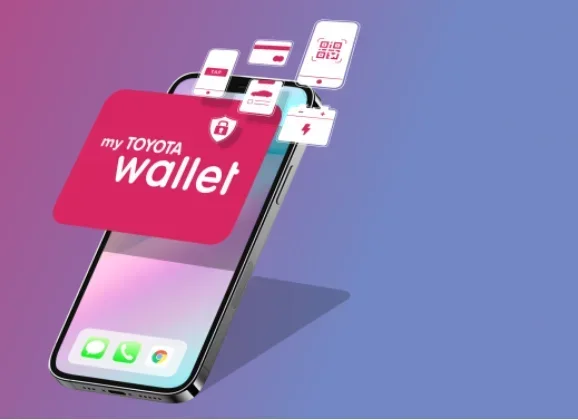
- Download the Toyota App: Install the official Toyota app on your smartphone. It is available for both iOS and Android devices.
- Create an Account: Open the app and register using your email address and vehicle details. You will need your vehicle identification number (VIN) for this step.
- Link Your Vehicle: Follow the on-screen prompts to pair your phone with your car. This usually involves entering a registration code found in your owner manual.
- Activate Your Subscription: Some Toyota Remote Connect plans require a subscription. Your dealer can help you choose the right plan and activate the service.
- Test Your Connection: Try a simple command like locking your doors. If it works, you are all set. If not, check your internet connection and try again.
Once your account is active, you can access all features right from the app home screen. The interface is clean and intuitive, so you will not need to read a manual to figure it out.
Troubleshooting Setup Issues
Sometimes the setup process does not go perfectly the first time. If you run into connection problems, try these quick fixes. First, make sure your phone has a stable internet connection. Both Wi-Fi and cellular data work for Toyota Remote Connect. Second, restart the app and your phone. This clears minor glitches. Third, check that your vehicle’s onboard module is powered on and has a signal. If issues persist, your local Toyota dealer can help diagnose the problem.
Another common issue is forgetting to renew your subscription. Toyota Remote Connect typically operates on a trial period that ends after a set number of months. Make sure you keep your plan active to avoid losing access to features. If you need to reset your connection after a subscription update, you may want to learn how to factory reset your Hybrid Connect system to re-establish a clean connection between your phone and vehicle.
Why You Need Toyota Remote Connect
You might be wondering if Toyota Remote Connect is really worth it. The short answer is yes. Here are some compelling reasons why this service adds real value to your daily life.
Convenience at Your Fingertips
Imagine pulling into your driveway after a long day at work. Instead of sitting in your hot car waiting for the AC to kick in, you start the engine and cool the cabin from your phone while you are still in the parking lot. By the time you walk to your car, it is ready to go. That is the kind of convenience Toyota Remote Connect delivers every single day.
Parents also love the remote start feature. You can warm up the car for your kids before school without having to go outside in the cold. It is a small thing that makes a big difference.
Enhanced Vehicle Security
Security is a major concern for car owners. Toyota Remote Connect helps you stay on top of your vehicle’s safety. You receive instant alerts if someone tries to break in or if your car moves unexpectedly. The GPS tracker lets you locate your car quickly if it is ever stolen.
You can also lock and unlock your car remotely. If you leave your keys inside or forget to lock the doors, you can fix the problem from anywhere with an internet connection. This peace of mind alone is worth the cost of the service.
Keeping Your Vehicle Healthy
Regular maintenance keeps your car running smoothly and prevents expensive repairs. Toyota Remote Connect sends you maintenance reminders based on your driving patterns and vehicle data. You will know when it is time for an oil change, tire rotation, or battery check before a problem arises.
For hybrid owners, monitoring battery health is especially important. Toyota Remote Connect can alert you to any issues with your hybrid battery system. If you want to learn more about keeping your hybrid battery in top shape, check out our guide on how to keep your hybrid battery healthy for additional tips and best practices.
What to Do When Issues Arise
Even with a great system like Toyota Remote Connect, you may occasionally face issues. When something goes wrong with your vehicle’s electronics or connectivity, knowing where to turn for help matters. For warranty-related questions, you can visit any Toyota dealership for warranty work, which gives you flexibility and peace of mind when troubleshooting connected service problems.
Toyota Remote Connect vs. Other Connected Car Services
Toyota is not the only automaker offering remote connectivity. Let us compare Toyota Remote Connect with a few other popular services:
| Feature | Toyota Remote Connect | FordPass | BMW ConnectedDrive |
|---|---|---|---|
| Remote Start | Yes | Yes | Yes |
| Lock/Unlock | Yes | Yes | Yes |
| Vehicle Health Alerts | Yes | Yes | Yes |
| GPS Vehicle Finder | Yes | Yes | Yes |
| Climate Control | Yes | Yes | Yes |
| Free Trial Period | Yes (varies) | Yes | Yes |
| Subscription Cost | Low to moderate | Low | Moderate to high |
| Works with Hybrids | Yes | Limited | Yes |
As you can see, Toyota Remote Connect holds its own against competitors. It offers a strong feature set at a reasonable price point. The hybrid compatibility is a standout advantage for Toyota owners who drive hybrid or electric vehicles.
Which Service Should You Choose?
Your choice depends on what car you drive and what features matter most to you. If you own a Toyota, Toyota Remote Connect is the natural choice because it integrates seamlessly with your vehicle’s systems. The app is designed specifically for Toyota models, so you get a smoother experience than you would with a generic third-party tool.
Tips to Get the Most Out of Toyota Remote Connect
To make sure you get the full benefit from Toyota Remote Connect, keep these tips in mind:
- Keep your app updated: Toyota regularly releases updates that improve performance and add new features. Check for updates in your app store often.
- Use a strong Wi-Fi connection during setup: A stable connection ensures your vehicle pairs correctly with your account.
- Set reminders for subscription renewal: Missing a renewal means losing access to all connected features until you resubscribe.
- Explore all features in the app: Many owners only use remote start, but features like vehicle health reports and climate control are equally valuable.
- Keep your VIN handy: You will need it for initial setup and any future support requests.
Another great tip is to familiarize yourself with your vehicle’s manual. Understanding how your car’s onboard systems work helps you get the most from Toyota Remote Connect. If you ever need to check on your car’s battery health or alternator status, knowing the basics will help you troubleshoot before contacting a service center.
Common Mistakes to Avoid with Toyota Remote Connect
Even though Toyota Remote Connect is user-friendly, some common mistakes can cause frustration:
- Forgetting to renew your subscription: This is the number one reason people lose access to features. Set a calendar reminder a week before your renewal date.
- Ignoring app updates: Outdated apps can cause connection errors and missing features. Always keep the Toyota app current.
- Using the wrong Wi-Fi network during setup: Public or shared networks can interfere with pairing. Always use your home or personal network.
- Not reading the owner manual: Your manual contains important details about which features are available on your specific model.
- Ignoring error messages: If the app shows an error, do not just close it. Note the message and check the Toyota support website or contact your dealer.
Avoiding these simple mistakes ensures a smooth and enjoyable experience with Toyota Remote Connect for years to come.
The Future of Toyota Connected Services
Toyota continues to invest in connected car technology. Future updates to Toyota Remote Connect may include enhanced AI-driven recommendations, deeper integration with smart home devices, and even more detailed vehicle diagnostics. The direction is clear: connected services are becoming essential, not optional, in modern vehicles.
As Toyota expands its lineup of electrified vehicles, remote connectivity will play an even bigger role. Features like battery monitoring, charging status updates, and energy management will become standard through the Toyota Remote Connect platform.
Conclusion
Toyota Remote Connect is a powerful tool that transforms how you interact with your vehicle. From remote start and lock to health monitoring and GPS tracking, it offers a suite of features that add real convenience and security to your daily life. The setup process is simple, the app is intuitive, and the benefits are immediate.
If you own a compatible Toyota, there is no reason not to take advantage of this service. It enhances your ownership experience and keeps you connected to your car like never before. Whether you are dealing with extreme weather, tight schedules, or simply want peace of mind, Toyota Remote Connect delivers. Start exploring the features today and see how much smarter your driving experience can be.
Frequently Asked Questions
What Toyota models support Toyota Remote Connect?
Toyota Remote Connect is available on most Toyota models from 2017 onward, including the Camry, RAV4, Highlander, Tacoma, and several others. Check with your Toyota dealer or visit the official Toyota website to confirm your specific model’s compatibility.
Is Toyota Remote Connect free to use?
Toyota typically offers a free trial period when you first purchase your vehicle. After the trial ends, a subscription fee applies. The cost is generally affordable and varies depending on the plan you choose and your region.
Can I use Toyota Remote Connect if I have a hybrid vehicle?
Yes, Toyota Remote Connect works with hybrid vehicles and includes features like hybrid battery monitoring and energy management. If you own a hybrid, this service is especially valuable for tracking battery health and optimizing your driving experience.
What happens if I lose my phone or it breaks?
You can log into the Toyota app from any smartphone using your account credentials. All your vehicle settings and connections remain tied to your account, not your specific device. Simply download the app on your new phone and sign in.
Does Toyota Remote Connect work when my car is parked far away?
Yes, as long as your vehicle has a cellular signal, Toyota Remote Connect works from anywhere. You can send commands to your car whether it is parked in your driveway or across town. The GPS tracker also lets you locate your vehicle on a map.
How do I know if my Toyota Remote Connect subscription is active?
Open the Toyota app and check your account settings. The app displays your subscription status and renewal date. If your subscription has expired, you can renew it directly through the app or by contacting your Toyota dealer.