Does Toyota Have Wireless CarPlay Here Is The Full Story
Yes, many newer Toyota models now offer wireless Apple CarPlay. This feature lets you stream music, get directions, and make calls without plugging in a cable. We break down which Toyotas have it, how to set it up, and common issues you might face.
If you drive a Toyota or are thinking about buying one, you have probably asked yourself this question at some point. Does Toyota have wireless CarPlay? The short answer is yes, but the full story is a bit more detailed than that. Not every Toyota comes with wireless Apple CarPlay, and the version you get depends on the model year, trim level, and infotainment system. In this guide, we are going to walk through everything you need to know. We will cover which Toyotas support it, how to set it up, what to do when things go wrong, and what the future holds for Toyota connectivity.
Wireless CarPlay has become a must-have feature for many drivers. It lets you connect your iPhone to your car without fumbling with a cable every time you get in. You can access maps, play Spotify or Apple Music, send and receive messages, and use Siri, all through your car’s touchscreen. Toyota has been rolling out this feature across its lineup, but the details matter. Let us dive into the full story so you know exactly what to expect.
Key Takeaways
- Wireless CarPlay is available on many 2019 and newer Toyota models, but not all trims.
- Setup is simple and takes just a few minutes once your phone is paired.
- Wired and wireless CarPlay differ mainly in convenience and connection stability.
- Some older Toyotas need a retrofit kit to add wireless Apple CarPlay.
- Common issues like freezing or disconnecting are often easy to fix with a simple reset.
- Toyota continues updating its tech, so newer models get better connectivity features each year.
📑 Table of Contents
What Is Wireless CarPlay And Why Does It Matter?
Apple CarPlay is a feature that mirrors key functions of your iPhone onto your car’s infotainment screen. Wireless CarPlay does this without needing a USB cable. Instead, it connects through Bluetooth and Wi-Fi. This means you can start using your phone features the moment you sit behind the wheel.
The difference between wired and wireless is pretty straightforward. With a wired connection, you plug your phone into a USB port. The car reads your phone and displays CarPlay on the screen. With wireless CarPlay, the connection happens automatically when you get in the car, as long as your phone is paired and Bluetooth is on. It is more convenient, less cluttered, and feels much more seamless.
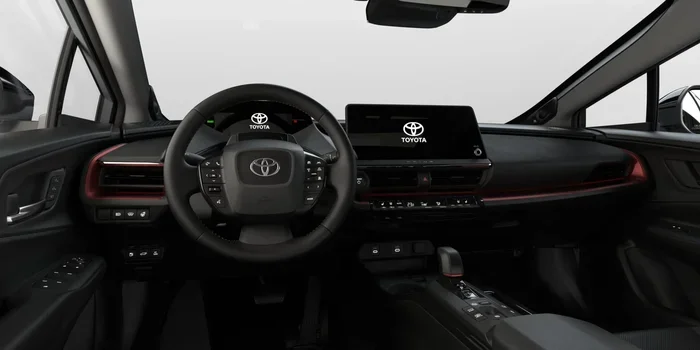
For Toyota owners, wireless CarPlay means you can use Toyota infotainment features like navigation, audio streaming, and hands-free calling without ever touching your phone. This is a big deal for safety and convenience. It also means your car’s multimedia display becomes a powerful tool for everyday driving.
How Wireless CarPlay Works
Wireless CarPlay uses a combination of Bluetooth for initial pairing and Wi-Fi for data transfer. Once your phone is connected, the car and phone communicate over a dedicated Wi-Fi network. This allows for faster data speeds compared to Bluetooth alone, which is why maps load quickly and music streams smoothly. Toyota’s head units that support wireless CarPlay have the necessary hardware built in to handle this connection.
Not all Toyota infotainment systems are created equal. Older systems may only support wired CarPlay or no CarPlay at all. Newer systems, especially those found in 2019 and later models, are much more likely to include wireless support. Always check your specific model and year before assuming you have the feature.
Which Toyota Models Support Wireless CarPlay?
This is where things get interesting. Toyota has been adding wireless CarPlay to more and more models over the years, but availability varies. Here is a general breakdown of which Toyota vehicles are most likely to have wireless Apple CarPlay.
Toyota Camry
The Toyota Camry has offered wireless CarPlay on higher trims starting around the 2019 model year. The SE, XSE, and XLE trims on newer Camrys typically include it. If you have a base L or LE trim on an older model, you may only have wired CarPlay or none at all. You can always confirm by checking your infotainment system settings.
Toyota RAV4
The Toyota RAV4 is one of the best-selling SUVs on the road, and Toyota has been keeping up with tech demands. Most RAV4 models from 2019 onward support wireless CarPlay on upper trims. The XLE and XSE trims are the most likely to include it. The base LE trim may have wired CarPlay only on older model years.
Toyota Highlander
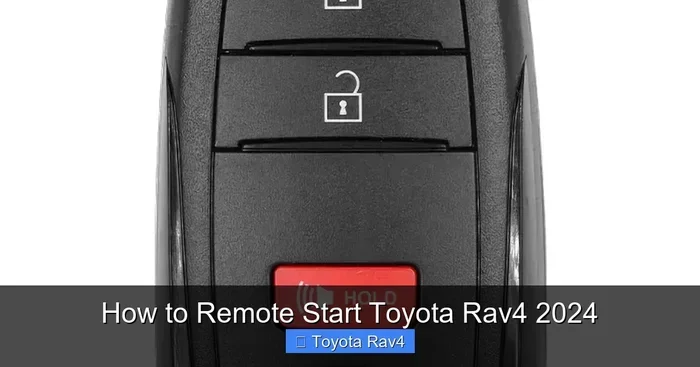
The Toyota Highlander is a family-friendly SUV, and wireless CarPlay fits right in. Most Highlanders from 2020 onward offer wireless Apple CarPlay on the XLE and above trims. This is especially helpful for families who rely on navigation and hands-free calling during road trips. The Toyota Highlander also supports features like keyless entry and remote start, making it a well-rounded tech package.
Toyota Tacoma
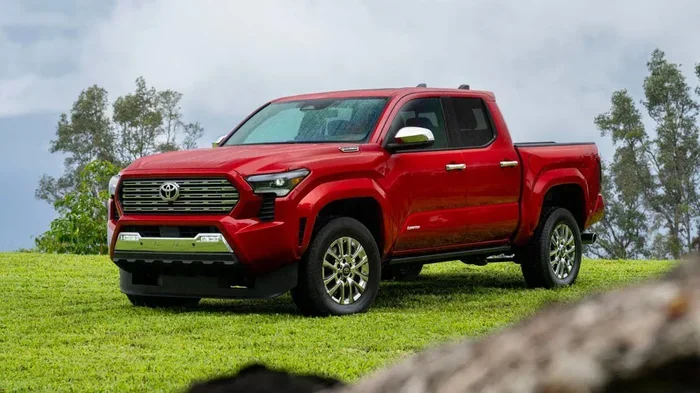
The Toyota Tacoma is a rugged pickup truck, and Toyota has been upgrading its tech over the years. Newer Tacoma models from 2021 onward are more likely to include wireless CarPlay, especially on higher trims like the TRD Off-Road and Limited. Earlier models may require a wired connection or an aftermarket upgrade.
Toyota Corolla
The Toyota Corolla is a compact sedan that has seen significant tech upgrades in recent years. The 2020 and newer Corollas with the upgraded infotainment system often include wireless CarPlay. The SE and XSE trims are the most likely to have it. Older Corollas with the base audio system may not support wireless CarPlay at all.
Toyota Sienna
The Toyota Sienna minivan is designed for families, and wireless CarPlay is a welcome addition. Most Sienna models from 2021 onward support wireless Apple CarPlay. This makes it easier for parents to use navigation and audio apps while keeping their hands on the wheel and eyes on the road.
How To Set Up Wireless CarPlay In Your Toyota
Setting up wireless CarPlay in a Toyota is fairly simple, but the exact steps can vary slightly depending on your model year and infotainment system. Here is a general walkthrough that works for most Toyotas.
Step 1: Make Sure Your Car and Phone Are Ready
First, make sure your Toyota’s infotainment system is updated. Toyota occasionally releases software updates that improve CarPlay compatibility. You can check for updates through your dealer or, on some models, through the system settings directly. On your iPhone, make sure Bluetooth and Wi-Fi are turned on. Also, ensure your iPhone is running a recent version of iOS, as older software versions may not support wireless CarPlay.
Step 2: Connect Through Bluetooth First
Wireless CarPlay still uses Bluetooth for the initial pairing process. Go to your Toyota’s infotainment settings and select Bluetooth. Put your iPhone in pairing mode and connect it to the car. Once the Bluetooth connection is established, the system should recognize that your phone supports wireless CarPlay.
Step 3: Enable Wireless CarPlay
On your iPhone, go to Settings, then General, then CarPlay. Select your Toyota from the list of available cars. Choose “Enable Wireless CarPlay.” Now, every time you get in your car and it is in park, CarPlay should connect automatically. You may need to confirm the connection on your phone the first time.
Step 4: Test and Adjust
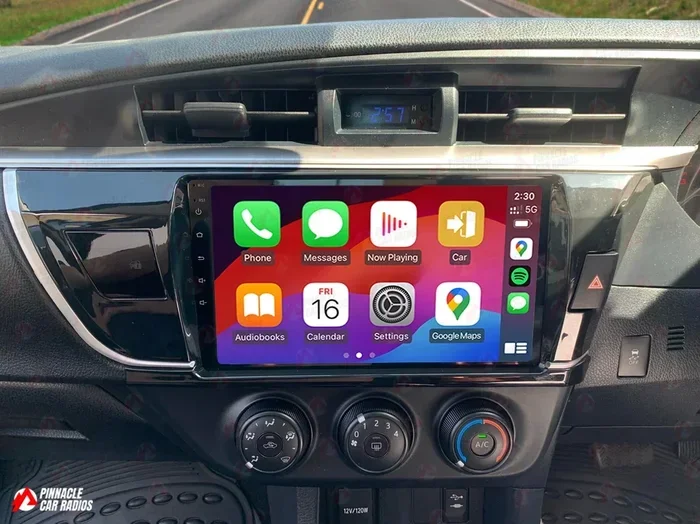
Once connected, you should see your CarPlay home screen on the Toyota’s display. Try opening Maps, playing music, or making a call to confirm everything is working. If the connection drops or does not appear, try toggling Bluetooth off and back on, or restart your phone. Sometimes a simple reset of the infotainment system by holding the power button for 10 to 15 seconds does the trick.
It is worth noting that Toyota also supports the Toyota app, which lets two people use the same Toyota app for the same car. This is a separate feature from CarPlay, but it adds another layer of connectivity for Toyota owners who share a vehicle.
Wireless vs Wired CarPlay In Toyota Vehicles
Both wireless and wired CarPlay give you access to the same core features. You can make calls, send messages, use maps, and stream music. But there are some real differences that are worth understanding before you decide which setup works best for you.
Convenience
Wireless CarPlay wins hands down when it comes to convenience. You do not need to find a USB cable or worry about a loose connection. You just get in the car, and it connects. This is especially nice for Toyota owners who have multiple drivers in the household. Each person can connect their phone automatically without swapping cables.
Connection Stability
Wired CarPlay tends to be more stable because it uses a direct physical connection. Wireless CarPlay depends on Wi-Fi and Bluetooth, which can occasionally experience interference or dropouts. In most Toyotas, the wireless connection is reliable, but it is not quite as bulletproof as a cable. If you notice frequent disconnections, a wired connection might be a better backup option.
Charging
One thing to keep in mind is that wired CarPlay charges your phone at the same time. Wireless CarPlay does not charge your phone through the infotainment connection. If you have a long drive and your phone battery is low, you may want to plug in a wireless charger or keep a cable handy for longer trips.
Speed and Performance
Wireless CarPlay uses Wi-Fi for data transfer, which is actually faster than a USB connection in many cases. Maps load quickly, and music streaming is smooth. Toyota’s newer infotainment systems handle wireless CarPlay very well, with minimal lag or stuttering.
| Feature | Wireless CarPlay | Wired CarPlay |
|---|---|---|
| Connection Method | Bluetooth and Wi-Fi | USB Cable |
| Convenience | Automatic connection | Manual cable plug-in |
| Charging | No charging | Charges while connected |
| Stability | Good, occasional drops | Very stable |
| Speed | Fast via Wi-Fi | Fast via USB |
| Availability in Toyota | 2019+ on select trims | Available on most models |
Common Toyota CarPlay Issues And How To Fix Them
Even with the best technology, things can go wrong. Wireless CarPlay in Toyota vehicles is generally reliable, but you may run into issues from time to time. Here are the most common problems and how to solve them.
CarPlay Does Not Connect Automatically
If your CarPlay does not connect when you get in the car, first check that Bluetooth and Wi-Fi are on. Also make sure your iPhone is unlocked and on the home screen. Sometimes restarting your phone or toggling Bluetooth off and back on resolves the issue. You can also try disconnecting and reconnecting your phone through the Toyota’s Bluetooth settings.
CarPlay Freezes or Lags
A frozen or laggy CarPlay screen is frustrating but usually easy to fix. Try restarting the infotainment system by holding the power button. Also close any apps running in the background on your iPhone. If the problem persists, check for a software update for both your iPhone and your Toyota’s infotainment system. Keeping both devices updated is one of the best ways to prevent performance issues.
Audio Cuts Out During Calls or Music
If your audio drops during a call or while streaming music, check your Wi-Fi signal strength. Wireless CarPlay relies on a stable Wi-Fi connection. If your car is in an area with weak Wi-Fi, it might struggle. Also make sure nothing else is connected to your car’s Bluetooth that could be causing interference. Sometimes unpairing and re-pairing your phone fixes this issue completely.
CarPlay Shows But No Sound
If the CarPlay screen appears but you cannot hear any sound, check your Toyota’s audio source. Make sure the car is set to play through the CarPlay audio channel rather than the radio or a USB input. Also check your iPhone’s volume and make sure it is not muted or set to a very low level.
Aftermarket Solutions For Older Toyotas
If your Toyota does not support wireless CarPlay from the factory, you are not out of luck. There are aftermarket head units and retrofit kits available that can add wireless Apple CarPlay to older Toyota models. Brands like Pioneer, Kenwood, and Sony make CarPlay-compatible head units that fit many Toyota models. These can be a great way to bring your older Toyota up to date with modern connectivity features. Just make sure to check compatibility with your specific Toyota model before purchasing.
The Future Of Toyota Connectivity
Toyota has been investing heavily in connected car technology, and wireless CarPlay is just the beginning. The company continues to expand its tech offerings across the lineup. Newer models are getting bigger screens, faster processors, and more seamless smartphone integration. Wireless CarPlay is becoming a standard feature rather than a premium add-on, which is great news for buyers.
Toyota is also exploring its own connected services through the Toyota app and cloud-based features. These tools complement Apple CarPlay and Android Auto by offering additional navigation, remote start, and vehicle health monitoring. While Apple CarPlay and Android Auto remain the go-to options for most drivers, Toyota’s own tech ecosystem is growing stronger every year.
If you are shopping for a new Toyota, wireless CarPlay should be high on your checklist. Most 2023 and 2024 models include it as standard or available on most trims. The Toyota Camry and Toyota RAV4 are among the models leading the way, but even trucks and SUVs are getting the feature. Always confirm with the dealer or check the trim specs before buying to make sure you get the connectivity you want.
One thing to keep in mind is that Toyota dealerships can service and update your infotainment system. If you are having trouble with wireless CarPlay, a visit to the dealer might solve the problem. They can check for software updates and make sure your system is running the latest firmware. This is also a good time to ask about any new connectivity features that might be available for your specific model.
Final Thoughts
So does Toyota have wireless CarPlay? Yes, and it is getting better with every new model year. Whether you drive a Camry, RAV4, Highlander, Tacoma, or Sienna, there is a good chance your Toyota supports wireless Apple CarPlay. The feature makes daily driving more convenient, safer, and more connected. Setting it up is straightforward, and troubleshooting common issues is usually quick and easy.
If your Toyota does not have wireless CarPlay from the factory, aftermarket solutions can bring this feature to your vehicle. And with Toyota continuing to invest in connected car technology, the future looks bright for Toyota owners who want seamless smartphone integration. Wireless CarPlay is no longer a luxury, it is becoming a standard expectation, and Toyota is delivering on that promise.
Frequently Asked Questions
Do all Toyota models have wireless CarPlay?
No, not all Toyota models have wireless CarPlay. Availability depends on the model year, trim level, and infotainment system. Newer models from 2019 and later are more likely to include it, especially on upper trims. Always check your specific vehicle’s features before assuming it has wireless CarPlay.
Can I add wireless CarPlay to an older Toyota?
Yes, you can add wireless CarPlay to an older Toyota using an aftermarket head unit or retrofit kit. Brands like Pioneer and Kenwood offer CarPlay-compatible units that fit many Toyota models. Make sure to check compatibility with your specific Toyota before purchasing a kit.
Why does my Toyota CarPlay keep disconnecting?
CarPlay disconnections are often caused by Bluetooth or Wi-Fi interference, outdated software, or a loose connection. Try restarting your phone, toggling Bluetooth off and on, or restarting the infotainment system. Keeping your iPhone and Toyota software updated can also prevent disconnections.
Does wireless CarPlay charge my phone in a Toyota?
No, wireless CarPlay does not charge your phone through the infotainment connection. You will need a separate wireless charger or keep a USB cable handy if you need to charge your phone during long drives.
Is wireless CarPlay better than wired CarPlay in a Toyota?
Wireless CarPlay is more convenient because it connects automatically without a cable. However, wired CarPlay tends to be more stable and also charges your phone. Both give you access to the same features, so it comes down to personal preference and how you use your car.
Which Toyota trims include wireless CarPlay?
Wireless CarPlay is typically found on higher trims of Toyota models. For the Camry, it is common on SE, XSE, and XLE trims. For the RAV4, it is usually on XLE and XSE trims. Always check the specific trim details for your model year to confirm.
=== CONCLUSION ===
Wireless CarPlay is now a reality for many Toyota owners, and the feature continues to expand across the lineup. From the Camry to the Highlander, Toyota has made it easier than ever to stay connected, entertained, and guided while on the road. The setup process is simple, the feature works reliably most of the time, and when issues do arise, they are usually easy to fix. Whether you have a newer Toyota with factory wireless CarPlay or an older model that needs an aftermarket upgrade, the benefits are clear. You get a safer, more convenient driving experience with access to all your favorite apps right on your car’s screen. Toyota is clearly committed to keeping its vehicles connected, and wireless CarPlay is a big part of that promise.