Does Toyota Charge for Remote Connect or Is It Free
Toyota Remote Connect offers useful features like remote start, lock, and vehicle tracking, but the cost depends on your plan. Some Toyota models include a free trial period, while others require a paid subscription. Understanding what comes with your vehicle helps you avoid unexpected charges and get the most from your Toyota connected services.
Key Takeaways
- Toyota Remote Connect is not always free: Many Toyota vehicles come with a trial period, but ongoing access requires a paid subscription plan.
- Subscription tiers vary by feature set: Basic plans may include remote start and lock, while premium plans add navigation, emergency assistance, and more.
- Trial periods differ by model and year: Some Toyota models offer 1 to 3 years of complimentary Remote Connect access with a new purchase.
- You can manage your subscription through the Toyota app: The Toyota app lets you view your plan, renew, or cancel your Remote Connect subscription easily.
- Factory resetting Hybrid Connect may help troubleshoot issues: If your remote features stop working, a reset often solves the problem.
- Sharing app access has limits: You need to understand the rules around who can use the Toyota app for the same vehicle.
📑 Table of Contents
- Does Toyota Charge for Remote Connect or Is It Free?
- What Is Toyota Remote Connect?
- How Much Does Toyota Remote Connect Cost?
- Which Toyota Models Include Remote Connect?
- How to Set Up and Use Toyota Remote Connect
- Common Issues With Toyota Remote Connect
- Can You Share Toyota Remote Connect Access?
- Is Toyota Remote Connect Worth the Cost?
- How to Save Money on Toyota Remote Connect
- Toyota Remote Connect vs. Other Automaker Remote Services
- Final Thoughts
- Frequently Asked Questions
Does Toyota Charge for Remote Connect or Is It Free?
If you own a Toyota or are thinking about buying one, you have probably wondered about Toyota Remote Connect. This feature lets you start your car from your phone, lock the doors remotely, and even find your vehicle in a crowded parking lot. It sounds amazing, and it is. But the big question remains: does Toyota charge for Remote Connect, or is it completely free?
The short answer is that it depends. Some Toyota models come with a free trial period that lasts one to three years. After that trial ends, you typically need a paid subscription to keep using the remote features. The cost and available features vary based on your specific Toyota model, the trim level, and the plan you choose.
In this article, we will break down everything you need to know about Toyota Remote Connect pricing. We will look at what comes free, what costs money, and how to get the most value from your Toyota connected services. Whether you have a brand-new Toyota or are considering buying one, this guide will help you make smart decisions about your vehicle connectivity options.
What Is Toyota Remote Connect?
Toyota Remote Connect is a set of smart features that lets you interact with your Toyota vehicle using your smartphone. Through the Toyota app, you can perform actions like starting the engine, locking the doors, and honking the horn without being inside the car. It uses vehicle telematics technology to stay connected to your Toyota over cellular networks.
The system works through a built-in modem in your vehicle that communicates with Toyota servers. When you open the app and send a command, the request goes to the server, which then sends the signal to your car. This whole process happens in seconds, making it feel like magic.
Key Features of Toyota Remote Connect
Here are the most popular features included with Toyota Remote Connect:
- Remote Start: Start your engine from anywhere with a phone signal. This is especially useful in cold mornings or hot afternoons.
- Remote Lock and Unlock: Lock or unlock your doors with a tap on your screen.
- Vehicle Location: Find your Toyota on a map if you forget where you parked.
- Honk and Flash: Make your car honk and flash its lights to locate it in a crowded lot.
- Maintenance Alerts: Get notified when your vehicle needs service or oil changes.
- Emergency Assistance: Some plans include automatic crash notification and roadside help.
Not all Toyota models include every feature listed above. The features you receive depend on your specific plan and the technology package your vehicle came with.
How Much Does Toyota Remote Connect Cost?
The cost of Toyota Remote Connect varies based on several factors. Toyota offers different subscription tiers, and pricing can change depending on your region and the model year of your vehicle. Let us break down the common pricing structures.
Free Trial Periods
Many new Toyota vehicles come with a complimentary trial period. This typically lasts between one and three years. During this time, you can use remote start Toyota features, lock and unlock your car, and access basic connected services at no extra charge.
For example, if you buy a brand-new Toyota Camry, you might get two years of free Toyota connected services. After those two years, the features will stop working unless you pay for a subscription.
Paid Subscription Plans
Once your free trial ends, you will need to pay for a subscription to continue using Toyota Remote Connect. The cost typically ranges from around $80 to $150 per year, depending on the plan you choose. Higher-tier plans include more features like live navigation and enhanced emergency services.
Some Toyota dealerships may offer bundled packages when you purchase a vehicle. These packages sometimes include a few years of Toyota Remote Connect at a discounted rate. It is always worth asking your dealer about current promotions.
Comparing Subscription Tiers
Here is a general comparison of what you can expect from different Toyota subscription levels:
- Basic Plan: Includes remote start, lock/unlock, and vehicle location. Usually the most affordable option.
- Premium Plan: Adds navigation, emergency roadside assistance, and advanced vehicle diagnostics.
- All-Access Plan: Includes everything plus priority customer support and exclusive app features.
Prices and plan names may vary. Always check the current Toyota website or speak with a dealer for the most accurate pricing information.
Which Toyota Models Include Remote Connect?
Not every Toyota model comes standard with Toyota Remote Connect. The availability depends on the model, trim level, and model year. Here is what you need to know about which vehicles offer this feature.
Models That Typically Include Remote Connect
Most Toyota models in the mid-range and above trim levels offer Toyota Remote Connect as part of their technology package. Popular models that commonly include this feature are:
- Toyota Camry: The Camry often includes connected services in its higher trims. If you are wondering can you order a 2024 Toyota Camry with Remote Connect, the answer is usually yes when you select a higher trim.
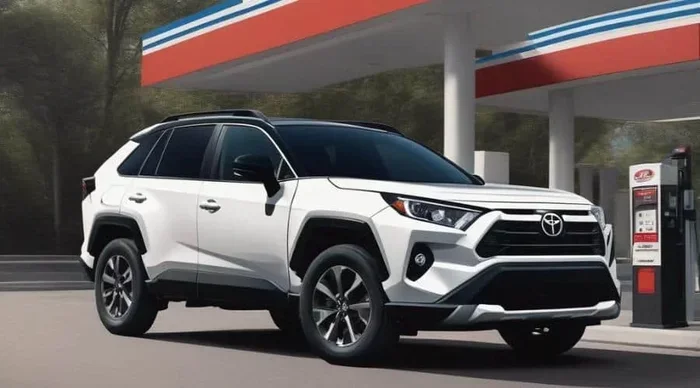
- Toyota RAV4: One of Toyota’s best-selling SUVs, the RAV4 frequently includes remote connectivity in its mid and upper trims.
- Toyota Highlander: The Highlander offers robust connected features, especially in the XLE and Limited trims.
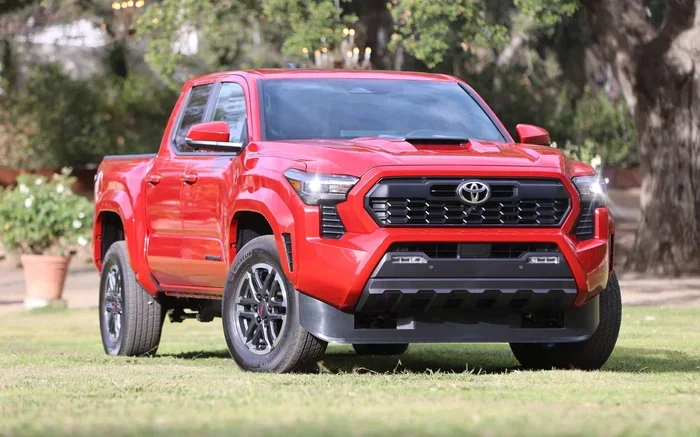
- Toyota Tacoma: The popular truck sometimes includes Remote Connect depending on the trim and technology package.
- Toyota 4Runner: Higher trims of the 4Runner may come with Toyota connected services included.
Models With Limited or No Remote Connect
Base trim levels on some Toyota models may not include Remote Connect. If you are shopping for a Toyota and want this feature, make sure to check the technology and connectivity package details before purchasing. You can always add it as an upgrade in many cases.
How to Set Up and Use Toyota Remote Connect
Setting up Toyota Remote Connect is straightforward, but it does require a few steps to get everything working properly. Here is how to get started.
Step-by-Step Setup Process
- Download the Toyota App: Visit the App Store or Google Play Store and download the official Toyota app.
- Create an Account: Sign up with your email address and create a secure password.
- Register Your Vehicle: Enter your Toyota’s Vehicle Identification Number (VIN) and follow the prompts to link your car to your account.
- Activate Your Subscription: If you are within a trial period, the app will recognize your complimentary access. Otherwise, you will need to purchase a subscription.
- Start Using Remote Features: Once everything is linked, you can start using remote start, lock, unlock, and other features right from your phone.
Tips for Getting the Most Out of Remote Connect
- Keep your app updated: Toyota regularly releases updates that improve performance and add new features.
- Use a strong Wi-Fi connection during setup: This ensures your vehicle registration goes smoothly.
- Enable notifications: Turn on push notifications so you never miss a maintenance alert or security warning.
- Check your subscription status regularly: Make sure your plan is active so you do not lose access unexpectedly.
Common Issues With Toyota Remote Connect
Like any technology, Toyota Remote Connect can sometimes experience issues. Here are the most common problems and how to fix them.
Remote Features Not Working
If your remote start or lock features stop working, the first thing to check is your subscription status. If your trial has expired and you have not renewed, the features will be disabled. If your subscription is active, try these steps:
- Make sure your phone has a stable internet connection.
- Log out of the Toyota app and log back in.
- Restart the app and try again.
- If the issue persists, you may need to factory reset Hybrid Connect through your vehicle settings.
App Not Recognizing Your Vehicle
Sometimes the Toyota app will not recognize your vehicle after a software update or a phone change. In most cases, simply re-registering your VIN in the app solves the problem. If that does not work, contact Toyota customer support for assistance.
Connectivity Problems
Vehicle telematics rely on cellular networks to function. If you are in an area with poor cell coverage, your remote commands may not go through. This is not a malfunction, just a limitation of the technology. Moving to an area with better signal usually resolves the issue quickly.
Can You Share Toyota Remote Connect Access?
Many Toyota owners wonder if they can share their Toyota app access with family members. The answer is yes, but with some limitations. Toyota allows you to add multiple users to the same vehicle profile, but there are rules about how many people can use the app simultaneously.
For example, if you want to let a spouse or family member also control the vehicle remotely, you can usually add their account to your Toyota profile. However, you cannot have two people using the app for the same car at the exact same time to perform conflicting actions like one person locking while the other unlocks.
If you are curious about the specific rules, you can read more about whether two people can use the Toyota app for the same car to understand the limitations better.
Is Toyota Remote Connect Worth the Cost?
Whether Toyota Remote Connect is worth the subscription cost depends on how you use your vehicle and what features you value most. Let us look at the pros and cons to help you decide.
Pros of Paying for Remote Connect
- Convenience: Remote start and lock/unlock make daily routines smoother and faster.
- Security: You can track your vehicle and receive alerts if something seems wrong.
- Peace of Mind: Emergency assistance and maintenance alerts keep you informed and safe.
- Climate Control: Pre-conditioning your vehicle in extreme weather saves time and improves comfort.
Cons of Paying for Remote Connect
- Ongoing Cost: The subscription adds a yearly expense that not everyone wants.
- Feature Overlap: Some features may already be available through your phone or other devices.
- Dependency on Connectivity: Without cell service, the remote features will not work.
If you frequently use remote start in cold climates or travel with your Toyota often, the subscription is likely worth it. But if you rarely use these features, you might find the cost hard to justify.
How to Save Money on Toyota Remote Connect
If you want to enjoy Toyota connected services without paying full price, there are several strategies you can use.
Look for Dealer Promotions
Toyota dealerships sometimes offer free or discounted Remote Connect subscriptions when you purchase a new vehicle. Always ask your dealer about current promotions before finalizing your purchase.
Check for Manufacturer Incentives
Toyota occasionally runs promotions that include a few extra years of free connected services. Keep an eye on the official Toyota website and sign up for their email newsletter to stay informed about these deals.
Consider Your Actual Usage
If you only need basic features like remote start, look for the most affordable plan that covers those features. You do not need to pay for premium features you will never use.
Use the Free Trial Wisely
If your vehicle came with a free trial, make the most of it. Test all the features during this period and decide whether the paid subscription is right for you before the trial ends.
Toyota Remote Connect vs. Other Automaker Remote Services
Toyota is not the only automaker offering remote connectivity. Many brands now provide similar features. Here is how Toyota compares to a few competitors:
- FordPass Connect: Ford offers a similar range of remote features. Pricing and trial periods vary, but Ford often includes longer free trials with new vehicles.
- Chevrolet MyLink: GM’s connected services offer remote start and vehicle diagnostics. Their pricing structure is different from Toyota’s but serves a similar purpose.
- HondaLink: Honda’s remote services include lock/unlock and remote start. Honda tends to offer competitive pricing for its connected services.
Each brand has its strengths. Toyota’s connected car ecosystem is known for reliability and a user-friendly app interface. When choosing a vehicle, consider which brand’s connected services best match your needs and budget.
Final Thoughts
So, does Toyota charge for Remote Connect? The answer is both yes and no. New Toyota vehicles often come with a free trial that lets you enjoy all the remote features for one to three years at no cost. After that, a paid subscription is required to keep using the service.
The cost is reasonable for what you get, especially if you value the convenience of remote start, vehicle tracking, and maintenance alerts. Before committing to a paid plan, take advantage of your free trial to test the features and decide if they fit your lifestyle.
Whether you are a current Toyota owner or shopping for a new vehicle, understanding Toyota Remote Connect pricing helps you make informed decisions. Stay connected, stay safe, and enjoy the smart technology that comes with your Toyota.
Frequently Asked Questions
Is Toyota Remote Connect free for the first year?
Many Toyota vehicles come with a free trial period that can last one to three years. The exact length depends on your model, trim level, and the year you purchased the vehicle. Check your vehicle’s documentation or contact your dealer to confirm your specific trial period.
How much does Toyota Remote Connect cost after the trial ends?
After the free trial, Toyota Remote Connect typically costs between $80 and $150 per year, depending on the subscription plan you choose. Higher-tier plans with more features cost more, while basic plans are more affordable.
Can I use Toyota Remote Connect on my older Toyota model?
Toyota Remote Connect is available on most models from recent years. Older models may not have the built-in modem required for the service. Check with a Toyota dealer to see if your specific vehicle is compatible with Toyota connected services.
What happens if I don’t renew my Toyota Remote Connect subscription?
If you do not renew your subscription after the trial period ends, the remote features will stop working. You will no longer be able to remote start, lock, or unlock your vehicle through the app. However, your vehicle will continue to function normally for all in-person operations.
Can I cancel my Toyota Remote Connect subscription at any time?
Yes, you can cancel your Toyota Remote Connect subscription at any time through the Toyota app or by contacting customer service. There are typically no cancellation fees, but you will lose access to the remote features once the current billing period ends.
Does Toyota Remote Connect work with the Toyota Smart Key system?
Yes, Toyota Remote Connect works alongside the Toyota Smart Key system. You can use the app to lock and unlock your vehicle even if you do not have your physical key fob. This is especially useful if you leave your keys inside the car or lose your fob.