Do You Have To Pay A Monthly Fee For Navigation Systems
Do you have to pay a monthly fee for navigation systems? The short answer is: it depends. Many built-in car navigation systems do require a subscription for live features, but plenty of free options exist. You can use smartphone apps, offline maps, and open-source tools to get GPS navigation without spending a dime each month.
Do you have to pay a monthly fee for navigation systems? It is a question many car owners ask. The answer is not a simple yes or no. It depends on the type of system you use. Some built-in car navigation units need a paid subscription. Others work for free with no extra cost at all.
In this guide, we will break it all down. You will learn about factory systems, aftermarket devices, and smartphone apps. We will look at what costs money and what does not. By the end, you will know exactly how to get GPS navigation without wasting cash. Let us dive in.
Key Takeaways
- Built-in systems often charge: Many factory-installed navigation units need a monthly subscription for live traffic and map updates.
- Smartphone apps are free: Google Maps, Waze, and Apple Maps offer free turn-by-turn directions with live traffic data.
- Aftermarket units vary: Some GPS devices require fees, while others work entirely offline at no extra cost.
- You can cancel anytime: Most subscription-based navigation services let you cancel without penalty.
- Offline maps save money: Downloading maps for free use is a great way to avoid recurring charges.
- OEM subscriptions differ by brand: BMW, Audi, Tesla, and other brands have different pricing and terms.
- Free alternatives work well: You don’t need to pay for basic directions if you choose the right tools.
📑 Table of Contents
- What Is a Navigation System and How Does It Work?
- Do Built-In Car Navigation Systems Require a Monthly Fee?
- Can You Use Navigation Without Paying Monthly Fees?
- What Features Actually Cost Money?
- How Much Do Navigation Subscriptions Actually Cost?
- Quick Tips to Avoid Unnecessary Navigation Costs
- Common Mistakes People Make With Navigation Costs
- Expert Insights: What the Industry Says
- Key Takeaways
- Conclusion
- FAQs
What Is a Navigation System and How Does It Work?
A navigation system is a tool that helps you find your way from point A to point B. It uses GPS signals from satellites to track your location. Then it shows you a map and gives you directions. Some systems also provide live traffic updates and route changes on the fly.
Types of Navigation Systems
There are three main types of car navigation systems. Each one works differently and comes with different costs.
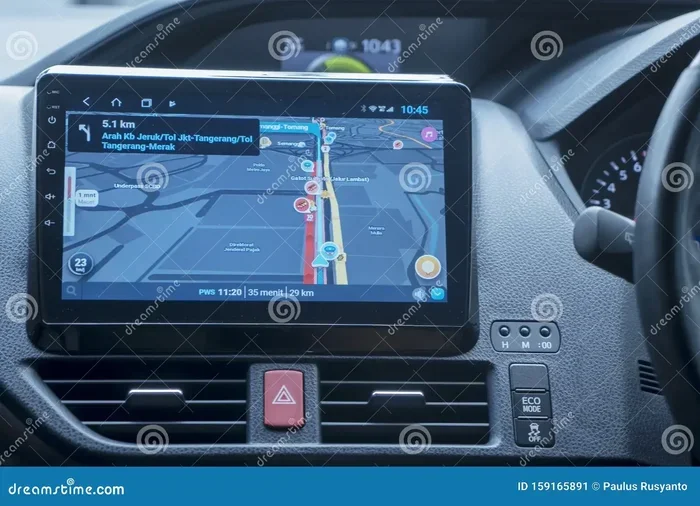
- Built-in factory systems: These come installed in your car when you buy it. They are built into the dashboard display. Brands like BMW, Audi, and Toyota use these systems.
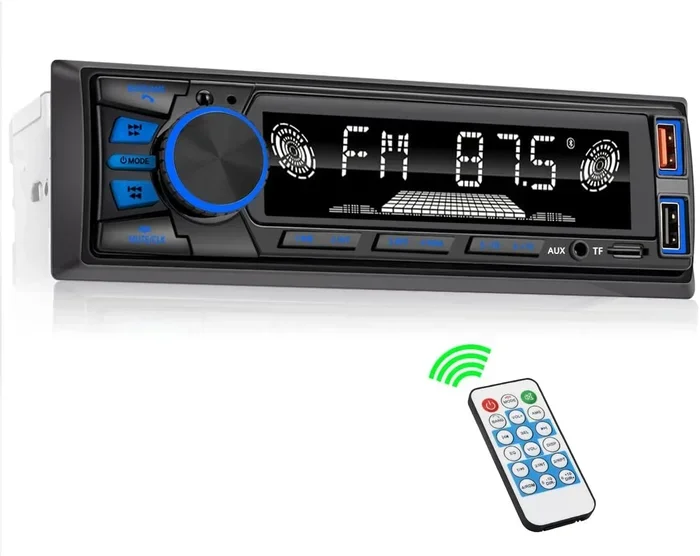
- Aftermarket GPS units: These are separate devices you mount on your windshield or dashboard. Garmin and TomTom are popular brands.
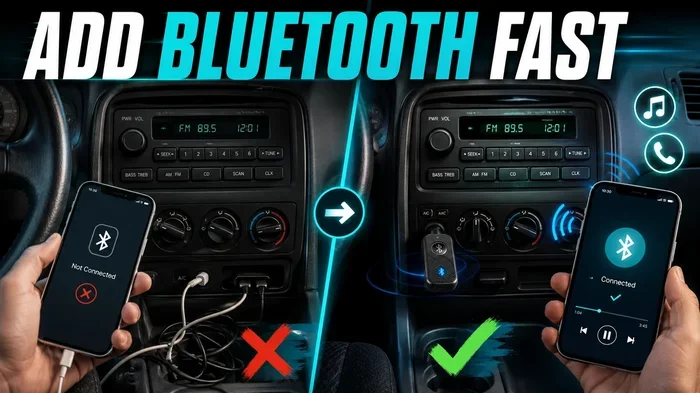
- Smartphone apps: These use your phone’s GPS and screen. Google Maps, Waze, and Apple Maps are the most common examples.
Each type has its own pros and cons. The cost is the biggest difference. Let us look at that more closely.
Do Built-In Car Navigation Systems Require a Monthly Fee?
This is the big question. And the answer is: sometimes. Many factory-installed navigation systems do require a subscription fee. But not all of them do. It depends on the car brand and the features included.
How Factory Navigation Subscriptions Work
When you buy a new car with a built-in navigation system, you often get a free trial period. This can last from three months to three years. After that trial ends, you may need to pay a monthly or annual fee to keep using certain features.
What features usually cost money? Here are the most common ones:
- Live traffic updates that reroute you around jams
- Map updates to keep roads and addresses current
- Connected services like remote start or vehicle tracking
- Voice recognition that understands natural speech
Not every feature needs a fee. Basic map display and simple directions often come free. But the smart features that make navigation truly useful usually require a monthly subscription.
Examples of Brands That Charge
Let us look at some real-world examples. This will help you understand what to expect.
- BMW: BMW’s navigation system requires a paid subscription after the trial ends. Prices vary by region and plan.
- Audi: Audi offers a navigation plus package. It includes live traffic and 3D maps, but it costs extra each month.
- Mercedes-Benz: Mercedes charges for its MBUX navigation features. Some models include a few years free, then you pay.
- Tesla: Tesla navigation requires a paid subscription for full features. Standard maps are free, but live traffic and smart routing cost extra.
- Ford: Ford’s SYNC navigation system has a subscription model for connected services and map updates.
As you can see, most major brands follow a similar pattern. They give you a taste for free, then ask you to pay. This is the standard model for OEM navigation systems.
Can You Use Navigation Without Paying Monthly Fees?
Yes, you absolutely can. There are many ways to get free GPS navigation without ever opening your wallet. Let us explore the best options.
Smartphone Navigation Apps
The easiest and most popular way to navigate for free is to use your smartphone. Apps like Google Maps, Waze, and Apple Maps give you full turn-by-turn directions at no cost. Here is why they work so well:
- Completely free: No monthly fee, no annual cost, no hidden charges.
- Live traffic data: They use real-time data from other users to show you the fastest route.
- Constantly updated: Maps update automatically through your phone’s data connection.
- Voice guidance: They speak directions to you, just like a built-in system.
- Offline maps: You can download maps and use them without any internet connection.
The only downside is that you need a phone mount and a data plan. But many people already have both. This makes smartphone apps the most practical free navigation solution for most drivers.
Aftermarket GPS Devices
Devices from Garmin, TomTom, and Magellan are another great option. Many of these units do not require any monthly fee. You buy the device once, and it works forever. Here is what you need to know:
- No subscription needed: Most basic GPS devices work without any recurring cost.
- Preloaded maps: They come with maps already installed on the device.
- Offline use: They do not need a data connection to function.
- Map updates: Some brands charge a small fee for annual map updates. Others include free updates for life.
If you want a dedicated dashboard display without a monthly bill, an aftermarket GPS device is a solid choice. Just check the terms before you buy.
Open-Source and Free Navigation Tools
There are also free and open-source navigation options. These are less mainstream but very powerful:
- OpenStreetMap: A community-built map that powers many free navigation apps.
- OsmAnd: An app that uses OpenStreetMap data for offline navigation.
- Magic Earth: A free navigation app with offline maps and traffic alerts.
- Sygic: Offers a free version with basic navigation and offline maps.
These tools are great if you want navigation without any fees at all. They may not have every polished feature of paid systems, but they get you where you need to go.
What Features Actually Cost Money?
Not all navigation features are created equal. Some are free, and some cost real money. Understanding this difference helps you make smart choices. Here is a clear breakdown.
Features That Are Usually Free
- Basic map display and routing
- Turn-by-turn voice directions
- Speed limit warnings
- Basic point-of-interest search
- Offline map viewing (once downloaded)
Features That Usually Require a Fee
- Live traffic updates and dynamic rerouting
- Real-time weather and road condition alerts
- Frequent map data updates
- 3D building and landmark views
- Integrated streaming or entertainment
- Remote vehicle diagnostics and control
The key takeaway is this: basic navigation is almost always free. The premium features that add convenience and real-time data are what cost you money. You get to decide if those extras are worth the monthly subscription cost.
How Much Do Navigation Subscriptions Actually Cost?
If you do decide to pay for a navigation subscription, what should you expect? Costs vary widely. Here is a general idea:
- Basic plans: Around $10 to $20 per month for map updates and traffic.
- Premium plans: $20 to $50 per month for full connected services.
- Annual plans: Some brands offer discounts if you pay yearly instead of monthly.
- Lifetime plans: A few brands sell a one-time lifetime access fee. This can range from $100 to $500.
Over time, these costs add up. A $15 monthly fee means $180 per year. That is a lot of money for a feature you may not even use every day. This is why many car owners look for free navigation alternatives instead.
Before you sign up for any subscription, read the fine print. Ask yourself if you really need the live features. If you just want directions, a free app will do the job just fine.
Quick Tips to Avoid Unnecessary Navigation Costs
Want to keep your navigation costs at zero? Follow these simple tips:
- Use your phone as your primary navigator. Apps like Google Maps and Waze are free and reliable.
- Download offline maps before trips. This saves data and keeps you covered in areas with no signal.
- Cancel free trials before they charge. If you do not want a subscription, cancel before the trial period ends.
- Check if your car already includes free navigation. Some brands offer a few years of free service with a new car.
- Use open-source apps like OsmAnd. They are completely free and work offline.
- Buy a one-time GPS device. A Garmin or TomTom unit costs once and works without monthly fees.
These tips can save you hundreds of dollars over the life of your car. The best part is they require very little effort to set up.
Common Mistakes People Make With Navigation Costs
Many car owners end up paying for things they do not need. Here are the most common mistakes to avoid:
- Forgetting about free trials: Many people sign up without realizing a trial will turn into a paid subscription. Set a reminder to cancel if you do not want to continue.
- Paying for built-in maps when free apps exist: Your smartphone can do everything a built-in system does, often better and for free.
- Not checking map update policies: Some systems charge for every map update. Others include free updates for the life of the device. Know before you buy.
- Ignoring offline options: You do not need a data connection to navigate. Offline maps work just as well for most trips.
- Assuming all GPS devices cost monthly fees: Many standalone GPS units have no subscription at all. Always check before purchasing.
Avoiding these mistakes keeps more money in your pocket. It also saves you the frustration of paying for features you never use.
Expert Insights: What the Industry Says
Industry experts have a lot to say about navigation costs. According to automotive analysts, the trend is shifting toward free options. More car buyers now rely on their smartphones instead of built-in systems. This puts pressure on car brands to offer better free features.
Some experts also point out that connected car services are a big revenue driver for manufacturers. The navigation subscription is just one part of a larger connected services package. Brands bundle navigation, remote start, and vehicle diagnostics into one monthly plan. This means you might be paying for features you do not even want.
Consumer advocates recommend always checking what is included for free before buying a car with a built-in system. They also suggest using your phone as the primary navigator. It saves money and often provides a better experience than factory systems.
Key Takeaways
- Built-in systems often charge: Many factory-installed navigation units need a subscription for live features.
- Smartphone apps are free: Google Maps, Waze, and Apple Maps offer free turn-by-turn directions with live traffic data.
- Aftermarket units vary: Some GPS devices require fees, while others work entirely offline at no extra cost.
- You can cancel anytime: Most subscription-based navigation services let you cancel without penalty.
- Offline maps save money: Downloading maps for free use is a great way to avoid recurring charges.
- OEM subscriptions differ by brand: BMW, Audi, Tesla, and other brands have different pricing and terms.
- Free alternatives work well: You do not need to pay for basic directions if you choose the right tools.
Conclusion
So, do you have to pay a monthly fee for navigation systems? The honest answer is that it is not required. You have options. You can use free smartphone apps, download offline maps, or buy a one-time GPS device. The choice is entirely yours.
Built-in car systems may push you toward a subscription, but you do not have to say yes. Free tools like Google Maps and Waze work just as well, if not better, than most factory systems. They update regularly, provide live traffic, and cost you nothing each month.
The best approach is to understand what you actually need. If you just want directions, go free. If you want extra features like live traffic and real-time rerouting, a subscription might make sense. But always weigh the cost against the benefit.
Take control of your navigation costs today. Explore the free options first. You might be surprised at how much you can save without giving up convenience or accuracy.
FAQs
Do all built-in car navigation systems require a monthly fee?
No, not all of them. Some factory systems include free navigation for the life of the car. Others offer a free trial period and then charge a fee. It depends on the car brand and model. Always check the terms before you buy.
Can I use Google Maps for free in my car?
Yes, you can. Google Maps is completely free to use. You just need a phone mount and a data connection. You can also download offline maps and use them without any data at all.
Are aftermarket GPS devices like Garmin worth buying?
They can be worth it if you prefer a dedicated screen and do not want any monthly fees. Most Garmin and TomTom devices work without a subscription. You buy them once and they work indefinitely.
What happens if I cancel my navigation subscription?
You will lose access to premium features like live traffic and map updates. But basic map display usually stays available. Each brand handles cancellations differently, so check their policy.
Is Waze really free to use?
Yes, Waze is completely free. It is owned by Google and provides live traffic updates, accident alerts, and turn-by-turn directions at no cost. It relies on data from other users to keep information current.
How often do I need to update my car’s navigation maps?
It depends on the system. Some brands update maps automatically through a wireless connection. Others require you to visit a dealer or download updates manually. Free map updates are rare, and many brands charge for them.