USB Bluetooth Receiver for Car Upgrade Your Car Audio
A USB Bluetooth receiver for car is a small, affordable device that brings wireless audio to any vehicle with an AUX or USB port. It lets you stream music, take hands-free calls, and enjoy modern connectivity without replacing your entire car audio system. This guide covers how they work, the best models, setup steps, and common mistakes to avoid.
You love your car, but the stereo feels stuck in the past. No Bluetooth. No wireless streaming. Just a dusty AUX port and faded buttons. If that sounds familiar, you are not alone. Millions of drivers still rely on older car audio systems that simply do not connect to modern phones.
The good news? You do not need to buy a whole new stereo. A USB Bluetooth receiver for car solves the problem fast and affordably. This tiny device plugs right into your vehicle and instantly adds wireless music streaming and hands-free calling. In this guide, we will walk you through everything you need to know. We will cover how these receivers work, which models to choose, setup steps, and tips to get the best sound. Let us dive in.
Key Takeaways
- Easy Upgrade: A USB Bluetooth receiver for car gives older vehicles modern wireless capabilities in minutes.
- Affordable Solution: Most models cost between $15 and $50, making them a budget-friendly car audio upgrade.
- Plug and Play: No wiring or professional installation needed. Just connect and stream.
- Hands-Free Safety: Bluetooth car kits let you make and receive calls while keeping your hands on the wheel.
- Wide Compatibility: These receivers work with nearly all car stereos, phones, and tablets.
- Battery Life Matters: Built-in rechargeable batteries offer 6 to 12 hours of playback on a single charge.
- Bluetooth 5.0 is Best: Newer versions deliver stronger connections, less interference, and better audio quality.
📑 Table of Contents
- What Is a USB Bluetooth Receiver for Car?
- Why Should You Add a Bluetooth Receiver to Your Car?
- How Does a USB Bluetooth Receiver Work?
- Top USB Bluetooth Receivers for Cars
- How to Set Up Your USB Bluetooth Receiver for Car
- Common Mistakes to Avoid
- Can a USB Bluetooth Receiver Improve Your Daily Commute?
- Final Thoughts
What Is a USB Bluetooth Receiver for Car?
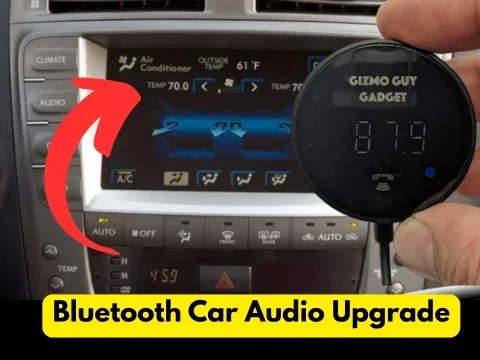
A Bluetooth adapter for car is a small dongle that connects to your vehicle’s audio system and receives audio from your phone wirelessly. Think of it as a bridge between your smartphone and your car stereo. It uses Bluetooth technology to pull in music, podcasts, and navigation audio from your phone.
Most receivers plug into either a USB port or an AUX input. Some models come with a built-in microphone so you can take calls through your car speakers. Others include a built-in battery, which means they work even when the engine is off. The whole idea is simple: add wireless connectivity without spending hundreds on a new head unit.
Wireless car kits like this have become hugely popular. They are especially useful for owners of older vehicles, classic cars, and trucks that did not come with modern infotainment systems. Whether you drive a sedan from 2008 or a vintage truck from the 1990s, a car audio upgrade like this can breathe new life into your cabin.
Why Should You Add a Bluetooth Receiver to Your Car?
There are many reasons to consider a USB Bluetooth receiver for car. Let us look at the biggest benefits that make this small device worth every penny.
Wireless Music Streaming
The number one reason people buy these devices is wireless music streaming. Instead of fiddling with cables or burning CDs, you simply pair your phone and play whatever you want. Spotify, Apple Music, YouTube Music, podcasts, audiobooks, and local files all stream straight to your car speakers. The convenience is hard to beat.
Hands-Free Calling for Safer Driving
Safety matters on the road. A Bluetooth car kit with a built-in microphone lets you answer calls without touching your phone. Your voice comes through the car speakers, and the person on the other end hears you through the receiver’s mic. This keeps your hands on the wheel and your eyes on the road, which is exactly what every driver needs.
Works with Nearly Any Car
One of the best things about a USB Bluetooth receiver for car is how universal it is. If your car has an AUX jack or a USB port, a receiver will work. It does not matter if you drive a Honda, Toyota, Ford, BMW, or a classic that has not been updated in decades. The car audio compatibility is excellent across makes and models.
Cost-Effective Car Audio Upgrade
Replacing a car stereo can cost anywhere from $200 to $1,000 or more. A Bluetooth receiver costs a fraction of that. Most models range from $15 to $50. For a small investment, you get wireless streaming, hands-free calling, and a much better driving experience. It is easily one of the best budget car accessories you can buy.
Plug and Play Setup
You do not need any special tools or mechanical skills. Most plug and play receivers simply plug into your AUX port or USB port. Pair your phone through Bluetooth, and you are ready to go. The entire setup takes less than five minutes. No wiring. No dash removal. No trips to the mechanic.
How Does a USB Bluetooth Receiver Work?
Understanding how a USB Bluetooth receiver for car works helps you get the most out of it. The technology is simpler than you might think.
Inside every receiver is a Bluetooth chip that sends and receives wireless signals. When you pair your phone, the chip creates a short-range wireless connection. Your phone sends audio data to the receiver, which then converts it into an analog signal. That signal travels through the AUX cable or USB connection into your car stereo, which amplifies it through your speakers.
Most modern receivers use Bluetooth 5.0 or newer. This version offers a stronger Bluetooth range of up to 30 feet. It also provides better audio codec support, which means clearer sound with less static or interference. Older Bluetooth versions (like 3.0 or 4.0) work fine too, but they may have slightly weaker connections and shorter range.
FM transmitter Bluetooth models work differently. Instead of plugging into an AUX port, they broadcast audio on an open FM radio frequency. You tune your car radio to that frequency, and the music plays through your speakers. These are useful for vehicles that have neither an AUX port nor a USB port. However, FM transmitters can sometimes pick up interference from nearby radio stations.
Key Features to Look For
Not all receivers are created equal. Here are the features you should check before buying:
- Bluetooth Version: Look for Bluetooth 5.0 or later for the best connection and sound quality.
- Battery Life: Built-in batteries should last at least 6 hours. Some premium models go up to 12 hours or more.
- Built-in Microphone: Essential if you want to take hands-free calls while driving.
- AUX and USB Support: Make sure the receiver matches your car’s input options.
- Multipoint Pairing: This lets you connect two devices at the same time, like your phone and a tablet.
- Quick Pairing: Some models offer fast connection features so you do not have to go through long pairing steps every time.
Top USB Bluetooth Receivers for Cars
The market has many options, and choosing the right one can feel overwhelming. Here are some of the most popular and well-reviewed Bluetooth adapter for car models that deliver great value.
1. TaoTronics Bluetooth 5.0 Receiver
The TaoTronics model is one of the best-selling receivers on the market. It supports Bluetooth 5.0, which gives you a stable connection and low audio latency. It has a built-in rechargeable battery that lasts about 10 hours. The compact design fits snugly into most AUX ports without blocking the neighboring port. It also includes a multipoint pairing feature, so you can switch between two phones easily.
2. 1Mii Bluetooth 5.0 Receiver
The 1Mii receiver is another strong contender. It offers an impressive 100-foot Bluetooth range, which is much farther than most competitors. The sound quality is excellent, with support for aptX and AAC codecs. It works well for both music and calls. The battery lasts up to 12 hours, making it great for long road trips.
3. Auxito Bluetooth Receiver
The Auxito model is a budget-friendly option that still delivers solid performance. It uses Bluetooth 4.2, which is perfectly fine for most users. The setup is straightforward, and the compact size makes it easy to store when not in use. It is a great choice if you want a simple, no-frills wireless car kit that gets the job done.
4. Mpow BH120 Bluetooth Car Kit
This model combines a Bluetooth receiver with a built-in FM transmitter. It is perfect for cars that lack an AUX or USB port. You can also use it as a standard AUX receiver when an input is available. The built-in microphone handles calls clearly, and the rechargeable battery provides up to 15 hours of playback.
How to Set Up Your USB Bluetooth Receiver for Car
Setting up a USB Bluetooth receiver for car is incredibly simple. Follow these steps, and you will be streaming music in under five minutes.
Step 1: Find the Right Port
Look for an AUX input or a USB port in your car. The AUX port is usually located on the center console, dashboard, or near the gear shift. Some vehicles have USB ports built into the dashboard or the center armrest. If your car has neither, consider an FM transmitter model instead.
Step 2: Plug in the Receiver
Connect the receiver to the AUX or USB port. If it is an AUX model, you will hear a short tone or static indicating it is powered on. If it has a built-in battery, charge it fully before first use using the included USB cable.
Step 3: Enable Bluetooth on Your Phone
Go to your phone’s settings and turn on Bluetooth. Make sure it is set to be visible or discoverable. This allows the receiver to find your phone during the pairing process.
Step 4: Pair Your Devices
Put the receiver into pairing mode. Most models have a dedicated button or switch for this. On your phone, search for available Bluetooth devices. Look for the receiver’s name in the list and tap it. You may need to enter a PIN, which is often 0000 or 1234. Once paired, you will hear a confirmation tone.
Step 5: Start Playing Music
Open your music app, podcast, or navigation app on your phone. The audio should now play through your car speakers. Adjust the volume using your car stereo controls or your phone, depending on your preference.
Quick Tips for Best Results
- Keep your phone close: Stay within 30 feet of the receiver for a stable connection.
- Update your phone’s Bluetooth: Make sure your phone’s operating system is up to date for the best compatibility.
- Clear old pairings: If you are having trouble connecting, remove old Bluetooth pairings from both devices and try again.
- Charge the battery regularly: Even if you do not use the receiver often, keep it charged so it is ready when you need it.
Common Mistakes to Avoid
Even though setup is simple, there are a few mistakes that can cause frustration. Here is what to watch out for.
Using the Wrong Input
Not all car stereos work the same way. Some vehicles have a USB port that only charges devices and does not transmit audio. If your car stereo does not play sound through the USB connection, switch to the AUX input instead. Always double-check your car’s manual or test both inputs before assuming one works.
Ignoring Audio Latency
Audio latency is a small delay between when audio plays on your phone and when you hear it through your car speakers. Most receivers have very low latency, but some cheaper models may have a noticeable delay. This is especially noticeable when watching videos or using GPS navigation with voice directions. Look for receivers that support low-latency codecs like aptX for the smoothest experience.
Overlooking Microphone Quality
If you plan to take calls through your receiver, pay attention to the built-in microphone quality. Some budget models have weak microphones that make your voice sound muffled or faint. Reading user reviews can help you find models with clear call quality. A car speakerphone with a good mic makes a big difference in call clarity.
Forgetting to Turn Off Bluetooth on Other Devices
If you have multiple Bluetooth devices nearby, your phone might connect to the wrong one. Turn off Bluetooth on tablets, headphones, or other phones in the car while setting up your receiver. This prevents connection confusion and ensures a smooth pairing experience.
Can a USB Bluetooth Receiver Improve Your Daily Commute?
The short answer is yes. A USB Bluetooth receiver for car changes the way you experience your daily drive. Instead of fumbling with cables or sitting in silence, you get instant access to your entire music library. Podcasts, audiobooks, and navigation apps all work seamlessly through your car speakers.
The hands-free calling feature adds a layer of safety and convenience. You stay connected without ever touching your phone. For parents, commuters, and delivery drivers especially, this small upgrade makes a real difference in how enjoyable and stress-free the drive becomes.
Car connectivity has become a standard expectation for most drivers today. Even if your car is older, a Bluetooth receiver brings it up to speed. It is one of the smartest and most affordable car audio upgrade decisions you can make. The device pays for itself the very first time you stream your favorite playlist on a long road trip or take a crystal-clear call while stuck in traffic.
Final Thoughts
A USB Bluetooth receiver for car is a simple, affordable, and incredibly effective way to modernize your vehicle’s audio system. Whether your car is missing Bluetooth entirely or you just want a backup wireless option, these receivers deliver excellent value. They are easy to set up, work with nearly any vehicle, and provide wireless music streaming and hands-free calling in minutes.
With so many great models available at low price points, there is no reason not to upgrade. Pick a receiver that fits your car’s inputs, check for Bluetooth 5.0 support and a built-in microphone, and enjoy a better driving experience from day one. Your car audio does not need to stay stuck in the past. A small device like this makes a huge difference.
Upgrade your car audio today with a USB Bluetooth receiver for car, and turn every drive into a seamless wireless experience. You will wonder how you ever drove without it.
Frequently Asked Questions
Do USB Bluetooth receivers work with all car stereos?
Most receivers work with any car stereo that has an AUX input or USB port. If your car has neither, you can use an FM transmitter Bluetooth model instead. These broadcast audio to your car radio on an open FM frequency, making them compatible with virtually any vehicle.
Can I use a Bluetooth receiver for hands-free calling?
Yes, many Bluetooth car kits come with a built-in microphone. This lets you make and receive calls through your car speakers. Just make sure the model you choose includes a mic if hands-free calling is important to you.
How far can the Bluetooth signal reach from my phone?
Most receivers have a range of 10 to 30 feet. Bluetooth 5.0 models can reach up to 100 feet in open space. As long as your phone stays within range, the connection will remain stable and uninterrupted during your drive.
Do I need to install any software or apps?
No. A USB Bluetooth receiver for car is a plug and play device. It does not require any software installation. Simply pair it with your phone through your phone’s Bluetooth settings, and you are ready to go.
Will using a Bluetooth receiver drain my car battery?
Most receivers draw very little power. If the device plugs into a USB port, it uses minimal electricity. Models with built-in batteries only draw power when actively playing audio. You can even turn the receiver off when not in use to conserve energy.
What is the difference between a Bluetooth receiver and a Bluetooth transmitter?
A receiver sends audio from your phone to your car speakers. A transmitter does the opposite, sending audio from your car stereo to wireless headphones or speakers. For upgrading car audio, you need a receiver. Make sure you buy the right type for your needs.