How to Reset Your Lexus After Replacing the Battery
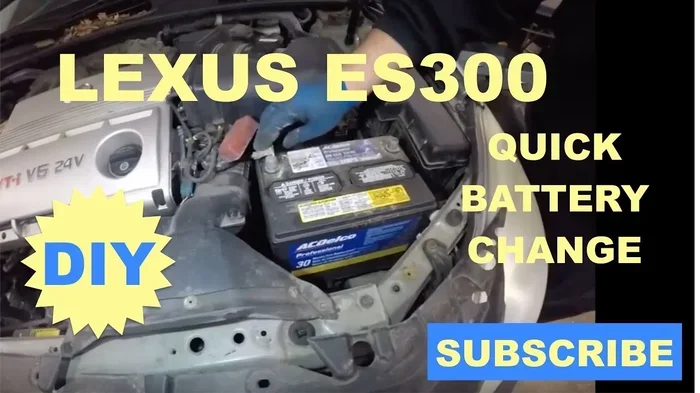
Resetting your Lexus after replacing the battery is essential to restore all systems properly. Whether you drive a Lexus ES 350, RX, or hybrid model, a full battery reset ensures your infotainment, warning lights, and hybrid systems recalibrate correctly. This guide walks you through every step so your Lexus runs smoothly again without any lingering issues.
So you just replaced the battery in your Lexus, and now something feels off. The clock is blinking. The radio is reset to the default station. Maybe the check engine light came on, or your key fob isn’t responding like it used to. This is totally normal, and it happens to almost every Lexus owner at some point.
When you disconnect or replace the battery in your Lexus, you essentially wipe the short-term memory from the car’s computer. This means all your settings, learned adaptations, and error codes get cleared. The good news is that resetting your Lexus after replacing the battery is not as complicated as it might seem. You do not need a dealership visit or a expensive mechanic to handle this.
In this guide, we will walk you through every step of the Lexus reset procedure in plain, simple language. Whether you drive a Lexus ES 350, an RX hybrid, or any other model, this article has you covered. We will explain why resets matter, how to do them correctly, and what common mistakes to avoid along the way.
By the time you finish reading, you will feel confident handling the reset yourself. Let us get started.
Key Takeaways
- Always disconnect the negative terminal first to safely reset your Lexus electrical systems.
- A full power reset clears error codes and restores factory settings on your infotainment screen.
- Your key fob may need reprogramming after a battery swap to maintain proper communication with the car.
- Hybrid Lexus models require extra steps to reset the hybrid battery management system.
- Common mistakes include reconnecting terminals too fast and skipping the infotainment reconfiguration.
- Resetting takes about 15 to 30 minutes for most Lexus models when done correctly.
📑 Table of Contents
- Why You Need to Reset Your Lexus After a Battery Change
- Step-by-Step Lexus Reset Procedure
- Resetting the Lexus Computer and Infotainment System
- Resetting Warning Lights and Error Codes
- Key Fob Reset After Battery Replacement
- Common Mistakes to Avoid When Resetting Your Lexus
- Expert Tips for a Smooth Lexus Reset
- How Long Does a Full Lexus Reset Take?
- When to Seek Professional Help
- Final Thoughts
Why You Need to Reset Your Lexus After a Battery Change
Many people think a new battery just slots in and everything works fine again. But that is not how modern cars operate. Your Lexus runs on dozens of electronic control units that rely on continuous power to remember settings and learned behaviors.
What Happens When You Disconnect the Battery
When you remove the battery, the car loses power to its short-term memory. This affects several systems:
- Infotainment settings — your radio presets, Bluetooth pairings, and navigation home address get wiped.
- Power window auto-up — the auto-close feature may need recalibration.
- Idle air control — the engine may idle rough for a few drives until it relearns your driving patterns.
- Hybrid battery management — on hybrid models, the system needs to recalibrate its charge thresholds.
- Warning lights — some lights may stay on even after the issue is resolved because the codes were not cleared properly.
This is exactly why knowing how to properly reset your Lexus computer after a battery change is so important. Without doing it, you may deal with annoying glitches for weeks.
How Long Should You Wait Before Resetting?
You should reset your Lexus as soon as possible after installing the new battery. There is no benefit to waiting. In fact, the longer you drive with a disconnected or replaced battery without resetting, the more the system adapts to incorrect baseline readings. Think of it like this — your car is trying to learn from bad data.
If you are also dealing with a key fob that needs resetting after battery replacement, make sure to handle that part of the process too. Many people forget the key fob entirely and wonder why the remote start or smart access features are not working.
Step-by-Step Lexus Reset Procedure
Now let us get into the actual process. The steps below apply to most Lexus models including the ES, RX, IS, GS, and LX lines. Always refer to your owner’s manual for model-specific details, but the general procedure is very similar across the lineup.
Step 1: Gather Your Tools
Before you start, make sure you have everything ready. You will need:
- A new or replacement battery (if you have not already installed it)
- A wrench set (usually 10mm for the negative terminal)
- A memory saver device (optional but recommended)
- A clean cloth for the terminals
- Your phone or a notepad to write down radio presets
Using a memory saver device is a great tip if you want to preserve all your settings during the battery swap. It plugs into the OBD-II port and keeps power flowing to the computer while you work.
Step 2: Disconnect the Negative Terminal First
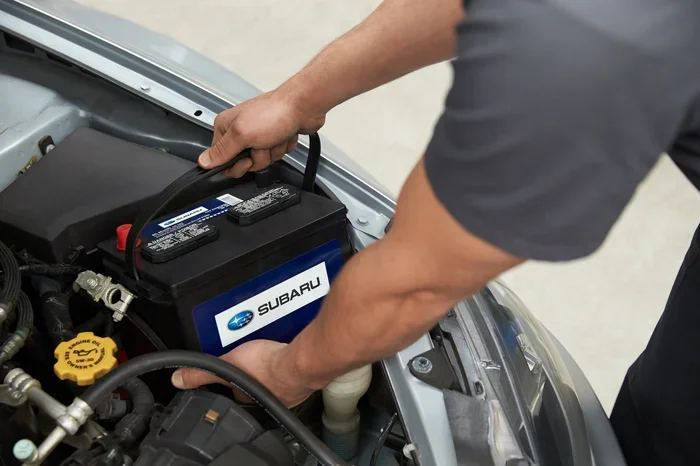
This is the most important safety step. Always disconnect the negative terminal first. The negative cable is marked with a minus sign (-) and is usually black. Use your wrench to loosen the clamp and carefully pull the cable off the terminal post.
Do not let the wrench or cable touch both terminals at the same time. This can cause a short circuit and damage your electrical systems.
Step 3: Wait at Least 15 Minutes
Once the negative terminal is disconnected, leave it off for at least 15 minutes. This gives the car’s capacitors time to fully drain and the computer to reset completely. Some experts recommend waiting up to 30 minutes for a thorough reset.
During this time, you can use the opportunity to clean the battery terminals with a cloth or a baking soda solution if there is any corrosion. Clean terminals ensure better electrical contact and a longer battery life.
Step 4: Reconnect the Negative Terminal
After waiting, place the negative cable back onto the terminal post and tighten the clamp securely. Make sure it is snug but do not overtighten. You should hear a click or feel firm resistance when the connection is solid.
Step 5: Turn the Ignition to the ON Position
Do not start the engine yet. Simply turn the key to the ON position or press the start button without pressing the brake pedal. This powers up all the electronic systems without running the engine.
Wait about 30 seconds for all the systems to boot up. You will see the dashboard lights illuminate and then some may turn off as the car runs its self-check.
Step 6: Start the Engine and Let It Idle
Now start the engine. Let it idle for at least five minutes without touching the gas pedal. This allows the engine control module to relearn your idle speed and air-fuel mixture. On hybrid models, the hybrid system will also begin its calibration process during this idle period.
You may notice the idle is a bit rough at first. This is normal and should smooth out after a few minutes of driving.
Resetting the Lexus Computer and Infotainment System
The infotainment system in your Lexus stores a lot of personalized data. After a battery replacement, you will likely need to reconfigure several things. Here is how to handle the most common resets.
Resetting the Radio and Audio Settings
Your radio presets, equalizer settings, and Bluetooth pairings will be cleared after a battery disconnect. To restore them:
- Turn on the audio system
- Navigate to the settings menu
- Select “Restore Defaults” or “Factory Reset” if available
- Re-pair your Bluetooth devices
- Set your favorite radio stations again
This is a quick process that usually takes less than five minutes. If you wrote down your presets before disconnecting, you can restore them in half the time.
Resetting the Navigation System
If your Lexus has a navigation system, the home address and recent destinations may also be cleared. You will need to re-enter your home address and any saved locations. Some models also require you to update the map data after a full power loss.
Resetting the Climate Control Settings
The automatic climate control system learns your preferences over time. After a reset, it may default to a standard temperature and fan speed. Simply adjust the controls to your liking and the system will relearn your preferences within a few drives.
Resetting the Trip Computer
Your trip meter and fuel economy readings will also reset. This is actually a good thing because it gives you a fresh baseline to track your fuel efficiency. To reset the trip computer, use the steering wheel controls or the infotainment screen to clear the trip data.
Resetting Warning Lights and Error Codes
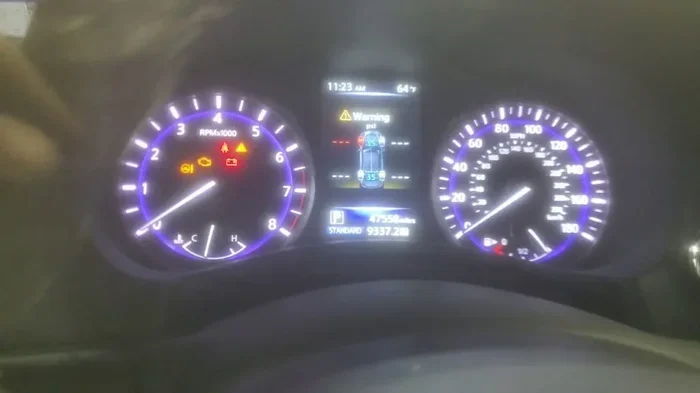
One of the most common reasons people need to reset their Lexus after a battery change is to clear warning lights. When the battery is disconnected, the car’s diagnostic system may throw codes that were not actually problems.
Clearing the Check Engine Light
If the check engine light stays on after a battery replacement, it usually means the system stored a code during the power loss. You can clear this in a few ways:
- Drive it off — in many cases, the light will clear itself after a few driving cycles
- Use an OBD-II scanner — plug a scanner into the port under your steering column and clear the codes
- Disconnect and reconnect the battery — a second full power cycle can sometimes clear residual codes
If you are unsure about how to use a scanner, you can also visit a local auto parts store. Many stores offer free diagnostic scanning and will clear the codes for you at no cost.
Resetting the Tire Pressure Monitoring System
The TPMS light may also come on after a battery change. To reset it, you typically need to:
- Check that all tires are at the correct pressure
- Drive at or above 30 mph for a few minutes
- Locate the TPMS reset button (usually under the steering column)
- Press and hold the button until the TPMS light blinks three times
If you are having trouble with the TPMS, you can also check our guide on whether you need to reset TPMS after filling air for additional troubleshooting tips.
Resetting the Oil Change Indicator
The oil change reminder may also reset after a battery disconnect. To reset it on most Lexus models:
- Turn the ignition to ON without starting the engine
- Press the odometer/trip button until you see the maintenance menu
- Select “Reset Maintenance” and confirm
- Turn the ignition off and then back on to verify the reset
Key Fob Reset After Battery Replacement
Your Lexus key fob has its own small battery that powers the remote and smart access features. While replacing the car battery does not directly affect the key fob, many owners find that the fob needs attention after a full car battery reset.
Why the Key Fob May Need Attention
When the car loses all power, the key fob and the car’s receiver need to re-establish their pairing. This is especially true for smart key systems that use proximity detection. You may notice the push-button start does not recognize the fob, or the remote locking/unlocking becomes delayed.
If you want to learn more about what to do after replacing a key fob battery specifically, check out our article on whether you need to reset a key fob after replacing the battery.
How to Re-Pair Your Key Fob
Re-pairing your key fob is usually straightforward:
- Sit in the driver’s seat with all doors closed
- Press the lock button on the fob
- Turn the ignition to ON and then back to OFF
- Repeat this cycle three to four times
- You should hear a chime or see the doors lock, indicating successful pairing
For specific instructions, always refer to your Lexus owner’s manual. The process can vary slightly between model years and trim levels.
Common Mistakes to Avoid When Resetting Your Lexus
Even though resetting your Lexus is not difficult, there are some common mistakes that can cause problems. Here is what to watch out for.
Reconnecting Terminals Too Quickly
One of the biggest mistakes is reconnecting the battery terminals before the capacitors have fully drained. This means the computer does not get a complete reset. Always wait at least 15 minutes with the negative terminal disconnected before reconnecting.
Forgetting to Reset the Hybrid System
If you drive a Lexus hybrid model like the RX 450h or ES 300h, the hybrid battery management system needs extra attention. After a full power reset, the hybrid system may display a warning light or go into a protective mode. Let the car idle for at least ten minutes after starting to allow the hybrid system to fully recalibrate.
If you are dealing with a hybrid-specific reset, you may also want to check our guide on how to factory reset Hybrid Connect for additional help.
Not Checking All Systems After Reset
After completing the reset, do not just start driving and assume everything is fine. Take a few minutes to check:
- Dashboard warning lights
- Radio and infotainment functionality
- Power window auto-up/down
- Key fob responsiveness
- Climate control settings
- Tire pressure monitoring
Catching a missed reset early saves you from dealing with frustrating issues later.
Using the Wrong Battery
This one is worth mentioning because it causes a lot of problems. Make sure your replacement battery matches the specifications for your Lexus model. Using a battery with the wrong cold cranking amps (CCA) rating or the wrong group size can lead to electrical issues that mimic reset problems.
If you are unsure about which battery to use, our article on how to check your car battery can help you verify the right specs for your vehicle.
Expert Tips for a Smooth Lexus Reset
Here are some pro tips from experienced technicians that make the reset process even easier.
- Take photos before disconnecting — snap pictures of your terminal connections and any error lights on the dashboard. This makes reassembly much easier.
- Use dielectric grease on terminals — a thin coat prevents corrosion and extends the life of your new battery.
- Drive gently for the first 20 miles — after a reset, your car is relearning your driving habits. Aggressive driving during this period can confuse the adaptive systems.
- Keep your owner’s manual handy — different Lexus models have slightly different reset procedures. The manual is your best reference.
- Consider a professional scan — if warning lights persist after a reset, a professional diagnostic scan at a Lexus dealer or qualified shop can identify deeper issues.
These small steps make a big difference in how smoothly your Lexus recovers after a battery change. Most owners find that their car feels brand new again after a proper reset.
How Long Does a Full Lexus Reset Take?
The entire process from disconnecting the battery to confirming everything works correctly typically takes about 15 to 30 minutes. The waiting period for the capacitors to drain is the longest part, but you can use that time productively to clean terminals or organize your tools.
After reconnecting, the initial drive cycle takes about 10 to 15 minutes for the computer to relearn basic parameters. Full adaptation of all systems, including the hybrid battery management and idle control, can take up to 50 to 100 miles of mixed driving.
Be patient with the process. Your Lexus is a sophisticated machine with complex electronic systems, and it needs time to recalibrate properly after losing power.
When to Seek Professional Help
Most battery resets are straightforward and can be done at home. However, there are situations where professional help is the right call:
- The check engine light stays on after multiple reset attempts
- The hybrid system displays a red warning light
- The infotainment system freezes or will not power on after a reset
- You experience electrical gremlins like flickering lights or power window malfunctions that do not resolve
- Your key fob still does not communicate with the car after re-pairing attempts
In these cases, a qualified Lexus technician has access to specialized diagnostic tools that can identify issues beyond a simple reset. Do not hesitate to seek help if something feels wrong after the process.
Final Thoughts
Resetting your Lexus after replacing the battery is a simple but important process that keeps your car running at its best. From clearing error codes and resetting the infotainment system to re-pairing your key fob and recalibrating the hybrid battery, each step plays a role in restoring your Lexus to peak performance.
The entire process is manageable for most car owners with basic tools and a little patience. By following the steps outlined in this guide, you can handle the reset yourself and avoid unnecessary trips to the dealership or repair shop.
Remember to take your time, double-check your connections, and give your car the idle time it needs to recalibrate. A proper reset after a battery change means fewer headaches and a smoother driving experience for miles to come. Your Lexus will thank you for it.
Keep this guide bookmarked for future reference. Every time you replace your battery or disconnect your terminals for service, you will know exactly what to do to get your Lexus back to running perfectly.
Frequently Asked Questions
Do I need to reset my Lexus after replacing the battery?
Yes, absolutely. Disconnecting or replacing the battery clears your car’s short-term computer memory. This affects everything from radio presets to idle control and hybrid system calibration. A proper reset ensures all systems recalibrate correctly and warning lights do not linger unnecessarily.
How long should I wait before reconnecting the battery after a reset?
You should wait at least 15 minutes with the negative terminal disconnected. This gives the capacitors enough time to fully drain and allows the computer to reset completely. Waiting up to 30 minutes provides an even more thorough reset for all electronic systems.
Will resetting my Lexus erase my radio presets and Bluetooth connections?
Yes, a full battery disconnect will clear all infotainment settings including radio presets, Bluetooth pairings, and navigation home addresses. This is normal and expected. You can easily restore these settings by re-entering them after the reset is complete.
Why is my check engine light on after replacing the battery?
The check engine light may stay on because the diagnostic system stored a code during the power loss. This does not necessarily mean there is a real problem. You can clear the code by driving for a few cycles, using an OBD-II scanner, or performing a second full power cycle on the battery.
Do I need to reset the key fob after replacing the car battery?
While the key fob has its own battery, the car’s key fob receiver may need to re-pair after a full power loss. Simply pressing the lock button on the fob and cycling the ignition a few times usually re-establishes the connection. If issues persist, consult your owner’s manual for model-specific fob pairing steps.
Can I drive my Lexus immediately after resetting the battery?
You can drive, but it is best to let the engine idle for at least five minutes before driving. This allows the engine control module to relearn idle settings and the hybrid system to begin calibration. Drive gently for the first 20 miles to give all adaptive systems time to recalibrate properly.
=== CONCLUSION ===
Resetting your Lexus after replacing the battery is a straightforward process that pays off in a smoother, more reliable driving experience. By following the steps in this guide, you clear error codes, restore infotainment settings, recalibrate your hybrid system, and re-pair your key fob without spending a dime at a dealership.
Remember the key steps: disconnect the negative terminal first, wait at least 15 minutes, reconnect carefully, and let the car idle before driving. Avoid the common mistakes like reconnecting too quickly or skipping the infotainment reconfiguration. And if anything seems off after the reset, do not hesitate to seek professional diagnostic help.
Your Lexus is a precision-engineered machine, and it deserves the right care after every battery service. With this guide, you have everything you need to handle the reset confidently and get back on the road with peace of mind.