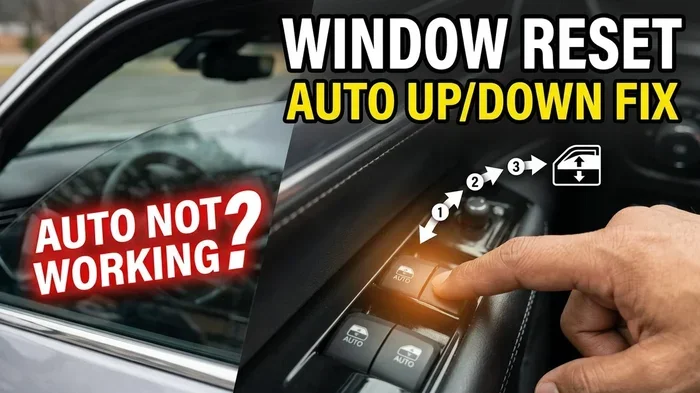
How to Reset Cars Auto Window After Replacing the Battery
Resetting your car’s auto window after replacing the battery is quick and easy. When you disconnect or replace your car battery, the window calibration can reset, causing the auto-up and auto-down features to stop working. This guide walks you through the exact steps to recalibrate your power windows and get them back to normal.
Have you ever replaced your car battery and then noticed that your power windows stopped working the way they should? Maybe the auto-up and auto-down features just quit. Or perhaps the windows don’t close all the way anymore. This is a super common issue, and it happens because replacing your battery resets the window calibration. The good news is that fixing it is easy, and you can do it yourself in just a few minutes. In this guide, we’ll show you exactly how to reset your car’s auto window after replacing the battery. You’ll learn the step-by-step process, why it happens, and how to avoid common mistakes.
Your car’s power windows are more advanced than you might think. They have memory features that store the exact position of each window. When you press the switch, the window control module knows how far to go up or down. But when you disconnect the battery, that memory gets wiped clean. The system forgets where the window starts and stops. This means the auto features stop working until you recalibrate them. Let’s dive into the details and get those windows back to normal.
Key Takeaways
- Battery replacement can reset your auto window calibration: Disconnecting the battery clears stored window positions, requiring a recalibration process.
- The reset process is simple and takes only a few minutes: You just need to run each window through its full range using the switch.
- Most car brands follow the same basic reset procedure: Toyota, Honda, Ford, and others all use a similar up-and-down method.
- You may also need to reset your key fob after a battery change: Check if other features need attention after replacing your battery.
- Knowing when to seek help saves time and money: If the reset doesn’t work, there may be a deeper electrical issue.
- Regular maintenance keeps power windows running smoothly: Simple habits prevent future window problems.
📑 Table of Contents
- Why Your Car’s Auto Window Needs Resetting After a Battery Change
- What Happens When You Replace Your Car Battery
- Step-by-Step Guide to Resetting Your Auto Windows
- Common Problems and How to Fix Them
- Tips to Keep Your Power Windows Working Smoothly
- When to Seek Professional Help
- Key Takeaways
- Conclusion
Why Your Car’s Auto Window Needs Resetting After a Battery Change
When you replace your car battery, you disconnect the electrical system. This is necessary to remove the old battery and install the new one. But that disconnection also clears the memory in your car’s computer. Your window control module loses the saved positions for each window. Think of it like unplugging your TV and having to reprogram the channels. The window system needs to relearn where the top and bottom positions are for each window.
The auto window feature uses sensors and memory to know when to stop. When you press the switch to auto-up, the window goes all the way up and stops automatically. After a battery change, the system doesn’t know where “all the way up” is anymore. It needs you to run the window through its full cycle so it can recalibrate. This is true for both the auto-up and auto-down functions.
You might also notice other features acting strange after a battery change. Your radio presets could reset, your clock might go blank, and your key fob might need reprogramming. Resetting your key fob after replacing the battery is another common task. But the window reset is one of the most important because it affects daily convenience and safety.
What Exactly Gets Reset When You Change the Battery
Your car has a central computer called the Body Control Module, or BCM. This module controls many functions, including your power windows, locks, mirrors, and lights. When you disconnect the battery, the BCM loses all its stored settings. Here’s what gets affected:
- Window auto-up and auto-down positions: The system forgets the exact travel range for each window.
- One-touch auto-down feature: Some cars let you press the switch once and the window goes all the way down. This needs recalibration.
- Anti-pinch safety feature: The window stops or reverses when it detects an obstacle. This sensor needs to relearn the window’s full range.
- Key fob window controls: If your key fob has remote window controls, those may also need resetting.
The anti-pinch feature is especially important for safety. If the window doesn’t know its full range, it might not stop when it should. That’s why it’s so important to do the reset properly after any battery work.
What Happens When You Replace Your Car Battery
Replacing a car battery is a routine maintenance task. Most batteries last between three and five years. When it’s time for a new one, the process is straightforward. But the effects on your car’s systems can be surprising if you don’t know what to expect. Let’s walk through what happens during and after a battery replacement.
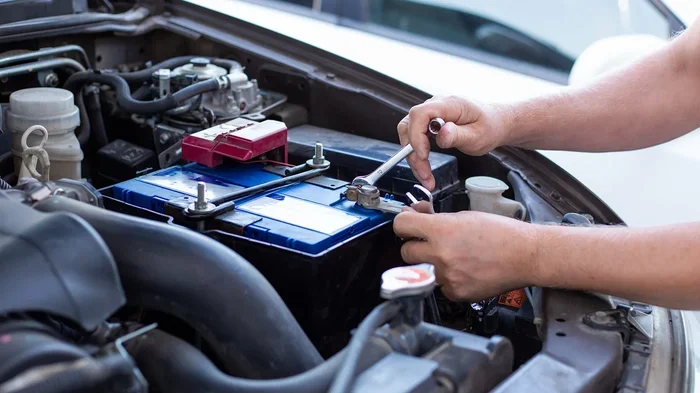
First, you disconnect the negative terminal, then the positive terminal. This cuts power to the entire electrical system. When you install the new battery, you reconnect positive first, then negative. Once connected, your car’s computers start up fresh. They reload basic operating systems, but they lose all custom settings and learned values. This is why your radio stations disappear, your clock resets, and your windows need recalibration.
Some people worry that disconnecting the battery will damage their car. Rest assured, it won’t. Modern cars are designed to handle battery disconnections regularly. The systems just need to relearn some values. The window reset is one of the most common recalibrations needed.
If you’re also dealing with other battery-related issues, like a car not starting even though the battery is fine, you might want to check other electrical components too. Sometimes a weak battery is a symptom of a larger charging system problem.
Step-by-Step Guide to Resetting Your Auto Windows
Now for the part you’ve been waiting for. The reset process is simple, but you need to follow each step carefully. Every window needs to go through its full cycle individually. Let’s get into it.
Step 1: Start With the Engine Running
Turn your ignition to the “ON” position or start the engine. You need the car’s electrical system to be active for the reset to work. Some vehicles also require you to press the brake pedal while doing this. Check your owner’s manual if you’re unsure.
Step 2: Reset the Driver’s Side Window First
Start with the driver’s side front window. This is usually the primary window that the system references. Follow these steps:
- Press and hold the switch to lower the window all the way down.
- Keep holding the switch for two to three seconds after the window is fully down.
- Now pull the switch up to raise the window all the way.
- Keep holding the switch for two to three seconds after the window is fully closed.
- Release the switch.
That’s it for the first window. The system has now stored the full range of travel. You should notice the auto feature working again on this window.
Step 3: Repeat for Each Remaining Window
Do the exact same process for every other window in the car. Front passenger, rear driver side, and rear passenger. Each window needs its own individual calibration cycle. Don’t skip any windows, even if they seem to be working fine. The auto feature might only work partially, and you won’t notice until you need it.
Here’s a quick reference for each window:
- Driver’s side front: Down fully, hold 3 seconds. Up fully, hold 3 seconds.
- Passenger side front: Down fully, hold 3 seconds. Up fully, hold 3 seconds.
- Rear driver side: Down fully, hold 3 seconds. Up fully, hold 3 seconds.
- Rear passenger side: Down fully, hold 3 seconds. Up fully, hold 3 seconds.
Step 4: Test the Auto Features
After resetting all windows, test each one. Press the switch to the auto-up position and let go. The window should go all the way up by itself. Do the same for auto-down. If the window stops at the right position and doesn’t need you to hold the switch, the reset worked. If not, repeat the process for that specific window.
Step 5: Check the Key Fob Controls
If your key fob has window controls, test those too. Some cars require a separate reset for the key fob window features. After replacing a key fob battery, you may also need to resync the fob. But for the auto window reset, the in-car switch calibration is the primary step.
Common Problems and How to Fix Them
Sometimes the reset process doesn’t work the first time. That’s normal and usually easy to fix. Let’s look at the most common issues and their solutions.
Window Doesn’t Auto-Up After Reset
If the window still doesn’t auto-up, you probably didn’t hold the switch long enough during the reset. The key is the extra two to three seconds after the window reaches its full position. This tells the system to store the endpoint. Try the reset again and make sure you hold the switch for the full duration.
Window Gets Stuck Halfway
A window that stops halfway could have a few causes. First, make sure nothing is blocking the window track. Debris or ice can interfere. If the track is clear, the issue might be with the window motor or regulator. Try the reset again. If it still gets stuck, you may need to inspect the window mechanism more closely.
Anti-Pinch Feature Not Working
The anti-pinch feature is critical for safety, especially with kids in the car. If the window doesn’t reverse when it hits an obstacle, the calibration is likely incomplete. Run the full reset cycle again for that window. If the problem persists, the sensor might need professional inspection.
Multiple Windows Need Resetting
After a battery replacement, it’s a good idea to reset all windows even if only one seems affected. The system can behave strangely when some windows are calibrated and others aren’t. Do all of them at once to avoid future headaches.
Tips to Keep Your Power Windows Working Smoothly
Once you’ve reset your windows, you want to keep them working well. Here are some practical tips that make a big difference over time.
- Use the auto features regularly: The more you use auto-up and auto-down, the better the system maintains its calibration.
- Keep window tracks clean: Dirt and grime can cause windows to stick. Wipe the tracks every few months with a damp cloth.
- Don’t force the switch: If a window is stuck, don’t hold the switch for a long time. This can overheat the motor.
- Check for debris before closing: Make sure nothing is in the window path. This protects the anti-pinch sensor and the motor.
- Replace your battery on schedule: A weak battery can cause electrical glitches that affect window performance. Stay ahead of battery failure.
These simple habits can prevent most window issues. If you ever notice your windows acting up again, a quick reset often solves the problem. But sometimes the issue goes deeper than calibration.
When to Seek Professional Help
Most of the time, a window reset fixes the problem. But there are situations where you should call a professional. If you’ve done the reset two or three times and the window still doesn’t work right, there may be a hardware issue. The window motor, regulator, or switch could be failing.
Also, if you notice a grinding or clicking noise when the window moves, don’t keep trying to reset it. That sound usually means a mechanical problem. A technician can diagnose and fix the issue quickly.
Some newer cars have more complex window systems with multiple control modules. If your vehicle is a luxury brand or a newer model, the reset procedure might be slightly different. Your owner’s manual or a dealership can provide the exact steps. Dealerships can also help with electrical recalibration if you’re not comfortable doing it yourself.
Remember, your safety comes first. Power windows are a convenience, but the anti-pinch safety feature is there to protect you and your passengers. If that feature isn’t working, don’t ignore it. Get it fixed promptly.
Key Takeaways
- Battery replacement clears your window calibration: The auto-up and auto-down features need to be reset after any battery work.
- The reset process is quick and simple: Hold each window switch through its full cycle with a few extra seconds at each end.
- Reset every window individually: Each window has its own calibration that must be stored separately.
- Hold the switch for 2-3 seconds past the full position: This is the most important step people skip.
- Test the anti-pinch feature after resetting: Safety should always come first.
- Repeat the reset if it doesn’t work the first time: Sometimes the system needs two attempts.
- See a professional if problems persist: Mechanical or electrical issues need expert diagnosis.
Conclusion
Resetting your car’s auto window after replacing the battery is one of those simple maintenance tasks that saves you a lot of frustration. You don’t need special tools or a trip to the mechanic. Just a few minutes and a little patience. Follow the steps we’ve outlined, and your power windows will be back to working perfectly in no time.
The key is to be thorough. Don’t rush through the process, and make sure you hold the switch long enough at each end of the window’s travel. If you take your time and reset every window, you’ll have a fully functioning auto window system again. And if you run into any issues, don’t hesitate to seek professional help. A properly working window system keeps you safe and makes every drive more comfortable.
After a battery replacement, it’s also worth checking other systems. Do you need to do anything after replacing a key fob battery? Yes, and the same goes for your car battery. A few extra checks can save you from surprises down the road. Keep this guide bookmarked for the next time you need to reset your windows or handle other post-battery tasks.
Frequently Asked Questions
How long does it take to reset car auto windows after replacing the battery?
The entire process takes about 10 to 15 minutes. Each window needs about two minutes for the full reset cycle. If you have a four-door car, budget around 15 minutes total. It’s quick and easy once you know the steps.
Do I need any special tools to reset my power windows?
No special tools are needed at all. You just need the car key or remote to turn on the ignition, and the window switch on each door. That’s it. The reset is a simple manual process that anyone can do at home.
Will resetting my windows erase any other car settings?
No, the window reset only affects the power window calibration. It won’t erase your radio presets, clock, or other stored settings. Those are controlled by different modules in your car’s computer system.
What should I do if the auto window reset doesn’t work?
If the reset doesn’t work after two attempts, check for debris in the window track or a faulty switch. You may also want to check if your key fob battery is low if the remote window controls aren’t working. If the problem continues, a professional mechanic can diagnose the issue.
Can I reset just one window, or do I need to reset all of them?
You should reset all windows, even if only one seems affected. The car’s window control module works as a system, and having mismatched calibrations can cause strange behavior. Doing all windows at once ensures everything works together properly.
Why did my windows work fine but then stopped after the battery died?
Even if the battery died rather than being replaced, the electrical reset is the same. When the battery loses power completely, the window calibration gets cleared. You’ll need to run the reset process to restore the auto features. This happens whether the battery was replaced or just died.