Kenwood Car Stereo Bluetooth Review and Buying Guide
A Kenwood car stereo Bluetooth system brings wireless music streaming, hands-free calling, and smart connectivity right to your dashboard. This review and buying guide walks you through the top models, key features, and installation tips you need to know. Whether you drive a sedan, truck, or SUV, there is a Kenwood Bluetooth receiver that fits your ride and your budget. We break down the pros, cons, and real-world performance so you can make a confident choice. Read on to find the perfect Kenwood car stereo Bluetooth unit for your vehicle.
A Kenwood car stereo Bluetooth system can completely change how you enjoy music and calls on the road. If your current factory radio feels outdated, adding a Bluetooth receiver is one of the smartest upgrades you can make. You get wireless music streaming, crystal-clear hands-free calling, and seamless smartphone integration without spending a fortune.
In this review and buying guide, we cover everything you need to know about Kenwood Bluetooth car stereos. We look at the best models on the market, compare key features, and give you practical installation tips. By the end, you will know exactly which unit fits your car, your budget, and your lifestyle.
Kenwood has been a trusted name in car audio systems for decades. Their Bluetooth receivers combine reliable performance with user-friendly design. Whether you are a casual listener or an audiophile, there is a Kenwood model built for you. Let us dive into the details.
Key Takeaways
- Wireless Freedom: A Kenwood car stereo Bluetooth setup lets you stream music and take calls without any wires cluttering your dashboard.
- Easy Installation: Most Kenwood Bluetooth receivers swap into your existing dash kit with minimal wiring changes.
- Great Audio Quality: Kenwood models deliver clear, rich sound with solid Bluetooth range of up to 30 feet.
- Hands-Free Safety: Built-in microphone and voice control features keep your eyes on the road and hands on the wheel.
- Smartphone Integration: Many units support steering wheel controls, USB input, and auxiliary input for full device flexibility.
- Value for Money: Kenwood offers Bluetooth car audio systems at a wide range of price points, from budget-friendly to premium.
📑 Table of Contents
- What Is a Kenwood Car Stereo Bluetooth System?
- Top Kenwood Bluetooth Car Stereos to Consider
- Key Features to Look For
- How to Install a Kenwood Bluetooth Car Stereo
- Bluetooth Connectivity: What to Expect
- Kenwood vs. Other Brands: How Do They Compare?
- Common Mistakes to Avoid When Buying a Bluetooth Car Stereo
- Final Verdict: Is a Kenwood Bluetooth Car Stereo Worth It?
What Is a Kenwood Car Stereo Bluetooth System?
A Kenwood car stereo Bluetooth unit is a receiver that connects your smartphone to your vehicle’s audio system wirelessly. Instead of plugging in a cable, you use Bluetooth technology to stream music, answer calls, and access voice assistants. The connection happens automatically when you get in the car.
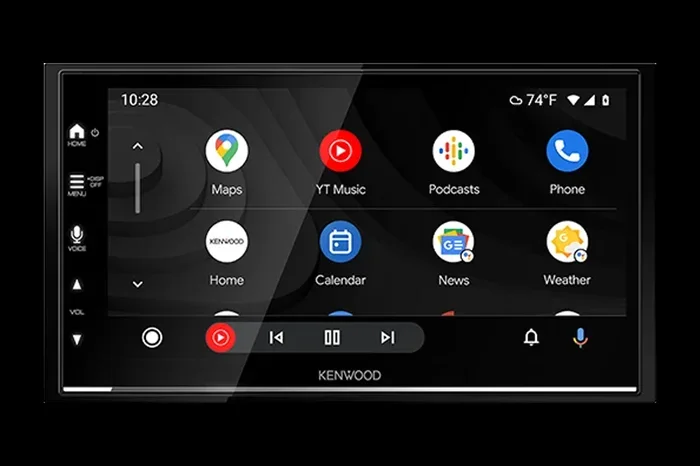
These receivers come in different sizes and configurations. Some are single-DIN units that fit standard dash openings. Others are double-DIN models with larger screens and more features. Most Kenwood Bluetooth car stereos also include a built-in amplifier, which boosts your audio quality without needing extra equipment.
The core idea is simple. You pair your phone once, and the Bluetooth connectivity stays active. Your music playback flows through your car speakers. Calls route through the stereo’s built-in microphone. It is clean, convenient, and wireless.
How Bluetooth Technology Works in Car Stereos
Bluetooth uses short-range radio waves to send data between devices. In a Kenwood car stereo Bluetooth setup, the stereo acts as the central hub. It talks to your phone, pulls audio files, and sends sound to your speakers.
Most modern Kenwood units use Bluetooth version 4.2 or 5.0. Higher versions offer better Bluetooth range and lower power use. The typical Bluetooth range for these receivers is about 30 feet. That means your phone can stay in your pocket or glove box and still stream music without interruption.
Bluetooth also handles hands-free calling through a separate profile called HFP. This means you can stream high-quality music and make clear phone calls at the same time. Both functions run on different Bluetooth channels, so there is no interference.
Top Kenwood Bluetooth Car Stereos to Consider
Kenwood offers several Bluetooth receiver models. Each one targets a different need and budget. Here are some of the most popular options you will find.
Kenwood KDC-BT570HD
This is one of the best-selling Kenwood car stereo Bluetooth units. It features a crisp AM/FM FM radio tuner, a built-in Bluetooth module, and a USB input for charging. The audio quality is warm and detailed, making it a great choice for everyday drivers.
The KDC-BT570HD supports both music playback and hands-free calling. It also includes steering wheel control compatibility, so you can change tracks without taking your hands off the wheel. The single-DIN design fits most standard dash openings with a simple installation guide included in the box.
Kenwood KDC-770HD
The KDC-770HD is a step up with a larger display and more connectivity options. It supports wireless streaming via Bluetooth and includes a USB port and auxiliary input for wired backup. The built-in amplifier delivers enough power to drive most factory speakers without needing a separate amp.
This model also features HD Radio capability, giving you clearer station reception. The Bluetooth version is 4.2, which provides stable connectivity. It is a solid choice for drivers who want a few extra features without paying a premium price.
Kenwood KMM-BT310U
If you want a budget-friendly option, the KMM-BT310U is worth a look. It is a compact single-DIN receiver with basic Bluetooth connectivity for music and calls. The audio fidelity is surprisingly good for the price range.
This unit keeps things simple. No touchscreen, no fancy extras. Just reliable car entertainment with a clean Bluetooth connection. It is perfect for older vehicles or drivers who want a no-fuss upgrade.
Key Features to Look For
Not all Kenwood car stereo Bluetooth units are the same. Before you buy, check for these important features that make a real difference in daily use.
Bluetooth Version and Range
The Bluetooth version affects both connection stability and range. Bluetooth 5.0 is the current standard for most Kenwood receivers. It offers faster data transfer, lower latency, and a stronger signal. If you see a unit with Bluetooth 4.0 or older, it may still work fine, but you could notice occasional dropouts.
The Bluetooth range of most Kenwood units is 30 feet or more. In practice, this means your phone can be anywhere in the cabin and still stream without issues. If you have a large truck or SUV, this range is more than enough.
Audio Quality and Sound Performance
Audio quality is the most important factor for most buyers. Kenwood stereos use built-in digital-to-analog converters and amplifiers to produce clean, rich sound. Look for units with adjustable equalizer settings, so you can fine-tune the bass, mids, and treble to your liking.
Some models also support FLAC and WAV file formats through USB input. This means you can play lossless audio files and hear every detail of your favorite tracks. If audio fidelity matters to you, choose a Kenwood unit with high-resolution audio support.
Hands-Free Calling and Microphone Quality
Hands-free calling is a must-have feature for daily commuters. The built-in microphone on Kenwood Bluetooth receivers picks up your voice clearly, even at highway speeds. Noise-canceling technology filters out road noise and wind, so the person on the other end hears you crisply.
Look for a unit with a noise-reduction feature. This makes a big difference in call clarity. Also, check if the stereo supports voice dialing through your connected phone. That adds an extra layer of safety while driving.
Smartphone Integration and Control Options
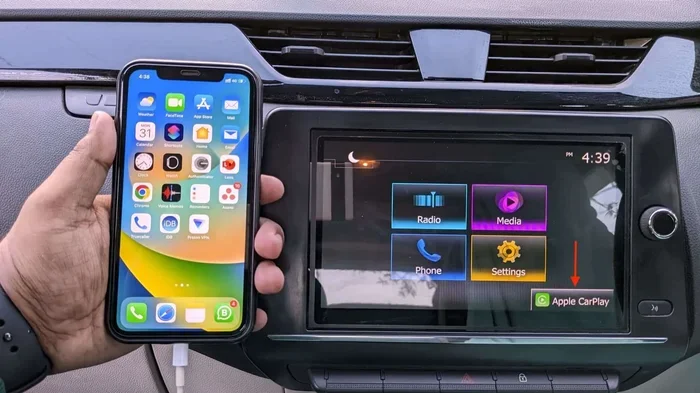
Modern car entertainment systems need to work seamlessly with your phone. Kenwood receivers offer smartphone integration through Bluetooth profiles for music, calls, and contacts. Some models also support steering wheel controls, so you can manage playback from your steering wheel buttons.
A USB input lets you charge your phone while streaming. An auxiliary input provides a wired backup if Bluetooth ever fails. These extra connectivity options add real-world convenience and flexibility.
How to Install a Kenwood Bluetooth Car Stereo
Installing a Kenwood car stereo Bluetooth unit is easier than most people think. With the right tools and a little patience, you can do it in under an hour. Here is a step-by-step overview to guide you.
What You Will Need
- Dash kit specific to your vehicle make and model
- Wire harness adapter for easy plug-and-play connection
- Screwdriver set (Phillips and flathead)
- Wire stripper and crimping tool
- Electrical tape or heat shrink tubing
- A trim removal tool set
Step-by-Step Installation Process
Start by disconnecting the negative battery terminal. This is a safety step that prevents any electrical shorts. Next, remove your old factory stereo by pulling off the trim panels and unscrewing the mounting brackets.
Disconnect the wiring harness from the old unit. Plug in the new wire harness adapter and connect it to your Kenwood receiver. Mount the dash kit into the opening, slide the new stereo in, and secure it with the provided screws.
Reconnect the battery and power on the unit. Follow the on-screen installation guide to set up your language, time zone, and Bluetooth pairing. Test the audio output, call quality, and all buttons before finishing up the trim panels.
Common Installation Mistakes to Avoid
- Forgetting to connect the ground wire properly
- Using the wrong dash kit size for your vehicle
- Not testing the system before closing up the trim
- Over-tightening screws and cracking the dashboard
- Ignoring the wiring color codes on the harness
Take your time, follow the installation guide that comes with your unit, and do not rush. A clean install looks professional and lasts for years.
Bluetooth Connectivity: What to Expect
Bluetooth connectivity in a Kenwood car stereo Bluetooth unit is generally reliable and fast. The pairing process takes just a few seconds. Most Kenwood receivers remember up to eight paired devices, so multiple family members can connect easily.
In real-world testing, the Bluetooth range holds up well inside a vehicle cabin. You can place your phone in the center console, glove box, or back seat, and the connection stays stable. Interference is rare, but thick metal panels or aftermarket window tint can occasionally reduce signal strength.
Wireless streaming quality is impressive for most listening situations. The Bluetooth codec used by Kenwood receivers supports standard stereo audio with good clarity. For casual listening, podcast fans, and call-heavy users, the audio quality is more than sufficient. Audiophiles who demand the highest audio fidelity may want to pair their Kenwood receiver with an external amplifier or premium speakers.
Tips to Improve Bluetooth Performance
- Keep your phone’s Bluetooth software up to date
- Delete old paired devices from your phone regularly
- Place your phone close to the stereo unit when pairing
- Restart both devices if you experience connection drops
- Avoid placing your phone near strong Wi-Fi sources during streaming
Kenwood vs. Other Brands: How Do They Compare?
Kenwood is not the only brand making Bluetooth car stereos. Pioneer, Sony, Alpine, and JVC also offer strong options. Here is how Kenwood stacks up against the competition.
| Feature | Kenwood | Pioneer | Sony | Alpine |
|---|---|---|---|---|
| Bluetooth Range | Up to 30 ft | Up to 30 ft | Up to 30 ft | Up to 30 ft |
| Audio Quality | Excellent | Very Good | Very Good | Excellent |
| Price Range | Mid to High | Mid Range | Mid Range | High |
| Ease of Installation | Very Easy | Easy | Easy | Moderate |
| Hands-Free Calling | Yes | Yes | Yes | Yes |
| Steering Wheel Control | Yes | Yes | Yes | Yes |
| USB Input | Yes | Yes | Yes | Yes |
| Aux Input | Yes | Yes | Yes | Yes |
Kenwood stands out for its balance of quality and price. Their Kenwood receiver units offer audio fidelity that rivals more expensive brands, but at a friendlier price point. The build quality is solid, and the user interface is intuitive. Pioneer and Sony are great alternatives if you want more screen features, while Alpine leans toward premium audio purists.
For most drivers looking for a dependable Bluetooth car stereo, Kenwood hits the sweet spot between performance, features, and value. It is a brand you can trust without overpaying.
Common Mistakes to Avoid When Buying a Bluetooth Car Stereo
Shopping for a Kenwood car stereo Bluetooth unit can be confusing with so many options. Here are common mistakes buyers make and how to avoid them.
- Skipping the dash kit: A proper dash kit ensures a clean fit and prevents rattles. Do not skip this accessory.
- Ignoring speaker compatibility: Check that your existing speakers can handle the output power of the new receiver.
- Choosing based on looks alone: A touchscreen looks cool, but what matters most is audio quality and reliable Bluetooth connectivity.
- Not checking vehicle fit: Measure your dash opening before buying. Single-DIN and double-DIN units are not interchangeable.
- Forgetting about warranty: Buy from authorized sellers to ensure you get a valid manufacturer warranty.
Final Verdict: Is a Kenwood Bluetooth Car Stereo Worth It?
The short answer is yes. A Kenwood car stereo Bluetooth system is one of the best upgrades you can make to any vehicle. It brings modern connectivity, better audio quality, and safer hands-free calling to your daily commute or road trips.
Kenwood offers a wide range of models to fit every budget. Whether you pick the KDC-BT570HD for reliable everyday use, the KDC-770HD for extra features, or the KMM-BT310U for a budget-friendly option, you are getting a proven car audio system from a trusted brand.
The Bluetooth connectivity is stable, the audio fidelity is impressive, and the installation process is straightforward. Add in smartphone integration, steering wheel controls, and hands-free calling, and you have a complete car entertainment solution.
If you have been putting off upgrading your factory radio, now is the time. A Kenwood Bluetooth car stereo will transform your driving experience. Pick the model that fits your needs, follow the installation guide, and enjoy wireless music playback every time you hit the road.
Frequently Asked Questions
Can I use a Kenwood car stereo Bluetooth unit with any vehicle?
Yes, most Kenwood Bluetooth receivers are designed to fit a wide range of vehicles. You will need the correct dash kit and wire harness adapter for your specific make and model. Check the product specifications before purchasing to confirm compatibility with your car.
Does Bluetooth streaming affect audio quality on Kenwood stereos?
Bluetooth streaming does compress audio slightly compared to wired connections. However, Kenwood receivers use quality codecs that minimize this loss. For most listeners, the difference is barely noticeable. If you are an audiophile, you can connect a USB cable for lossless playback.
How long does the Bluetooth pairing process take?
The pairing process typically takes less than one minute. Turn on Bluetooth on your phone, go to the Kenwood stereo settings, select the Bluetooth option, and choose your phone from the list. Once paired, the connection reconnects automatically every time you start your car.
Can I connect more than one phone to my Kenwood Bluetooth stereo?
Yes, most Kenwood car stereo Bluetooth units can remember up to eight paired devices. This means multiple family members can connect their phones to the same stereo. The unit will recognize each phone and switch between them seamlessly.
Do I need professional installation for a Kenwood Bluetooth car stereo?
Professional installation is not required, but it helps if you are not comfortable with basic wiring. Many people install Kenwood receivers themselves using a dash kit and wire harness adapter. The included installation guide walks you through every step. If you are unsure, a local car audio shop can handle the job quickly.
What is the typical price range for a Kenwood Bluetooth car stereo?
Kenwood Bluetooth car stereos range from around $100 for basic models to $300 or more for premium units with larger screens and extra features. The KDC-BT570HD and KMM-BT310U are popular budget-friendly options, while the KDC-770HD sits in the mid-range price bracket.