How to Reset Mitsubishi Air Conditioner Like a Pro
Resetting your Mitsubishi air conditioner is easier than you think. Whether your AC is not cooling, showing error codes, or simply freezing up, a proper reset can fix most common issues. This guide walks you through every method, from a simple remote reset to a full factory reset, so you can get your Mitsubishi AC running smoothly again in minutes.
There is nothing more frustrating than walking up to your Mitsubishi air conditioner on a hot day and finding it will not turn on or is blowing warm air. Before you panic and call an expensive technician, take a deep breath. Most Mitsubishi AC problems can be solved with a simple reset. A reset clears temporary glitches, resets error codes, and reboots the system’s internal computer. This guide will show you exactly how to do it, step by step, like a pro.
Whether you own a Mitsubishi mini split, a wall-mounted unit, or a ducted system, the reset process is straightforward. We will cover every method, from the quickest power cycle to the full factory reset. You will also learn what to do when your AC unit still misbehaves after a reset and how to prevent problems from coming back. By the end of this article, you will feel confident handling your Mitsubishi AC troubleshooting on your own.
Key Takeaways
- Power cycling is the simplest reset method and fixes most minor glitches in under five minutes.
- Always check the remote control batteries before attempting any reset, as low power causes many false error codes.
- A factory reset restores all settings to default and should be your last resort before calling a technician.
- Regular maintenance prevents the need for frequent resets and extends the life of your unit.
- Error codes on your Mitsubishi AC tell you exactly what is wrong, making troubleshooting much easier.
- Never skip the outdoor unit reset, as it controls the compressor and overall system operation.
- Resetting after a power outage is normal and ensures your AC recalibrates its sensors properly.
📑 Table of Contents
Understanding Your Mitsubishi Air Conditioner
Before you press any buttons, it helps to understand what is happening inside your Mitsubishi AC. Modern air conditioners are essentially small computers. They have sensors, control boards, and software that manage everything from temperature to fan speed. When something goes wrong, the system often locks up to protect itself. A reset simply tells the system to start fresh.
Mitsubishi units are known for their reliability. However, like any electronic device, they can encounter temporary software hiccups. Power surges, voltage drops, and even a simple remote signal glitch can cause the system to freeze. Understanding these common AC reset triggers will help you decide which reset method to use.
Common Reasons You Need to Reset
Several situations can cause your Mitsubishi air conditioner to stop working correctly. Here are the most common ones:
- Power outage or surge: When electricity returns after an outage, the AC may not restart on its own. A reset forces it to reboot properly.
- Error code on the display: Blinking lights or error codes on the indoor unit indicate a specific problem. A reset clears these codes and gives the system a fresh start.
- Remote control unresponsive: Sometimes the remote loses its connection to the unit. Resetting both the remote and the AC can restore communication.
- AC blows warm air: If the compressor is not engaging, a reset can kickstart the cooling cycle.
- Frozen evaporator coils: Ice buildup on the indoor unit can cause the system to shut down. After thawing, a reset restarts normal operation.
- Unusual noises or vibrations: A compressor that struggles to start may need a reset to clear its protection mode.
Types of Mitsubishi AC Units
Mitsubishi offers several types of air conditioning systems. The reset process is similar across all of them, but the location of the reset button may differ.
- Mitsubishi Mini Split Systems: These are the most popular Mitsubishi AC units. They have an indoor wall unit and an outdoor condenser. Both units may need resetting depending on the issue.
- Mitsubishi Wall-Mounted Units: Single-room units that work similarly to mini splits but are more compact. The reset process is identical.
- Mitsubishi Ducted Systems: These systems distribute air through ducts. They have a larger indoor unit, usually in a ceiling or closet. The reset button is often on the indoor unit’s front panel.
- Mitsubishi Cassette Units: Ceiling-mounted units common in commercial spaces. They have a reset process similar to wall-mounted models.
How to Reset Mitsubishi Air Conditioner – Step by Step
Now that you understand why resets are needed, let us get into the actual steps. We will start with the simplest method and work our way up to the more advanced options. Try each method in order, stopping once your AC unit starts working again.
Method 1: Remote Control Reset
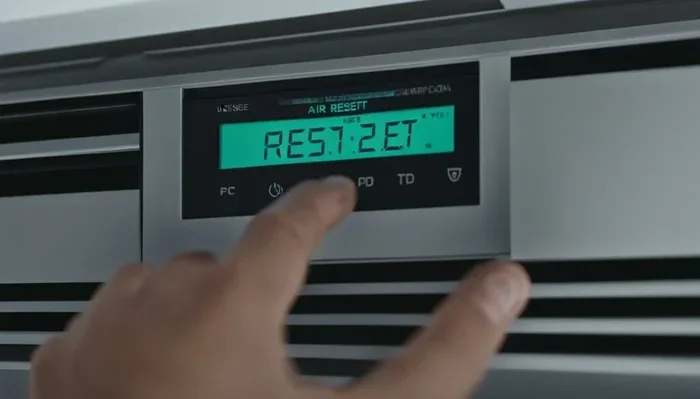
The remote control reset is the fastest way to reboot your Mitsubishi air conditioner. Most modern Mitsubishi remotes have a reset function built in. Here is how to do it:
- Point the remote at the indoor unit. Make sure there are no obstructions between the remote and the AC.
- Press and hold the ON/OFF button for five seconds. The display on the remote should turn off and then back on.
- Release the button. Wait about ten seconds for the indoor unit to respond.
- Press the POWER button once. The AC should start up normally.
If the remote control reset does not work, the issue may be with the unit itself, not the remote. Try replacing the batteries in your remote first. Weak batteries are one of the most overlooked causes of AC remote problems. If fresh batteries do not help, move on to the next method.
Method 2: Power Cycle Reset
A power cycle reset is the most commonly used method for AC troubleshooting. It works by cutting power to the system completely, allowing all internal components to discharge and restart. This method is similar to how you would reset the TPMS after filling air in a vehicle, where you cut power and let the system recalibrate itself.
- Turn off the AC using the remote control. Press the OFF button and wait for the indoor unit to power down completely.
- Locate the circuit breaker for your AC unit. This is usually in your home’s electrical panel. Look for a breaker labeled “AC” or “HVAC.”
- Switch the breaker to the OFF position. Wait at least thirty seconds. This gives the capacitors time to fully discharge.
- Switch the breaker back to ON. You may hear a clicking sound as the system powers up.
- Use the remote to turn on the AC. Set it to cool mode and a temperature below the room temperature.
The power cycle reset clears almost all temporary errors. If your Mitsubishi AC was showing a blinking light or error code, this method should clear it. Give the unit two to three minutes to fully start up before checking if cool air is coming out.
Method 3: Using the Reset Button on the Unit
Many Mitsubishi indoor units have a physical reset button. This is a small, recessed button usually located on the front panel or behind the front cover. Here is how to find and use it:
- Turn off the AC using the remote. Do not skip this step.
- Remove the front panel of the indoor unit. Most Mitsubishi units have a panel that slides off or pops off with gentle pressure. Check your user manual for the exact method.
- Look for the reset button. It is usually a small, red or black button labeled “RESET.” It may be near the power terminal or on the main circuit board area.
- Press the reset button using a thin object like a paperclip. Hold it for about three seconds.
- Replace the front panel. Make sure it clicks into place securely.
- Turn the AC back on using the remote.
The physical reset button is a hard reset that clears all stored settings and error codes. It is more thorough than a remote reset but less drastic than a factory reset. This method works well when your AC unit not cooling issue is caused by a software lockup.
When to Perform a Factory Reset on Your Mitsubishi AC
A factory reset is the most powerful reset option available. It restores your Mitsubishi air conditioner to its original factory settings, wiping all custom configurations, schedules, and preferences. You should only use this method when all other reset attempts have failed or when you are experiencing persistent AC error codes that keep coming back.
The factory reset process is similar to how you would factory reset Hybrid Connect in a Toyota hybrid, where all personalized settings are wiped and the system returns to its default state. This gives the unit a completely clean slate to operate from.
Factory Reset vs. Regular Reset
It is important to understand the difference between a regular reset and a factory reset:
| Feature | Regular Reset | Factory Reset |
|---|---|---|
| What it clears | Temporary errors and error codes | All settings, schedules, and configurations |
| Custom settings preserved | Yes | No |
| Time required | 1 to 5 minutes | 10 to 20 minutes |
| When to use | Minor glitches and error codes | Persistent problems and system failures |
| Risk level | Very low | Low to moderate |
| Need for manual reconfiguration | No | Yes |
As you can see, a regular reset should always be your first attempt. Only move to a factory reset if the regular methods do not resolve the issue. A factory reset will not fix hardware problems like a failed compressor or a refrigerant leak. If those are the issues, you will need professional Mitsubishi AC repair.
How to Perform a Factory Reset
Follow these steps carefully to perform a factory reset on your Mitsubishi AC unit:
- Turn off the AC and disconnect it from power. Switch off the breaker and unplug the unit if possible.
- Wait for five minutes. This ensures all residual power is drained from the system.
- Locate the RESET button on the indoor unit. This is the same physical button described in Method 3 above.
- While holding the RESET button, turn the power back on at the breaker. Keep holding the button for at least ten seconds after power is restored.
- Release the RESET button. The indoor unit should display a factory reset confirmation or the display should flash.
- Wait for the unit to complete the reset process. This usually takes one to two minutes.
- Reconfigure your settings. Set your preferred temperature, fan speed, and operating mode using the remote control.
After a factory reset, your Mitsubishi air conditioner should operate as if it just came out of the box. All custom settings will be gone, so be prepared to set up your preferences again. This method resolves the vast majority of persistent AC system restart issues.
Troubleshooting After a Reset
Sometimes your Mitsubishi AC will still have problems even after a reset. This section helps you figure out what to do next.
AC Still Not Working After Reset
If your air conditioner still does not turn on or cool after a reset, do not panic. Here are the next steps to take:
- Check the circuit breaker again. Sometimes the breaker trips again immediately after being reset. If it keeps tripping, there may be an electrical fault in the unit.
- Inspect the air filter. A dirty air filter can cause the AC to shut down as a safety measure. Clean or replace the filter and try again.
- Check the outdoor unit. Make sure the outdoor condenser is running. If it is not, the issue may be with the compressor or the outdoor fan motor.
- Look for ice buildup. If you see ice on the indoor unit or the refrigerant lines, turn the AC off and let it thaw completely before trying again.
- Verify the remote control is working. Use your phone camera to point at the remote’s IR LED while pressing any button. You should see a purple light on your phone screen.
Common Error Codes and What They Mean
Mitsubishi AC units display error codes to help you identify problems. Clearing these codes through a reset is similar to clearing a check engine code in a vehicle, where the code may return if the underlying problem is not fixed. Here are some common Mitsubishi error codes:
- Error Code E1: Indicates a communication error between the indoor and outdoor units. A power cycle reset usually fixes this.
- Error Code E3: Signals a refrigerant pressure issue. This may indicate a refrigerant leak and requires professional service.
- Error Code E7: Points to a compressor overload. Let the unit rest for thirty minutes before attempting another reset.
- Error Code H1: Indicates the indoor unit’s humid sensor is malfunctioning. A factory reset often clears this code.
- Error Code U4: Signals a problem with the indoor fan motor. This usually requires professional repair.
If error codes keep returning after a reset, the underlying problem is real and needs professional attention. Resetting only clears the symptom, not the root cause.
Preventive Maintenance Tips to Avoid Frequent Resets
The best way to deal with Mitsubishi AC problems is to prevent them from happening in the first place. Regular maintenance keeps your unit running smoothly and reduces the need for resets.
Regular Maintenance Schedule
Follow this simple maintenance schedule to keep your AC unit in top shape:
- Weekly: Clean the air filter. Remove the filter, wash it with warm water, and let it dry completely before reinstalling.
- Monthly: Wipe down the indoor unit’s exterior and clean the drain pan to prevent mold and clogs.
- Every three months: Check the outdoor unit for debris, leaves, or dirt buildup. Gently clean the condenser coils with a garden hose.
- Every six months: Inspect the refrigerant lines for any signs of leaks or damage. Look for oil spots or frost on the lines.
- Annually: Schedule a professional maintenance check. A technician can clean the internal components and check refrigerant levels.
Tips to Avoid Frequent Resets
Small habits can make a big difference in how often you need to reset your Mitsubishi air conditioner. Here are some practical tips:
- Use a surge protector: Power surges are one of the leading causes of AC errors. A quality surge protector shields your unit from electrical spikes.
- Do not overload the system: Set your thermostat to a reasonable temperature. Cranking it to the coldest setting does not cool your home faster and can stress the compressor.
- Keep vents open: Closed vents create pressure buildup in the system, which can trigger error codes and shutdowns.
- Replace batteries in the remote regularly: Weak remote batteries cause intermittent signals that can confuse the AC’s control board.
- Give the unit a break: If you turn the AC off, wait at least five minutes before turning it back on. This prevents compressor short-cycling.
Following these simple tips will significantly reduce the number of times you need to perform a Mitsubishi AC reset. Your unit will last longer, cool better, and run more efficiently.
When to Call a Professional
There is a time and place for DIY resets, but some problems are beyond a simple reset. Call a certified Mitsubishi technician if you experience any of the following:
- The AC still does not turn on after multiple reset attempts. This could indicate a failed control board or power supply issue.
- You hear unusual grinding or banging noises. These sounds often mean internal mechanical damage.
- Refrigerant is leaking. You may notice a hissing sound or oily residue near the refrigerant lines. Refrigerant leaks require professional repair and recharging.
- The unit trips the breaker repeatedly. This is a serious electrical issue that should never be ignored.
- Your energy bills have increased significantly. A sudden spike in energy usage may indicate the compressor is failing.
A professional technician has the tools and training to diagnose and fix complex Mitsubishi AC problems safely. Do not hesitate to call for help when a reset is not enough.
Final Thoughts
Knowing how to reset your Mitsubishi air conditioner is one of the most valuable skills a homeowner can have. A simple reset can save you time, money, and the hassle of waiting for a technician. Start with the remote control reset, move to a power cycle if needed, and only use the factory reset as a last resort. Remember that resetting clears symptoms but not root causes. If problems persist, dig deeper into the underlying issue or call a professional.
Regular maintenance is your best defense against AC problems. Keep your filters clean, protect your unit from power surges, and give the system the care it deserves. Your Mitsubishi air conditioner will reward you with years of reliable, efficient cooling. Now go ahead and try these reset methods the next time your AC gives you trouble.
Frequently Asked Questions
How do I reset my Mitsubishi air conditioner if the remote is not working?
You can still reset your Mitsubishi AC without the remote. Use the power cycle method by turning off the breaker for thirty seconds and then turning it back on. Most Mitsubishi units also have a physical reset button on the indoor unit that you can press with a paperclip. The remote control is convenient but not required for any of the reset methods described in this guide.
How often should I reset my Mitsubishi air conditioner?
You should not need to reset your Mitsubishi air conditioner regularly. A reset is only needed when the unit shows error codes, stops cooling, or fails to respond to the remote. If you find yourself resetting your AC frequently, there is likely an underlying problem that needs professional attention. Regular maintenance can help prevent the need for frequent resets.
Will a factory reset delete all my saved settings on the Mitsubishi AC?
Yes, a factory reset will erase all custom settings including temperature preferences, fan speed settings, scheduled timers, and operating modes. After performing a factory reset, you will need to reconfigure your preferences using the remote control. This is why it is important to try regular resets first and only use the factory reset as a last resort.
How long does it take for a Mitsubishi AC to restart after a reset?
A standard power cycle reset takes about three to five minutes for the unit to fully restart. After turning the breaker back on, wait at least two to three minutes before checking if cool air is coming from the vents. A factory reset takes longer, usually ten to twenty minutes, as the system goes through its full initialization process. Give your AC unit enough time to complete the restart before assuming it is not working.
What should I do if my Mitsubishi AC shows an error code after a reset?
If an error code appears again after a reset, the problem is real and not just a temporary glitch. Refer to the error code chart in your user manual or check the common codes listed in this article. Some codes like E1 and H1 can be resolved with another reset, while others like E3 and U4 indicate hardware issues that need professional repair. Do not keep resetting the unit if the same code returns repeatedly.
Can I reset my Mitsubishi AC during a thunderstorm?
It is not recommended to reset your Mitsubishi air conditioner during an active thunderstorm or when lightning is nearby. Wait for the storm to pass and the power to stabilize before attempting any reset. Power surges during storms are a common cause of AC errors, so if your unit stopped working during a storm, wait at least ten minutes after the storm ends before resetting. Using a surge protector can help prevent storm-related AC problems in the future.
=== CONCLUSION ===
Resetting your Mitsubishi air conditioner does not have to be intimidating. With the right knowledge, you can handle most AC problems yourself and save both time and money. Start with the simplest method, work your way up, and always address the root cause behind any recurring issues. Your Mitsubishi AC is a reliable machine that just needs the occasional reboot to keep performing at its best. Keep this guide handy for your next AC troubleshooting situation and you will be ready to handle it like a pro.