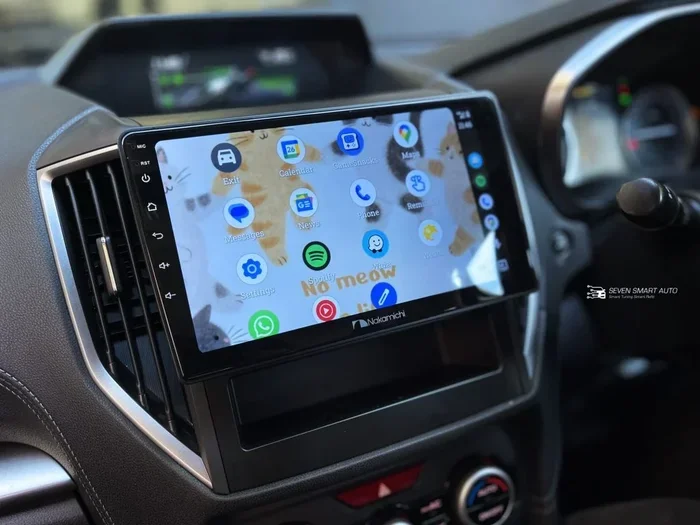
How to Reset CarPlay in a Subaru and Fix It Fast Now
A CarPlay reset is the fastest way to fix freezing, disconnections, and unresponsive screens in your Subaru. This guide covers soft resets, manual settings resets, and full factory resets with clear step-by-step instructions. You will also learn common fixes, prevention tips, and when to seek professional help.
Your Subaru’s CarPlay system is one of the most convenient features for staying connected on the road. But like any technology, it can sometimes glitch, freeze, or refuse to connect. A CarPlay reset is often the fastest way to bring everything back to normal.
Whether your Subaru CarPlay screen goes black, your Apple CarPlay keeps disconnecting, or the whole infotainment system becomes unresponsive, this guide has you covered. We will walk you through every method step by step. You will learn how to do a simple soft reset, a deeper manual settings reset, and even a full factory reset if needed. By the end, you will know exactly what to do the next time your CarPlay stops working.
This article covers models like the Subaru Forester, Subaru Outback, and other Subaru vehicles with wireless CarPlay or USB-based Apple CarPlay. The steps are straightforward and do not require any special tools. Let us get started.
Key Takeaways
- Soft Reset First: A simple restart of your Subaru’s infotainment system often fixes CarPlay issues in seconds without losing any data.
- Check Your Connections: Loose USB cables or faulty ports are the most common causes of CarPlay problems in Subaru vehicles.
- Update Your Software: Keeping both your iPhone and Subaru system updated prevents most CarPlay errors and disconnections.
- Factory Reset as Last Resort: A full factory reset can solve stubborn issues but erases your saved settings and preferences.
- Prevention Works: Regular maintenance and proper shutdown habits keep your Subaru CarPlay running reliably for years.
- Know When to Call a Pro: Persistent issues that resist all reset methods may indicate a hardware problem requiring professional diagnosis.
📑 Table of Contents
What Is a CarPlay Reset and Why Do You Need One?
A CarPlay reset means restarting or rebooting the Apple CarPlay connection between your iPhone and your Subaru’s infotainment system. Think of it like restarting your phone when it acts up. Sometimes a simple CarPlay reboot clears minor glitches that cause freezing, black screens, or connection drops.
You might need a CarPlay reset when you notice any of these common signs:
- Your CarPlay screen goes black after connecting
- Apple CarPlay disconnects randomly while driving
- The Subaru multimedia system does not recognize your phone
- Touch controls on CarPlay become unresponsive
- You see a CarPlay error message on the display
- Wireless CarPlay fails to pair even though Bluetooth is on
- Music or navigation apps freeze mid-use
Most of these issues are temporary and easy to fix. A CarPlay reset solves the problem in the majority of cases. You do not need to be a tech expert to follow the steps below.
How to Reset CarPlay in a Subaru
There are several ways to perform a CarPlay reset in a Subaru. The method you choose depends on how serious the issue is. We will cover three approaches, from the simplest fix to the most thorough one.
Here is a quick comparison of the three reset methods:
| Method | Difficulty | Time Required | Data Lost | Best For |
|---|---|---|---|---|
| Soft Reset | Easy | 1 minute | None | Minor glitches and freezing |
| Manual Settings Reset | Easy | 2 minutes | Pairing data only | Connection and pairing issues |
| Factory Reset | Moderate | 5-10 minutes | All settings and preferences | Persistent or stubborn issues |
Method 1: Soft Reset (Quick Restart)
A soft reset is the fastest way to fix a minor CarPlay glitch. It restarts the infotainment system without deleting any of your settings or data.
- Press and hold the power button on your Subaru’s infotainment screen for about 10 seconds.
- Wait for the screen to go completely dark.
- Wait another 10 seconds, then press the power button again to turn it back on.
- Once the system boots up, reconnect your iPhone and check if CarPlay is working.
This method works for most CarPlay not working situations. It is like closing and reopening an app on your phone. Give it a try first before moving to more advanced steps.
Quick Tip: If the screen does not turn off after holding the power button, try holding it for a full 15 seconds. Some Subaru models require a longer press to initiate the restart.
Method 2: Reset CarPlay Settings Manually
If a soft reset does not help, you can try resetting the CarPlay settings directly on your iPhone. This clears the pairing data and forces a fresh connection.
- Open the Settings app on your iPhone.
- Go to General and then tap CarPlay.
- Select your Subaru from the list of available vehicles.
- Tap “Forget This Car.”
- Restart your iPhone completely.
- Reconnect your iPhone to your Subaru using a USB cable or through wireless CarPlay.
This method clears any corrupted pairing data that might be causing the CarPlay disconnect issue. It takes about two minutes and does not affect anything else on your phone.
Method 3: Factory Reset the Subaru Infotainment System
A factory reset is the most thorough option. It restores the entire Subaru multimedia system to its original settings. Use this method only if the other two do not work.
Before you proceed, note that a factory reset will erase all your saved radio stations, Bluetooth pairings, and system preferences. Make sure you remember your preferred settings before starting.
The process varies slightly depending on your Subaru model and year. In most cases, you can access the factory reset option through the Settings menu on the infotainment screen. Look for “System” or “Reset” and follow the on-screen prompts.
If you are unsure, you can also refer to your Subaru owner’s manual for model-specific instructions. Some Subaru dealerships can also perform this reset for you if you are not comfortable doing it yourself.
Think of this like you would factory reset your Hybrid Connect system — it wipes the slate clean and gives the entire system a fresh start.
Common CarPlay Problems and Their Fixes
Not all CarPlay issues require a full reset. Sometimes a smaller fix solves the problem. Here are the most common issues Subaru owners face and how to address them.
CarPlay Screen Goes Black
A black screen is one of the most frustrating CarPlay problems. It usually happens when the connection between your iPhone and the Subaru’s display gets interrupted.
Try these fixes in order:
- Unplug and replug your USB cable firmly
- Try a different USB port in your Subaru
- Use a high-quality USB cable that supports data transfer
- Restart your iPhone
- Perform a soft reset of the infotainment system
If the screen stays black after all these steps, a full CarPlay reset should fix it. A faulty cable is the most common cause of this issue, so always check that first.
CarPlay Keeps Disconnecting
A CarPlay disconnect that keeps happening is usually caused by software conflicts or an outdated iOS version. Here is what to do:
- Make sure your iPhone is running the latest version of iOS
- Check for any available CarPlay update for your Subaru
- Forget the car in CarPlay settings and pair it again
- Disable and re-enable Bluetooth on your iPhone
- Perform a CarPlay reboot using the soft reset method
If the problem persists after trying all of these, your USB cable or port may be failing. Replace the cable and test again before considering more drastic measures.
CarPlay Not Responding to Touch
When the CarPlay interface appears but does not respond to your touches, the issue is often a temporary software freeze.
Try force-closing the CarPlay app on your iPhone and reopening it. If that does not work, perform a soft reset of the Subaru infotainment system. In rare cases, a CarPlay error message may appear on the screen, which can give you a clue about what is causing the problem.
Common Mistakes to Avoid
Here are mistakes that make CarPlay problems worse:
- Using a cheap or damaged USB cable: This is the number one cause of CarPlay not working. Always use the cable that came with your iPhone or a certified MFi cable.
- Ignoring software updates: Both your iPhone and your Subaru need the latest software for CarPlay pairing to work reliably.
- Forcing a factory reset too early: Always try a soft reset first. A factory reset should be your last resort.
- Not restarting your iPhone: Sometimes the problem is on the phone side, not the car side. A simple iPhone restart can work wonders.
- Overlooking the power cable: If your iPhone is low on battery, CarPlay may behave erratically. Keep your phone charged while using wireless CarPlay or USB.
Expert Insights
According to Subaru service technicians, most CarPlay issues are software-related and resolve with a simple reset. The infotainment system in newer Subaru models is designed to handle Apple CarPlay efficiently, but it can still encounter hiccups. The key is to stay calm and work through the reset methods in order from simplest to most thorough. Technicians also recommend clearing any cached data on your iPhone regularly to prevent CarPlay frozen scenarios.
One expert tip from Subaru technicians: if your CarPlay is acting up after a long road trip, the system may simply need a restart from the heat and vibration of driving. A quick soft reset is often all it takes to get things running smoothly again.
Tips to Keep Your Subaru CarPlay Running Smoothly
Prevention is always better than troubleshooting. Here are simple habits that keep your Subaru CarPlay working reliably every day.
- Use a quality USB cable: Cheap cables often cause connection issues. Invest in a durable, data-capable cable from a trusted brand.
- Keep your iPhone updated: Apple releases iOS updates that fix CarPlay bugs. Install them as soon as they are available.
- Restart your phone weekly: A regular restart clears temporary glitches that can affect CarPlay pairing.
- Avoid charging while using CarPlay: If possible, use a separate charger for your phone to reduce power-related disconnections.
- Clear old Bluetooth pairings: Too many saved devices can confuse the system. Remove devices you no longer use.
- Check for Subaru software updates: Visit your dealer or check online for the latest infotainment updates for your model.
- Remember to reset your key fob after replacing the battery: While not directly related to CarPlay, keeping all your car’s tech systems in sync prevents broader electronic issues that can affect your infotainment system.
These small habits make a big difference over time. They help you avoid the frustration of dealing with a CarPlay not working situation on a busy morning.
When to Seek Professional Help
Most CarPlay issues resolve with the reset methods described above. But sometimes the problem goes deeper than a simple software glitch.
You should consider professional help if:
- The CarPlay reset does not fix the problem after trying all methods
- You see a persistent CarPlay error message even after a factory reset
- Other features of your Subaru’s infotainment system are also malfunctioning
- The USB port in your car feels loose or damaged
- Your Subaru needs a check engine light diagnosis that might be related to the USB or electrical system
In these cases, a Subaru dealer or certified mechanic can run diagnostic tests that go beyond what you can do at home. Sometimes a hardware issue with the USB port or the infotainment unit itself is the root cause. It is always better to get a professional opinion rather than risk causing further damage.
Just as you would not try to clear a check engine code without understanding the underlying issue, do not ignore persistent CarPlay problems that resist basic troubleshooting.
Conclusion
A CarPlay reset is one of the simplest and most effective ways to fix connectivity issues in your Subaru. Whether you need a quick soft reset, a manual settings reset, or a full factory reset, the steps in this guide cover you. Most CarPlay problems are temporary and respond well to a proper reset.
Remember to check your cables, keep your software updated, and practice good charging habits. These small steps go a long way in preventing future issues. If the problem persists, do not hesitate to reach out to a Subaru professional for help.
Your Subaru CarPlay system is designed to make your drives smoother and safer. A quick reset gets you back to enjoying it without delay. Stay proactive with maintenance, and your infotainment system will serve you well for years to come.
Sometimes car systems need a fresh start, just like you would clear the TPM reset after a tire change. A CarPlay reset follows the same logic — clear the old, refresh the connection, and get back on the road with confidence.
Frequently Asked Questions
Why does CarPlay keep disconnecting in my Subaru?
CarPlay disconnections are usually caused by software conflicts, outdated iOS versions, or faulty USB cables. Start by updating your iPhone software and trying a different cable. If that does not work, forget the car in CarPlay settings and pair it again. A CarPlay reset often solves persistent disconnection issues quickly.
How do I know if I need a soft or hard reset for CarPlay?
A soft reset is sufficient for minor glitches like a frozen screen or brief disconnection. A hard or factory reset is needed when the problem persists after a soft reset and manual settings reset. Always start with the soft reset method and work your way up to more thorough options.
Will resetting CarPlay delete my playlists and contacts?
No. A soft reset or manual settings reset will not delete any data from your iPhone. Even a factory reset of the Subaru infotainment system only erases car-specific settings like radio stations and Bluetooth pairings. Your playlists, contacts, and other phone data remain completely safe.
Can I use wireless CarPlay after a reset?
Yes. After performing a CarPlay reset, wireless CarPlay should reconnect automatically if it was previously set up. Make sure Bluetooth and Wi-Fi are enabled on your iPhone. If it does not reconnect automatically, go to Settings, then CarPlay, and select your Subaru to re-pair.
How often should I reset CarPlay in my Subaru?
You should not need to reset CarPlay regularly. A CarPlay reset is only needed when you experience problems like freezing, disconnections, or unresponsive screens. If you find yourself resetting frequently, it may indicate a deeper issue like a faulty cable, outdated software, or a hardware problem that needs professional attention.
What if CarPlay still does not work after a reset?
If CarPlay still does not work after trying all three reset methods, the issue may be hardware-related. Try a different USB cable and port first. If the problem persists, visit a Subaru dealership for diagnostic testing. There may be an issue with the USB port, the infotainment unit, or your iPhone’s hardware that requires professional repair.