What Are the Four Positions of the Key Ignition Switch
The key ignition switch controls your car’s electrical systems and engine through four distinct positions. Knowing these positions—off, accessory, run, and start—helps you operate your vehicle safely and troubleshoot issues. This guide walks you through each position, what happens when you turn the key, and how to keep your ignition switch working well.
Every time you turn your car key, you interact with the ignition switch. It might seem simple, but that little switch controls a lot. The four positions of the key ignition switch determine when your engine starts, when your accessories work, and when everything shuts down. Understanding these positions helps you drive with confidence and spot problems early. Whether you drive a Toyota Camry or a Honda Civic, the basic positions are the same.
The ignition switch is the heart of your car’s electrical system. It routes power from the battery to different circuits based on where you place the key. Many drivers only think about the start position, but the other three positions play important roles too. This guide breaks down each position, explains what happens inside the car, and shares tips to keep your ignition switch working smoothly. By the end, you will know exactly what each key turn does and how to avoid common mistakes.
Key Takeaways
- Four Positions: The ignition switch has Off, Accessory, Run, and Start positions that manage power flow.
- Off Position: Locks the steering wheel and cuts power to all systems except the clock.
- Accessory Position: Powers accessories like the radio and lights without starting the engine.
- Run Position: Activates the engine control systems and fuel pump while the engine is running.
- Start Position: Engages the starter motor to crank the engine; it returns to Run automatically.
- Maintenance Matters: Regular key fob battery replacement and gentle key turns prevent ignition switch wear.
📑 Table of Contents
Understanding the Key Ignition Switch
The ignition switch is more than just a lock for your steering wheel. It is a multi-position electrical switch that sends power to different parts of your vehicle. When you insert the key and turn it, you move through a sequence of circuits. Each circuit powers a different set of systems. The switch uses internal contacts to complete these circuits one by one.
Modern cars still use the same basic four-position design, even if they have push-button start systems. The traditional key ignition switch gives you a physical connection that feels reliable. You can feel the detents as you turn the key. Each detent represents a specific position. The switch is built to handle repeated use, but it can wear out over time. Knowing how it works helps you understand why your car behaves the way it does.
How the Ignition Switch Works
Inside the ignition switch, you will find a rotating cylinder and a set of electrical contacts. The key turns the cylinder, which moves the contacts. Each contact completes a different circuit. The switch draws power directly from the battery. It then distributes that power to the starter motor, the fuel pump, the ignition coil, and the accessory circuits. The switch also controls the steering wheel lock mechanism. When the key is in the off position, a pin locks the steering column. This prevents theft and keeps the wheel from turning.
The ignition switch works hand in hand with the engine control module. When you turn the key to the run position, the module receives power and begins its self-check. It monitors sensors, fuel injectors, and spark plug timing. All of this happens in a fraction of a second. The switch ensures that power flows in the right order. If a contact is worn or dirty, the sequence can fail. That is when you might experience electrical gremlins or a car that will not start.
The Four Positions of the Ignition Switch
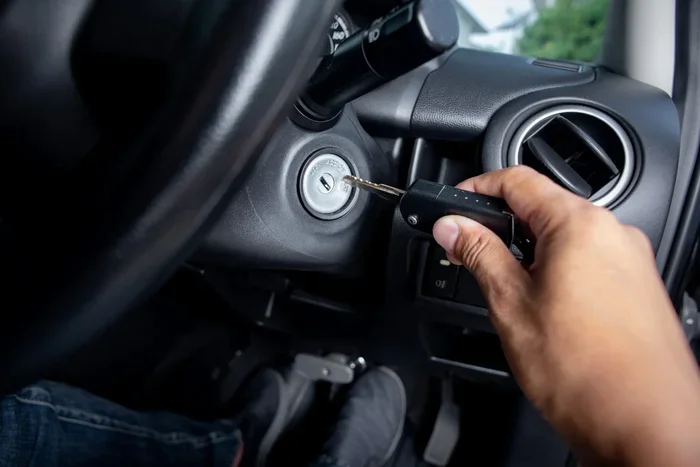
The four positions of the key ignition switch are Off, Accessory, Run, and Start. Each position serves a specific purpose. Let us walk through them one by one. What Are the Four Positions of the Key Ignition Switch? They are the foundation of your car’s electrical system.
Position One: Off
The Off position is the zero point. When the key is here, the engine is completely shut down. The ignition coil receives no power, so there is no spark. The fuel pump is also inactive. This position cuts power to almost all electrical systems. The only thing that usually stays on is the clock, if your car has one.
In the Off position, the steering wheel lock engages. A metal pin drops into the steering column, preventing the wheel from turning. This is a theft deterrent. You cannot turn the key from Off to any other position until you wiggle the steering wheel slightly. The lock pin must clear before the key can move. Many people do not realize this and think their key is stuck. Just gently rock the steering wheel while turning the key. The lock will release.
Quick Tip: Always remove the key when you exit the vehicle. Leaving the key in the Off position with the engine off is safe. It prevents accidental starts and keeps the steering lock engaged.
Position Two: Accessory
The Accessory position, often marked with an “A” or the letter “ACC”, powers your car’s accessories. You can turn on the radio, the power windows, and the interior lights. The dashboard may light up with warning lights, but the engine remains off. The fuel pump does not run, and the starter motor is not engaged.
This position is perfect for listening to the radio or charging your phone without draining the battery. The accessory circuit draws power directly from the battery through the ignition switch. It bypasses the engine control systems. You can leave the key in this position for a short time. However, extended use can drain a weak battery. If your car sits for a long time, avoid leaving accessories on in the ACC position.
Common Mistake: Some drivers leave the key in Accessory while the engine is off for hours. This can flatten the battery, especially in cold weather. If you need to listen to the radio for a long time, consider running the engine briefly in the Run position to keep the battery charged.
Position Three: Run
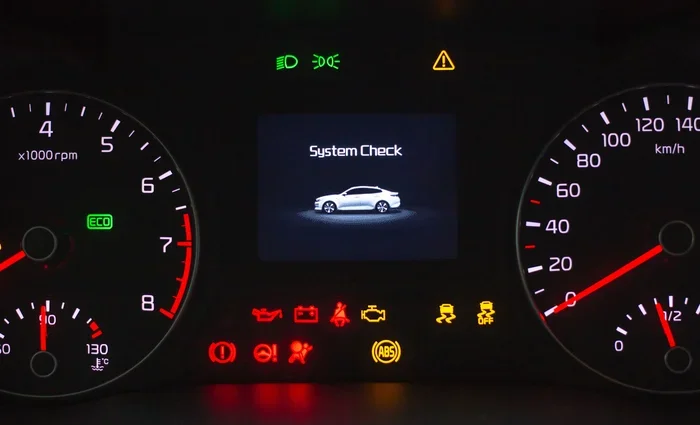
The Run position is where the car is ready to drive. When you turn the key to Run, the engine control module powers up. The fuel pump primes the fuel system. The ignition coil gets power. The dashboard warning lights turn on and then off as the system checks itself. The engine is not running yet, but everything is ready to go.
In the Run position, the alternator begins charging the battery once the engine starts. The power steering system becomes active. The brake booster receives vacuum. All of the car’s sensors are live. The Run position is the default operating position. You should hold the key here after the engine starts. The key will spring back to Run automatically in most vehicles. You should never keep the key in the Start position longer than a few seconds.
Expert Insight: If you hold the key in the Start position too long, you can wear out the starter motor. The starter gear meshes with the flywheel to crank the engine. Once the engine fires, the key should move back to Run. Let the starter release on its own. If the engine does not start within five seconds, wait a few seconds before trying again.
Position Four: Start
The Start position is the only one that engages the starter motor. When you turn the key to Start, a small but powerful electric motor cranks the engine. This motor draws a large amount of current from the battery. The ignition switch routes that power directly to the starter solenoid. The solenoid then pushes the starter gear into the flywheel ring gear.
You will feel the key move through a spring-loaded detent. Once the engine starts, the key springs back to the Run position. You should never hold the key in Start after the engine fires. The starter motor is designed to run for only a few seconds. Prolonged cranking can overheat the starter and drain the battery. If the engine does not start, release the key immediately. Wait ten seconds before trying again to let the starter cool down.
Quick Tip: Before turning the key to Start, make sure the gear selector is in Park (automatic) or Neutral (manual). This is a safety feature that prevents the car from lurching forward. Some vehicles will not allow the key to turn to Start unless the transmission is in the correct position.
What Happens When You Turn the Key?
When you turn the key from Off to Accessory, you complete the accessory circuit. The radio, the interior lights, and the power outlets receive power. The dashboard lights may dim slightly because the battery is now supplying power to multiple circuits. When you continue to turn the key to Run, the engine control module wakes up. The fuel pump hums for a few seconds, building pressure in the fuel lines. The check engine light and other warning lights perform a bulb check. Once the system completes its self-test, the lights go off.
Finally, when you turn the key to Start, the starter motor engages. You will hear a cranking sound. The engine fires, and the key springs back to Run. The entire sequence takes less than five seconds. The ignition switch manages the power distribution throughout this process. It ensures that the starter motor only receives power during the Start position. It also prevents the accessories from staying on while the engine cranks. This protects the battery from sudden voltage drops.
If your key is hard to turn, do not force it. A stuck key often means the steering lock is engaged. Gently wiggle the steering wheel left and right while turning the key. If the key still will not move, the ignition cylinder may be worn. Dirt or debris can also collect inside the lock. In some cases, a worn key or a key that does not match the lock exactly can cause resistance. If you notice the key slipping or spinning freely, the internal contacts may be worn. That is a sign you need a professional inspection.
Common Ignition Switch Problems
Ignition switches can develop problems over time. Wear and tear, electrical corrosion, and physical damage can all cause issues. Recognizing the symptoms early can save you from being stranded.
- Key Won’t Turn: The steering lock may be engaged, or the key may be worn. Try wiggling the steering wheel gently.
- Accessory Power Fails: If the radio and lights do not work in the ACC position, the ignition switch contact for that circuit may be faulty.
- Engine Cranks but Won’t Start: The starter motor engages, but the engine does not fire. This could be a worn Run position contact that fails to send power to the fuel pump or ignition coil.
- Intermittent Electrical Failures: Lights flicker or the radio cuts out while driving. This often points to a worn internal contact in the Run position.
- Key Stuck in Start Position: The spring mechanism may be broken. The key will not return to Run. This requires immediate repair because the starter motor will keep cranking.
If your key fob stops working after a battery swap, you might need to reset the key fob to restore functions. A dead key fob battery can mimic ignition switch problems, especially in vehicles with push-button start. Always check the key fob battery first before assuming the ignition switch is faulty.
How to Maintain Your Ignition Switch
Proper maintenance keeps your ignition switch working smoothly for many years. The switch itself does not need regular servicing, but the key and surrounding components do. A little care goes a long way.
- Use the Correct Key: Always use the key that came with your vehicle. A copied or worn key can damage the ignition cylinder. If your key is bent or the teeth are worn, get a replacement from a dealership or locksmith.
- Don’t Hang Heavy Keys: Heavy keychains put stress on the ignition switch. The weight can wear out the internal contacts over time. Carry only the essential key and keep it light.
- Replace the Key Fob Battery Regularly: The key fob battery often uses a CR2032 battery. A weak battery can cause intermittent starting problems. Replace it every two years or when you notice reduced range.
- Turn the Key Gently: Do not force the key. If it feels stiff, stop and check for debris or a steering lock. Forcing the key can break the internal cylinder or damage the switch contacts.
- Keep the Ignition Cylinder Clean: Dust and debris can enter the lock cylinder. Use compressed air to blow out any particles. Avoid using liquids or lubricants inside the switch, as they can attract more dirt.
- Address Electrical Issues Promptly: If you notice flickering lights or a slow crank, have a technician inspect the ignition switch. Catching a worn contact early can prevent a complete failure.
For drivers who need to start their Toyota Highlander with a key, the ignition switch positions are the same. The process is straightforward: insert the key, turn to Accessory to power accessories, move to Run to start the systems, and turn to Start to crank the engine. The switch handles the rest. If you ever find yourself locked out or dealing with a dead key fob, you can still use the mechanical key slot. This backup method is explained in detail when you drive your Toyota Highlander without a key fob.
Final Thoughts
The four positions of the key ignition switch are simple but essential. Off, Accessory, Run, and Start each control a specific part of your vehicle’s electrical system. Understanding what each position does helps you drive safely and troubleshoot problems quickly. A well-maintained ignition switch gives you years of reliable service. Treat your key with care, and your car will start every time.
Remember that the ignition switch is the bridge between your key and your engine. Every time you turn the key, you complete a circuit that brings your car to life. Take a moment to appreciate the engineering that goes into those four small positions. With the knowledge you have gained, you can now handle any ignition switch situation with confidence.
Frequently Asked Questions
What is the purpose of the Accessory position on the ignition switch?
The Accessory position powers your car’s electrical accessories without starting the engine. You can use the radio, charge your phone, and turn on the interior lights. This position draws power directly from the battery and is useful when you want to listen to music or cool the car before driving.
Why does my key get stuck in the ignition switch?
A stuck key is often caused by the steering wheel lock engaging. When you turn off the engine, the steering column locks. Gently wiggle the steering wheel left and right while turning the key. If the key still does not move, the ignition cylinder may be worn or dirty. Avoid forcing the key, as this can break it inside the lock.
Can a bad ignition switch cause my car not to start?
Yes, a worn or faulty ignition switch can prevent your car from starting. The switch has internal contacts that can wear out over time. If the Run or Start contact fails, you may have no power to the starter motor or fuel pump. Replacing the ignition switch is usually a straightforward repair.
How long does an ignition switch last?
An ignition switch is designed to last the life of the vehicle. However, heavy key use, worn keys, and electrical corrosion can shorten its lifespan. Most drivers get over 100,000 miles from the switch. Regular maintenance and gentle key handling help extend its life.
What should I do if the key won’t turn to the Start position?
First, make sure the gear selector is in Park or Neutral. Then, gently wiggle the steering wheel to release the lock. If the key still will not turn, do not force it. The ignition switch contacts may be worn or the cylinder may be damaged. Have a qualified technician inspect the switch and replace it if necessary.
Is it normal for the dashboard lights to stay on in the Off position?
Some dashboard lights may remain on briefly after you turn the key to Off. This is normal. The lights are part of a bulb check. If the lights stay on for an extended period, it could indicate a wiring issue or a faulty ignition switch. Check if you left an accessory on, and if the problem persists, seek professional diagnosis.