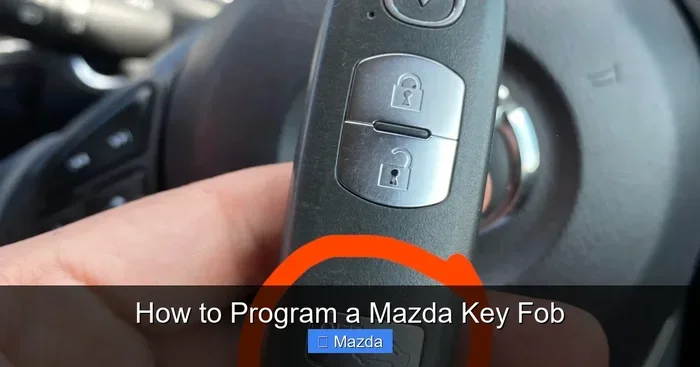
How to Program a Mazda 3 Key With Only One Key Now
Programming a Mazda 3 key with only one key is possible and easier than you think. This guide walks you through the entire process step by step, covering enrollment mode, key fob sync, and common pitfalls. Whether you lost your second key or bought a used car with just one key, you will have your Mazda 3 running smoothly again in no time.
Losing your only working Mazda 3 key can feel like a nightmare. You stand in your driveway, staring at your car, wondering how you are going to get inside and start the engine. The good news is that programming a Mazda 3 key with only one key is absolutely doable. You do not need a second key, and you do not necessarily need to visit a dealership. With the right guidance and a little patience, you can add a new key to your Mazda 3 yourself.
This guide breaks down the entire process into simple, easy-to-follow steps. We will cover what you need before you start, the enrollment mode procedure, troubleshooting tips, and what to do if things do not go as planned. By the end, you will feel confident enough to handle this task on your own. Let us dive in and get your Mazda 3 key programmed the right way.
Key Takeaways
- You can program a Mazda 3 key with only one key: The enrollment mode allows you to add new keys even when you have just one working key.
- You will need a compatible replacement key: Make sure the key fob matches your Mazda 3 model year and trim level.
- Battery health matters: A weak battery in your existing key or car can interfere with programming. Check your car battery first to avoid frustration.
- Timing is critical during enrollment: You must follow the exact sequence of inserting and removing the key within specific time windows.
- Resetting the key fob afterward ensures proper sync: Resetting the key fob after programming helps maintain a strong connection between the key and the car.
📑 Table of Contents
- Understanding How Mazda 3 Key Programming Works
- Step-by-Step Guide to Programming a Mazda 3 Key With Only One Key
- Programming the Key Fob Remote Functions
- Common Mistakes to Avoid During Mazda 3 Key Programming
- What to Do If Programming Fails
- How Long Does Mazda 3 Key Programming Take?
- Tips for Keeping Your Mazda 3 Keys in Good Shape
- When to Seek Professional Help
- Final Thoughts on Programming Your Mazda 3 Key
Understanding How Mazda 3 Key Programming Works
Before you start pressing buttons and inserting keys, it helps to understand what is happening under the hood. Mazda 3 vehicles use a smart key system that communicates between the key fob and the car’s immobilizer. The immobilizer is a security feature that prevents your car from starting unless it recognizes the correct key signal.
When you program a new key, you are essentially teaching the car’s computer to accept a new fob as a recognized device. This process is called key enrollment mode. Mazda built this feature into the system so owners can add keys without specialized equipment. However, the enrollment process has strict timing requirements. You need to follow each step precisely for the car to accept the new key.
Here are some important things to know before you begin:
- The existing key must work: You need at least one functioning key to enter enrollment mode. If your only key is completely dead and unresponsive, you may need to replace its battery first.
- The new key must be compatible: Not all Mazda key fobs work with every Mazda 3 model. Make sure you purchase the correct fob for your specific year and trim.
- You need a working remote or push-button start: Depending on your Mazda 3 model, the programming steps may differ slightly.
What You Will Need Before Starting
Gather everything before you sit down to program your key. Having all the tools ready saves time and prevents frustration mid-process. Here is your checklist:
- A new Mazda 3 compatible key fob or smart key
- The one working key you currently have
- A fresh CR2032 battery for the new key (if not already installed)
- Your Mazda 3 owner’s manual (helpful for model-specific details)
- A calm, distraction-free environment
Also, make sure your car is parked in a safe, flat area with the doors locked. Turn off all accessories and make sure no other keys are inside the vehicle during programming. This prevents the car from getting confused by multiple signals.
Step-by-Step Guide to Programming a Mazda 3 Key With Only One Key
Now for the part you have been waiting for. The following steps walk you through the Mazda 3 key enrollment process. These instructions apply to most Mazda 3 models from 2010 onward, but always double-check your owner’s manual for model-specific details.
Step 1: Enter the Vehicle and Close All Doors
Sit in the driver’s seat and close all doors, including the trunk and rear hatch if applicable. Make sure the ignition is in the OFF position. If your Mazda 3 has a push-button start, do not press the button. The vehicle must be completely off before you begin.
Next, close the driver’s door firmly. This is important because the car’s computer monitors door switch signals during enrollment. An open door can interrupt the process.
Step 2: Turn the Ignition to the ON Position
Insert your working key into the ignition cylinder and turn it to the ON position. Do not start the engine. Just move the key to the ON mark, where the dashboard lights up. Some Mazda 3 models with push-button start require you to press the brake pedal and then press the start button once without holding the brake.
Wait about five seconds after moving the key to ON. This gives the car’s computer time to recognize the existing key’s signal.
Step 3: Turn the Ignition Back to OFF
Now, turn the key back to the OFF position. Wait another five seconds. This off-on cycle signals to the car that you are about to enter the enrollment sequence. The car’s security light on the dashboard should start blinking, which indicates the system is ready to accept a new key.
Step 4: Quickly Turn the Key to ON Again
This is the most time-sensitive step. Within five seconds of turning the key to OFF, turn it back to ON again. Then, within another five seconds, turn it back to OFF.
If you miss this window, do not panic. Simply wait about 30 seconds and start the sequence over from Step 1. The timing is tight, but with a couple of practice runs, it becomes second nature.
Step 5: Remove the Working Key and Insert the New Key
Within five seconds of turning the ignition to OFF in Step 4, remove your working key from the ignition. Immediately insert the new, unprogrammed key into the ignition cylinder. Leave it in the ON position.
The dashboard security light should stop blinking and stay solid for a moment. This means the car has recognized the new key and is accepting it into the system.
Step 6: Wait for the Security Light to Flash
After inserting the new key, wait for the security light on the dashboard to flash rapidly. This usually takes about three to five seconds. Once the light flashes, turn the key back to OFF and then remove it from the ignition.
The car’s computer has now stored the new key’s signal. You have successfully completed the enrollment process for the first new key.
Step 7: Test the New Key
Press the start button or turn the ignition with the new key. If the engine starts and the dashboard lights behave normally, congratulations. Your new key is programmed and working. Test the lock and unlock buttons on the key fob as well to make sure the remote functions are also synced.
Programming the Key Fob Remote Functions
In many cases, the enrollment process also programs the remote lock and unlock functions. However, sometimes the remote buttons need a separate sync step. If your new key starts the car but does not lock or unlock the doors remotely, try the following:
- Sit inside the car with all doors closed.
- Press and hold the lock button on the new key fob for five seconds.
- Press and hold the unlock button for five seconds.
- Repeat this cycle three times.
- The doors should lock and unlock, confirming the remote sync is complete.
If this does not work, you may need to repeat the full enrollment process from Step 1. Sometimes the remote sync gets skipped if the timing during enrollment was slightly off.
Common Mistakes to Avoid During Mazda 3 Key Programming
Even with clear instructions, key programming can go wrong. Here are the most common mistakes people make and how to avoid them.
Rushing Through the Timing Windows
The biggest reason programming fails is rushing. The five-second windows between steps are strict. If you take too long or move too fast, the car’s computer exits enrollment mode and you have to start over. Take a deep breath, slow down, and follow each step deliberately.
Using an Incompatible Key Fob
Not every key fob labeled “Mazda” works with every Mazda 3. Model years, trims, and body styles (sedan, hatchback, GT) can all require different fobs. Before purchasing a replacement, confirm compatibility with your vehicle identification number or consult a Mazda dealer.
Forgetting to Replace the Battery
A weak battery in your existing working key can cause the enrollment process to fail. If your current key fob has been acting sluggish, replace the battery before you start programming. A fresh CR2032 battery ensures a strong signal during the enrollment process. If you are unsure about battery replacement, check out this guide on what to do after replacing a key fob battery for helpful tips.
Having Other Keys Nearby
During enrollment, keep all other keys away from the vehicle. If another key is nearby, the car may detect it and become confused about which key to program. This can result in neither key working properly afterward.
Skipping the Post-Programming Reset
After successfully programming your new key, it is a good practice to reset your key fob to clear any residual signals. This helps ensure a clean connection between the new key and the car’s computer system. For detailed steps on resetting, you can refer to our guide on whether you need to reset a key fob after replacing the battery, which covers useful reset techniques.
What to Do If Programming Fails
If you followed all the steps and the new key still does not work, do not give up. Here are some troubleshooting steps to try:
- Repeat the entire process: Sometimes a second attempt works better. Wait at least two minutes between attempts.
- Check the new key battery: A brand-new key fob may have a weak or dead battery out of the package. Replace it with a fresh CR2032.
- Verify the key compatibility: Double-check that the replacement fob matches your Mazda 3 model year and trim.
- Try a different ignition cycle: Some Mazda 3 models require slightly different timing. Experiment with three-second and seven-second windows instead of five.
- Contact a Mazda dealer: If none of the above works, a Mazda dealership has professional diagnostic tools that can force-enroll a new key into the system.
- Consult a locksmith: A certified automotive locksmith with Mazda experience can often program keys on-site, saving you a trip to the dealer.
Remember, a failed attempt does not mean something is broken. It usually just means the timing needs more practice. Stay patient and try again.
How Long Does Mazda 3 Key Programming Take?
The entire process typically takes about 10 to 15 minutes if everything goes smoothly. However, if you need multiple attempts or encounter issues, it could take 30 minutes or more. The good news is that you are not paying for dealer labor, so the time investment is well worth the savings.
Compare this to visiting a Mazda dealership, where programming a single key can cost between $100 and $300 or more. By doing it yourself, you save that money and gain a valuable skill for future situations. Just make sure you have a spare key programmed as soon as possible after resolving your immediate need.
Tips for Keeping Your Mazda 3 Keys in Good Shape
Once you have successfully programmed your new key, take steps to keep both keys working reliably for years to come.
- Replace key fob batteries annually: Even if the key seems to work fine, a fresh battery prevents unexpected failures.
- Keep a spare key in a safe place: Store a second programmed key at home or with a trusted family member.
- Avoid exposing keys to extreme heat or water: Both can damage the internal electronics and battery.
- Clean the key fob contacts regularly: A soft, dry cloth wiped across the battery contacts keeps the connection strong.
- Update your owner’s manual notes: Jot down the key programming steps in your manual for quick reference if you ever need them again.
When to Seek Professional Help
There is no shame in calling for professional help. If you have tried the process three or more times without success, or if your car’s security system is flashing an error light, it is time to call in the experts. A Mazda dealership or certified locksmith has the tools and software to diagnose deeper issues that go beyond simple key enrollment.
Also, if you purchased a used Mazda 3 and the previous owner did not provide any working keys, the situation may require a different approach. In some cases, the car’s computer needs to be fully reset before new keys can be enrolled. This is a job for a professional with access to Mazda’s proprietary diagnostic equipment.
Final Thoughts on Programming Your Mazda 3 Key
Programming a Mazda 3 key with only one key is a practical skill that every Mazda owner should know. It saves money, saves time, and gives you independence when unexpected key situations arise. The enrollment process is straightforward once you understand the timing and sequence. With a compatible replacement key, a fresh battery, and a little patience, you can have your new key working in under 15 minutes.
Do not let a lost or missing key leave you stranded. Follow the steps in this guide, avoid the common mistakes, and you will be back on the road with confidence. And once your new key is programmed, make sure to take good care of both keys so you never find yourself in this situation again.
Remember, if you ever run into trouble or the process does not work the first time, try again with a calm and steady hand. You have got this. And if all else fails, your Mazda dealer or a trusted locksmith is always there to help.
Frequently Asked Questions
Can I program a Mazda 3 key with only one working key?
Yes, you can. Mazda 3 vehicles have an enrollment mode that allows you to add a new key using just one existing working key. Follow the ignition on-off sequence carefully, and the car’s computer will accept the new key into the system.
How much does it cost to program a Mazda 3 key yourself?
Programming a Mazda 3 key yourself costs nothing beyond the price of the replacement key fob. A new compatible fob typically ranges from $20 to $80 depending on the model year and features. This is much cheaper than dealership programming, which can cost $100 to $300 or more.
What kind of battery does the Mazda 3 key fob use?
Most Mazda 3 key fobs use a CR2032 coin cell battery. This is a common and inexpensive battery available at most hardware stores and pharmacies. Always use a fresh battery for the best signal strength during programming.
Why does my Mazda 3 key programming keep failing?
The most common reason is timing. The five-second windows between ignition position changes are strict. Other reasons include an incompatible key fob, a weak battery in the existing key, or having other keys too close to the vehicle during programming. Try again slowly and carefully, and make sure all conditions are met.
Can I program more than one new key at a time?
Yes, you can program multiple new keys, but you must complete the enrollment process separately for each key. After programming the first new key, repeat the full sequence to add the second key. Some owners find it helpful to have a second person assist with the timing during multi-key programming sessions.
Do I need any special tools to program a Mazda 3 key?
No special tools are required. You only need the working key, the new replacement key fob, and a fresh CR2032 battery for the new key. Your Mazda 3 owner’s manual is also helpful for model-specific details. If you encounter persistent issues, a Mazda dealer or locksmith can assist with professional diagnostic equipment.
=== CONCLUSION ===
Programming a Mazda 3 key with only one key is a straightforward process that anyone can do at home. You have learned how to enter enrollment mode, follow the precise ignition sequence, troubleshoot common failures, and maintain your keys for long-term reliability. The key to success is patience and careful attention to timing. Keep your replacement key fob compatible, use a fresh battery, and follow each step deliberately. With these tips, you will never be locked out of your Mazda 3 again. Take action today, program that spare key, and enjoy the peace of mind that comes with being prepared.