How to Install GPS in Your Car Without Any Trouble
Learning how to install GPS in your car is easier than you think. This guide walks you through every step, from choosing the right device to mounting it perfectly. You will discover the best methods, common pitfalls, and pro tips that make the process a breeze. Whether you drive a sedan or an SUV, you will find clear instructions that work for your vehicle.
Have you ever been driving and wished you had a reliable GPS navigation system guiding you to your destination? Maybe you just bought a new car and want to add a GPS tracker for car or a full navigation unit. Whatever your reason, learning how to install GPS in car does not have to be stressful or complicated.
The truth is, installing a GPS device in car is one of the simplest upgrades you can make. With the right tools and a little patience, you can have your car GPS installation done in under an hour. This guide will show you exactly how to do it, step by step, without any headaches.
We will cover everything from picking the right portable GPS device to mounting it securely and connecting the power. You will also learn about common mistakes to avoid and tips to get the best performance. By the end, you will feel confident tackling the job yourself.
Key Takeaways
- Choose the right GPS type: Portable, built-in, or hardwired systems each have unique benefits for different drivers.
- Mounting matters: A proper dash mount or windshield placement ensures the best signal and safest viewing angle.
- Power your GPS correctly: Use the right adapter or hardwire connection to keep your device running without draining your car battery.
- Avoid common mistakes: Skip poor cable routing, weak signal spots, and incorrect mount angles for a flawless setup.
- Keep your GPS updated: Regular map and software updates keep your navigation accurate and reliable.
- Call a pro when needed: Hardwired installations and complex setups are best handled by a professional installer.
📑 Table of Contents
Why Installing GPS in Your Car Makes Sense
A GPS navigation system is one of the most useful tools you can add to your vehicle. It helps you find the fastest routes, avoid traffic, and discover new places with ease. Here are some strong reasons why installing GPS in car is a smart move.
Better Navigation and Direction
Nobody likes getting lost on a road trip. A car GPS navigation setup gives you turn-by-turn directions in real time. You do not need to keep pulling out your phone and squinting at a small screen. A dedicated GPS unit for vehicle is built for this one purpose and does it well.
Improved Safety on the Road
When you use a dash mount GPS, your eyes stay on the road. Phone mounts can be wobbly and distracting. A proper GPS installation in car keeps the device stable and within easy view. Many units also alert you to speed traps, road hazards, and sharp turns ahead.
Better Resale Value
A car with a built-in or professionally installed GPS tracker for car can fetch a higher resale price. Buyers love vehicles that come with navigation already set up. Even a portable unit that stays with the car adds value and appeal.
Types of GPS Systems You Can Choose From
Before you start any car GPS installation, you need to pick the right type of system. Not all GPS devices are the same, and each has its own strengths. Here is a look at the most popular options.
Portable GPS Devices
A portable GPS device is the most common choice for most drivers. These units plug into your dashboard or attach to the windshield with a GPS suction mount. They are easy to move between cars and do not require any permanent changes to your vehicle.
Popular brands like Garmin and TomTom make excellent portable units. They come preloaded with maps and offer features like voice guidance, traffic updates, and points of interest. If you want a simple, no-fuss solution, a portable GPS navigation system is the way to go.
Built-In Car GPS Systems
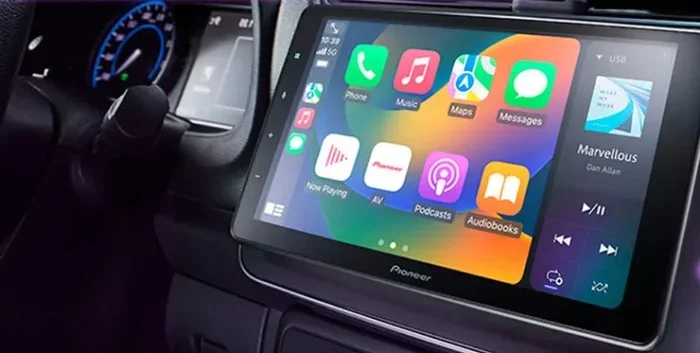
Many modern vehicles come with a built-in car GPS already installed. These systems are integrated into the dashboard and infotainment screen. They offer a seamless look and often include features like backup cameras and audio controls.
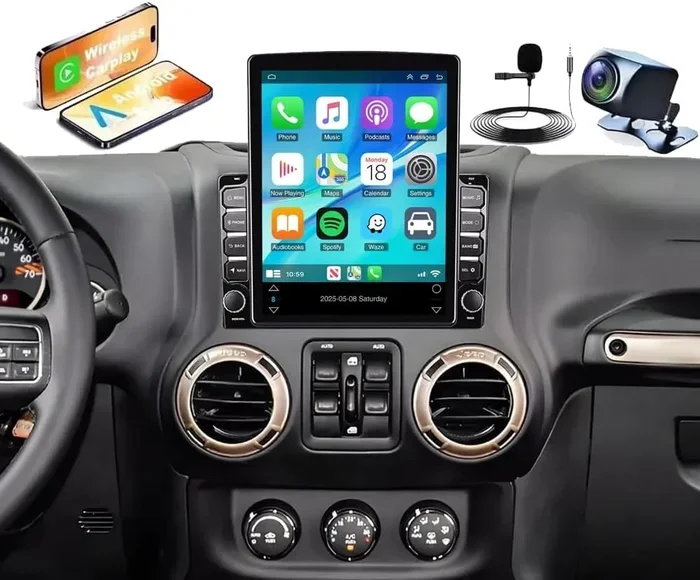
The downside is that built-in systems can be expensive to repair or update. If your car does not have one, you can always add an aftermarket GPS screen for car that replaces your factory head unit. This gives you the look of a built-in system without the premium price tag.
Hardwired GPS Installations
A hardwired GPS installation connects directly to your car’s electrical system. This means the device gets power from the battery and turns on and off with the ignition. It is the most permanent and professional option.
Hardwired setups are ideal for fleet vehicles, delivery drivers, and anyone who uses their GPS daily. They also work well for vehicle GPS wiring projects where you want a clean, cable-free dashboard. However, this method requires more technical skill and the right tools.
Smartphone GPS Apps
Do not forget about your phone. Apps like Google Maps, Waze, and Apple Maps work as GPS apps for driving. They are free, constantly updated, and easy to use. You can mount your phone on a dashboard GPS holder and get navigation just like a dedicated unit.
The main limitation is battery drain and screen size. A phone mount and a car charger solve the battery problem, but the screen is still smaller than a dedicated GPS device for car. Still, for many drivers, a phone app is all they need.
How to Install GPS in Your Car: Step-by-Step Guide
Now that you have chosen your GPS system for car, it is time to install it. Follow these steps carefully for a clean, professional-looking setup.
Step 1: Gather Your Tools and Supplies
Before you start, make sure you have everything you need. Here is a quick checklist:
- Your GPS unit and mounting kit
- A GPS power adapter or USB cable
- A screwdriver set (Phillips and flathead)
- A GPS suction mount or dash adhesive pad
- A cable management clip or zip tie
- A microfiber cloth for cleaning the mount area
Having everything ready saves time and keeps you from scrambling mid-install. Lay out your tools on a clean surface near your car.
Step 2: Clean the Mounting Surface
This step is more important than most people think. Use a microfiber cloth and a little rubbing alcohol to clean the area where you plan to mount your GPS. Dust, grease, and fingerprints can cause a GPS suction mount to lose its grip.
For a windshield mount, clean a spot near the top of the dashboard where it does not block your view. For a dash mount, choose a flat, stable surface. Let the surface dry completely before attaching the mount.
Step 3: Attach the Mount
Now attach your dashboard GPS holder or suction mount. Press the suction cup firmly onto the glass or dash. Give it a firm push and make sure it does not wobble.
If you are using a dash adhesive pad, peel off the backing and press it down hard. Hold it for at least 30 seconds. Let it sit for a few hours before attaching the GPS unit for the strongest hold.
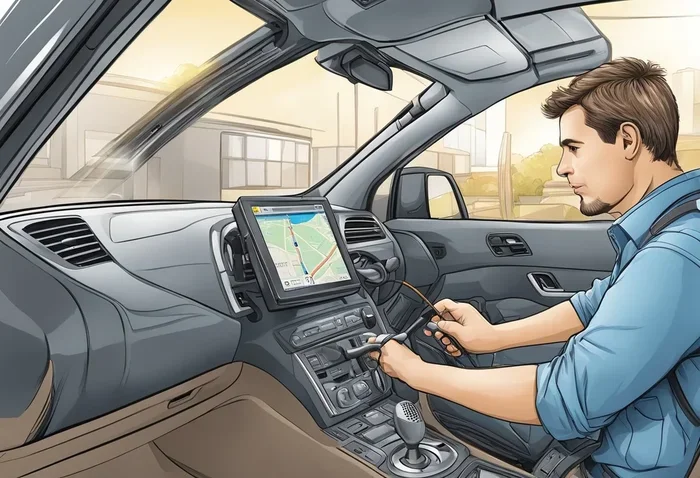
Step 4: Connect the Power Source
Every GPS navigation system needs power. You have two main options:
- USB connection: Plug into a USB port in your car. This is the easiest method and works well for portable devices.
- Cigarette lighter adapter: Plug into the 12V socket. This provides more reliable power and is great for longer trips.
- Hardwired connection: Tap into the car’s fuse box for a permanent, clean setup. This requires wiring knowledge and is best for experienced DIYers or professionals.
Run the cable along the edge of the dashboard so it stays out of the way. Use a cable management clip or zip tie to secure it. You do not want loose cables rattling around while you drive.
Step 5: Position the GPS Unit
Attach the GPS device to the mount and adjust the angle. The screen should be clearly visible from the driver’s seat without blocking your view of the road. Tilt it slightly downward if needed to reduce glare from sunlight.
Make sure the GPS antenna has a clear view of the sky. If you have a GPS antenna placement concern, position the unit near the windshield where it can connect to satellites easily. Avoid placing it behind metal trays or under dashboards where the signal may be weak.
Step 6: Test Your Setup
Turn on your car and power up the GPS. Wait for it to acquire satellite signal. You should see the map load and your current location appear within a minute or two.
Test the sound. Make sure the voice guidance is loud enough to hear over your radio and road noise. Adjust the volume in the settings if needed. Try searching for a destination and follow a test route to confirm everything works correctly.
Step 7: Secure the Cables
Take a moment to make sure all cables are tidy and secure. Loose cables can be distracting and may get caught on something. Use a GPS power source routing method that keeps wires hidden along the dashboard edge or behind trim pieces.
If you are doing a hardwired GPS installation, this step is even more critical. A clean wire job looks professional and prevents rattles or electrical issues down the road.
Common Mistakes to Avoid During GPS Installation
Even with the best guide, people make mistakes when they learn how to install GPS in car. Here are the most common errors and how to avoid them.
Choosing the Wrong Mount Location
Do not mount your GPS where it blocks your view of the instrument panel or the road ahead. The safest spot is usually the lower corner of the windshield on the driver’s side or a flat area on the dashboard. A GPS suction mount placed too high can distract you from traffic.
Ignoring Signal Strength
If your GPS takes forever to find a signal or loses connection often, your placement may be the problem. Metal roofs, tinted windows, and dashboard storage compartments can weaken the GPS signal booster performance. Always test the signal before finalizing your mount position.
Using the Wrong Power Adapter
Not all GPS power adapters are created equal. Using a low-quality or incompatible adapter can damage your device or drain your car battery. Always use the adapter that comes with your GPS or one recommended by the manufacturer. Check the voltage and amperage ratings before plugging anything in.
Skipping Software Updates
One of the biggest mistakes people make is forgetting to update their maps. A car GPS update ensures you have the latest roads, businesses, and traffic data. Most GPS units let you connect to a computer and download updates for free. Do this at least once a month for the best results.
Forgetting to Turn Off the GPS When Parked
Leaving your GPS powered on while the car is off can drain the battery over time. If you have a hardwired setup, make sure it turns off with the ignition. For portable units, unplug them when you park for long periods.
Tips for Getting the Best GPS Performance
Once your GPS navigation setup is complete, a few simple habits will keep it running smoothly for years to come.
Keep Your Maps Updated
Roads change. New streets get built, and businesses close or open. Regular GPS map updates keep your navigation accurate. Most devices will notify you when an update is available, or you can check manually through the settings menu.
Clean Your Mount Regularly
Dust and grime build up on your GPS suction mount over time and reduce its grip. Wipe it down weekly with a damp cloth. If you notice the unit slipping, clean both the mount and the suction cup with rubbing alcohol to restore the hold.
Use Voice Guidance
Always enable voice directions. Staring at a screen while driving is dangerous. Voice guidance keeps your eyes on the road and your hands on the wheel. You can adjust the voice volume and language in your car GPS settings.
Keep Your Device Clean and Cool
Heat can damage your GPS unit over time. Do not leave it sitting on the dashboard in direct sunlight when the car is parked. Store it in a glove box or center console when not in use. A clean device also performs better, so wipe the screen regularly with a microfiber cloth.
Consider a Signal Booster
If you live in an area with tall buildings, dense forests, or hilly terrain, a GPS signal booster can make a big difference. These small devices amplify the satellite signal and help your GPS maintain a strong connection even in challenging environments.
When to Call a Professional for GPS Installation
DIY installation is great for portable units and simple setups. But there are times when you should call in a professional. Knowing when to seek help saves you time, money, and frustration.
Complex Hardwired Setups
If you are planning a hardwired GPS installation that involves tapping into your car’s fuse box or wiring harness, it is best to let a professional handle it. Incorrect wiring can cause electrical problems, blown fuses, or even damage to your car’s computer system.
Built-In Replacement Units
Replacing a factory head unit with an aftermarket GPS screen for car requires removing dashboard panels and connecting multiple wires. If you have never done this before, a professional installer can complete the job quickly and safely.
Fleet or Commercial Vehicles
For business owners with multiple vehicles, a professional car GPS installation service ensures every vehicle is set up consistently and correctly. Many installers also offer ongoing support and maintenance plans.
When You Are Unsure
There is no shame in asking for help. If you have tried a few times and the setup is not working, a quick trip to a local car electronics shop can solve the problem. Many stores offer free or low-cost installation with your purchase.
Conclusion
Learning how to install GPS in car is a rewarding and straightforward project that anyone can do. With the right GPS device for car, a solid mount, and a clean power connection, you will be navigating with confidence in no time. Remember to choose the system that fits your needs, follow the steps carefully, and avoid the common mistakes we covered.
Keep your maps updated, maintain your mount, and enjoy the convenience of a fully functional GPS navigation system in your vehicle. Whether you are commuting to work or exploring a new city, a properly installed GPS makes every drive smoother and safer.
Start your car GPS installation today and experience the difference a reliable navigation system makes. You will wonder why you did not do it sooner.
Frequently Asked Questions
Can I install a GPS unit myself, or do I need a professional?
Most portable GPS units are designed for easy DIY installation. You just need a mount, a power source, and about 30 minutes of your time. However, if you are doing a hardwired setup or replacing a factory head unit, a professional installer is a smart choice to avoid electrical issues.
What is the best place to mount a GPS in my car?
The best spot is usually the lower corner of the windshield on the driver’s side or a flat area on the dashboard. Make sure the mount does not block your view of the road or the instrument panel. A GPS suction mount or dashboard GPS holder works well for most vehicles.
Do I need a special power source for my car GPS?
Most portable GPS units come with a cigarette lighter adapter or USB cable. You can plug into your car’s 12V socket or a USB port. For a cleaner setup, you can hardwire the GPS directly to your car’s electrical system, but this requires some wiring knowledge.
How often should I update my GPS maps?
You should update your GPS maps at least once a month or whenever a new update is available. Updated maps ensure you have the latest roads, traffic data, and points of interest. Most GPS units connect to a computer for easy map downloads.
Will a GPS drain my car battery if left plugged in?
Leaving a GPS plugged in while the car is off can slowly drain the battery over time. To avoid this, unplug your portable GPS when you park for long periods. Hardwired systems usually turn off with the ignition and do not cause battery drain.
Can I use my smartphone instead of a dedicated GPS device?
Yes, smartphone apps like Google Maps and Waze work great as navigation tools. You just need a phone mount and a car charger to keep your phone powered. However, a dedicated GPS unit offers better battery life, a larger screen, and more reliable signal in remote areas.
=== META TITLE ===
How to Install GPS in Your Car Without Trouble
=== URL SLUG ===
how-to-install-gps-in-car
=== SEO TITLE ===
How to Install GPS in Your Car Without Any Trouble