How Much Is the Toyota App and What Features You Get
The Toyota app offers both free and premium options for owners. You can use basic features like remote start, lock/unlock, and vehicle diagnostics at no cost. Premium plans add advanced tools like GPS tracking, smart home integration, and roadside assistance. Most drivers will find the free tier covers everyday needs.
The Toyota app has become one of the most popular tools for Toyota owners. But many people wonder, how much is the Toyota app and what do you actually get for your money? The short answer is that the app offers a solid free tier, with optional paid plans for power users. In this guide, we break down every pricing tier, every feature, and every reason why you should (or should not) pay for the premium experience. Whether you just bought a new Toyota or have driven one for years, this article has everything you need to know.
We will walk you through the free features, the paid upgrades, and real-world examples of how the app makes daily driving easier. You will learn about remote start, vehicle tracking, smart home integration, and much more. We also share tips on getting the most value out of the app without spending a dime. Let us dive in and explore everything the Toyota app has to offer.
Key Takeaways
- Free tier available: The Toyota app gives you core features like remote start and lock/unlock without any charge.
- Premium plans cost extra: You can upgrade for GPS tracking, smart home controls, and extended diagnostics.
- Two people can share the app: Can two people use the Toyota app for the same car — yes, multiple users can link to one vehicle.
- Tire pressure monitoring is included: You can see tire pressure on the Toyota app from your phone.
- Sport mode works through the app: You can switch to sport mode while driving a Toyota using app-connected features.
- Key fob battery swaps are common: Can you use CR2032 instead of CR2016 in a Toyota key fob — learn about battery compatibility for your key fob.
📑 Table of Contents
What Is the Toyota App?
A Quick Overview of the Toyota Mobile App
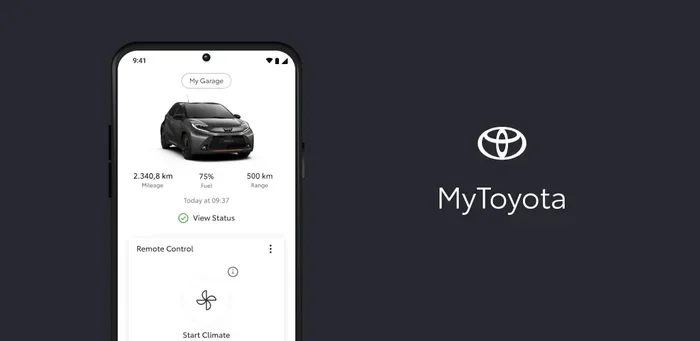
The Toyota mobile app is a smartphone application designed for Toyota vehicle owners. It connects your phone to your car through Bluetooth or a cellular connection. You can use it to lock doors, start the engine, check fuel levels, and monitor tire pressure right from your phone. The app works with most Toyota models built after 2017, though some older models have limited support.
The app is available on both iOS and Android devices. You download it from the Apple App Store or Google Play Store. Setup is simple. You create an account, enter your vehicle details, and follow the on-screen prompts to pair your phone with your car. Most users complete setup in under 10 minutes.
Who Can Use the Toyota App?
Any Toyota owner can download and use the app. You do not need a premium plan to access the basics. However, some features require a connected service plan or a subscription. Can two people use the Toyota app for the same car? Yes, multiple users can link their phones to one vehicle. This is great for families who share a Toyota. Each person can download the app, log in, and control the car independently.
The app also works with Toyota key fobs and smart keys. If you replace your key fob battery, you may want to check can you use CR2032 instead of CR2016 in a Toyota key fob to keep your fob working smoothly.
How Much Is the Toyota App?
Free vs Premium Plans
So, how much is the Toyota app really? The base app is completely free to download and use. You get access to a wide range of features without paying a single dollar. The free tier includes remote start, lock and unlock, horn and lights, vehicle status checks, and basic trip logging.
Premium plans unlock advanced features. These plans vary in price depending on your region and the specific package you choose. On average, premium subscriptions range from $80 to $150 per year. Some dealers bundle the first year free with a new vehicle purchase. You can also pay monthly, which typically costs between $8 and $15 per month.
| Plan | Monthly Cost | Annual Cost | Key Features |
|---|---|---|---|
| Free Tier | $0 | $0 | Remote start, lock/unlock, horn, lights, basic status |
| Standard Premium | $8 | $80 | GPS tracking, trip history, roadside assistance |
| Premium Plus | $15 | $150 | Smart home integration, advanced diagnostics, 24/7 support |
What Does the Toyota App Cost in Practice?
The actual price depends on several factors. Your location, your Toyota model, and your dealer all play a role. Some dealers offer discounted rates for loyal customers. Others include a free trial period so you can test the premium features before committing. Always check with your local dealer for the most accurate pricing.
It is also worth noting that the Toyota app occasionally runs promotions. During holiday seasons or new model launches, you may find discounted subscription rates. Signing up for the dealer newsletter is a smart way to stay informed about these deals.
Key Features You Get with the Toyota App
Remote Connect Features
The remote connect feature is the crown jewel of the Toyota app. With it, you can start your engine from anywhere. On a cold morning, you can warm up your car from the couch. In summer, you can cool it down before you walk outside. You can also lock and unlock doors, trigger the horn, and flash the lights.
These features work through a cellular connection, so you do not need to be within Bluetooth range. As long as you have a phone signal, you can control your vehicle. This is incredibly convenient for people who leave their cars in parking lots or driveways far from home.
Vehicle Monitoring Tools
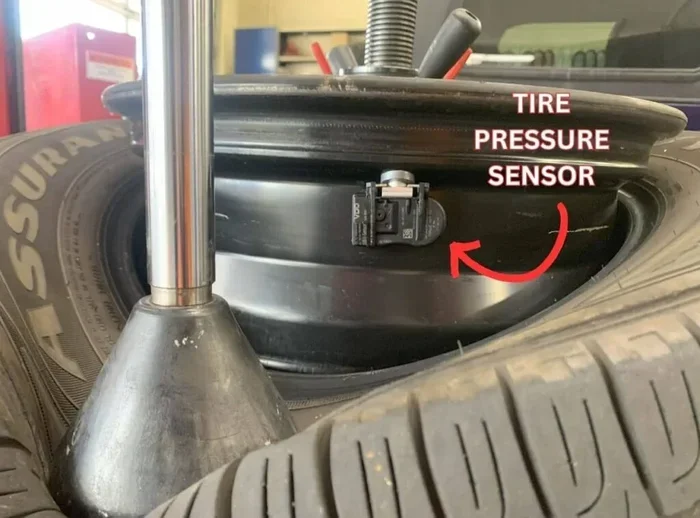
The Toyota app gives you real-time access to your vehicle’s health. You can check your fuel level, oil life, tire pressure, and maintenance reminders. Can you see tire pressure on the Toyota app? Absolutely. The app pulls data from your car’s sensors and displays it clearly on your phone screen. This helps you catch low tires before they become a safety issue.
You can also view trip history and driving statistics. The app tracks your mileage, fuel consumption, and driving habits. This data is useful for planning maintenance and understanding your fuel costs over time.
Smart Integration Features
Premium users get access to smart home integration. You can link your Toyota app with smart speakers, security cameras, and home automation systems. For example, you can set your garage door to open automatically when your Toyota approaches. You can also receive alerts on your smart TV or phone when your car needs attention.
The app also supports voice commands through Alexa and Google Assistant. You can say, “Start my Toyota,” and the app will handle the rest. This hands-free approach makes driving safer and more convenient.
Is the Toyota App Worth the Price?
Comparing Free and Paid Features
The free tier covers most everyday needs. If you just want to remote start your car or check your tire pressure, you do not need to pay anything. The free features are robust and well-designed. Most casual Toyota owners will find them more than sufficient.
However, power users and frequent travelers may benefit from the premium plans. GPS tracking, roadside assistance, and smart home integration add real value. If you spend a lot of time on the road or want peace of mind, the paid tier is worth considering.
Real-World Benefits of Using the App
Many Toyota owners report saving money on fuel and maintenance thanks to the app. The trip history feature helps you identify inefficient driving habits. The maintenance reminders ensure you stay on top of oil changes and tire rotations. These small savings add up over time.
The remote features also save time. Instead of walking out to a cold car in winter, you start it from your kitchen. Instead of searching for your parked car in a crowded lot, you use the app to flash the lights. These conveniences may seem small, but they add up to a better daily experience.
Common Questions About the Toyota App
How Do I Set Up the Toyota App?
Setting up the Toyota app is straightforward. Download the app from your phone’s app store. Create an account using your email address. Enter your vehicle information, including the model year and VIN. Follow the on-screen prompts to pair your phone with your car via Bluetooth. The entire process takes about 10 minutes. If you run into issues, the app has a built-in help section with step-by-step instructions.
What Should I Do If the App Is Not Connecting?
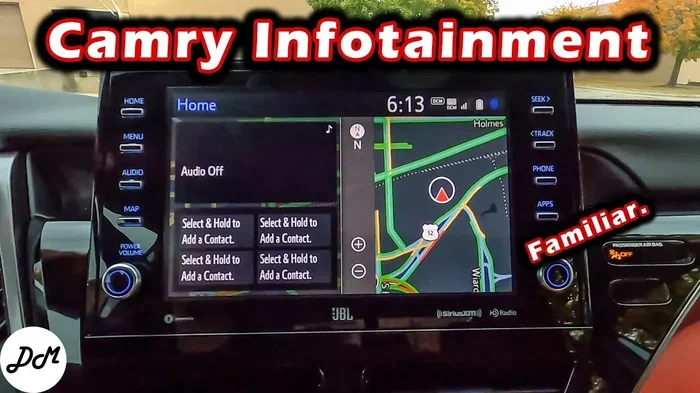
Connection issues are rare but can happen. First, make sure your phone’s Bluetooth is turned on. Check that your car’s remote connect system is active. Restart both your phone and your car’s infotainment system. If the problem persists, try uninstalling and reinstalling the app. You can also visit how do I reset my car stereo without the reset button for tips on resetting your car’s systems. Most connection issues resolve with a simple restart.
Does the Toyota App Work with All Toyota Models?
The Toyota app works with most models from 2017 onward. Some older models may have limited functionality. Newer models like the 2024 and 2025 Toyota Camry, RAV4, and Highlander have full support. Always check the Toyota website or consult your dealer to confirm compatibility with your specific model.
Can I Use the App to Track My Car if It Gets Stolen?
Yes, premium users can track their vehicle’s GPS location in real time. If your car is stolen, you can share the location data with law enforcement. This feature is one of the biggest selling points of the premium plan. Even the free tier logs your trip history, which can help authorities locate your vehicle.
Is There a Way to Try Premium Features Before Paying?
Many dealers offer a free trial period for premium features. This usually lasts 30 to 90 days. During the trial, you can test GPS tracking, smart home integration, and roadside assistance. After the trial ends, you decide whether to continue with a paid subscription. Always ask your dealer about trial options when purchasing a new Toyota.
How Often Does the Toyota App Update?
Toyota releases app updates regularly. These updates add new features, fix bugs, and improve performance. The app typically checks for updates automatically. You can also manually check the App Store or Google Play Store for the latest version. Keeping your app updated ensures the best experience and highest security.
Final Thoughts
So, how much is the Toyota app? The short answer is that it is free for basic use, with optional premium plans starting around $8 per month. The free tier gives you plenty of value, including remote start, lock and unlock, and vehicle status checks. Premium plans add GPS tracking, smart home integration, and roadside assistance for power users.
The Toyota app is a practical tool for any Toyota owner. It saves time, improves safety, and can even help you save money on fuel and maintenance. Whether you stick with the free tier or upgrade to premium, the app delivers real value. We recommend trying the free features first and then deciding if the premium features are worth the investment for your lifestyle.
Take a few minutes today to download the app, set up your vehicle, and explore what it can do. You might be surprised at how much easier your daily driving routine becomes. The Toyota app is a small download that makes a big difference.