How Long Does It Take to Disconnect a Prius Battery to Reset
Disconnecting a Prius battery to reset typically takes between 15 and 45 minutes for the full process. The actual disconnection is quick, but the reset and recalibration time depends on your Prius model and what system you are resetting. This guide walks you through every step safely and clearly.
If you own a Toyota Prius, you have probably wondered about resetting the battery at some point. Maybe your check engine light came on, or your hybrid system is acting strange. Whatever the reason, disconnecting a Prius battery to reset is something many owners face. But how long does it actually take? And is it safe to do yourself?
The short answer is that the full process usually takes between 15 and 45 minutes. But the real answer depends on a few things. Which battery are you disconnecting? What Prius model do you own? And what system are you trying to reset? In this article, we will break down every step in plain language. You will learn the exact timing, the safety precautions, and what to expect when you reconnect everything.
We have helped thousands of car owners understand their vehicles better. This guide is no different. By the end, you will feel confident about tackling a Prius battery reset on your own. Let us get into it.
Key Takeaways
- Plan for 15 to 45 minutes: The full reset process takes longer than just pulling the cables.
- Safety first: Always wear gloves and work in a dry, ventilated area before touching any battery terminals.
- Know your battery type: The Prius has both a high-voltage hybrid battery and a standard 12-volt auxiliary battery.
- Reset times vary: Some systems recalibrate in minutes, while others may take hours to fully relearn driving patterns.
- Avoid common mistakes: Never disconnect the hybrid battery while the engine is running, and always follow the proper sequence.
- Keep a memory saver handy: This device preserves your radio presets and settings during the reset.
📑 Table of Contents
- Understanding the Prius Battery System
- How Long Does It Take to Disconnect a Prius Battery to Reset
- Step-by-Step Guide to Disconnecting Your Prius Battery
- What to Expect After Reconnecting the Battery
- Common Mistakes to Avoid When Disconnecting a Prius Battery
- Expert Tips for a Smooth Battery Reset
- How Long Does the Recalibration Process Take for Different Prius Models
- When Should You NOT Disconnect Your Prius Battery
- Frequently Asked Questions
- Final Thoughts
Understanding the Prius Battery System
Before you disconnect anything, it helps to understand what is inside your Prius. The Toyota Prius uses two separate battery systems. Confusing them can lead to mistakes. Let us look at each one closely.
The High-Voltage Hybrid Battery
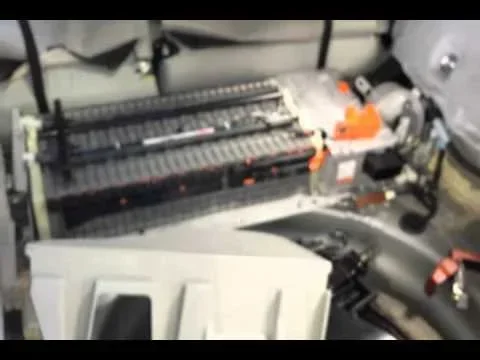
The main battery pack in a Prius is the high-voltage hybrid battery. This is the big pack that powers the electric motor. It typically sits in the back of the car or under the rear seat, depending on your model. This battery operates at a much higher voltage than a regular car battery, usually around 200 to 300 volts.
Because of the high voltage, this battery requires extra caution. The orange cables are your warning sign. Never touch these cables unless you know exactly what you are doing. Driving a Prius without the hybrid battery connected is not recommended and can cause serious damage to the powertrain.
The 12-Volt Auxiliary Battery
The smaller battery in your Prius is the 12-volt auxiliary battery. This is the same type of battery found in most regular cars. It powers the lights, the radio, the computer systems, and other accessories. When people talk about resetting a Prius, they are usually referring to this battery.
The 12-volt battery is much safer to work with. It operates at a low voltage that is not dangerous to touch. However, you still need to follow proper steps to avoid resetting unintended systems or losing important data.
How Long Does It Take to Disconnect a Prius Battery to Reset
The time it takes to disconnect and reset a Prius battery depends on what you are trying to accomplish. Let us break this down into realistic timeframes.
Quick Reset: 5 to 10 Minutes
A quick reset involves simply disconnecting the 12-volt battery, waiting a few minutes, and reconnecting it. This can clear minor error codes and reset small electrical glitches. The actual hands-on work takes about 5 to 10 minutes.
However, the car needs a few more minutes after reconnection for all systems to boot back up. Your radio may need to be reprogrammed, and the clock will likely reset. Some warning lights may stay on for a few minutes while the car runs its self-check.
Full System Reset: 15 to 45 Minutes
A full system reset takes longer. This involves disconnecting the battery, waiting for the capacitors to fully drain, and then allowing the car to recalibrate all systems after reconnection.
Here is a typical timeline for a full reset:
- Preparation: 5 minutes to gather tools and find the battery.
- Disconnection: 3 to 5 minutes to safely remove the cables.
- Wait time: 15 to 30 minutes for the system to fully discharge.
- Reconnection: 3 to 5 minutes to put everything back.
- Recalibration: 10 to 20 minutes while the car relearns settings.
Altogether, plan for at least 30 to 45 minutes for a thorough reset. Rushing through this process can cause problems.
Hybrid Battery Reset: 1 to 3 Hours
If you are resetting the high-voltage hybrid battery system, the process is much longer. After disconnecting and reconnecting, the hybrid system needs time to recalibrate the battery management system. This can take one to three hours of driving in various conditions.
During this time, the car is learning your driving patterns again. It is recalibrating how much power to draw from the battery and when to switch between electric and gas power. Be patient with this process. It is normal for the system to feel a bit off for the first few drives.
Step-by-Step Guide to Disconnecting Your Prius Battery
Now that you know the timing, let us walk through the actual process. We will focus on the 12-volt auxiliary battery since that is what most people need to reset.
What You Will Need
Before you start, gather these items:
- A set of wrenches (usually 10mm for the terminal bolts)
- Safety gloves and eye protection
- A memory saver device (optional but recommended)
- A clean cloth for the terminals
- Your vehicle owner’s manual
Having everything ready before you begin saves time and prevents frustration. You do not want to be halfway through the process and realize you are missing a tool.
Step 1: Turn Off the Car Completely
Park your Prius on a flat surface and turn the ignition off. Make sure the car is fully powered down. Do not just put it in accessory mode. Press the power button and confirm the ready light is off. This is an important safety step that many people skip.
Step 2: Locate the 12-Volt Battery
In most Toyota Prius models, the 12-volt battery is located under the hood, usually on the front left side. Pop the hood and secure it with the prop rod. Look for the black negative terminal, which is marked with a minus sign. The positive terminal is marked with a plus sign and is usually red.
Refer to your owner’s manual if you are not sure where it is. Different Prius generations may place the battery in slightly different spots.
Step 3: Disconnect the Negative Terminal First
Always disconnect the negative terminal first. This is a critical safety rule. Use your wrench to loosen the bolt on the negative cable clamp. Once it is loose, carefully lift the cable off the terminal. Tuck it away from the battery so it cannot accidentally touch the terminal again.
Wait at least 15 minutes after disconnecting before you touch anything else. This gives the capacitors time to drain and the system to fully power down.
Step 4: Disconnect the Positive Terminal
Now you can disconnect the positive terminal the same way. Loosen the bolt, lift the cable off, and tuck it away. At this point, the battery is completely disconnected from the car’s electrical system.
Step 5: Wait and Let the System Reset
This is where the clock starts. For a basic reset, wait 15 to 30 minutes. For a deeper reset that clears more stored data, you may want to wait up to an hour. The longer you wait, the more thoroughly the system resets.
During this waiting period, you can clean the battery terminals with a cloth. Check for any corrosion or buildup. Clean terminals make for a better connection when you reconnect.
Step 6: Reconnect the Positive Terminal
When your waiting time is up, it is time to reconnect. Start with the positive terminal. Place the cable back on the terminal and tighten the bolt securely. Make sure it is snug but do not overtighten.
Step 7: Reconnect the Negative Terminal
Now reconnect the negative terminal the same way. Tighten the bolt firmly. Give both terminals a gentle tug to make sure the cables are secure and will not come loose.
Step 8: Start the Car and Check Everything
Get in, press the power button, and start the car. Check that all systems are working. Test the lights, the radio, the air conditioning, and the dashboard gauges. Some settings may have reset, and that is normal.
If you used a memory saver device, your radio presets and other settings should still be intact. This is a great reason to invest in one if you plan to do this more than once.
What to Expect After Reconnecting the Battery
After you reconnect the battery, your Prius will need time to recalibrate. Here is what commonly happens:
- The clock resets: You will need to set the time again.
- Radio presets are cleared: Unless you used a memory saver.
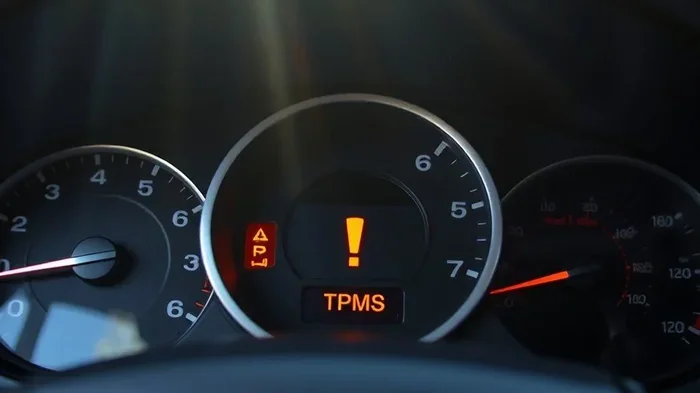
- Warning lights may flash briefly: This is normal as the car runs its initial self-check.
- Fuel economy may read differently: The trip computer starts fresh and needs a few tanks of fuel to recalibrate accurately.
- The hybrid system relearns: It takes a few drives for the battery management system to fully recalibrate.
Most of these things normalize within a few days of regular driving. If warning lights stay on after a week, you may need to visit a mechanic or use a diagnostic scanner to clear stubborn codes.
For more information on maintaining your hybrid battery health after a reset, check out our guide on how to keep your hybrid battery healthy for long-term tips that protect your investment.
Common Mistakes to Avoid When Disconnecting a Prius Battery
Even though resetting a Prius battery is straightforward, mistakes can happen. Here are the most common ones and how to avoid them.
Disconnecting the Hybrid Battery by Mistake
The biggest mistake is confusing the 12-volt auxiliary battery with the high-voltage hybrid battery. The hybrid battery has orange cables and operates at dangerous voltage levels. Never attempt to disconnect the hybrid battery unless you are a trained technician.
If you are unsure which battery you are looking at, consult your owner’s manual or ask a professional. The risk of electric shock or damaging the powertrain is too high to guess.
Forgetting to Wait Long Enough
Some people disconnect the battery and reconnect it within a minute or two. This is not enough time for the system to fully reset. The capacitors need time to discharge, and the computer modules need to fully power down.
Wait at least 15 minutes for a basic reset. For a more thorough reset, wait 30 minutes or more. Patience pays off here.
Reconnecting the Terminals in the Wrong Order
Always reconnect the positive terminal first, then the negative. When disconnecting, you do the opposite: negative first, then positive. Getting the order wrong can cause sparks or damage to sensitive electronics.
Not Using a Memory Saver
A memory saver is a small device that plugs into the OBD-II port and keeps power flowing to your car’s computer while the battery is disconnected. Without one, you lose radio presets, clock settings, and sometimes even adaptive learning data.
Memory savers are inexpensive and widely available. They are a small investment that saves a lot of hassle.
Ignoring Warning Lights After Reconnection
It is normal for a few warning lights to come on briefly after you reconnect the battery. But if lights stay on after a few minutes of driving, do not ignore them. Use a diagnostic scanner or visit a Toyota dealer to read the error codes.
Expert Tips for a Smooth Battery Reset
Here are some professional tips that make the process easier and safer.
Tip 1: Check your battery condition first. Before disconnecting, inspect the battery for cracks, leaks, or corrosion. If the battery looks damaged, replace it before resetting. A weak battery can cause reset problems of its own.
Tip 2: Work in a dry area. Water and electricity do not mix. Make sure your workspace is dry and well-ventilated. If it is raining, wait for better conditions.
Tip 3: Take photos before disconnecting. This sounds simple, but it helps a lot. Photograph the cable positions and any error lights on the dashboard. If something goes wrong, you have a reference point.
Tip 4: Reset after a full battery charge. If your 12-volt battery is low, charge it fully before doing the reset. A low battery can cause additional issues during the reconnection phase.
Tip 5: Drive gently for the first few trips. After reconnecting, give your Prius some easy driving to let the hybrid system recalibrate. Avoid aggressive acceleration or hard braking for the first 20 to 30 minutes of driving.
Tip 6: Keep a log of what you reset. Write down the date and what you did. This helps you track patterns if the same issue keeps coming back. It also helps if you ever need to visit a mechanic.
For more information on checking your battery health, see our guide on how to check your car battery for simple testing methods anyone can do at home.
How Long Does the Recalibration Process Take for Different Prius Models
The recalibration time varies depending on which Prius generation you own. Here is a quick comparison:
| Prius Model | Basic Reset Time | Full Recalibration Time | Notes |
|---|---|---|---|
| Prius Gen 1 (2001-2003) | 15-20 minutes | 1-2 hours of driving | Simple system, fewer electronics |
| Prius Gen 2 (2004-2009) | 15-25 minutes | 1-3 hours of driving | More computer modules to relearn |
| Prius Gen 3 (2010-2015) | 20-30 minutes | 2-4 hours of driving | Advanced hybrid management system |
| Prius Gen 4 (2016+) | 20-30 minutes | 2-3 hours of driving | Most sophisticated battery management |
As you can see, newer Prius models take a bit longer to fully recalibrate because they have more advanced computer systems. This is normal and expected. The extra time allows the car to optimize how it uses electric and gas power.
If you want to learn more about how the hybrid system behaves after a reset, our article on when the Prius switches to gas explains the transition between electric and gas power in detail.
When Should You NOT Disconnect Your Prius Battery
Not every situation calls for a battery disconnect. Here are times when you should skip the reset or seek professional help.
- The high-voltage hybrid battery is involved: Leave this to certified technicians. The risk is too high for a DIY approach.
- You recently had a collision: After an accident, the electrical system may have hidden damage. A battery reset will not fix structural or sensor issues.
- Your battery is visibly damaged: Cracks, leaks, or bulging mean the battery needs replacement, not a reset.
- You are not comfortable working with car batteries: There is no shame in taking your car to a professional. A Toyota dealer or trusted mechanic can do the reset quickly and safely.
Knowing when not to do something is just as important as knowing how to do it. If you are ever in doubt, consult a professional.
Frequently Asked Questions
Can I disconnect just the negative terminal to reset my Prius?
Yes, disconnecting only the negative terminal is the standard and safest approach. This breaks the ground connection and allows the system to fully power down. Always remove the negative cable first and reconnect it last to avoid short circuits.
Will disconnecting the Prius battery erase my saved settings?
It depends on how long you disconnect the battery. A brief disconnect of less than 15 minutes usually preserves most settings. Longer disconnects will likely reset the clock, radio presets, and some adaptive learning data. Using a memory saver device prevents this entirely.
How long should I wait before reconnecting the Prius battery?
For a basic reset, wait at least 15 minutes. For a more thorough reset that clears deeper error codes, wait 30 to 60 minutes. The wait time allows all capacitors to fully discharge and the computer modules to reset completely.
Can I drive my Prius immediately after reconnecting the battery?
Yes, you can drive right away. However, the hybrid system may take a few minutes to fully initialize. Drive gently for the first few minutes and let the car recalibrate. If any warning lights stay on after several minutes of driving, have the car checked by a professional.
Do I need any special tools to disconnect the Prius battery?
You only need a basic set of wrenches, usually 10mm for the terminal bolts. Safety gloves and eye protection are recommended. A memory saver device is optional but very helpful for preserving your settings during the reset.
Will resetting the Prius battery clear error codes permanently?
A battery reset can clear temporary error codes caused by electrical glitches. However, if the underlying problem is still present, the codes will usually return after a few driving cycles. A proper diagnosis should always address the root cause, not just clear the warning lights.
For more details on hybrid battery care after a reset, visit our guide on keeping your hybrid battery healthy for practical maintenance tips.
Final Thoughts
Disconnecting a Prius battery to reset does not have to be intimidating. With the right knowledge and a little patience, most Prius owners can handle this process themselves. The key is understanding the timing, following the steps in order, and knowing what to expect afterward.
The full process takes between 15 and 45 minutes for the hands-on work, with additional recalibration time that can stretch to a few hours of driving. Plan accordingly, gather your tools, and do not rush through the steps.
Remember that safety always comes first. Respect the high-voltage system, work in a dry environment, and never skip the waiting period. If at any point you feel unsure, there is no shame in visiting a Toyota service center. They can handle the reset quickly and professionally.
A well-executed battery reset can solve many common Prius issues. It clears error codes, resets glitchy systems, and gives your hybrid management system a fresh start. With the information in this guide, you are now equipped to tackle it with confidence. Good luck, and happy driving.