How Does Toyota Remote Connect Work Your Ultimate Guide
Toyota Remote Connect lets you control key vehicle functions from your smartphone using the Toyota app. It offers remote start, lock/unlock, climate control, and GPS tracking through wireless connectivity. This guide covers setup, features, troubleshooting, and whether the service is worth it for Toyota owners.
Toyota Remote Connect is a smart vehicle connectivity system that puts your car at your fingertips. With this service, you can start your engine, lock your doors, and even check on your vehicle’s status using just your phone. It is one of the most popular Toyota connected services available today.
If you own a Toyota and have never tried remote connectivity, you are missing out on serious convenience. Whether you want to cool down your car on a hot day or warm it up in winter, Toyota Remote Connect makes it possible. This guide walks you through everything you need to know, from setup to troubleshooting.
The system works through the Toyota mobile app and uses wireless connectivity to communicate with your vehicle. You do not need any special hardware beyond what comes built into your Toyota. Most models from recent years support this feature, making it widely accessible to Toyota owners everywhere.
Key Takeaways
- Remote Start and Climate Control: You can start your engine and adjust cabin temperature from anywhere using the Toyota app.
- Easy Setup Process: Connecting your Toyota takes just a few simple steps through the mobile application.
- Built-In Security Features: GPS tracking and remote lock help keep your vehicle safe and secure at all times.
- Hybrid and Non-Hybrid Support: Toyota Remote Connect works with many Toyota models including hybrid vehicles.
- Subscription Based: The service requires an active subscription plan to access all connected features.
- Troubleshooting Is Straightforward: Most common issues can be resolved with simple resets or app updates.
📑 Table of Contents
What Is Toyota Remote Connect?
Toyota Remote Connect is a telematics service that allows you to interact with your vehicle remotely. Think of it as a digital bridge between your smartphone and your car. It uses cellular networks and GPS technology to send and receive commands in real time.
The service is part of Toyota’s broader vehicle connectivity ecosystem. It is designed to make your daily driving experience smoother and more convenient. You can access many features without ever stepping inside your vehicle.
How It Differs from Standard Keyless Entry
Standard keyless entry lets you unlock your car when you are nearby. Toyota Remote Connect goes much further. You can control your vehicle from miles away using the app on your phone. This means you can pre-condition your cabin, locate your car, and even trigger the horn or lights if you forget where you parked.
The system also includes car security features that go beyond what a regular key fob offers. You get real-time alerts and tracking capabilities that give you peace of mind every day.
How Toyota Remote Connect Works
Understanding how Toyota Remote Connect works is simpler than you might think. The system relies on three main components working together seamlessly.
The Toyota Mobile App
The Toyota app is your command center. You download it to your smartphone and pair it with your vehicle. The app communicates with Toyota’s cloud servers, which then relay your commands to your car. This entire process happens in seconds.
You can use the app on both iPhone and Android devices. The interface is clean and easy to navigate. Even if you are not very tech-savvy, you will find it straightforward to use.
The Built-In Telematics Module
Your Toyota comes equipped with a telematics module. This is a small computer inside your vehicle that receives and processes commands. It connects to the cellular network just like your phone does. When you send a command through the app, the telematics module receives it and carries out the action.
Some older Toyota models may need a dealer visit to activate this module. If you are unsure whether your vehicle has one, you can ask your Toyota dealer for confirmation.
Cellular Network and GPS
The system uses the same cellular networks your phone uses. This means you need a signal to send commands to your vehicle. GPS tracking is also built in, so you can always find your car’s location on a map through the app.
Because it relies on cellular connectivity, remote features may not work in areas with poor signal. However, for most urban and suburban areas, the connection is strong and reliable.
Key Features You Can Control Remotely
Toyota Remote Connect offers a wide range of features that make owning a Toyota more convenient. Here are the most useful ones:
Remote Start
Remote start is one of the most popular features. You can start your engine from inside your home or office. This is especially useful in extreme weather. In winter, you can warm up your car before you walk out the door. In summer, you can cool it down before you get in.
To use remote start, you simply open the app and tap the start button. The engine fires up, and you can set the climate controls to your preferred temperature.
Remote Lock and Unlock
Forget whether you locked your car? No problem. With Toyota Remote Connect, you can lock or unlock your doors from anywhere. This is incredibly helpful if you rush out of the house and realize you forgot to secure your vehicle.
The remote lock feature also enhances car security. If you leave your car parked in an unfamiliar area, you can lock it with a tap on your phone.
Climate Control
You can adjust your vehicle’s climate system remotely. This means you can turn on the air conditioning or heating before you get in. It is a small feature that makes a big difference in comfort.
Climate control works especially well when paired with the remote start feature. You can start the engine and set the temperature all from the same app.
Vehicle Location and GPS Tracking
Lost your car in a crowded parking lot? The GPS tracking feature shows you exactly where your vehicle is on a map. You can also check the last known location if someone else has been driving your Toyota.
This feature is also useful for fleet managers or families who share vehicles. Knowing where the car is at all times adds a layer of convenience and safety.
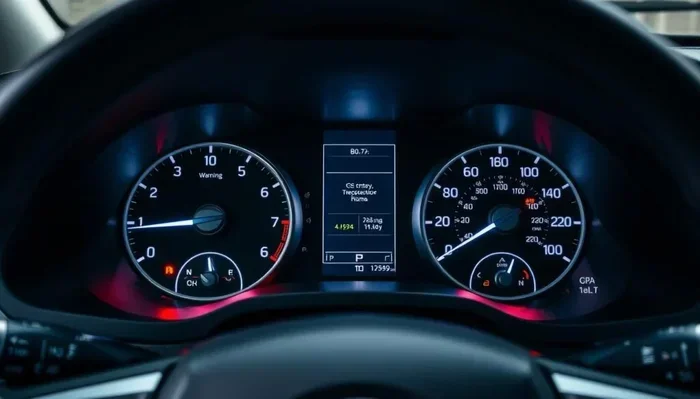
Vehicle Health Alerts
Toyota Remote Connect can send you alerts about your vehicle’s health. You can receive notifications about maintenance needs, fluid levels, and other important indicators. Staying on top of these alerts helps you avoid costly repairs down the road.
If you want to learn more about keeping your Toyota in top shape, check out our guide on How Do I Keep My Hybrid Battery Healthy for expert tips on long-term vehicle care.
Roadside Assistance Integration
Some Toyota connected services plans include roadside assistance. If you ever find yourself stranded, you can request help directly through the app. This feature can be a lifesaver, especially when you are traveling in unfamiliar areas.
Setting Up Toyota Remote Connect
Setting up Toyota Remote Connect is a straightforward process. Here is a step-by-step guide to get you started.
Step 1: Download the Toyota App
Visit the App Store or Google Play Store and download the official Toyota app. Make sure you are downloading the correct app from Toyota Motor Corporation. The app is free to download.
Step 2: Create Your Account
Open the app and create an account. You will need your vehicle identification number (VIN) and some personal details. The VIN is usually found on your dashboard or driver’s side door frame.
Step 3: Pair Your Vehicle
Follow the on-screen instructions to pair your vehicle with the app. This typically involves confirming your identity and linking your Toyota account to the telematics module in your car.
Step 4: Activate Your Subscription
Toyota Remote Connect requires an active subscription. You can choose from different plans depending on the features you want. Some plans come free for a trial period, while others require a monthly or annual fee.
Step 5: Start Using Remote Features
Once everything is set up, you can start using all the remote features. Open the app, and you will see options for remote start, lock/unlock, climate control, and more. It is that simple.
If you run into any issues during setup, you may need to factory reset your Hybrid Connect system to refresh the connection between your vehicle and the app.
Troubleshooting Common Issues
Like any technology, Toyota Remote Connect can sometimes have issues. Here are the most common problems and how to fix them.
App Not Responding
If the app is not responding, try closing it completely and reopening it. Make sure your phone has a stable internet connection. Sometimes simply restarting the app solves the problem.
Commands Not Reaching Your Vehicle
If your commands are not reaching your car, check your cellular signal. The system needs a data connection to work. You should also verify that your subscription is still active. An expired subscription will prevent remote features from working.
Vehicle Not Responding to Remote Start
Remote start may fail if your vehicle has certain safety features enabled. Make sure all doors are locked and the parking brake is engaged before trying to start remotely. If the issue persists, a simple system reset often helps.
GPS Tracking Showing Wrong Location
If the GPS location seems off, give it a moment to update. The system sometimes takes a few seconds to refresh the location. Make sure your vehicle is in an area with good cellular coverage for the most accurate tracking.
For more help with vehicle connectivity issues, you can also read our article on Can I Take My Toyota To Any Dealership For Warranty Work to understand how Toyota service and connectivity intersect.
Is Toyota Remote Connect Worth It?
Whether Toyota Remote Connect is worth the cost depends on your lifestyle and how you use your vehicle.
If you commute in extreme weather, remote start and climate control are game changers. You get in a comfortable car every single day without wasting time waiting for it to heat up or cool down.
If you travel frequently or park in unfamiliar areas, GPS tracking and roadside assistance add real value. The peace of mind alone can justify the subscription cost for many owners.
For those who share their Toyota with family members, the remote lock and location features offer extra convenience. You can check on the car or control certain functions without being near it.
However, if you live in a mild climate and rarely use remote features, the subscription might not be worth it. Consider your needs carefully before committing to a plan.
Comparing Toyota Remote Connect Plans
| Plan | Duration | Key Features |
|---|---|---|
| Basic | 1 year | Remote lock/unlock, vehicle location |
| Standard | 1 year | Remote start, climate control, GPS tracking |
| Premium | 1 year | All features plus roadside assistance and health alerts |
Choose the plan that matches your usage habits. Most Toyota owners find the Standard plan offers the best balance of features and value.
Tips to Get the Most Out of Toyota Remote Connect
- Keep the app updated: Regular updates fix bugs and add new features. Check for updates often.
- Use strong passwords: Protect your Toyota account with a unique, strong password for security.
- Monitor your subscription: Set a reminder before your subscription expires so you do not lose access.
- Enable notifications: Turn on push notifications so you never miss an important vehicle alert.
- Learn the shortcuts: Familiarize yourself with the app’s quick-access buttons for the features you use most.
Taking care of your connected Toyota also means staying on top of its overall health. Regular maintenance and battery care go hand in hand with using Toyota Remote Connect effectively.
Frequently Asked Questions
What Toyota models support Remote Connect?
Most Toyota models from 2017 onward support Toyota Remote Connect. Popular models include the Camry, RAV4, Highlander, and Tacoma. However, availability may vary depending on your trim level and region. Check with your Toyota dealer to confirm if your specific model is compatible.
Is Toyota Remote Connect free?
Toyota offers a free trial period for new vehicles, typically lasting one to three years. After the trial ends, you need an active subscription to continue using the service. Subscription costs vary depending on the plan you choose and the features included.
Can I use Toyota Remote Connect on my phone?
Yes, Toyota Remote Connect works through the official Toyota mobile app available on both iOS and Android. Simply download the app, create an account, and pair your vehicle. You can then access all remote features directly from your phone.
Does Toyota Remote Connect work when the car is off?
Yes, the system works even when your vehicle is turned off and parked. It uses the built-in telematics module and cellular connection to receive and execute your commands. This is what makes features like remote start and GPS tracking possible from a distance.
How secure is Toyota Remote Connect?
Toyota uses encryption and secure servers to protect your data and vehicle commands. The app requires a login with your credentials, and you can set up additional security measures like two-factor authentication. Always use strong passwords and keep your app updated for the best security.
What should I do if my Toyota Remote Connect stops working?
Start by checking your internet connection and subscription status. Restart the app and try again. If the issue persists, try resetting the telematics system in your vehicle. You can also contact Toyota customer service or visit your local dealer for assistance with connectivity problems.
Final Thoughts
Toyota Remote Connect is a powerful and convenient system that enhances your ownership experience. It gives you control over your vehicle from virtually anywhere, adding comfort, security, and peace of mind to your daily life.
The setup process is simple, the features are practical, and the subscription plans are flexible enough to suit different budgets. Whether you are a first-time Toyota owner or a long-time fan, this connected service is well worth exploring.
Take some time today to download the app and try out the features. You might be surprised at how much more connected and in control you feel with Toyota Remote Connect at your fingertips. It is one of those small upgrades that makes a big difference in how you live with your car.
Remember to keep your app updated, monitor your subscription, and enjoy all the benefits that modern Toyota connectivity has to offer. Your vehicle is smarter than you think, and Toyota Remote Connect is the key to unlocking its full potential.