How Do You Remote Start a 2023 Toyota Highlander Guide
Remote starting your 2023 Toyota Highlander is simple and incredibly convenient. This guide walks you through every step, from pressing the right buttons on your key fob to using the Toyota app. You will learn how the system works, what you need to set it up, and how to fix common problems.
The 2023 Toyota Highlander is one of the most popular SUVs on the road today. Families love it for its spacious cabin, strong reliability, and modern tech features. One feature that makes daily life much easier is remote start. Whether you need to warm up the engine on a freezing morning or cool down the interior on a hot summer day, remote start saves you time and comfort. In this guide, we will walk you through exactly how to use this feature on your 2023 Highlander.
Remote start lets you turn on your vehicle from a distance using your key fob or a smartphone app. The engine starts, the climate control adjusts to your preferred temperature, and the heater or air conditioning begins working before you step inside. This is especially useful during harsh winters or humid summers. The 2023 Toyota Highlander makes this process straightforward, but knowing the exact steps and settings can make all the difference.
Understanding how remote start works on your Highlander helps you use it more effectively. The system relies on your vehicle’s smart key system and engine ignition technology. When you send the signal from your key fob, the vehicle verifies the key is nearby and then starts the engine safely. The doors remain locked, and the engine runs for a set period. This design keeps your Highlander secure while you enjoy the comfort of a pre-conditioned interior.
Key Takeaways
- The 2023 Toyota Highlander comes with a factory remote start feature that lets you warm or cool your vehicle before you get in.
- You can remote start using your key fob by pressing and holding the lock button for a few seconds.
- The Toyota Remote Connect app adds smartphone-based remote start with extra features like scheduled climate control.
- A healthy car battery and key fob battery are essential for remote start to work reliably.
- Common issues like a dead key fob battery or improper setup are easy to fix at home.
- Remote start works with both the standard and hybrid trims of the 2023 Highlander.
📑 Table of Contents
- What Is Remote Start on the 2023 Toyota Highlander?
- How to Remote Start Your 2023 Toyota Highlander
- Key Fob Requirements and Setup
- Benefits of Remote Starting Your 2023 Toyota Highlander
- Troubleshooting Common Remote Start Issues
- Tips for Getting the Most From Remote Start
- Common Mistakes to Avoid with Remote Start
- Frequently Asked Questions
- Conclusion
What Is Remote Start on the 2023 Toyota Highlander?
Remote start is a built-in feature on the 2023 Toyota Highlander that allows you to start the engine without being inside the vehicle. You use your key fob to send a signal, and the engine ignition system responds by turning on the engine. The vehicle stays locked during this process, which adds a layer of security.
The 2023 Highlander offers this feature across most trim levels. Whether you drive the base LE, the mid-range XLE, or the top-tier Limited, remote start is available. The hybrid version of the Highlander also supports this feature, so you can enjoy the same convenience regardless of which powertrain you choose.
Here are some key things to know about the remote start system:
- The engine runs for about 10 minutes before shutting off automatically.
- You can extend the runtime by starting the vehicle again within that window.
- The climate control system activates based on your last settings.
- The vehicle remains locked, and the doors cannot be opened without the key fob inside.
- Remote start works within a range of about 200 feet from the vehicle.
How the System Keeps Your Vehicle Secure
One common concern people have is whether remote start is safe. Toyota designed the system with multiple security measures. The engine will only start if the correct key fob sends the signal. If someone tries to enter the vehicle while it is remotely started, the system will detect the unauthorized access and shut down the engine. This means your Highlander stays protected even when running unattended.
How to Remote Start Your 2023 Toyota Highlander
Starting your Highlander remotely is a quick process once you know the steps. Follow this guide to get it right every time.
Step-by-Step Instructions
- Make sure your key fob is within range of the vehicle, typically within 200 feet.
- Press and release the lock button on your key fob. The doors will lock, and the lights will flash once.
- Immediately press and hold the remote start button, which is marked with a circular arrow icon.
- Hold the button for about 2 to 3 seconds. You will hear the engine turn on, and the lights will flash twice.
- The climate control system will activate based on your last settings.
To turn off the remote start, simply press the remote start button again or press the lock button on the key fob. The engine will shut down, and the vehicle will return to its normal state.
Using the Toyota Remote Connect App
The 2023 Toyota Highlander also supports Toyota Remote Connect, which lets you start your vehicle from your smartphone. This is a great option if you left your key fob inside the house or want to start the car from a longer distance. To use this feature, you need to set up the Toyota app on your phone and link it to your vehicle.
The app gives you several additional options beyond just starting the engine. You can schedule climate control times, check your vehicle status, and even locate your Highlander on a map. This level of control makes remote start even more powerful and convenient for daily use.
Quick Tips for Using Remote Start
- Always make sure your Highlander is parked in a well-ventilated area before using remote start.
- Never use remote start in an enclosed garage, as carbon monoxide can build up quickly.
- Check that all doors and the tailgate are fully closed before starting the vehicle remotely.
- Set your preferred climate temperature before using remote start so the system activates with your desired settings.
- If the engine does not start, check your key fob battery first, as a weak battery is the most common cause.
Key Fob Requirements and Setup
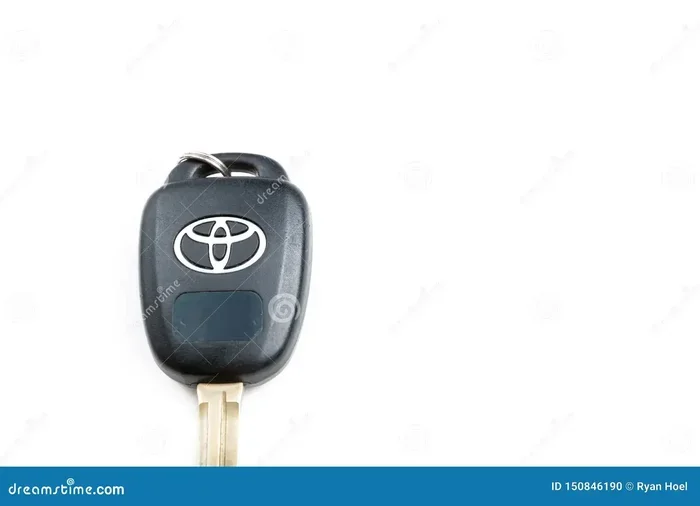
Your key fob is the central tool for using remote start on the 2023 Toyota Highlander. Without a working key fob, the feature will not function. Understanding the requirements helps you keep everything running smoothly.
Key Fob Battery
The key fob uses a small coin-cell battery that needs to be replaced periodically. Most fobs last about 1 to 2 years before the battery dies. If you notice that your key fob is not responding as quickly or the range seems shorter, it is time to replace the battery.
To check if your key fob battery is low, try standing close to the vehicle and pressing the buttons. If the lock or start functions feel weak or unresponsive, the battery likely needs replacing. You can also refer to our guide on how to know if your key fob needs a new battery for detailed instructions.
Programming Your Key Fob for Remote Start
Most 2023 Toyota Highlanders come with remote start already programmed from the factory. However, if you purchased a used vehicle or replaced your key fob, you may need to set it up. The process is simple and can be done without a dealer visit in most cases.
Here is how to program your key fob for remote start:
- Sit inside the Highlander and close all doors.
- Insert the key fob into the ignition slot or place it on the push-button start pad.
- Turn the ignition to the ON position without pressing the start button.
- Within 10 seconds, press and hold the remote start button on the key fob for 3 seconds.
- You will hear a confirmation chime, which means the programming was successful.
If this process does not work, consult your owner’s manual or contact a Toyota dealer for assistance.
Can You Remote Start Without the Key Fob?
You cannot use the standard remote start feature without the key fob. The system requires the fob to send the authentication signal. However, the Toyota Remote Connect app offers a workaround by allowing smartphone-based startup. This is a great alternative if your key fob battery dies or you leave it at home.
If you are curious about other key fob features on the Highlander, check out our article on driving your Toyota Highlander without a key fob for more insights.
Benefits of Remote Starting Your 2023 Toyota Highlander
There are many reasons to use remote start on your Highlander. This feature goes beyond simple convenience. It improves comfort, protects your vehicle, and can even save fuel in certain situations.
Comfort in Extreme Weather
This is the number one reason most people use remote start. In winter, starting your Highlander remotely lets the engine warm up and the heater begin working before you step inside. In summer, you can cool down the interior so you are not sitting in a hot vehicle. For families with young children, this is especially valuable, as you want the car to be at a comfortable temperature before they get in.
Engine Health
Letting your engine warm up before driving can reduce wear on internal components. Cold starts put more stress on the engine because the oil has not yet reached optimal temperature. By using remote start, you give the oil a few extra minutes to circulate, which can help extend the life of your engine over time.
Defrosting and Deicing
A frozen windshield is a safety hazard and a major inconvenience. With remote start, your Highlander’s defroster begins working before you even step outside. This saves you the hassle of scraping ice by hand and helps you get on the road faster.
Security and Anti-Theft
Some people worry that leaving the engine running remotely makes the vehicle an easier target for theft. In reality, Toyota’s remote start system keeps the vehicle locked and requires the key fob to be present for the engine to keep running. If someone tries to enter the vehicle, the system shuts down. This makes remote start a secure feature rather than a vulnerability.
Troubleshooting Common Remote Start Issues
Even though the 2023 Toyota Highlander’s remote start system is reliable, you may occasionally run into issues. Most problems are easy to fix at home.
Remote Start Does Not Respond
If pressing the remote start button does nothing, the first thing to check is your key fob battery. A weak battery is the most common cause. Replace the battery with a fresh CR2032 or CR2025 cell, depending on your fob model. You can learn more about key fob battery issues in our guide how do I know if my key fob needs a new battery.
Engine Starts but Shuts Off Immediately
This usually happens when the vehicle detects a fault in the system. Common causes include a low car battery, a malfunctioning key fob, or a problem with the engine management system. If the engine shuts off right after starting remotely, check your dashboard for warning lights. You can refer to our article on how to get rid of the engine management light for help diagnosing this issue.
Remote Start Range Is Too Short
The standard range for remote start is about 200 feet. If you find that the range seems shorter than expected, try the following:
- Replace the key fob battery.
- Move closer to the vehicle before attempting to start it.
- Make sure there are no large obstructions between you and the vehicle.
- Check for interference from other electronic devices.
Climate Control Does Not Activate
If the engine starts but the climate control does not turn on, check your last settings. The system uses the temperature and fan settings from your most recent manual adjustment. If you recently changed the settings, the remote start system will use those new values. You can also adjust the temperature through the Toyota Remote Connect app if you are using the smartphone feature.
When to Visit a Dealer
If you have tried all the basic troubleshooting steps and remote start still does not work, it may be time to visit a Toyota dealer. Issues with the vehicle’s computer system, wiring, or the remote start module may require professional diagnosis. A dealer can run diagnostics and resolve more complex problems quickly.
Tips for Getting the Most From Remote Start
To enjoy the full benefits of remote start on your 2023 Toyota Highlander, follow these practical tips.
Set Your Climate Preferences in Advance
Before using remote start, adjust the temperature and fan speed to your liking using the manual controls inside the vehicle. The system will remember these settings and apply them when you start the engine remotely. This small habit saves you from coming out to a lukewarm or too-hot vehicle.
Use Remote Start Before Every Winter Drive
In cold climates, making remote start part of your daily routine is a game changer. Start the vehicle 5 to 10 minutes before you plan to leave. This gives the engine time to warm up, the heater to blow hot air, and the windshield to defrost completely. You will step into a warm, clear vehicle every time.
Keep Your Key Fob Battery Fresh
A dead key fob battery is the fastest way to lose access to remote start. Make it a habit to replace the battery at least once a year, even if it seems to be working fine. Carrying a spare battery in your glove box is also a smart move for emergencies.
Pair Remote Start with Scheduled Climate Control
The Toyota Remote Connect app allows you to schedule climate control times. This means you can set your Highlander to warm up or cool down at specific times each day. For example, you can program the vehicle to start heating up 15 minutes before your usual departure time. This feature is incredibly useful for regular commuters.
Check Your Battery Health Regularly
Your vehicle’s battery plays a critical role in the remote start process. A weak or aging battery can cause remote start failures. You can check your battery health using a multimeter or by visiting a service center. For more information, see our guide on how to check your car battery.
Common Mistakes to Avoid with Remote Start
Even experienced Highlander owners make mistakes with remote start. Here are a few to watch out for.
- Leaving the vehicle running in an enclosed space. This is dangerous and can lead to carbon monoxide poisoning. Always use remote start outdoors or in a well-ventilated area.
- Forgetting to lock the doors. While the vehicle does lock automatically when you use remote start, always double-check, especially after extending the runtime.
- Ignoring warning lights. If a dashboard warning light appears after remote starting the vehicle, do not ignore it. Address the issue promptly to prevent further damage.
- Using remote start with a low key fob battery. A weak fob battery can cause inconsistent remote start performance. Replace the battery at the first sign of weakness.
- Assuming remote start works in all conditions. Some vehicles will not allow remote start if the oil level is low, the coolant is insufficient, or the tire pressure is too low. The system prioritizes safety.
Frequently Asked Questions
Can I Remote Start My 2023 Toyota Highlander in the Rain?
Yes, you can use remote start in the rain. The system is designed to work in all weather conditions. Your Highlander’s electrical components are sealed and protected against moisture. However, always make sure the vehicle is parked in a safe location and that the doors are locked before walking away.
How Long Does the Engine Run When Using Remote Start?
The engine runs for approximately 10 minutes when you use remote start on the 2023 Toyota Highlander. If you want to extend the runtime, you can press the remote start button again within that 10-minute window. The system will add another 10 minutes to the runtime. After the second cycle, the engine will shut off automatically and will not restart until you manually turn the ignition.
Does Remote Start Work on the 2023 Toyota Highlander Hybrid?
Yes, remote start works on both the standard and hybrid versions of the 2023 Toyota Highlander. The hybrid system follows the same remote start process using your key fob or the Toyota Remote Connect app. The electric motor and gas engine will both activate as needed during the remote start cycle.
Do I Need a Special Package to Get Remote Start on the Highlander?
Most 2023 Toyota Highlanders come with remote start as a standard feature. However, some lower trims or older model years may require the Toyota Remote Connect package. Check your owner’s manual or contact a Toyota dealer to confirm whether your specific vehicle includes the feature.
Why Does My Remote Start Not Work in Very Cold Weather?
Extreme cold can affect the performance of your key fob battery, causing reduced range or delayed response. If your remote start does not work in freezing temperatures, try replacing the key fob battery and standing closer to the vehicle when sending the signal. The vehicle’s engine and systems are designed to start in cold weather, but the fob signal may be weaker in extreme conditions.
Can I Use Remote Start if I Have a Push Button Start?
Yes, the 2023 Toyota Highlander uses a push button start system, and remote start works seamlessly with it. The remote start process is the same whether you have a push button start or a traditional ignition. The vehicle will start remotely and the push button system will remain in the ready mode until you press the brake pedal and start the vehicle manually.
Conclusion
Remote start is one of the most useful features on the 2023 Toyota Highlander. It adds comfort, convenience, and even a bit of safety to your daily driving routine. Whether you are battling winter cold or summer heat, the ability to start your vehicle from a distance makes every trip more pleasant. By following the steps in this guide, you can use remote start confidently and troubleshoot any issues that come up. Keep your key fob battery fresh, use the Toyota Remote Connect app for extra control, and always practice safe remote start habits. With these tips, you will get the most out of your 2023 Toyota Highlander for years to come.