How Do I Activate Remote Start in the Toyota App Now
Activating remote start in the Toyota app is simple and lets you start your engine from your phone. This guide walks you through every step, from downloading the app to troubleshooting common issues. You will learn what you need, how to set it up, and tips to get the most out of the feature.
There is something incredibly satisfying about starting your Toyota from the comfort of your couch. Whether you are trying to warm up the engine on a freezing morning or cool down the cabin before you step inside, Toyota remote start makes it all possible with just a few taps on your phone.
The Toyota app has become one of the most popular ways for Toyota owners to stay connected to their vehicles. Among its many features, remote start stands out as a real game-changer. But not everyone knows how to actually activate it. If you have been wondering how do I activate remote start in the Toyota app, you are in the right place.
In this guide, we will walk you through every single step to activate remote start in the Toyota app. We will cover what you need before you begin, the setup process, common issues, and helpful tips to make the most of the feature. By the end, you will feel confident and ready to start your Toyota from anywhere within range.
Remote start is not just a luxury. It is a practical tool that saves time and improves comfort every single day. Whether you live in a cold climate or a hot one, having the ability to start your Toyota engine remotely changes the way you interact with your vehicle. Let us dive into everything you need to know.
Key Takeaways
- Toyota Remote Start is a convenient feature: It lets you start your Toyota engine from your smartphone using the Toyota app.
- Compatibility matters: Not all Toyota models support remote start, so checking your vehicle first is essential.
- Setup is straightforward: You need the Toyota app, a linked Toyota account, and a compatible vehicle to get started.
- Common issues are fixable: Most problems with remote start activation can be solved with simple troubleshooting steps.
- Safety comes first: Always follow best practices like parking in a ventilated area and setting time limits on remote runs.
- Extra features boost the experience: Pairing remote start with climate control and scheduling makes the Toyota app even more useful.
📑 Table of Contents
What Is Toyota Remote Start and How Does It Work?
Understanding the Basics of Remote Start
Toyota remote start is a feature that allows you to start your vehicle’s engine using your smartphone. The Toyota app communicates with your car through a Toyota connected services subscription. Once paired, your phone essentially acts as a key fob remote start device from anywhere within the Toyota remote start range.
The system works by sending a secure signal from the app to your vehicle. The car receives the command and starts the engine just as if you had turned the key or pressed the start button on the dash. The doors remain locked, and the climate control system can begin conditioning the cabin before you arrive.
Most Toyota models with this feature allow the engine to run for a set period, usually between 10 and 20 minutes. After that, the engine automatically shuts off to save fuel and protect the vehicle. You can also extend the run time if needed, depending on your Toyota remote start settings.
How the Toyota App Connects to Your Vehicle
The Toyota app uses Bluetooth and cellular connectivity to communicate with your car. First, you need to download the app and create a Toyota app login account. Then you link your vehicle by entering your Toyota vehicle identification number or VIN. This pairing process is what makes Toyota vehicle connectivity possible.
Once your vehicle is linked, the app shows you real-time information like fuel level, tire pressure, and Toyota app notifications about maintenance or service needs. The remote engine start feature sits right at the top of the home screen for easy access. It is designed to be simple, so even people who are not tech-savvy can use it without any problems.
If you share your Toyota with a family member, you might wonder whether two people can use the Toyota app for the same car. The answer is yes. The app supports multiple linked users, so each person can set up their own Toyota app pair device connection and access remote start features independently.
Before You Begin: What You Need to Activate Remote Start
Compatible Toyota Models
Not every Toyota comes with remote start built in. Some models include it as standard, while others require a Toyota connected services subscription or a specific trim level. Before you try to activate the feature, make sure your vehicle supports it.
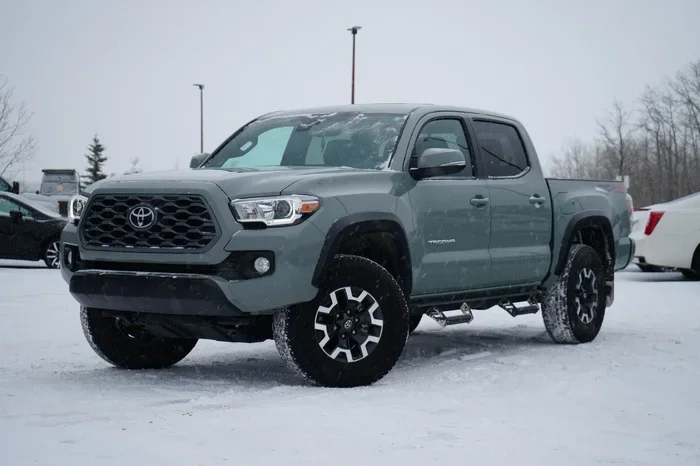
Popular Toyota models that support Toyota remote start include the Camry, RAV4, Highlander, Tacoma, and Tundra. However, the exact availability depends on the model year and trim. You can always check your owner’s manual or contact a Toyota dealership to confirm whether your specific vehicle has the hardware needed for remote start.
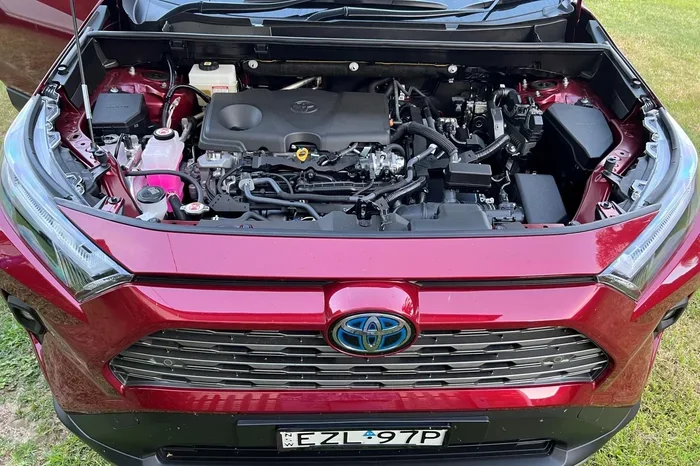
If you own a Toyota hybrid, the process is slightly different but still fully supported. The Toyota hybrid remote start works just like a standard engine start, but the system manages the electric and gas motors intelligently to maximize efficiency.
Required Apps and Accounts
To get started, you will need a few things in place. First, make sure your smartphone is compatible with the Toyota app. The app is available for both iOS and Android devices. You also need a stable internet connection, either through Wi-Fi or cellular data.
Here is a quick checklist of what you need before activation:
- A compatible Toyota vehicle with remote start capability
- A smartphone running iOS or Android
- A Toyota app login account with registered vehicle
- An active Toyota connected services subscription
- A stable internet or cellular data connection
- Your Toyota vehicle identification number ready for setup
Checking Your Vehicle Compatibility
If you are unsure whether your Toyota supports remote start, there are a few easy ways to check. Open the Toyota app and look for the remote start icon on the home screen. If it is there and clickable, your vehicle is compatible. If the feature is grayed out or missing, your vehicle may need a different package or subscription.
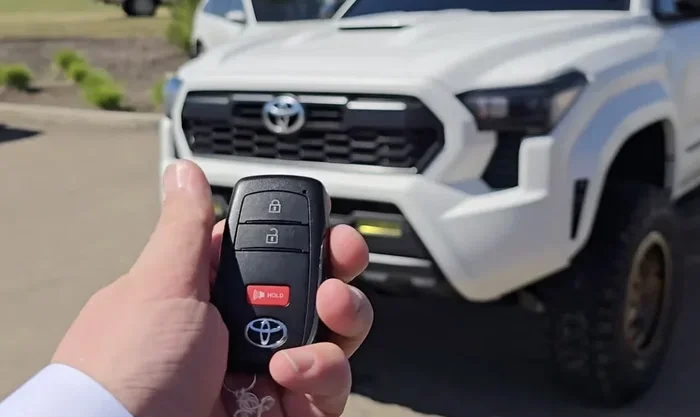
Another way to check is by looking at your key fob. Many Toyota models with remote start have a dedicated remote start button on the key fob. If your key fob has this button, the hardware is already in your vehicle, and you just need to activate the software through the app.
Step-by-Step Guide to Activate Remote Start
Download and Install the Toyota App
The first step is to download the Toyota app from your device’s app store. Search for “Toyota” in the Apple App Store or Google Play Store. Make sure you are downloading the official app from Toyota Motor North America. Once downloaded, open the app and grant the necessary permissions for location services and notifications.
The app is free to download, but you will need to create an account. Use your email address and set a strong password. This Toyota app registration process only takes about two minutes, and it is the foundation for accessing all Toyota app features.
Create Your Account and Link Your Vehicle
After creating your account, you need to link your Toyota vehicle. Go to the “My Vehicles” section in the app and select “Add Vehicle.” Enter your Toyota vehicle identification number, which you can find on the driver’s side dashboard or door jamb. The app will verify your vehicle and connect it to your account.
Once your vehicle is linked, the app will check for any available Toyota connected services plans. If you do not have an active subscription, the app will prompt you to purchase one. Remote start typically requires an active Toyota connected services plan to function, so make sure this step is completed before moving on.
Navigate to the Remote Start Feature
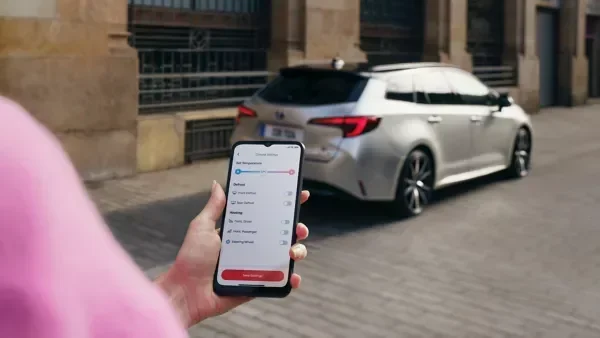
With your vehicle linked and your subscription active, tap on your vehicle name in the app. You should see a dashboard with various controls. Look for the remote start button, which is usually represented by a circular arrow or a power icon. Tap it to begin the activation process.
The app may ask you to confirm a few settings before it allows remote start. These include your preferred remote start temperature settings and the maximum run time. Adjust these to match your preferences and local climate conditions.
Configure Your Remote Start Settings
Before your first remote start, take a moment to configure the settings properly. Set the climate control to your desired temperature so the cabin is comfortable when you arrive. You can also set a Toyota app schedule for automatic starts on certain days or times.
One important setting to check is the remote start run time. Most Toyotas default to 10 minutes, but you can adjust this up to 20 minutes in some cases. Longer run times use more fuel, so set it to the minimum you need for comfort.
Also make sure your Toyota app notifications are turned on. This way, you will receive alerts when the engine starts, when the run time is about to end, and if there are any issues with the Toyota remote start setup. These notifications help you stay in control of your vehicle at all times.
Common Issues When Activating Remote Start
App Won’t Connect to Your Vehicle
If the Toyota app will not connect to your vehicle, the first thing to check is your internet connection. Make sure your phone has a strong Wi-Fi or cellular signal. A weak connection is the most common reason for Toyota remote start troubleshooting issues.
Next, try logging out of your account and logging back in. This refreshes the Toyota app login session and often fixes connection problems. If that does not work, make sure your app is updated to the latest version. Toyota app updates frequently include bug fixes that improve vehicle connectivity.
Remote Start Button Is Grayed Out
A grayed-out remote start button usually means your vehicle is not in the correct state for remote start. Make sure your Toyota is parked and the doors are closed. The Toyota remote start feature will not work if the car is in drive or if the hood is open.
Another common reason is that your Toyota connected services subscription has expired. Check your subscription status in the app and renew if needed. Also, some vehicles require you to be within a certain distance from the car for the first activation. After that, you can start the engine from further away.
Your Vehicle Does Not Respond
If you tap the remote start button but nothing happens, wait a few minutes. Sometimes there is a delay while the app sends the signal to the vehicle. If there is still no response, check your Toyota app notifications for any error messages.
A Toyota app update may also resolve response issues. Make sure both your phone and the app are running the latest software versions. If problems persist, try factory resetting the hybrid connect system if your vehicle has one. This can often resolve deeper connectivity issues between the app and the car.
In rare cases, the issue may be hardware-related. If your key fob battery is low or your vehicle’s remote start module has a fault, you may need professional assistance. In that situation, visiting a Toyota dealership for diagnosis is the best next step.
Tips for Getting the Most Out of Toyota Remote Start
Set a Schedule for Automatic Starts
One of the best features of the Toyota app is the ability to schedule automatic remote starts. If you wake up at the same time every day, you can set the app to start your Toyota 15 minutes before your alarm goes off. This way, your car is always warm or cool when you walk out the door.
Scheduling also works well for weekly routines. For example, you can set your Toyota to start every Monday morning before your commute. The Toyota app schedule feature is flexible and lets you create custom routines that fit your lifestyle.
Use Remote Start Safely
Safety should always come first when using Toyota remote start. Never leave your vehicle running in an enclosed space like a garage. Always park in a well-ventilated area before using remote start. The exhaust from your engine contains carbon monoxide, which can be dangerous in closed spaces.
Also, set a reasonable run time limit. Letting your Toyota idle for too long wastes fuel and can cause unnecessary engine wear. Most experts recommend keeping remote start runs under 15 minutes. If you need more time, go to the vehicle and start it again manually.
It is also a good idea to make sure your Toyota remote start is not accessible to unauthorized users. Use a strong password for your Toyota app login and enable two-factor authentication if the app supports it. This keeps your vehicle secure and gives you peace of mind.
Combine Remote Start with Other App Features
The Toyota app is more than just a remote start tool. You can combine remote start with other features to create a seamless driving experience. For instance, you can use the app to roll down your windows with your Toyota key fob remotely after starting the engine. This lets hot air escape before you get in.
You can also check your Toyota app notifications for maintenance reminders, fuel level alerts, and tire pressure warnings. Pairing remote start with regular vehicle monitoring keeps your Toyota running at its best. And if you ever need to jump start your Toyota hybrid car, the app can guide you through the process as well.
Another great feature is the ability to share access with trusted family members. As mentioned earlier, two people can use the Toyota app for the same car. This means your spouse or adult child can also start the vehicle remotely, making the feature even more convenient for your household.
Final Thoughts on Activating Toyota Remote Start
Activating remote start in the Toyota app is one of the simplest upgrades you can make to your daily driving routine. Once it is set up, you will wonder how you ever lived without it. The ability to start your engine, adjust the climate, and monitor your vehicle from your phone adds a level of convenience that modern Toyota owners have come to expect.
Remember to check your vehicle compatibility, keep your Toyota connected services subscription active, and stay on top of Toyota app updates. If you run into any issues, the troubleshooting steps in this guide should help you resolve most problems quickly.
Whether you are dealing with a harsh winter or a scorching summer, Toyota remote start makes every drive more comfortable. Take a few minutes today to follow the steps in this guide and get your Toyota app remote start up and running. Your future self will thank you every time you walk into a perfectly conditioned car.
And if you ever need to start your Toyota Highlander with a key instead of the app, you always have that backup option available. The beauty of modern Toyota vehicles is that they offer multiple ways to interact with your car, giving you flexibility and control no matter what situation you are in.
Frequently Asked Questions
Can I activate remote start without a Toyota connected services subscription?
No, you need an active Toyota connected services subscription to use the remote start feature through the app. Some older models may have remote start built into the key fob without a subscription, but app-based remote start always requires the connected services plan. Check your subscription status in the app if the feature is not working.
How far away can I start my Toyota using the app?
The Toyota remote start range depends on your cellular connection and the vehicle’s location. In most cases, you can start your Toyota from several miles away as long as you have a stable internet connection on your phone. The signal travels through the cellular network to reach your vehicle, so distance is generally not a limiting factor.
Is it safe to leave my Toyota running with remote start?
Yes, it is safe when done correctly. Always park in a well-ventilated area and never leave your vehicle running in an enclosed garage. Toyota remote start systems include built-in safety features like automatic engine shutoff after the set run time. Always follow the safety guidelines outlined in your owner’s manual.
Can I use remote start if my Toyota has a manual transmission?
Most Toyota models with manual transmissions do not support remote start through the app. The system typically requires the vehicle to be in park for remote engine start to work. If you have a manual transmission Toyota, check with your dealership to confirm whether your specific model supports this feature.
Why does the Toyota app remote start keep failing to connect?
The most common reasons are a weak internet connection, an expired Toyota connected services subscription, or an outdated app version. Try switching between Wi-Fi and cellular data, renewing your subscription, and updating the app. If the problem continues, try factory resetting the hybrid connect system or contact Toyota support for further assistance.
Can I start my Toyota from another country using the app?
Yes, as long as your Toyota has an active Toyota connected services subscription and your phone has a data connection, you can start your vehicle from anywhere in the world. The Toyota app communicates with your car through cellular networks and cloud servers, so geographic location does not limit the remote start feature. Just be mindful of time zone differences when scheduling automatic starts.
=== CONCLUSION ===
Learning how do I activate remote start in the Toyota app is a quick and rewarding process that transforms the way you interact with your vehicle. With just a few simple steps, you can start your Toyota engine from your phone, adjust the climate, and enjoy a comfortable ride every time you step inside. The Toyota app makes remote engine start accessible to everyone, and the setup process is designed to be as easy as possible.
Remember to keep your Toyota connected services subscription active, stay updated with the latest Toyota app updates, and follow the safety tips shared in this guide. If you ever run into trouble, the troubleshooting steps will help you get back on track quickly. Enjoy the convenience and comfort that Toyota remote start brings to your daily life, and make the most of every drive.