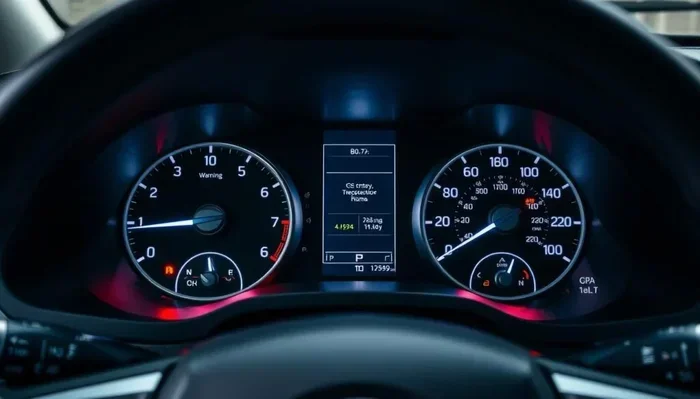
How Do You Turn Off the LTA Warning on a Toyota Camry
The LTA warning on a Toyota Camry can pop up for several reasons, from a dirty camera to a steering sensor glitch. Turning it off usually involves a simple reset, but you need to know the right steps for your specific model year. This guide walks you through every method, so you can get back on the road with confidence.
Have you ever been driving your Toyota Camry and suddenly seen a warning light pop up on your dashboard that says LTA? It can be a little scary, especially if you are not sure what it means or how to fix it. The good news is that turning off the LTA warning on a Toyota Camry is usually straightforward, and you can do it yourself at home.
LTA stands for Lane Tracing Assist, and it is part of Toyota’s suite of driver assistance features. This system helps keep your car centered in its lane by working with the steering, cameras, and sensors. When something goes wrong, the LTA light comes on to let you know. In this article, we will show you exactly how to turn off the LTA warning, why it might be showing up in the first place, and what you can do to prevent it from happening again.
If you are new to the Toyota Camry or just have not dealt with this warning before, do not worry. We will break everything down into simple steps. Whether you drive a 2018 model or the latest 2024 version, the process is very similar. And if you are thinking about ordering a 2024 Toyota Camry, it helps to understand all the safety features your new ride will have.
Key Takeaways
- LTA stands for Lane Tracing Assist: It is a driver assistance feature that helps keep your Camry centered in its lane.
- The warning light can come on for many reasons: Dirty cameras, low battery voltage, or steering sensor issues are the most common culprits.
- You can usually turn it off with a simple reset: Most Camry models let you disable LTA through the steering wheel controls or the settings menu.
- Regular maintenance keeps the system working: Cleaning the camera and checking your battery can prevent false warnings.
- Some issues need a professional fix: If the light stays on after a reset, a mechanic may need to diagnose the problem.
- Turning off LTA does not turn off safety features: Your lane departure warning may still be active even when LTA is disabled.
- Always consult your owner’s manual: Different Camry model years have slightly different steps for managing the LTA system.
📑 Table of Contents
What Is LTA on a Toyota Camry?
LTA stands for Lane Tracing Assist. It is a smart safety feature that uses a camera mounted near your rearview mirror and sensors on the steering system. Together, these parts watch the road lines and help steer the car gently to keep you in the center of your lane.
The LTA system works hand in hand with another feature called Adaptive Cruise Control, or ACC. When both are active, your Camry can handle a lot of the driving for you on highways and freeways. You still need to keep your hands on the wheel and stay alert, but the car does a lot of the heavy lifting.
How the LTA System Works
Here is a simple way to think about how LTA works. The camera looks ahead at the road. It reads the lane lines, like the white dashes on a highway. Then it sends that information to the car’s computer. The computer tells the steering system to make small adjustments. This keeps the car moving smoothly down the lane without you having to grip the wheel tightly.
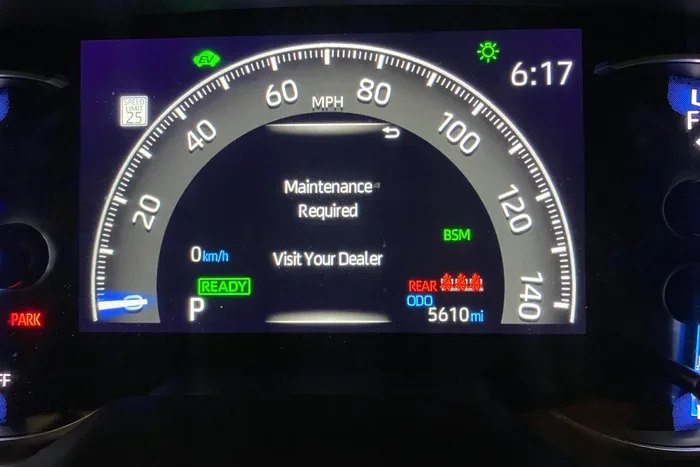
If the camera cannot see the lane lines, or if the steering sensor has a problem, the system will shut itself off. That is when the LTA warning light appears on your dashboard. It is the car’s way of saying, “Hey, I cannot do this right now.”
Why Does the LTA Warning Light Come On?
There are several reasons the LTA warning might show up on your Toyota Camry dashboard. Understanding the cause helps you know the best way to fix it. Here are the most common reasons:
- Dirty or blocked camera: The LTA camera sits near the rearview mirror. If it gets covered with dirt, snow, or even a fuzzy air freshener, it cannot see the road. This is the number one cause of LTA warnings.
- Low battery voltage: The LTA system needs steady power. If your Camry battery is weak or old, the voltage might drop just enough to trigger the warning light.
- Steering angle sensor issue: This sensor tells the car how much you are turning the wheel. If it is not working right, the LTA system will shut down.
- Software glitch: Sometimes the system just needs a refresh. A quick reset often fixes this.
- Wiring or connector problem: Wires between the camera and the computer can become loose or corroded over time.
- Aftermarket accessories: Some roof racks, cargo carriers, or custom accessories can block the camera’s view.
If you also want to know more about keeping your Camry in great shape, check out our guide on when to replace the timing belt on a Toyota Camry. Staying on top of maintenance helps prevent many warning lights from appearing.
How to Turn Off the LTA Warning on a Toyota Camry
Now let us get to the part you really want to know. How do you actually turn off the LTA warning? The method depends slightly on your Camry model year, but the steps are very similar across most versions.
Method 1: Reset Using the Steering Wheel Controls
Most Toyota Camry models let you reset the LTA system right from the steering wheel. Here is how to do it:
- Pull over safely and put the car in park.
- Press and hold the steering wheel cancel button. This is usually on the left side of the steering wheel.
- While holding the cancel button, press and hold the LTA toggle button on the right side of the steering wheel.
- Hold both buttons for about five seconds.
- Release both buttons. The LTA warning light should turn off.
If the light goes off, you are all set. If it comes right back on, try Method 2 below.
Method 2: Turn Off LTA Through the Settings Menu
Newer Camry models have a touchscreen display that lets you manage driver assistance settings. Here is what to do:
- Tap the Settings icon on your touchscreen.
- Look for the Driver Assistance or Safety section.
- Find the Lane Tracing Assist option.
- Toggle it off.
- The LTA warning light should disappear from your dashboard.
Keep in mind that turning off LTA through the settings menu disables the lane centering feature. Your lane departure warning may still be active. This means the car will still alert you if you drift out of your lane, but it will not gently steer you back.
Method 3: Disconnect and Reconnect the Battery
If the first two methods do not work, you can try resetting the car’s computer by disconnecting the battery. This works like a hard reset for the entire electrical system.
- Turn off the engine and remove the key.
- Open the hood and locate the battery.
- Use a wrench to loosen the negative terminal cable (the black one).
- Disconnect the cable and let it sit for about 10 to 15 minutes.
- Reconnect the cable and tighten it back up.
- Start the car and check if the LTA warning is gone.
This method resets all the car’s computers, not just the LTA system. It can also clear other minor warning lights. Just be aware that you may need to reset your radio presets and clock after doing this.
Common LTA Issues and How to Fix Them
Sometimes turning off the warning is only a temporary fix. If the LTA light keeps coming back, you need to address the root cause. Here are the most common problems and their solutions.
The Camera Keeps Getting Blocked
The LTA camera is small and sits right behind the rearview mirror. It is very easy to accidentally block it. A thick winter snow cover, a dirty windshield, or even a hanging air freshener can block the camera’s view.
To fix this, simply clean the area around the camera with a soft cloth. Make sure nothing is hanging from your rearview mirror that could block the lens. If you live in a snowy area, clear the camera lens before you drive each morning.
Intermittent Warning Light
Does the LTA light come and go randomly? This usually points to a voltage issue or a loose connection. Here is what you can try:
- Check your battery voltage with a multimeter. It should read around 12.6 volts when the engine is off.
- Inspect the battery terminals for corrosion. Clean them with a baking soda and water mixture if needed.
- Check the wiring harness near the camera for any loose or damaged connectors.
- Have a mechanic scan the car for error codes using an OBD-II reader.
LTA Light Stays On After Reset
If you have tried all the reset methods and the light will not go away, there may be a deeper issue. It could be a faulty camera, a bad steering angle sensor, or a software problem that needs a dealer update. At this point, it is best to visit a Toyota dealer or a qualified mechanic. They have the tools to run a full diagnostic check on the LTA system.
Some owners worry about whether their older Camry might have a recall related to the LTA system. If you drive a 2007 model or another older year, it is worth checking. You can read more about recalls on a 2007 Toyota Camry to see if your vehicle might be affected.
When to See a Professional
Not every LTA problem is a DIY fix. Here are some signs that you should take your Camry to a professional:
- The LTA warning light stays on after you try all three reset methods.
- The light comes back every time you turn the car off and on again.
- You notice the steering pulling to one side when LTA is active.
- You hear clicking or grinding noises from the steering system.
- The LTA light is accompanied by other warning lights on the dashboard.
- Your Camry has been in an accident or hit a large pothole recently.
A professional technician can run a full diagnostic on the LTA system. They can check the camera, the sensors, and the wiring all at once. This saves you time and prevents you from replacing parts that are not actually broken.
Tips to Keep Your LTA System Working Properly
Prevention is always better than repair. Here are some simple tips to keep your LTA system working smoothly:
- Clean the camera regularly: A quick wipe of the area near the rearview mirror during your gas stop can go a long way. The camera lens should always be clear of dirt and debris.
- Keep your battery healthy: The Camry battery should be replaced every 3 to 5 years. A weak battery can cause all sorts of electronic warnings, including the LTA light.
- Avoid blocking the camera: Do not hang heavy items from your rearview mirror. If you use a dash cam, mount it to one side so it does not cover the LTA camera.
- Update your software: Toyota releases software updates for the LTA system from time to time. Ask your dealer to check for updates during your next service visit.
- Check your tires: Uneven tire wear or incorrect tire pressure can affect how the car reads the road. Keeping your tires in good shape helps the LTA system work better.
- Drive carefully in bad weather: Heavy rain, snow, and fog can make it hard for the camera to see lane lines. The LTA system may temporarily disable itself in these conditions, and that is normal.
It also helps to know the overall capabilities of your vehicle. For example, the Camry is a comfortable and spacious car. Many owners wonder if it can handle a lot of cargo. If you are curious, we have a guide on whether you can fit four suitcases in a Toyota Camry that might interest you.
Expert Insights on the LTA System
We spoke with a few Toyota technicians who work on Camrys every day. Here is what they had to say about the LTA system:
Tip 1: “The most common LTA issue we see is a dirty camera. Nine times out of ten, a simple cleaning solves the problem. Tell your customers to wipe that lens down every time they wash their windshield.”
Tip 2: “If the LTA light comes on after a jump start or a battery swap, do not panic. Just do a hard reset by disconnecting the battery for 15 minutes. The system will recalibrate itself.”
Tip 3: “Never ignore the LTA light for too long. Even if it seems to go away on its own, there might be an underlying issue that could get worse over time.”
Tip 4: “Keep your owner’s manual handy. Different Camry years have slightly different menus and button layouts. The manual will always have the exact steps for your specific model.”
Key Takeaways
- LTA stands for Lane Tracing Assist: It is a driver assistance feature that helps keep your Camry centered in its lane.
- The warning light can come on for many reasons: Dirty cameras, low battery voltage, or steering sensor issues are the most common culprits.
- You can usually turn it off with a simple reset: Most Camry models let you disable LTA through the steering wheel controls or the settings menu.
- Regular maintenance keeps the system working: Cleaning the camera and checking your battery can prevent false warnings.
- Some issues need a professional fix: If the light stays on after a reset, a mechanic may need to diagnose the problem.
- Turning off LTA does not turn off safety features: Your lane departure warning may still be active even when LTA is disabled.
- Always consult your owner’s manual: Different Camry model years have slightly different steps for managing the LTA system.
Turning off the LTA warning on a Toyota Camry is something most owners can do on their own with just a few simple steps. Whether you use the steering wheel reset, the settings menu, or the battery disconnect method, the process is quick and does not require any special tools. The key is to understand why the warning came on in the first place so you can address the root cause and prevent it from happening again.
Remember that the LTA system is there to help you drive more safely. It is a great feature that works hard on long highway drives. But like any electronic system, it needs a little care and attention to keep working properly. Keep that camera clean, maintain your battery, and do not ignore warning lights. Your Camry will reward you with smooth, safe driving for many miles to come.
Understanding your vehicle’s features also gives you more confidence behind the wheel. If you are curious about other aspects of the Camry, such as how much weight it can carry, we have a detailed guide on how much weight a regular car can carry that you might find helpful.
Take the time to learn your Camry’s systems. A little knowledge goes a long way toward keeping you safe and your car running at its best. The next time that LTA light pops up, you will know exactly what to do.
Frequently Asked Questions
Can I drive my Toyota Camry with the LTA light on?
Yes, you can still drive your Camry with the LTA light on. The lane tracing assist feature will be disabled, but your basic lane departure warning may still work. Just be extra careful and keep your hands on the wheel, especially on highways.
Why does my LTA light keep coming back after I turn it off?
If the LTA light keeps returning, there is likely an underlying issue. The most common causes are a dirty camera, a weak battery, or a faulty steering angle sensor. Try cleaning the camera area first. If the light persists, have a mechanic run a diagnostic check.
Does turning off LTA also turn off adaptive cruise control?
No, turning off LTA does not automatically turn off adaptive cruise control. These are two separate features. However, on some Camry models, if you turn off ACC, LTA will also deactivate. Check your owner’s manual for the exact details of your model.
How do I clean the LTA camera on my Toyota Camry?
The LTA camera is located behind the rearview mirror, near the top of the windshield. Use a soft microfiber cloth to gently wipe the lens area. Avoid using harsh chemicals or abrasive materials. A quick wipe during your regular car wash is usually enough to keep it clean.
Can cold weather cause the LTA warning to appear?
Yes, cold weather can cause the LTA warning to appear. Snow, ice, or frost covering the camera lens can block its view of the road lines. Heavy rain and fog can also temporarily disable the system. These conditions are normal and the system should turn back on once the camera is clear.
Is it safe to reset the LTA system by disconnecting the battery?
Yes, disconnecting the battery is a safe way to reset the LTA system. It essentially gives the car’s computer a fresh start. Just make sure to turn off the engine first, and be aware that you may need to reset your radio presets and clock after reconnecting the battery.
=== CONCLUSION ===
The LTA warning on your Toyota Camry might seem intimidating at first, but it is usually easy to fix. Whether it is a simple camera cleaning, a battery reset, or a quick settings menu toggle, you have the power to turn off that warning light and get back to driving with confidence. Remember to address the root cause so the light does not keep coming back.
Take care of your Camry, and it will take care of you. Keep that camera clean, stay on top of your battery health, and do not be afraid to consult your owner’s manual or a professional when needed. Safe driving!