Why Is My Maintenance Required Light On After an Oil Change
Why Is My Maintenance Required Light On After an Oil Change? This light usually stays on because the oil change counter wasn’t reset, the oil cap is loose, or the system needs a simple update. Most causes are easy to fix at home. Learning the reset procedure can save you time and money.
You just got your oil changed, and you expect that little warning light to disappear. Instead, it’s still there, glowing on your dashboard. It’s a common surprise that leaves many drivers wondering what went wrong. The maintenance required light isn’t a sign of a broken car. It’s usually a simple reminder that the system needs attention. Understanding why this happens after an oil change can save you a trip to the dealer. Let’s look at the most common reasons and how to fix them.
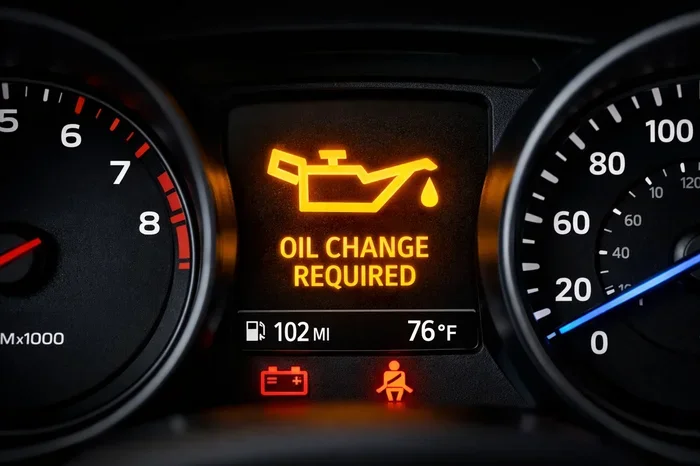
The maintenance required light is part of your car’s service interval system. It tracks mileage and driving conditions to remind you when the next oil change is due. After a technician performs an oil change, that counter should reset to zero. When it doesn’t, the light remains on. This is different from a check engine light or an oil pressure warning. The maintenance light is purely a scheduling tool. It doesn’t measure engine health directly. Knowing this difference helps you stay calm when the light appears. Most of the time, the fix takes less than five minutes.
Key Takeaways
- Reset the counter: The light often stays on simply because the oil change reminder wasn’t reset.
- Check the oil cap: A loose or dirty cap can trigger the maintenance required light.
- Safe to drive short distances: You can usually drive a few miles, but reset the light soon.
- Use the right oil: Wrong oil type or filter can cause the system to keep the light on.
- Don’t ignore it forever: Persistent lights may indicate a deeper sensor or oil pressure issue.
📑 Table of Contents
- Why Is My Maintenance Required Light On After an Oil Change?
- Common Reasons the Light Stays On After Service
- How to Reset the Maintenance Required Light
- Can You Drive With the Maintenance Required Light On?
- When the Light Points to a Serious Problem
- Preventing the Light from Returning After Your Next Oil Change
Why Is My Maintenance Required Light On After an Oil Change?
The most frequent cause is a simple oversight during the service. The technician may have forgotten to reset the oil change counter. This happens more often than you might think, especially at busy shops. Another common reason is a loose oil cap. If the cap isn’t clicked into place, the car’s computer detects a potential leak. The system then keeps the warning light active. Sometimes the oil life percentage isn’t updated after the service. This percentage tracks the remaining life of the oil. When it’s not reset, the maintenance light stays on. A few other factors can also play a role, such as using the wrong oil filter or a temporary sensor glitch. Let’s explore each of these in detail.
The Oil Change Counter Needs Resetting
Every modern vehicle stores a maintenance schedule in its onboard computer. After an oil change, someone must tell the system that the service is complete. If the reset step is skipped, the light remains on. This isn’t a fault in the engine. It’s just a pending reminder. Resetting the counter usually takes less than a minute. You can often do it yourself with a few button presses on the steering wheel or dashboard. Check your owner’s manual for the exact steps. The reset procedure varies by model and year. Some cars require you to hold a button for several seconds. Others use a combination of pedals and switches. The reset oil change counter process is straightforward once you know the sequence.
The System Didn’t Recognize the New Oil
Sometimes the car’s computer doesn’t register the new oil immediately. This happens if the oil life indicator was already low before the service. The system might need a manual update. You may need to enter a service mode to update the oil life percentage. This is different from the maintenance required light, but they often work together. If the oil life indicator shows a low percentage, the maintenance light may stay on until you update it. Using synthetic oil or conventional oil doesn’t change this process. The system just tracks time and driving conditions. It doesn’t actually test the oil quality. That’s why the reset step is so important.
A Simple Sensor Glitch
Cars have many sensors that monitor oil pressure and level. A temporary glitch can cause the light to stay on even after a perfect oil change. This is more common in older models or after a battery disconnect. The oil pressure sensor might send a false signal. Usually, the light clears itself after a few ignition cycles. If it doesn’t, a simple reset often fixes it. A glitch doesn’t mean your engine is damaged. It just means the system needs a nudge. You can try turning the ignition off and back on three times. This often clears temporary sensor errors.
Common Reasons the Light Stays On After Service
Loose or Dirty Oil Cap
An oil cap that isn’t tightened properly can trigger the maintenance required light. The cap seals the oil system and keeps contaminants out. If it’s loose, the computer detects a potential leak. Even a small gap can cause the warning. Always check the cap after an oil change. Make sure it clicks into place. If the cap is dirty or damaged, replace it. A new cap is cheap and easy to install. This simple fix often turns off the light immediately. Many drivers overlook the cap because it seems too simple. But it’s one of the top causes of a lingering light.
The Oil Life Percentage Wasn’t Updated
Your car tracks oil life as a percentage. When it hits a certain threshold, the system expects an oil change. After the service, that percentage needs to reset to 100 percent. If it doesn’t, the maintenance required light stays on. Understanding your oil life percentage helps you know when the system expects an oil change. Many drivers don’t realize this needs a manual reset. The oil life system is separate from the simple maintenance reminder. Both can cause the light to stay on if not addressed. Asking the technician to update the oil life percentage is a quick fix.
Using the Wrong Oil Filter
The oil filter removes contaminants from the oil. If the filter is the wrong size or type, the system might not recognize the service. Some filters have sensors that communicate with the car’s computer. A mismatched filter can send incorrect data. Always use the filter recommended in your owner’s manual. The part number is usually listed on a sticker under the hood. Using the correct filter ensures the system resets properly. This is an easy step to check after any oil change. A proper oil filter change is just as important as the oil itself.
A Pending Code from the Old Oil
Old oil can leave behind tiny metal particles. These particles might trigger a temporary sensor code. The computer stores this code and keeps the light on until it’s cleared. A mechanic can scan the system and clear the code. You don’t always need a professional. Some resets can be done with an OBD-II scanner. Even a few drive cycles can clear minor codes. The light should turn off once the system sees clean oil flowing. If the light returns, a scan can reveal the specific code. This helps pinpoint the exact cause.
How to Reset the Maintenance Required Light
Resetting the light is usually straightforward. Here’s a simple step-by-step approach that works for most models:
- Turn the ignition to the “ON” position without starting the engine.
- Press the trip meter reset button until the oil life indicator appears.
- Turn the ignition off, then back on.
- Hold the reset button for several seconds until the light blinks.
- Start the engine and verify the light is off.
Always refer to your owner’s manual for model-specific instructions. If these steps don’t work, a quick search for your specific model can help. Some cars require a special tool at the dealership. A dealership service department can often do the reset for free. This is a common service interval task they handle daily. Don’t hesitate to ask for help if you’re unsure.
Can You Drive With the Maintenance Required Light On?
Many drivers worry about continuing to drive with this light on. The short answer is yes, you can usually drive a short distance. The light is a reminder, not an emergency warning. It doesn’t mean your engine is about to fail. However, you should get the light reset as soon as possible. If you’re wondering whether you can keep driving, check out Can I Drive With Maintenance Required Light On Toyota for more details specific to your model. Driving with the light on for a few days won’t harm the engine. Just don’t ignore it for weeks. The light is there to keep your maintenance on track.
Think of the maintenance required light like a calendar alert. It tells you a task is due. The car keeps running fine until you address it. But pushing too far past the due date can cause problems. Fresh oil lubricates the engine and prevents wear. Over time, old oil breaks down and loses its effectiveness. Resetting the light after each oil change keeps you on schedule. It’s a small habit that protects your engine long term.
When the Light Points to a Serious Problem
In rare cases, the maintenance required light signals a real issue. If the light flashes instead of staying solid, take it seriously. A flashing light often means a critical fault. Check your oil level with the dipstick. Low oil pressure can cause this light to behave differently. If the oil level is fine and the light persists, a sensor may be failing. Some drivers ask if they can simply ignore the maintenance required light, but that’s not always the best idea. Ignoring it for months can lead to overdue maintenance. This can shorten engine life. If you notice other symptoms like unusual noise or reduced performance, see a mechanic right away.
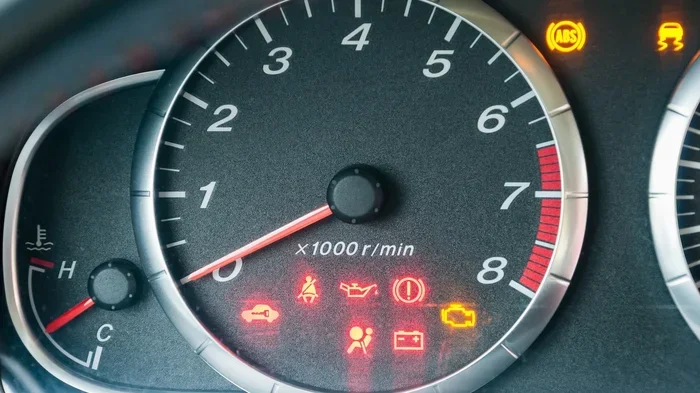
It’s important to distinguish between the maintenance required light and other warnings. The check engine light is usually shaped like an engine and is often yellow or orange. The maintenance required light is typically a wrench or the words “MAINT” on the dash. The check engine light signals a fault detected by the emissions system. The maintenance light is simply a countdown to your next service. They serve different purposes, but both deserve attention. If you see both lights at once, get the car checked promptly.
Preventing the Light from Returning After Your Next Oil Change
The best way to stop the light from coming back is to reset it properly every time. Ask the technician to confirm the reset before you leave the shop. You can also do it yourself if you know the procedure. Understanding your oil life percentage helps you stay ahead of the next service. Keep track of your mileage between oil changes. Use the same oil type recommended by the manufacturer. Stick to the recommended maintenance schedule. These simple habits keep your car running smoothly. They also prevent unnecessary warning lights.
The maintenance required light after an oil change is almost always a simple fix. It’s rarely a sign of engine damage. Most of the time, a reset or a tightened oil cap solves the problem. You now know the common causes and how to address them. Don’t panic the next time that light stays on. Follow the steps in this guide. Your car will be back to normal in minutes. Keeping up with your oil change schedule is one of the best things you can do for your vehicle. A little attention goes a long way toward keeping your engine healthy for years to come.
Frequently Asked Questions
Does the maintenance required light mean my oil is low?
Not usually. The maintenance required light is a service reminder, not an oil pressure or level warning. It tells you that the system expects an oil change or reset. If your oil level is actually low, you’ll typically see a different warning, such as a low oil pressure light. You can check your oil with the dipstick to be sure. If the level is fine, the maintenance light is just doing its job.
How do I know if my maintenance required light is different from the check engine light?
The check engine light is usually shaped like an engine and is often yellow or orange. The maintenance required light is typically a wrench or the words “MAINT” on the dash. The check engine light signals a fault detected by the emissions system. The maintenance light is simply a countdown to your next service. They serve different purposes, but both deserve attention.
Can I reset the maintenance required light myself without any tools?
Yes, in most cases you can. The reset procedure is usually built into the steering wheel controls or the instrument panel. You don’t need any special tools. Just follow the steps in your owner’s manual. If you don’t have the manual, a quick online search for your car model will show the exact button sequence. It’s a simple process that takes less than two minutes.
Will driving with the maintenance required light on damage my engine?
Driving a short distance with the light on won’t damage your engine. The light is a reminder, not a failure indicator. However, if you go for weeks or months without an oil change, the lack of fresh oil can cause wear. The light is designed to prompt you to stay on schedule. Reset it after each oil change to keep your maintenance track clear.
What should I do if the light stays on after I reset it?
If the light remains on after a proper reset, check your oil cap first. Make sure it’s tight and clean. If the cap is fine, try cycling the ignition a few times. Sometimes the system needs a few drive cycles to clear the message. If it still won’t turn off, a scan tool can check for pending codes. A quick visit to a parts store or mechanic can clear any stored codes for free.
How often should I change my oil to avoid this light coming back?
Follow the interval in your owner’s manual or the oil life system in your car. Many modern vehicles use a condition-based system that adjusts the interval based on driving habits. Typically, oil changes are needed every 5,000 to 7,500 miles for conventional oil, or 10,000 miles for full synthetic. Staying on top of your service schedule keeps the light from becoming a regular annoyance.