How Do I Reset the Maintenance Required Message on My Car
The maintenance required message is a helpful reminder that tells you when your car needs routine service. Resetting it is usually quick and easy, often involving your dashboard buttons or trip meter. You can typically do it yourself at home in just a few minutes without visiting a mechanic. This guide covers the exact steps for popular brands, common mistakes to avoid, and when the light means business.
That little warning on your dashboard can be annoying. You know the one — the maintenance required message that pops up and just sits there, nagging you every time you start the car. It is easy to ignore, but understanding what it means and how to handle it can save you time, money, and headaches down the road.
Whether you drive a Toyota, Honda, or another brand, resetting this light is almost always something you can do at home. You do not need expensive tools or a trip to the dealership. In this guide, we walk you through the exact steps to reset the maintenance required message on your vehicle. We also explain what the light means, why it comes on, and when you should actually worry about it.
The maintenance required light is different from the check engine light. It is a routine service reminder, not an emergency warning. Think of it as your car saying, “Hey, I am due for an oil change or other scheduled service.” Once you complete the maintenance, you simply need to clear the message. Let us dive into how to do that.
Key Takeaways
- Easy DIY Reset: Most cars let you reset the maintenance light in under 5 minutes using your steering wheel controls or dashboard buttons.
- Brand-Specific Steps: Toyota, Honda, and other brands have slightly different reset procedures, and we cover them all.
- Don’t Ignore It: While you can drive short distances with the light on, ignoring it long-term risks engine damage and voids warranties.
- Oil Change Trigger: The maintenance required light usually activates after a set mileage, commonly around 5,000 miles.
- Trip Meter Trick: The trip odometer reset button is the most common tool used to clear the message across many vehicle brands.
📑 Table of Contents
- What Does the Maintenance Required Message Mean?
- How to Reset the Maintenance Required Light on Toyota
- How to Reset the Maintenance Light on Honda and Other Brands
- Can You Drive With the Maintenance Required Light On?
- Common Mistakes When Resetting the Maintenance Light
- When Should You See a Professional?
- Tips to Keep Your Maintenance Schedule on Track
- Understanding Your Car’s Maintenance Reminder System
- Final Thoughts on Resetting the Maintenance Required Message
What Does the Maintenance Required Message Mean?
Before you learn how to reset the light, it helps to understand what triggered it in the first place. The maintenance required indicator is part of your car’s onboard diagnostic system. It tracks your mileage and alerts you when you are approaching a service interval.
Most manufacturers set this reminder based on mileage. For many vehicles, the light comes on every 5,000 miles. Some cars use a time-based system too, reminding you to service the vehicle every six months or so. The system does not detect problems with your engine or brakes. It simply tracks usage and prompts you to schedule routine preventive maintenance.
Here are the most common reasons the maintenance required message appears:
- Oil Change Due: This is the number one trigger. Your car knows it is time for fresh oil based on mileage.
- Tire Rotation Needed: Many systems remind you to rotate tires at specific intervals.
- Fluid Check: Transmission fluid, brake fluid, and coolant checks may be tracked.
- Air Filter Replacement: Some vehicles include air service intervals in the reminder system.
- General Inspection: The light can serve as a catch-all for any scheduled service.
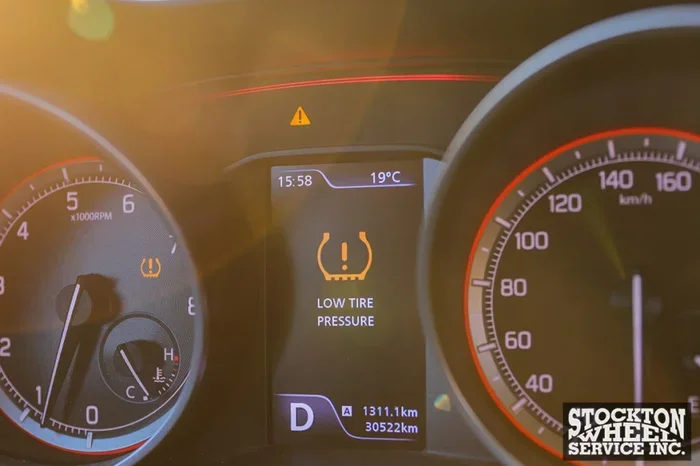
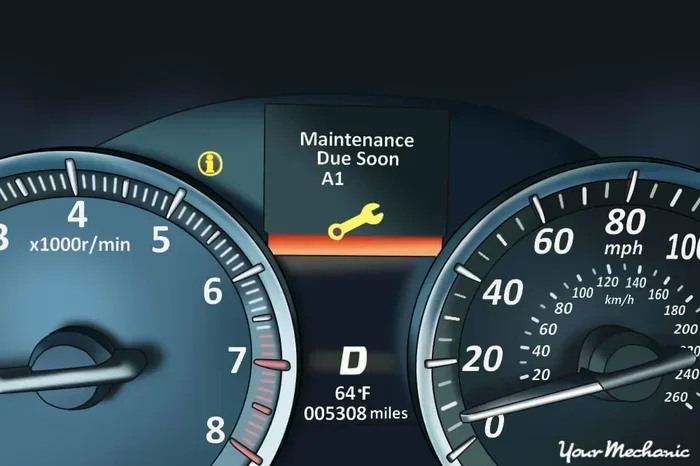
The message usually shows as “MAINT REQD,” a wrench icon, or “SERVICE DUE.” It is not something to panic about, but you should not ignore it for too long either. Regular routine car service keeps your vehicle running smoothly and prevents bigger issues later.
How to Reset the Maintenance Required Light on Toyota
Toyota vehicles are among the most popular on the road, and resetting the maintenance light on a Toyota is straightforward. The process varies slightly depending on your model year, but the general method works for most Toyota cars and trucks.
For Most Toyota Models (2013 and Newer)
Follow these steps to clear the maintenance required message on your Toyota:
- Turn the ignition to ON. Do not start the engine. Just press the start button once or turn the key to the ON position.
- Press the trip meter reset button. This is usually located on the right side of the instrument cluster. Hold it down for about 3 seconds.
- Watch the display. You should see the maintenance light flash or the message change.
- Hold the button again. Keep holding the trip meter button until the light turns off and the message disappears. This usually takes 3 to 5 seconds.
- Turn the ignition off and back on. This confirms the reset was successful. The light should not return.
For Older Toyota Models
Older Toyotas may use a slightly different button sequence. Some models require you to hold the trip meter reset while turning the ignition key. If the steps above do not work for your Toyota, check your owner’s manual. The Toyota maintenance light reset procedure is well-documented for every model year.
Quick Tip: If you are unsure whether the reset worked, drive the car for a few minutes and check the dashboard again. The light should stay off until you reach the next service interval. If you are dealing with a Toyota and want to know more about driving with the light on, check out our guide on Can I Drive With Maintenance Required Light On Toyota for more details.
How to Reset the Maintenance Light on Honda and Other Brands
Not every car is a Toyota, and that is perfectly fine. Honda, Nissan, Ford, Chevrolet, and many other brands have their own reset procedures. Here is a breakdown of the most common methods.
Honda Reset Procedure
For most Honda vehicles, the process is similar to Toyota but uses a different button:
- Step 1: Turn the ignition to the ON position without starting the engine.
- Step 2: Locate the select/reset knob on the instrument panel, usually near the speedometer.
- Step 3: Press and hold the knob for about 10 seconds.
- Step 4: The maintenance light should blink and then turn off.
- Step 5: Release the knob and turn the ignition off. Then start the car to confirm the reset.
Ford and Chevrolet Reset Methods
Ford and GM vehicles often use the steering wheel controls or the information display screen to reset the service light:
- Ford: Use the steering wheel arrows to navigate to the vehicle information menu. Find the maintenance reset option and hold the OK button to confirm.
- Chevrolet: Press the trip button on the instrument cluster. Scroll through the menu until you find the reset option for the service indicator. Hold the button to clear the message.
For vehicles where you are unsure, always refer to the owner’s manual. Each brand has a specific service light reset procedure, and using the wrong method will not work. If you are curious about whether you can simply ignore the message, read our article on Can I Ignore Maintenance Required Light to understand the risks.
Can You Drive With the Maintenance Required Light On?
This is one of the most common questions car owners ask. The short answer is yes, you can drive with the maintenance required light on for a short time. The light is a reminder, not a danger signal. Your car will continue to run normally.
However, there is a big difference between driving a few hundred miles to get to a service appointment and ignoring the light for months. Here is what you need to know:
- Short Distances: Driving 100 to 200 miles past the service interval is generally fine. Your engine will be okay.
- Long-Term Ignoring: If you drive thousands of miles without servicing, you risk engine wear, reduced fuel efficiency, and potential breakdowns.
- Warranty Concerns: If your car is still under warranty, failing to follow the maintenance schedule could void your coverage. Keep records of all service visits.
The maintenance required light is not the same as the check engine light. The check engine light signals a real problem that needs immediate attention. The maintenance light is simply a nudge to stay on top of your vehicle maintenance schedule. That said, if the light is flashing or accompanied by other warning signs, you should address it right away.
If you want to understand the difference between these lights better, our article on Can I Ignore Maintenance Required Light covers this topic in depth.
Common Mistakes When Resetting the Maintenance Light
Resetting the maintenance light seems simple, but people make mistakes all the time. Here are the most common errors and how to avoid them.
Mistake 1: Resetting Before Completing the Service
This is the biggest mistake car owners make. Some people reset the light before they actually get the oil changed or the service done. The light will come right back on because the system still knows the service is overdue. Always complete the maintenance first, then reset the light.
Mistake 2: Not Holding the Button Long Enough
Many reset procedures require you to hold a button for several seconds. A quick tap will not work. You need to hold the button steadily until the light changes or disappears on the display. If you let go too early, start over and hold it longer.
Mistake 3: Using the Wrong Button
Every car has different buttons on the dashboard. The trip meter reset button is the most commonly used, but some vehicles use a different button entirely. Pressing the wrong button will not reset anything and may change other settings. Know your car before you start.
Mistake 4: Ignoring the Reset Confirmation
After resetting, always turn the car off and back on to confirm the light is off. If it comes back immediately, the reset did not work. You may need to repeat the process or consult your owner’s manual for the correct procedure.
Following these simple tips will save you frustration and make sure your maintenance reminder system works properly.
When Should You See a Professional?
Most of the time, resetting the maintenance required light is a DIY job. But there are situations where you should visit a mechanic or dealership instead of trying to reset it yourself.
- The Light Will Not Turn Off: If you follow the correct reset procedure and the light stays on, there may be a deeper issue with the diagnostic system.
- Multiple Warning Lights: If the maintenance light comes with the check engine light or other warnings, get your car inspected immediately.
- After a Service: If you just had service done and the light is still on, the technician should reset it for you for free.
- Unfamiliar Dashboard Symbols: If you are not sure what a warning light means, it is always better to ask a professional.
Many dealerships and auto shops will reset the maintenance light as part of any routine service visit. This is one of the perks of getting your oil change or other service done professionally. If you are wondering about the reliability of Toyota vehicles and their maintenance needs, check out our article on Are Toyota Tacomas Low Maintenance for more insights.
Tips to Keep Your Maintenance Schedule on Track
Preventing the maintenance required light from coming on unexpectedly is easy with a few good habits. Here are some practical tips to help you stay on top of your car’s service needs.
- Set Phone Reminders: Use your phone calendar to set a reminder every 4,500 miles or 5 months. This gives you a buffer before the light comes on.
- Keep a Service Log: Write down every oil change, tire rotation, and fluid check. This helps you track your service interval and stay organized.
- Check the Owner’s Manual: Your manual has the exact maintenance schedule for your vehicle. Refer to it regularly.
- Ask at Every Service: When you get your car serviced, ask the technician when the next service is due. Write it down right away.
Staying proactive with your car maintenance not only keeps the maintenance required light off but also extends the life of your vehicle. A well-maintained car runs better, gets better gas mileage, and holds its value longer.
Understanding Your Car’s Maintenance Reminder System
Modern cars have sophisticated reminder systems that go beyond simple mileage counters. Many vehicles now use algorithms that consider your driving habits, conditions, and mileage to determine when service is needed.
Some advanced systems adjust the service interval based on how you drive. If you frequently drive in stop-and-go traffic or tow heavy loads, your car may remind you to service sooner. If you drive mostly on highways under ideal conditions, the system might extend the interval slightly. This adaptive approach helps ensure your car gets serviced when it actually needs it, rather than on a rigid schedule.
Understanding how your specific maintenance reminder system works can help you make better decisions about when to service your vehicle. It also helps you reset the light correctly the first time, since you will understand what the system is trying to communicate.
Remember, the maintenance required light is your car’s way of keeping you on track with preventive maintenance. It is a helpful tool, not a nuisance. Reset it after each service, and use it as a cue to stay consistent with your car care routine.
Final Thoughts on Resetting the Maintenance Required Message
Resetting the maintenance required message on your car is a simple task that anyone can do. Whether you drive a Toyota, Honda, Ford, or any other brand, the process typically takes just a few minutes. The key is to complete your service first, then follow the correct reset procedure for your vehicle.
Do not let the light intimidate you. It is just a friendly reminder that your car needs routine attention. Once you know how to handle it, it becomes second nature. And keeping up with your car maintenance schedule is one of the best things you can do to protect your investment and keep your vehicle running reliably for years to come.
Next time that maintenance light pops up, do not panic. Grab your owner’s manual, follow the steps in this guide, and get the job done. Your car will thank you for it.
Frequently Asked Questions
How do I reset the maintenance required light on a Toyota Camry?
For most Toyota Camry models, turn the ignition to ON without starting the engine. Press and hold the trip meter reset button on the instrument cluster for about 3 to 5 seconds until the light turns off. Then turn the ignition off and back on to confirm the reset was successful.
Can I drive my car if the maintenance required light is on?
Yes, you can drive short distances with the maintenance required light on. It is a service reminder, not an emergency warning. However, you should get your car serviced as soon as possible to avoid engine wear and maintain your vehicle’s warranty coverage.
Why does the maintenance required light keep coming back after I reset it?
The light will return if you reset it before completing the actual service. The system tracks mileage and knows when service is due. Complete the maintenance first, then reset the light. If it still comes back, there may be a deeper issue with the diagnostic system that needs professional attention.
How often does the maintenance required light come on?
Most vehicles trigger the maintenance required light every 5,000 miles or every 6 months, whichever comes first. However, some newer models use adaptive systems that adjust the interval based on driving conditions. Check your owner’s manual for the specific schedule for your vehicle.
Is the maintenance required light the same as the check engine light?
No, they are completely different. The maintenance required light is a routine service reminder for oil changes and scheduled maintenance. The check engine light signals a potential problem with your engine or emissions system and requires immediate diagnosis. If both lights are on at the same time, get your car checked right away.
Do I need to reset the maintenance light after every oil change?
Yes, you should reset the maintenance light after every oil change or service that triggers the light. This ensures the system recalibrates to your new service interval. Most quick-lube shops and dealerships will reset it for you as part of the service at no extra charge.