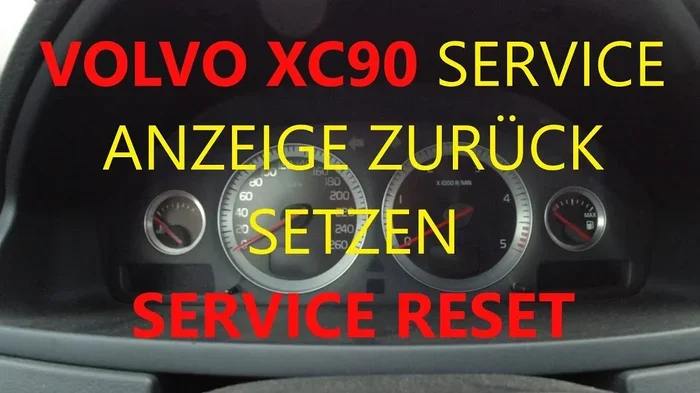
How to Reset Your Volvo XC90 Maintenance Light Quickly
Resetting the maintenance light on your Volvo XC90 is a simple process you can do at home in just a few minutes. Whether you just completed an oil change or a major service, this guide walks you through the exact steps for your model year. You will learn why the light appears, how to turn it off, and when to seek professional help.
Your Volvo XC90 maintenance light is one of those dashboard indicators that can catch you off guard. It pops up when you least expect it, and suddenly you are wondering what it means and how to make it go away. The good news is that resetting this light is usually a straightforward process that anyone can handle at home.
In this guide, we walk you through everything you need to know about your Volvo XC90 maintenance light. We cover what triggers it, how to reset it for different model years, and what to do if the light keeps coming back. Whether you own a first-generation XC90 from the early 2000s or the latest 2024 model, you will find the information you need right here.
Before we dive into the steps, let us talk about why this light matters. The maintenance reminder is not just a nuisance. It is your vehicle’s way of telling you that a service interval has been reached. Ignoring it for too long could mean missed oil changes, overdue inspections, or other maintenance tasks that keep your XC90 running smoothly. So let us get into it and help you take care of this simple but important car maintenance task.
Key Takeaways
- Easy DIY Reset: You can reset the maintenance light yourself without visiting a dealer or mechanic.
- Model Year Matters: The reset process varies slightly depending on your XC90’s model year and trim level.
- Quick Process: Most reset procedures take less than five minutes using your steering wheel controls or instrument panel buttons.
- Not a Fix for Underlying Issues: Resetting the light does not repair any actual maintenance problems your vehicle may have.
- Regular Maintenance Matters: Keeping up with your service schedule helps prevent bigger and costlier repairs down the road.
- Multiple Methods Exist: There are different ways to reset the light depending on your specific XC90 generation.
📑 Table of Contents
Understanding the Volvo XC90 Maintenance Light
The maintenance light on a Volvo XC90 is a dashboard indicator that reminds you when your vehicle is due for scheduled service. It is different from a warning light like the check engine light or the oil pressure light. The maintenance light is a service interval counter, and it tracks your mileage based on the service schedule programmed into your vehicle.
On most Volvo XC90 models, you will see this light displayed as a small wrench icon or the text “Service” on your instrument panel. It typically illuminates after you have driven a set number of miles since the last service reset. For most Volvos, this interval is set at 10,000 miles or once a year, whichever comes first.
The maintenance light is part of your car’s onboard diagnostics system. It works alongside other indicators like the service interval indicator and the oil change reminder. Understanding the difference between these lights helps you respond appropriately. A maintenance light means it is time for routine service. A warning light like the check engine light means something may be wrong mechanically.
What Triggers the Maintenance Light?
Several factors can trigger the maintenance light on your Volvo XC90. The most common trigger is reaching a specific mileage interval. Volvo sets these intervals based on the vehicle’s maintenance schedule, which is outlined in your owner’s manual.
Here are the most common reasons the maintenance light comes on:
- Mileage Interval Reached: Your XC90 has hit the mileage mark for its next scheduled service.
- Time Interval Passed: Even if you have not driven many miles, time-based service intervals can trigger the light.
- Oil Change Completed: After an oil change, the light may remain on if not manually reset.
- Battery Disconnected: Disconnecting your car battery can sometimes reset the counter, causing the light to behave unpredictably.
- Software Update: A recent software update at the dealer may have altered your service interval settings.
Knowing what triggers the light helps you understand whether a reset is appropriate or if there is an underlying issue that needs attention.
How to Reset the Volvo XC90 Maintenance Light
Resetting the maintenance light on your Volvo XC90 is a task you can complete in just a few minutes. The exact steps depend on your model year, but the general process is similar across most generations. Below, we break down the reset procedure for the most common XC90 model years.
Resetting the Maintenance Light on 2003-2014 XC90 Models
For first-generation Volvo XC90 models from 2003 to 2014, the reset process uses the instrument panel controls. Follow these steps carefully:
- Turn the ignition to position II. This is the position where the dashboard lights up but the engine is not running. You can reach this by pressing the start button without pressing the brake pedal, or by turning the key to the second notch.
- Press and hold the reset button on the instrument panel. This small button is usually located on the left side of the instrument cluster, near the trip meter reset stalk.
- While holding the reset button, press the trip meter button on the steering wheel. This combination tells the system you want to access the service menu.
- Release the reset button when the service indicator starts flashing. The display should show the maintenance reminder blinking or counting down.
- Press and hold the reset button again until the light turns off. This confirms the reset and clears the maintenance reminder from the display.
- Turn the ignition off and then back on. Check that the maintenance light no longer appears on the dashboard.
This process works for most 2003 through 2014 XC90 models. If your instrument panel looks different, do not worry. The general principle of using the trip and reset buttons remains the same.
Resetting the Maintenance Light on 2015 and Newer XC90 Models
Volvo updated the XC90 significantly in 2015 with the second generation. The reset process for these newer models uses the vehicle’s touchscreen and steering wheel controls. Here is how to do it:
- Start the vehicle or turn the ignition to position II. Make sure the dashboard is fully powered and the display screen is active.
- Navigate to the “Settings” menu on the center touchscreen. Use the touchscreen to scroll to the vehicle settings section.
- Select “Service and Maintenance” or “Vehicle Status.” The exact menu name may vary slightly depending on your model year and software version.
- Find the “Reset Service Indicator” option. This is usually located under the maintenance or service submenu.
- Press and hold the reset option for several seconds. The system will ask you to confirm the reset.
- Confirm the reset. The maintenance light should turn off, and the service interval counter will reset to zero.
The 2015 and newer models also allow you to use the steering wheel buttons to navigate through the menus if you prefer not to use the touchscreen. Simply press the menu button on the left steering wheel spoke and scroll to the settings area.
Resetting Using the Turn Signal Stalk
Some Volvo XC90 models, particularly those with the older-style turn signal stalk, offer a shortcut for resetting the maintenance light. This method works on several model years and is especially handy if you do not want to dig through the touchscreen menus.
Here is the stalk method:
- Turn the ignition on. The dashboard should be fully illuminated.
- Locate the turn signal stalk on the left side of the steering column.
- Pull the stalk toward you and hold it. While holding it, press the stalk button.
- Navigate to the service menu using the stalk controls. Scroll up or down to find the maintenance reset option.
- Press and hold the reset button on the stalk until the light clears.
This method is quick and intuitive once you get the hang of it. Many Volvo owners prefer it because it does not require touching the touchscreen while driving.
Common Problems When Resetting the Maintenance Light
Even though resetting the maintenance light is usually simple, you may run into a few hiccups along the way. Here are the most common problems people encounter and how to solve them.
The Light Keeps Coming Back After Reset
If the maintenance light returns shortly after you reset it, this usually means the underlying service condition has not been resolved. The vehicle’s computer tracks more than just mileage. It also monitors driving conditions, fuel quality, and engine performance. If any of these factors indicate that service is still needed, the light may reappear.
Here is what to do if the light keeps returning:
- Double-check that you completed the actual maintenance task, such as an oil change or tire rotation.
- Make sure you followed the correct reset procedure for your specific model year.
- Check if there are any pending diagnostic codes in the system. You can use an OBD2 scanner or visit a service center to read these codes.
- Consider that a software issue may be causing the problem. A dealer visit for a software update may resolve it.
The Reset Button Does Not Respond
If the reset button on your instrument panel does not seem to respond, try these troubleshooting steps:
- Make sure the ignition is in the correct position. Position II is required for most reset procedures.
- Check that the button is not stuck or damaged. Clean around the button with compressed air if needed.
- Try pressing the button firmly and holding it for at least five seconds.
- If you have a newer model with a touchscreen, the reset option may be buried in a submenu. Look carefully through the vehicle settings.
The Maintenance Light Flashes but Does Not Reset
A flashing maintenance light often indicates that the system is in reset mode but has not completed the process. This can happen if you release the reset button too early or if you do not hold the buttons long enough. Try the reset procedure again and make sure you hold each button for the full required duration.
When to See a Professional
While resetting the maintenance light is a task you can handle yourself, there are times when professional help is the right call. Understanding these situations saves you time and prevents potential damage to your vehicle’s systems.
You should consider visiting a Volvo dealer or certified mechanic if:
- The light will not reset after multiple attempts. This could indicate a deeper electrical or software issue.
- The maintenance light appears alongside other warning lights. Multiple warning lights together may signal a serious problem that needs immediate attention.
- You are unsure about the reset procedure for your specific model year. A dealer can walk you through the process or handle it for you.
- The light comes back immediately after resetting. This suggests the vehicle’s computer has detected an unresolved maintenance need.
- You recently had work done at an independent shop. Some independent mechanics may not have the tools to properly reset the maintenance reminder.
Many Volvo dealerships offer complimentary maintenance light resets as part of their service visits. If you are already at the dealer for an oil change or inspection, it is worth asking them to confirm the light has been properly reset before you leave.
Keeping Your Volvo XC90 in Top Shape
Resetting the maintenance light is just one part of keeping your XC90 in great condition. Regular maintenance goes a long way toward extending the life of your vehicle and preventing unexpected repairs. Here are some tips to help you stay on top of your Volvo’s service needs.
Follow the Recommended Maintenance Schedule
Every Volvo XC90 comes with a detailed maintenance schedule in the owner’s manual. This schedule outlines what services are needed at each mileage interval. Common services include oil changes, tire rotations, brake inspections, fluid flushes, and filter replacements.
Sticking to this schedule has several benefits:
- It keeps your warranty valid, especially if you are still within the covered period.
- It helps catch small issues before they become expensive repairs.
- It maintains the resale value of your vehicle.
- It ensures your XC90 runs safely and efficiently.
Keep Track of Your Service Records
Maintaining a record of every service visit is a smart habit. Write down the date, mileage, and type of service performed each time you visit a mechanic or dealer. This log helps you stay organized and provides valuable documentation if you ever need to dispute a warranty claim or sell your vehicle.
Use Quality Parts and Fluids
Volvo recommends using specific fluids and parts for optimal performance. For example, using the correct grade of engine oil and the right type of coolant can make a significant difference in your vehicle’s longevity. Always check your owner’s manual or consult with your dealer before using aftermarket parts.
Address Warning Lights Promptly
Your XC90’s dashboard is packed with indicators designed to keep you safe. If a warning light like the check engine light or the oil pressure light comes on, do not ignore it. These lights often signal issues that worsen quickly if left unaddressed. Similarly, if your maintenance required light stays on after a reset, it is worth investigating rather than simply ignoring it.
Much like how you would handle other dashboard indicators, understanding what each light means helps you respond appropriately. For instance, knowing whether your airbag light can reset itself or how to handle a maintenance required light gives you confidence as a vehicle owner. If you ever wonder about driving with certain lights on, resources like “Can I Drive With Maintenance Required Light On Toyota” or “Can I Ignore Maintenance Required Light” can offer helpful context even for Volvo owners.
Quick Tips for a Smooth Reset Experience
Here are some quick tips to make your maintenance light reset go smoothly:
- Reset the light immediately after completing service. This ensures the reminder is cleared at the right time.
- Keep your owner’s manual handy. It contains model-specific instructions and diagrams that are invaluable.
- Do not reset the light if you have not completed the service. Clearing the reminder without doing the actual work defeats the purpose.
- Take a photo of the reset procedure steps. This gives you a reference if you ever need to repeat the process.
- Share the process with family members. Anyone who drives your XC90 should know how to check and reset the maintenance light.
Frequently Asked Questions
How often does the Volvo XC90 maintenance light come on?
The maintenance light on a Volvo XC90 typically illuminates every 10,000 miles or once a year, whichever comes first. However, the exact interval can vary depending on your driving habits and the service schedule programmed into your vehicle. Always refer to your owner’s manual for the specific interval recommended for your model year.
Can I drive my Volvo XC90 with the maintenance light on?
Yes, you can generally drive your XC90 with the maintenance light on. The light is a reminder, not an urgent warning. However, it is best not to ignore it for extended periods. Delaying scheduled service can lead to reduced performance, lower fuel efficiency, and potential mechanical issues over time.
Will resetting the maintenance light clear any error codes?
No, resetting the maintenance light only clears the service interval reminder. It does not clear diagnostic trouble codes or error codes stored in your vehicle’s computer. If you have a check engine light or other warning indicators, those require separate diagnostics and resolution. You can visit a parts store like AutoZone or use a personal OBD2 scanner to read and clear those codes if needed.
What is the difference between the maintenance light and the check engine light?
The maintenance light is a routine service reminder based on mileage or time intervals. The check engine light indicates a detected problem with your vehicle’s emissions system, engine, or other critical components. While the maintenance light is normal and expected, the check engine light usually signals something that needs immediate diagnosis and repair.
Do I need special tools to reset the Volvo XC90 maintenance light?
No special tools are required. You can reset the maintenance light using your vehicle’s built-in controls, such as the steering wheel buttons, instrument panel reset button, or center touchscreen. The only tools you might need are your owner’s manual and a few minutes of your time.
Can a clogged catalytic converter cause my maintenance light to come on?
A clogged or bad catalytic converter typically triggers the check engine light rather than the maintenance light. However, if the catalytic converter issue affects your vehicle’s overall performance, it may indirectly contribute to other warning indicators. If you notice the maintenance light alongside a check engine light or performance issues, it is wise to have your vehicle inspected by a professional as soon as possible.
Resetting the Volvo XC90 maintenance light is one of those small car maintenance tasks that keeps your vehicle running smoothly and your mind at ease. With the steps outlined in this guide, you should be able to handle the reset yourself in just a few minutes regardless of your model year. Remember to always complete the actual maintenance before resetting the light, and keep track of your service intervals to avoid surprises.
Your XC90 is a premium vehicle that deserves regular care and attention. By staying on top of the maintenance schedule and knowing how to respond to dashboard indicators, you are investing in the long-term health and performance of your car. So the next time that maintenance light appears, you will know exactly what to do.