How Do I Cancel My Toyota Connected Service Right Now
Canceling your Toyota Connected Service is straightforward once you know the right steps. This guide walks you through every method—online, by phone, and through your dealer—so you can stop unwanted charges fast. You will also learn about cancellation windows, what happens to your features, and how to avoid common pitfalls.
If you have been searching for a way to stop your Toyota Connected Service subscription, you are in the right place. Maybe the features are not worth the monthly cost. Maybe you barely use them. Or maybe you simply want to simplify your car ownership experience. Whatever the reason, canceling a connected service subscription can feel confusing when you do not know where to start.
The good news is that canceling your Toyota Connected Services does not have to be complicated. There are a few clear paths you can take, and this guide covers every single one of them. By the time you finish reading, you will know exactly what to do, what to expect, and how to avoid any extra charges. Let us get into it.
Key Takeaways
- Multiple cancellation methods exist: You can cancel online, by phone, or through your Toyota dealer.
- Timing matters: Canceling before your next billing cycle helps you avoid unwanted charges.
- You keep access until the end of your paid period: Even after canceling, connected features remain active until the subscription end date.
- Dealer-assisted cancellation is often the easiest route: A Toyota dealer can handle the process for you in minutes.
- Check for hidden fees: Some plans have early termination costs, so review your agreement first.
- Confirm cancellation in writing: Always get a confirmation email or reference number for your records.
📑 Table of Contents
- What Is Toyota Connected Service?
- How to Cancel Your Toyota Connected Service
- When Should You Cancel?
- Common Mistakes to Avoid When Canceling
- Can You Reactivate Toyota Connected Services Later?
- How Toyota Connected Service Compares to Other Subscription Models
- Tips for a Smooth Cancellation Experience
- Final Thoughts
What Is Toyota Connected Service?
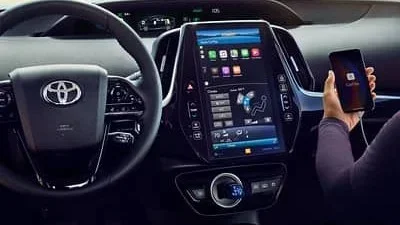
Before you cancel anything, it helps to understand what you are actually canceling. Toyota Connected Service is a subscription-based package that links your vehicle to the cloud. It gives you access to features like remote start, vehicle tracking, emergency assistance, and over-the-air updates. These services run through the Toyota Entune platform, which is Toyota’s connected technology system.
Most new Toyotas come with a trial period. After that trial ends, you are either auto-enrolled in a paid plan or you lose access to the connected features. The subscription typically costs between $50 and $150 per year depending on the package you choose. Some plans include Toyota Care maintenance coverage, while others focus purely on connectivity and remote features.
What You Get With Toyota Connected Services
Here are the common features included in most Toyota Connected Service plans:
- Remote vehicle start and lock/unlock through the Toyota app
- Vehicle health reports and maintenance reminders
- Emergency roadside assistance and SOS calling
- Real-time traffic and navigation updates
- Over-the-air software updates for your infotainment system
- Vehicle location tracking and stolen vehicle assistance
If you are not using these features, paying for them every month does not make sense. That is exactly why many owners decide to cancel Toyota Connected Services. Now let us look at the actual steps to do it.
How to Cancel Your Toyota Connected Service
There are three main ways to cancel your Toyota Connected Service subscription. You can do it yourself online, call Toyota customer support, or visit your local Toyota dealer. Each method has its own advantages, and I will walk you through all three.
Method 1: Cancel Online Through Your Toyota Account
This is the fastest way if you are comfortable using the website. Here is what to do:
- Go to the Toyota owner portal at toyota.com.
- Log in to your Toyota account using your credentials.
- Navigate to the “Connected Services” or “My Subscriptions” section.
- Find the active Toyota Connected Services subscription.
- Click on “Manage” and select “Cancel Subscription.”
- Follow the prompts to confirm your cancellation.
Once you confirm, you should receive a cancellation email within a few minutes. Save that email. It serves as your proof of cancellation. If you do not see the option to cancel online, it may mean your plan is managed through a dealer or a third-party provider.
Method 2: Call Toyota Customer Support
If the online route does not work for you, calling Toyota is your next best option. You can reach Toyota customer service at 1-800-331-4331. Have your vehicle identification number (VIN) ready before you call. The representative will verify your account and process the cancellation for you.
Here are a few tips to make the call go smoothly:
- Call during off-peak hours to avoid long wait times.
- Have your account login details and VIN handy.
- Ask the representative to confirm the cancellation date and effective date.
- Request a confirmation number or email for your records.
- Note the name of the representative and the time of the call.
Some owners report that calling is actually faster than the online portal. Representatives can sometimes access special options or waivers that are not available on the website. It is always worth a try.
Method 3: Visit Your Toyota Dealer
Visiting your local Toyota dealer is perhaps the most hands-on approach. A service advisor can log into the system and cancel your Toyota Connected Services subscription right at the service desk. This method is ideal if you want immediate confirmation and do not want to deal with phone menus or online portals.
Before you go, call ahead and ask if the service department can handle subscription cancellations. Some dealers prefer to handle this through the service bay, while others may direct you to call customer support. Either way, the dealer route often feels more personal and gives you a chance to ask questions face-to-face.
When Should You Cancel?
Timing is everything when it comes to canceling your Toyota Connected Service. If you cancel at the wrong time, you might end up paying for another full billing cycle even though you are no longer using the service.
Cancel Before Your Next Billing Cycle
The best time to cancel is before your next billing date. Most Toyota Connected Services subscriptions bill monthly or annually. If you cancel a few days before your next charge, you will not be billed again. Check your billing history or your subscription agreement to find your exact billing date.
What Happens After You Cancel?
After cancellation, you will still have access to Toyota Connected Services until the end of your current paid period. For example, if you cancel mid-month, you keep full access until that month ends. After that, the connected features will no longer be available. Your vehicle will still work perfectly fine—the connected features are just add-ons, not essential to driving.
Some owners worry that canceling will affect their vehicle warranty or Toyota Care maintenance plan. Rest assured, canceling your connected services subscription does not impact your vehicle warranty in any way. These are separate programs.
Common Mistakes to Avoid When Canceling
Canceling a subscription sounds simple, but many people run into avoidable problems. Here are the most common mistakes and how to steer clear of them.
Not Checking for Early Termination Fees
Some Toyota Connected Services plans come with early termination fees. If you are still within a contract period, canceling early might cost you extra. Always read the fine print of your subscription agreement before taking action. If you signed up through a dealer, check the original paperwork or ask your dealer about any termination penalties.
Forgetting to Cancel Auto-Renewal
Many subscriptions auto-renew unless you explicitly turn off that feature. Simply letting the subscription expire is not the same as canceling. You need to actively cancel to stop future charges. If you skip this step, you might wake up to another bill for a service you no longer want.
Not Confirming the Cancellation
Never assume the cancellation went through. Always check for a confirmation email, a confirmation number, or a status update in your online account. If you do not receive any confirmation within 24 hours, follow up with Toyota support or your dealer. A canceled subscription that was never processed will keep charging you.
Canceling Without Exploring Alternatives
Before you cancel, consider whether downgrading your plan might be a better option. Some Toyota Connected Services plans let you switch to a lower tier with fewer features at a reduced price. You might find that a basic plan costs very little and still gives you access to the features you actually use, such as emergency roadside assistance.
Can You Reactivate Toyota Connected Services Later?
Yes, you can reactivate your Toyota Connected Services at any time. Simply log back into your Toyota account or visit your dealer. Your previous settings and preferences are usually still saved. However, reactivating does not guarantee you will get the same pricing or promotional rates you had before. Prices may have changed since you originally subscribed.
If you are on the fence about canceling, you might want to pause instead of fully canceling. Some plans offer a temporary suspension option. This way, you can keep your account active without paying for months when you are not using the vehicle. Check with Toyota support to see if this option is available for your specific plan.
How Toyota Connected Service Compares to Other Subscription Models
Toyota is not the only automaker offering connected services. Most modern vehicles now come with some form of subscription connectivity. Here is how Toyota Connected Services stacks up against the general market:
| Feature | Toyota Connected Services | Industry Average |
|---|---|---|
| Trial Period | 3 months to 1 year | 3 months to 6 months |
| Monthly Cost | $10 to $20/month | $10 to $30/month |
| Remote Start | Included | Often a paid add-on |
| Emergency SOS | Included | Included in most plans |
| OTA Updates | Included | Varies by brand |
| Early Termination Fee | Varies by plan | Common in many brands |
Toyota’s pricing is generally competitive. However, if you are not using the features, even a competitive price is too much to pay. Canceling frees up money for things that matter more to you.
Tips for a Smooth Cancellation Experience
Follow these practical tips to make sure your Toyota Connected Service cancellation goes as seamlessly as possible:
- Document everything. Keep a record of every interaction, including dates, times, and representative names.
- Check your bank statements. After canceling, monitor your next two billing cycles to make sure no charges appear.
- Use the Toyota app. The mobile app often gives you the quickest access to subscription management tools.
- Be polite but firm. Customer service representatives may try to upsell or talk you out of canceling. Stay polite but clear about your decision.
- Ask about refunds. If you cancel mid-cycle and have already paid for the full period, ask whether a partial refund is available.
- Check for email confirmations. If you do not receive a confirmation email within 48 hours, follow up immediately.
One thing that helps a lot: if you have been dealing with issues related to your Toyota’s warning lights or maintenance alerts, canceling the connected services might affect how those alerts are delivered. For instance, if you have been seeing the maintenance required light on your dashboard, that alert system is often tied to your connected services plan. After cancellation, you may need to track maintenance manually. Similarly, if you have been dealing with the engine management light or trying to clear a check engine code, the Toyota connected services platform might have been helping you diagnose those issues remotely. Losing access means you will need a physical diagnostic tool or a visit to your dealer for those tasks.
Final Thoughts
Canceling your Toyota Connected Service is a simple process once you know the steps. Whether you choose to go online, call customer support, or visit your dealer, the key is to act before your next billing cycle and to confirm the cancellation in writing. You deserve to pay only for the services you actually use and value.
Take a few minutes today to review your subscription. If the connected features are not adding real value to your driving experience, there is no reason to keep paying for them. Follow the steps in this guide, and you will have your Toyota Connected Services canceled in no time. Your wallet will thank you.
Frequently Asked Questions
Can I cancel Toyota Connected Services online?
Yes, you can cancel online through your Toyota account on the official Toyota website. Simply log in, go to the Connected Services section, and follow the cancellation prompts. If you do not see the option online, call customer support or visit your dealer for assistance.
Will I be charged a fee for canceling early?
It depends on your specific plan. Some Toyota Connected Services subscriptions include early termination fees, especially if you are within a contract period. Check your subscription agreement or contact Toyota support to confirm whether any fees apply to your situation.
How long does it take to cancel Toyota Connected Services?
The cancellation process itself usually takes just a few minutes. Whether you cancel online, by phone, or in person at a dealer, you should receive confirmation within 24 hours. Always keep a record of the confirmation for your files.
Can I pause my Toyota Connected Services instead of canceling?
Some plans offer a temporary pause or suspension option. This lets you keep your account active without paying during periods when you are not using the vehicle. Contact Toyota customer support to check if this option is available for your specific subscription.
Will canceling affect my Toyota warranty?
No, canceling your connected services subscription does not affect your vehicle warranty. Warranty coverage and connected services are separate programs. Your powertrain, bumper-to-bumper, and other warranty protections remain fully intact after cancellation.
What happens to my Toyota Connected Services after cancellation?
You will retain access to all connected features until the end of your current paid billing period. After that, the services will be deactivated. Your vehicle will continue to operate normally—connected features are add-ons and not required for basic driving functionality.