How to Install GPS in Your Car A Complete Step by Step Guide
Installing a GPS in your car is simpler than you think. This guide walks you through every method, from suction-mount devices to hardwired systems. You will learn the tools needed, step-by-step setup, and pro tips for the best GPS signal and accuracy.
Have you ever been lost in an unfamiliar city with no clue where to turn? That stressful feeling is exactly why installing GPS in your car is such a smart move. A reliable navigation system gives you turn-by-turn directions, real-time traffic updates, and peace of mind every time you hit the road.
Whether you drive a sedan, SUV, or truck, adding a GPS navigation system to your vehicle is easier than most people think. You do not need to be a car electronics expert. With the right tools and a little patience, you can have your car GPS mount up and running in under an hour.
In this guide, we cover every method for installing GPS in your car. You will learn about suction-cup mounts, dashboard adhesive setups, and hardwired options. We also share tips for getting the strongest GPS signal reception and avoiding common mistakes. Let us get you navigation-ready.
Key Takeaways
- Multiple GPS options exist: You can choose from portable dashboard mounts, suction-cup units, or fully hardwired built-in systems.
- Basic tools are all you need: A screwdriver, adhesive mount, and power source are typically enough for most setups.
- Placement matters for signal quality: Mounting your GPS near the windshield center gives the strongest satellite connection.
- Hardwiring offers a clean look: Tapping into your car’s power supply eliminates cables and keeps your dashboard tidy.
- Regular updates keep your map data accurate: Outdated maps lead to wrong directions and frustration.
- Privacy and security matter: A GPS tracker can help locate your vehicle if it is stolen.
- Follow manufacturer instructions: Each device has unique requirements, so always read the manual first.
📑 Table of Contents
- Why Installing GPS in Your Car Is Worth It
- Types of GPS Systems You Can Install
- Tools and Materials You Will Need
- Step-by-Step Guide to Install GPS in Your Car
- Hardwired GPS Installation Tips
- Common Mistakes to Avoid When Installing GPS
- Expert Tips for the Best GPS Performance
- How to Choose the Right GPS for Your Vehicle
- Final Thoughts on Installing GPS in Your Car
Why Installing GPS in Your Car Is Worth It
A GPS device for car does much more than tell you where to go. It helps you save time, fuel, and money. Here is why a vehicle GPS tracker or navigation unit belongs in your ride.
Better Navigation and Directions
Built-in GPS gives you real-time turn-by-turn directions. You no longer need to guess which exit to take or fold a paper map in a parking lot. The device recalculates your route instantly if you miss a turn.
Improved Safety on the Road
Knowing exactly where you are keeps you safe. A car navigation system helps you avoid dangerous areas, especially when driving at night or in unfamiliar neighborhoods. Many units also alert you to speed cameras and road hazards.
Vehicle Tracking and Security
A GPS tracker for car can help locate your vehicle if it gets stolen. Some systems let you monitor your car’s location from your phone. This added layer of security is invaluable, especially in high-theft areas.
Time and Fuel Savings
With real-time traffic updates, your GPS routes you around congestion. You spend less time idling in traffic and more time at your destination. Over months, this adds up to real savings at the pump.
Types of GPS Systems You Can Install
Not all GPS setups are the same. Before you start, you need to know which type fits your needs and budget. Here are the main options for installing GPS in your car.
Portable GPS Devices
These are standalone units you place on your dashboard or windshield. Brands like Garmin and TomTom make popular portable GPS devices. They come with a suction cup mount and a power cable that plugs into your cigarette lighter or USB port.
Portable units are easy to move between cars. They are also affordable, often costing less than $150. The downside is that they can slide around on bumpy roads if the mount is not secure.
Built-In Factory GPS
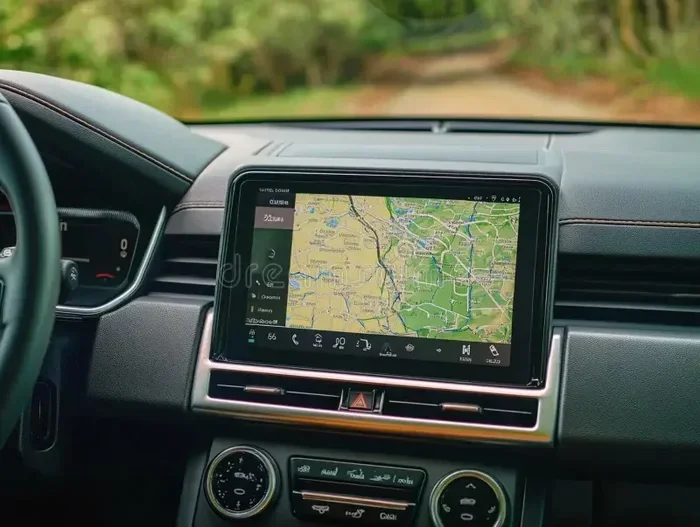
Many newer cars come with built-in GPS navigation already in the infotainment system. This type of vehicle GPS tracker is integrated into the dashboard display. You do not need any extra hardware.
The advantage is a clean, seamless look. The disadvantage is that factory systems can be expensive to update. They also may not offer the same features as a dedicated portable unit.
Hardwired GPS Systems
Hardwired setups connect directly to your car’s electrical system. This option is popular for aftermarket GPS installations in trucks and SUVs. A professional can tap into your fuse box to provide constant power.
Hardwiring eliminates dangling cables and gives you a sleek installation. It also means your GPS stays on even when you turn off the ignition. However, this method requires more technical skill and may need a visit to an auto electronics shop.
Smartphone GPS Apps
You can also use your phone as a GPS. Apps like Google Maps, Waze, and Apple Maps offer GPS navigation for free. All you need is a phone car mount and a reliable data connection.
This is the cheapest option, but it drains your battery faster. Phone mounts can also block your view if not placed correctly. Still, for many drivers, a smartphone app is all the GPS setup they need.
Tools and Materials You Will Need
Before you start the installation, gather everything you need. Having the right tools makes the process smooth and prevents frustration. Here is a checklist for a typical GPS installation in car.
- GPS unit (portable device or hardwired system)
- Dashboard mount or suction-cup bracket
- Car power adapter (cigarette lighter or USB)
- Microfiber cloth for cleaning the mounting surface
- Isopropyl alcohol wipes for adhesive prep
- Screwdriver set (for hardwired installations)
- Cable ties or clips to manage wires
- GPS antenna extender (if needed for signal boost)
For a hardwired GPS install, you may also need a wire stripper, crimp connectors, and a multimeter. If you are not comfortable working with your car’s electrical system, consider hiring a professional. A local auto electronics shop can handle the job safely.
Step-by-Step Guide to Install GPS in Your Car
Now for the main event. Follow these steps to get your GPS navigation system up and running. We cover the most common method first, then touch on hardwired options.
Step 1: Choose the Best Mounting Location
The location you pick affects both GPS signal reception and driver safety. The best spot is usually the center of the windshield, just above the dashboard. This position gives the GPS antenna a clear view of the sky.
Avoid placing the unit near metal frames or air vents. Metal can block satellite signals. Also, make sure the mount does not obstruct your view of the road. In many states, a GPS mount on windshield that blocks your line of sight can lead to a traffic ticket.
Step 2: Clean the Mounting Surface
Use a microfiber cloth and isopropyl alcohol to clean the area where the mount will sit. Any dust or grease will weaken the adhesive or suction hold. A clean surface ensures a firm grip.
Let the surface dry completely before attaching the mount. This small step makes a big difference in long-term stability.
Step 3: Attach the Mount
Press the dashboard mount or suction cup firmly onto the cleaned surface. Hold it in place for about 10 seconds. For suction-cup mounts, push down on the center button to create a tight seal.
If you are using an adhesive mount, press it firmly and wait at least 30 minutes before placing the GPS on it. This curing time ensures a strong bond.
Step 4: Connect the Power Cable
Plug the GPS power cable into your unit first, then into the car adapter. Insert the adapter into your cigarette lighter or USB port. Most portable GPS devices for cars power on automatically when the engine starts.
Route the cable along the dashboard edge so it does not dangle. Use cable ties or clips to keep it tidy. Loose cables can be distracting and may interfere with the steering wheel.
Step 5: Position the GPS Unit on the Mount
Place the GPS device on the mount and adjust the angle. You want the screen to be easily readable from the driver’s seat without you having to look far down. The antenna should face upward toward the sky.
Give the unit a gentle tug to make sure it is secure. A good mount holds the GPS firmly even on rough roads.
Step 6: Power On and Configure
Turn on your car and the GPS unit. Follow the on-screen prompts to set your language, location, and preferences. Most modern GPS navigation systems connect to satellites within a minute or two.
Wait for the signal lock indicator before driving. A steady signal means the unit is ready to provide accurate directions. If the signal is weak, try repositioning the mount slightly.
Step 7: Update Maps and Software
One of the most overlooked steps in installing GPS in car is updating the maps. Connect your GPS to Wi-Fi or a computer and download the latest map data. Outdated maps can send you down dead-end streets or closed roads.
Set a reminder to check for updates every few months. Many units also offer real-time traffic updates if you subscribe to a data plan. These features make your navigation experience much better.
Hardwired GPS Installation Tips
A hardwired setup is more involved than a portable mount, but it gives a cleaner result. Here are key tips for a successful hardwired GPS install.
Tap Into the Fuse Box
Most hardwired systems connect to your car’s fuse box for power. Use a fuse tap adapter to draw power without cutting any wires. This method is reversible and safe for your car’s electrical system.
Always disconnect the car battery before working inside the fuse box. This prevents short circuits and protects your car’s electronics.
Route the Antenna Cable
A GPS antenna needs a clear path to the sky. Run the antenna cable along the A-pillar or headliner toward the windshield. Avoid routing it behind metal panels or near power cables, which can cause interference.
Use cable clips to secure the antenna wire in place. A neatly routed wire looks professional and stays out of your way.
Test Before Finalizing
After connecting everything, start the car and test the GPS. Check for a strong signal on the device display. Drive a short distance to confirm the unit tracks your movement correctly.
Once you are satisfied with the GPS signal reception, secure all wires with clips and trim any excess. A clean finish makes the whole installation look professional.
Common Mistakes to Avoid When Installing GPS
Even with the best guide, mistakes happen. Here are common errors people make when they install GPS in car and how to avoid them.
- Mounting the GPS too low on the windshield: This blocks your view and weakens the satellite signal. Always aim for the center-top area of the glass.
- Ignoring the power source: A GPS that keeps dying mid-trip is useless. Make sure your power connection is stable and reliable.
- Skipping map updates: Roads change constantly. Outdated maps are one of the biggest reasons people give up on their GPS device.
- Using a weak suction cup: Cheap suction cups fall off on bumpy roads. Invest in a quality mount that holds firm.
- Placing the unit near electronic interference: Keep the GPS away from speakers, phone chargers, and other electronics that can disrupt the signal.
- Not checking local laws: Some states restrict where you can place a suction-cup mount on the windshield. Know the rules before you install.
Expert Tips for the Best GPS Performance
Getting the GPS up is only half the battle. These expert tips help you get the most out of your car GPS mount and navigation system.
Keep Your Device Cool
GPS units can overheat in direct sunlight. If your dashboard gets very hot, consider using a small sunshade behind the GPS. A cooler device runs more reliably and lasts longer.
Use a Signal Booster if Needed
If you live in a rural area or a place with tall buildings, a GPS signal booster can help. This small device amplifies the satellite signal for better accuracy. It is especially useful for vehicle tracking in areas with poor reception.
Clean the GPS Unit Regularly
Dust and fingerprints on the screen make it harder to read. Wipe down your GPS unit weekly with a soft microfiber cloth. A clean screen also helps the touch response stay accurate.
Combine GPS with a Dash Cam
Many drivers pair their GPS tracker for car with a dash cam. Together, these devices create a powerful safety combo. The dash cam records your drive, while the GPS logs your route and location.
How to Choose the Right GPS for Your Vehicle
Not all GPS units are created equal. Here is a quick comparison to help you pick the best option for your needs.
| Feature | Portable GPS | Built-In GPS | Hardwired GPS | Smartphone App |
|---|---|---|---|---|
| Cost | $80-$200 | Included with car | $150-$400+ | Free-$10/month |
| Ease of Install | Very Easy | None Needed | Moderate | Very Easy |
| Signal Strength | Good | Good | Excellent | Good |
| Portability | High | None | Low | High |
| Map Updates | Easy | Difficult | Easy | Automatic |
| Traffic Features | Yes (with plan) | Varies | Yes (with plan) | Yes (with data) |
| Best For | Most drivers | New car owners | Enthusiasts | Budget-conscious |
For most people, a portable GPS device offers the best balance of price, features, and ease of use. It gives you turn-by-turn directions without any permanent changes to your vehicle.
Final Thoughts on Installing GPS in Your Car
Installing GPS in your car is one of the best upgrades you can make for your daily commute or road trips. Whether you choose a portable suction-cup mount, a hardwired system, or a smartphone app, the process is straightforward and rewarding.
Take your time with the setup. Choose the right mounting spot, keep your cables tidy, and always update your maps. A well-installed GPS navigation system transforms every drive into a smoother, safer experience.
You do not need expensive tools or technical skills. With this guide, you have everything you need to complete the job confidently. So grab your GPS device for car, follow the steps, and enjoy the open road with directions at your fingertips.
Frequently Asked Questions
Can I install GPS in my car myself?
Yes, absolutely. Most portable GPS units come with a dashboard or suction-cup mount that anyone can set up in minutes. Hardwired installations require more technical knowledge, but many online tutorials make it doable for DIY enthusiasts.
Where is the best place to mount a GPS in my car?
The center of the windshield, just above the dashboard, is the ideal spot. It gives the GPS antenna a clear view of the sky for strong signal reception. It also keeps the screen visible without blocking your road view.
Do I need to pay for GPS map updates?
It depends on the brand and model. Some manufacturers offer free lifetime map updates, while others charge a yearly fee. Smartphone apps like Google Maps and Waze provide free updates as long as you have an internet connection.
Will installing a GPS drain my car battery?
A portable GPS draws very little power and should not drain your battery. However, if you leave the unit plugged in with the engine off for extended periods, it can slowly drain the battery. Unplug the GPS when the car is not running.
Can a GPS tracker help recover a stolen car?
Yes, a GPS tracker for car can significantly increase your chances of recovering a stolen vehicle. Many tracking systems send real-time location alerts to your phone, allowing you or law enforcement to locate the car quickly.
Is a smartphone GPS app as good as a dedicated GPS device?
For most everyday driving, a smartphone app works just as well. Apps like Waze and Google Maps offer real-time traffic, lane guidance, and free map updates. However, dedicated GPS devices often have better battery life and stronger antennas for rural or signal-poor areas.
=== CONCLUSION ===
Installing GPS in your car is a simple project that pays off every time you drive. From choosing the right mount to connecting the power cable and updating your maps, this guide covers the full process. Whether you go with a portable unit, a hardwired system, or a smartphone app, the key is a clean setup and strong signal reception.
Take the steps outlined here and give your vehicle the navigation upgrade it deserves. A well-installed GPS navigation system keeps you on the right path, saves you fuel, and adds a layer of security to your daily drives. Start your GPS setup today and enjoy every journey with confidence.