How to Check the BSD System on Your Hyundai Car Today
The BSD system on your Hyundai keeps you safe by alerting you to vehicles in your blind spots during lane changes. Regularly checking this system ensures your blind spot detection works when you need it most. This guide covers everything from visual sensor inspections to using diagnostic tools, so you can stay confident on every drive.
Key Takeaways
- Regular BSD checks keep you safe: Testing your blind spot detection system often prevents surprises on the road.
- Dashboard lights tell the story: Warning lights on your dash reveal if your BSD system needs attention.
- Sensor cleaning matters: Dirty sensors are the top reason BSD systems fail or give false alerts.
- You can do basic checks at home: No mechanic needed for simple visual and auditory BSD tests.
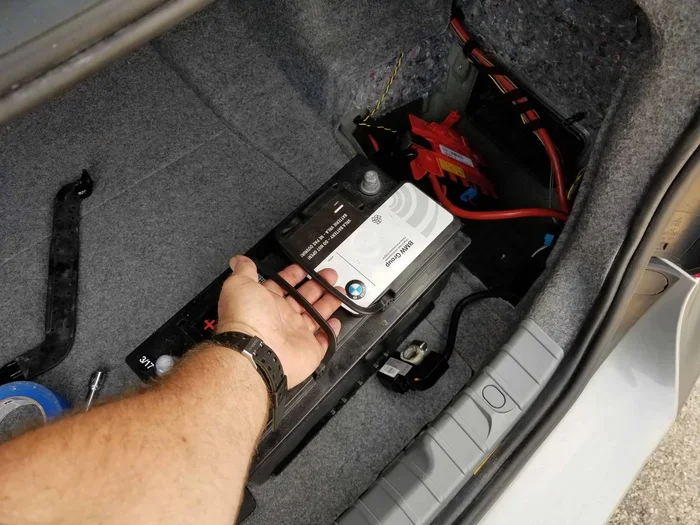
- Reset after battery work: Disconnecting your battery may require a BSD system reset to function properly.
- Professional help for deep issues: Complex sensor or module problems need a Hyundai diagnostic scan tool.
📑 Table of Contents
What Is the BSD System on a Hyundai?
The BSD system stands for Blind Spot Detection. It is a smart safety feature built into many Hyundai models. This system helps you see what your mirrors cannot. It warns you when another vehicle is hiding in your blind spot.
Most newer Hyundai cars come with this feature standard. Models like the Hyundai Sonata, Tucson, and Santa Fe often include it. The system uses sensors on the rear bumper or side mirrors. These sensors watch the lanes beside and behind your car.
How Blind Spot Detection Works
The blind spot detection system uses radar or cameras. These sensors sit on the sides of your vehicle. When a car enters your blind zone, the system sends you a warning. You might see a light on your side mirror. Some models also give you a sound alert.
This is different from the rear cross traffic alert system. The rear cross traffic alert works when you are backing up. The BSD system works when you are driving forward and changing lanes. Both are part of the broader Hyundai safety features package.
Which Hyundai Models Have BSD?
Not every Hyundai has the BSD system. Here are some common models that include it:
- Hyundai Sonata (newer trims)
- Hyundai Tucson
- Hyundai Santa Fe
- Hyundai Elantra (select trims)
- Hyundai Kona
Check your owner’s manual to confirm. The BSD system may come standard or as part of a safety package. Some older models may need a retrofit kit.
Quick Tip: If you are unsure whether your Hyundai has BSD, look for a small camera or radar symbol near your side mirrors. This is usually the sensor location.
Signs Your BSD System Needs Checking
Your car talks to you through lights and sounds. When the BSD system has a problem, it will tell you. Knowing these signs helps you fix issues early.
Common Warning Lights
The most obvious sign is a warning light on your dashboard. This light often looks like a car with curved lines beside it. If you see this light stay on, your system needs attention. Sometimes the light flashes, which means the system is active. Other times it stays solid, which means there is a fault.
Some drivers confuse this with the low engine oil showing on the dashboard light. They look different, but both demand your attention. The BSD warning light is usually yellow or orange. The oil light is red and means stop immediately.
Unusual Sounds or No Alerts
Your BSD system should beep or flash when a car is in your blind spot. If you hear no sound during a lane change check, something is wrong. On the other hand, if you get alerts when no car is near you, the sensors may be dirty or misaligned.
Another sign is the system turning off by itself. This can happen after a battery disconnect or a jump start. If your system stops working suddenly, do not ignore it.
Step-by-Step Guide to Check the BSD System
Checking your BSD system does not require a mechanic for basic tests. You can do most checks at home with simple steps. Here is how to go through them one by one.
Step 1: Visual Inspection of Sensors
Start with a visual check. Walk around your Hyundai and look at the sensors. These are usually on the rear bumper or near the side mirrors.
- Look for dirt, mud, or snow on the sensors
- Check for cracks or physical damage
- Make sure no stickers or accessories block the sensors
- Wipe the sensors gently with a clean cloth
Dirty sensors are the number one cause of BSD problems. A simple cleaning can fix many issues. Use a soft cloth and mild soap. Do not use rough materials that could scratch the sensor surface.
Expert Insight: After washing your car, take a moment to check the sensors. Road grime builds up fast, especially if you drive in rain or snow often.
Step 2: Testing the System with Your Ignition
Next, turn your ignition to the “On” position. Do not start the engine yet. Look at your dashboard for any warning lights. If the BSD light comes on briefly and then turns off, that is normal.
If the light stays on, there is a problem. You can also turn the ignition to “Start” and let the engine run. Watch the dashboard for any BSD-related messages. Some Hyundais display a message like “BSD System Malfunction” on the instrument cluster.
Here is a simple checklist for this step:
- Turn the key to “On” (do not start the engine)
- Wait for the dashboard lights to cycle through
- Look for the BSD warning symbol
- Note if the light stays on or turns off
- Start the engine and watch for any new messages
Step 3: Using a Diagnostic Scanner
For a deeper check, you can use an OBD-II diagnostic scanner. This tool plugs into the port under your steering column. It reads error codes from your car’s computer.
You can run diagnostics without a check engine light on many newer Hyundai models. The BSD system has its own module, and it stores its own codes. A scanner can pull these codes and tell you exactly what is wrong.
Here are some common BSD-related codes you might see:
- U-code: Network communication errors
- C-code: Chassis or sensor circuit issues
- B-code: Body system faults, including BSD
If you do not have a scanner, many auto parts stores offer free diagnostic checks. You can also visit a Hyundai dealership for a professional Hyundai diagnostic scan.
Step 4: Test Drive the System
The best way to check the BSD system is to test it on the road. Find a safe, multi-lane road with moderate traffic.
Here is how to test it:
- Turn on your turn signal to change lanes
- Check your mirrors first
- Look for the BSD warning light on your side mirror
- If a car is beside you, the light should flash
- You should also hear a beep or feel a vibration in the steering wheel
If the system does not alert you when a car is in your blind spot, the sensors may need recalibration. If you get alerts with no car present, the sensors may be too sensitive.
Common Mistakes: Many drivers skip the test drive step. They assume the dashboard light being off means everything works. But the only true test is real-world driving with traffic beside you.
Common BSD System Problems and Fixes
Like any car system, the BSD system can develop problems over time. Here are the most common issues and how to fix them.
Dirty or Damaged Sensors
This is the most frequent problem. Sensors sit on the outside of your car. They get hit with road debris, mud, snow, and ice. When the sensors cannot “see” clearly, they give wrong readings.
The fix is simple. Clean the sensors with a soft, damp cloth. If the sensor is cracked or physically damaged, it needs replacement. Sensor replacement costs vary but typically run between $100 and $300 per sensor at a repair shop.
Wiring and Connection Issues
Sometimes the problem is not the sensor itself but the wiring. Wires connect the sensors to the control module. These wires can corrode, break, or come loose.
If you have been in a minor accident or hit a curb, check the wiring. Even a small bump can jar a connection loose. A mechanic can use a multimeter to test the wiring continuity.
Module Failures
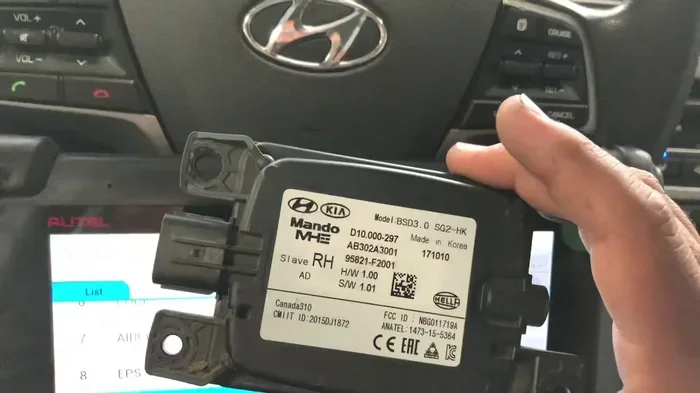
The BSD control module is the brain of the system. It processes sensor data and triggers alerts. If the module fails, the entire system goes down.
Module failures are less common but more expensive to fix. You may need a new module and a software update. A Hyundai dealership can handle this with their factory tools and software.
Maintaining Your Hyundai BSD System
Prevention is always easier than repair. Regular maintenance keeps your BSD system working reliably for years. Here are the best practices.
Cleaning Your Blind Spot Sensors
Make sensor cleaning part of your regular car wash routine. Here is how to do it right:
- Use a microfiber cloth for gentle cleaning
- Avoid high-pressure washers directly on the sensors
- Remove ice and snow carefully in winter
- Check sensors after off-road driving or road trips
- Use sensor-safe cleaning products if available
Clean sensors mean accurate alerts. This small habit can save you from a dangerous situation on the road.
When to Seek Professional Help
Some BSD issues need a professional touch. If you have cleaned the sensors and the warning light still stays on, see a mechanic. If you get error codes from a diagnostic scanner, a professional can interpret them correctly.
Also, if your car has been in an accident, get the BSD system checked. Even a minor fender bender can knock a sensor out of alignment. Proper sensor calibration is essential for accurate blind spot detection.
Key Takeaways on Maintenance:
- Clean sensors every two weeks or after off-road trips
- Get a professional scan after any accident
- Replace damaged sensors immediately
- Do not ignore persistent warning lights
Final Thoughts on BSD System Care
Your BSD system is one of the most valuable safety features on your Hyundai. It works quietly in the background, keeping you aware of what you cannot see. Taking a few minutes to check and maintain this system can make a big difference in your daily driving safety.
Start with simple visual checks. Clean your sensors regularly. Watch for warning lights. If something seems off, do not wait. Address the issue quickly. Whether it is a simple cleaning or a sensor replacement, early action saves money and keeps you safe.
Remember that the BSD system works best when combined with good driving habits. Use your mirrors. Check your blind spots manually. Let the system be an extra layer of protection, not your only one. Stay alert, stay safe, and enjoy the confidence that comes with a well-maintained blind spot detection system on your Hyundai.
If you have recently had work done on your battery or electrical system and your BSD system is not working right, it may need a reset. Sometimes after a battery disconnect, your car needs a full system reboot. If you are having trouble getting your car back to normal after battery work, you can find helpful guidance on what to check when your car is not starting but the battery is fine to rule out electrical issues.
Frequently Asked Questions
How much does it cost to repair a BSD system on a Hyundai?
Costs vary depending on the problem. Cleaning sensors is free. Sensor replacement typically costs $100 to $300 per sensor. Module replacement can range from $500 to $1,500. Always get a quote from a trusted repair shop before proceeding with any repairs.
Can I drive my Hyundai without the BSD system working?
Yes, you can still drive safely. The BSD system is an assist feature, not a requirement for driving. However, you should be extra vigilant about checking your mirrors and blind spots manually until the system is repaired.
How often should I check my Hyundai BSD system?
A visual inspection every two weeks is a good habit. Do a full system check, including a test drive, once a month. Also check the system after any accident, even a minor one, or after cleaning your car thoroughly.
Can weather affect the BSD system?
Yes, weather can affect the BSD system. Heavy rain, snow, and ice can block or confuse the sensors. In most cases, the system returns to normal once the sensors are cleared. If the warning light stays on after weather clears, inspect the sensors for damage.
Does the BSD system work at all speeds?
The BSD system typically activates above a certain speed, usually around 20 mph. It is designed for highway and multi-lane driving. At very low speeds or when parked, the system may not be active. Check your owner’s manual for your specific model’s speed thresholds.
Can I turn off the BSD system on my Hyundai?
Some Hyundai models allow you to turn off the BSD system temporarily. This is usually done through a button on the steering wheel or in the settings menu. However, it is not recommended to drive with the system off for extended periods. Re-enable it as soon as possible for your safety.
=== CONCLUSION ===
Taking care of your BSD system on your Hyundai is simple and essential. Regular visual checks, sensor cleaning, and attention to warning lights go a long way. You do not need to be a mechanic to keep this system working well. With the steps in this guide, you can handle most checks yourself.
Remember that the blind spot detection system is there to protect you and your passengers. Give it the care it deserves. Stay proactive, stay informed, and enjoy the peace of mind that comes from knowing your Hyundai’s safety systems are in top shape.