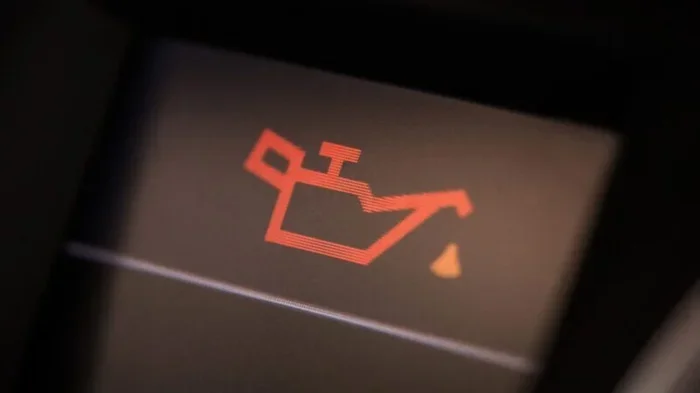
How to Reset the Oil Light After Your Recent Oil Change
Resetting your oil light after an oil change is a simple process that keeps your dashboard clear and your car running smoothly. Most vehicles let you reset the oil change reminder in just a few steps using the steering wheel buttons or the instrument panel. Whether you drive a Toyota, Honda, Ford, or another brand, this guide walks you through the exact method to clear the maintenance light and get your oil life monitor back on track.
You just got your oil changed. The mechanic hands you the keys, you drive off, and then you see it. That little oil can icon or “CHANGE OIL” message is still glowing on your dashboard. It is frustrating, right? You just did the work, so why is the light still on?
The good news is that resetting the oil light after an oil change is almost always a quick and painless process. You do not need to be a mechanic. You do not need expensive tools. And you definitely do not need to head back to the shop. In this guide, we will walk you through exactly how to reset the oil maintenance light on almost any vehicle. We will cover the most common methods, explain why the light stays on, and share tips to keep your car running smoothly.
Whether you drive a Toyota, Honda, Ford, Chevrolet, or any other brand, this article has you covered. Let us get that dashboard light off and your oil life monitor back where it belongs.
Key Takeaways
- Quick Reset Process: Most cars let you reset the oil light in under two minutes using steering wheel controls or the instrument cluster.
- No Special Tools Needed: You do not need any special equipment or a trip to the dealership to reset the oil maintenance light.
- Know Your Car’s System: Different vehicles use different methods, so understanding your car’s oil life monitoring system is key.
- Prevent False Warnings: Properly resetting the light prevents annoying dashboard warnings and keeps your maintenance schedule accurate.
- When to Seek Help: If the light won’t go off after resetting, there may be an underlying issue like low oil pressure or a faulty sensor.
- Regular Maintenance Matters: Staying on top of oil changes and resetting the light helps extend engine life and prevent costly repairs.
📑 Table of Contents
- Why Does the Oil Light Stay On After an Oil Change?
- How to Reset the Oil Light: Step-by-Step for Popular Car Brands
- What If the Oil Light Won’t Turn Off?
- How Often Should You Change Your Oil?
- Quick Tips for Keeping Your Oil System in Great Shape
- Can You Reset the Oil Light Yourself, or Do You Need a Mechanic?
- Common Mistakes People Make When Resetting the Oil Light
- The Importance of Regular Oil Changes for Engine Health
- Final Thoughts
Why Does the Oil Light Stay On After an Oil Change?
After you get an oil change, the oil change reminder light or oil life indicator often stays on. This happens because the system has not been told that the service is complete. Your car does not automatically know you just changed the oil. The oil life monitoring system needs a manual reset in most cases.
Here are the most common reasons the light stays on:
- The oil life counter was not reset: The system still thinks the oil change interval has not been reached.
- Old oil still registers on the sensor: The oil life monitor tracks driving habits and engine conditions, not just the calendar.
- A faulty oil pressure sensor: In rare cases, the sensor itself may need attention.
- Low oil level after the change: Sometimes the oil level drops slightly after the change, triggering the warning.
The good news is that for most vehicles, the fix is simple. You just need to reset the oil change reminder. Let us look at how to do that for different car brands.
How to Reset the Oil Light: Step-by-Step for Popular Car Brands
Every car manufacturer uses a slightly different method to reset the oil maintenance light. Below, we break down the most common approaches for popular brands. Always check your owner’s manual first, as methods can vary even within the same brand and model year.
How to Reset the Oil Light on Toyota and Lexus
Toyota and Lexus vehicles are very common, and the reset process is straightforward. Here is how to do it on most Toyota and Lexus models:
- Turn the ignition to the “ON” position. Do not start the engine. Just press the start button once or turn the key to “ON.”
- Use the steering wheel arrows to scroll to the trip meter or maintenance menu on the instrument display.
- Press and hold the “Trip” or “Reset” button on the steering wheel for about five seconds.
- The oil maintenance light should start flashing.
- Release the button, then press and hold it again for another three seconds.
- The light should turn off, and the oil life indicator will reset to 100%.
If you have a newer Toyota with a touchscreen display, the process may involve going into the “Settings” menu, selecting “Maintenance,” and choosing “Reset Oil Life.” The oil life monitoring system on Toyotas is designed to track your driving patterns and adjust the service interval accordingly.
How to Reset the Oil Light on Honda and Acura
Honda and Acura vehicles use a slightly different approach:
- Turn the ignition to the “ON” position without starting the engine.
- Press the “Select/Reset” knob on the instrument cluster repeatedly until the oil life indicator appears.
- Hold the knob down for about ten seconds.
- The indicator will blink, then reset to 100%.
- Turn the ignition off and then back on to confirm the reset.
Honda owners should note that the oil change reminder system on these vehicles tracks both mileage and engine operating conditions. After resetting, the system will recalculate your next service interval based on your driving habits.
How to Reset the Oil Light on Ford and Lincoln
Ford vehicles offer a few different methods depending on the model year:
- Turn the ignition to the “ON” position without pressing the brake pedal.
- Use the steering wheel controls to navigate to the “Settings” menu.
- Select “Vehicle Information” and then “Maintenance Reminders.”
- Choose “Oil Life Reset” and follow the on-screen prompts.
- Hold the “OK” button until the display shows the reset is complete.
On older Ford models, you may need to use a different sequence. For many Ford trucks and SUVs, you can press the gas pedal three times within five seconds while the ignition is in the “ON” position. The oil change indicator should reset after this.
How to Reset the Oil Light on Chevrolet, GMC, and Cadillac
GM vehicles (Chevrolet, GMC, and Cadillac) generally follow this process:
- Turn the ignition to the “ON” position.
- Press the “Menu” or “Set” button on the steering wheel until the maintenance menu appears.
- Scroll to “Oil Life System” and press “Set.”
- Hold the “Set” button until the display shows “100%.”
- Turn the ignition off and back on to verify the reset.
Some older GM models use a simpler method. You can press and hold the trip reset button on the instrument cluster while turning the ignition to the “ON” position. Hold it for about ten seconds until the light clears.
What If the Oil Light Won’t Turn Off?
Sometimes, even after following the reset procedure, the oil light stays on. This can be concerning, but it is usually fixable. Here are the most common reasons the light will not turn off and what you can do about each one.
Low Oil Level
The most common reason the oil light stays on is that the oil level is too low. After an oil change, check the dipstick to make sure the oil is at the proper level. If it is low, add the correct type of oil for your vehicle. Low engine oil can trigger the dashboard warning even after a recent oil change, especially if the mechanic did not fill it to the full mark.
Faulty Oil Pressure Sensor
The oil pressure sensor tells your car’s computer whether the oil is flowing properly. If the sensor is bad, it can send false signals to the dashboard. A faulty oil pressure sensor is relatively inexpensive to replace and usually does not require a trip to the dealership. Many independent shops can handle this repair quickly.
Oil Life Monitor Not Fully Reset
On some vehicles, the oil life monitor requires a specific sequence of button presses that differs from the standard reset. If the first attempt does not work, try searching for your specific make and model online or consult the owner’s manual. Sometimes a second or third attempt with slightly different timing is all it takes.
Underlying Engine Issue
In rare cases, a persistent oil light indicates a real engine problem. If you have checked the oil level, reset the light twice, and it still comes back on, have a professional inspect the vehicle. Issues like a clogged oil filter, a failing oil pump, or low oil pressure due to internal wear can all cause the light to remain illuminated. Ignoring a persistent oil warning light can lead to serious engine damage over time.
How Often Should You Change Your Oil?
The oil change interval depends on your vehicle, the type of oil you use, and your driving habits. Modern cars with synthetic oil can often go longer between changes than older vehicles using conventional oil.
Here is a general breakdown of oil change intervals:
- Conventional oil: Every 3,000 to 5,000 miles or every 3 to 6 months.
- Synthetic blend oil: Every 5,000 to 7,500 miles or every 6 to 9 months.
- Full synthetic oil: Every 7,500 to 15,000 miles or every 12 months, depending on the manufacturer’s recommendation.
Many newer vehicles have an oil life monitoring system that automatically calculates when you need an oil change based on driving conditions, temperature, and engine load. If your car has this feature, pay attention to the oil life percentage on your dashboard. When it drops below 15%, it is time to schedule an oil change.
Some drivers wonder if they can stretch the interval even further. For example, you might ask, can you go two years without changing synthetic oil? The short answer is no. Even with full synthetic oil, most manufacturers recommend changing the oil at least once a year, regardless of mileage. The additives in the oil break down over time, and the oil can become contaminated with moisture and debris.
Quick Tips for Keeping Your Oil System in Great Shape
Preventing oil-related issues is much easier than fixing them. Here are some simple tips to keep your engine running smoothly and your oil light off when it should be:
- Check your oil level monthly: A quick dipstick check takes less than two minutes and can catch low oil before it becomes a problem.
- Use the oil type recommended by your manufacturer: Check the owner’s manual or the oil cap under the hood for the correct viscosity grade.
- Keep track of your oil change dates: Use a phone app, a calendar reminder, or a simple notebook to log each oil change.
- Do not ignore early warning signs: If you hear unusual engine noise, see smoke from the exhaust, or notice a burning smell, check your oil level right away.
- Reset the oil light every time you change the oil: Make this part of your routine so you never have a false warning hanging around.
These small habits add up over time. They help you avoid unexpected breakdowns, reduce wear on your engine, and keep your car running reliably for years to come.
Can You Reset the Oil Light Yourself, or Do You Need a Mechanic?
The short answer is yes, you can reset the oil light yourself in most cases. The process does not require any special tools or mechanical knowledge. Almost every car made in the last 20 years has a built-in reset function that you can access from the steering wheel controls or instrument panel.
You do not need to visit a dealership or pay a mechanic to reset the oil maintenance light. The only time you might need professional help is if the light will not turn off after multiple reset attempts. In that case, the issue could be a faulty sensor, low oil pressure, or another underlying problem that needs a proper diagnosis.
For those who prefer not to DIY, many quick-lube shops and auto parts stores will reset the oil light for free or for a small fee when you get your oil changed. Some stores like AutoZone can also check your engine light and help with basic diagnostics.
Common Mistakes People Make When Resetting the Oil Light
Even though the reset process is simple, people still make mistakes. Here are the most common ones to avoid:
- Forgetting to check the oil level first: Always verify the oil is at the proper level before resetting the light. Resetting on low oil can mask a real problem.
- Not holding the button long enough: Most reset procedures require holding the button for 5 to 10 seconds. Letting go too early is the most common reason the reset fails.
- Starting the engine during the reset: The ignition should be in the “ON” position, not “START.” Starting the engine can interrupt the reset sequence.
- Using the wrong button: Some vehicles have multiple buttons on the steering wheel that look similar. Make sure you are pressing the correct one for the trip or maintenance function.
- Assuming the reset worked without verifying: Always turn the ignition off and back on to confirm the light is off and the oil life indicator shows 100%.
Avoiding these mistakes saves time and frustration. It also ensures that your oil change schedule stays accurate and your engine stays properly protected.
The Importance of Regular Oil Changes for Engine Health
Regular oil changes are the single most important thing you can do to protect your engine. Clean oil lubricates the moving parts inside your engine, reduces friction, carries away heat, and prevents the buildup of sludge and contaminants. Over time, oil breaks down and loses its effectiveness. Old oil can no longer protect your engine the way it should.
Skipping oil changes or ignoring the oil change reminder light can lead to serious consequences. These include increased engine wear, overheating, reduced fuel efficiency, and in worst-case scenarios, complete engine failure. The cost of a routine oil change is tiny compared to the cost of an engine rebuild or replacement.
Staying on top of your oil change schedule also helps you maintain your vehicle’s resale value. A well-documented maintenance history makes your car more attractive to buyers and can help you get a better price when it is time to sell or trade in.
If you ever find yourself wondering whether you really need an oil change, or whether you can push it a little longer, remember this: the oil life monitoring system in your car is designed to tell you when the time is right. Trust it, reset it properly after each service, and your engine will thank you for years to come.
Final Thoughts
Resetting the oil light after an oil change is one of those small maintenance tasks that makes a big difference. It takes just a couple of minutes, requires no special tools, and keeps your dashboard clear and your maintenance schedule on track. Whether you drive a Toyota, Honda, Ford, Chevrolet, or any other vehicle, the process is almost always the same: turn the ignition on, navigate to the maintenance menu, hold the reset button, and confirm the light is off.
If the light stays on after you try to reset it, do not panic. Check your oil level first. If the oil is full and the light still will not go off, the issue could be a faulty sensor or another problem that needs professional attention. In those cases, it is always better to get it checked sooner rather than later.
Taking care of your car does not have to be complicated. With a little knowledge and a few simple habits, you can handle most maintenance tasks yourself and keep your vehicle running strong. Now that you know how to reset the oil light, you are one step closer to being a more confident car owner.
Stay on top of your oil changes, reset the reminder every time, and enjoy the peace of mind that comes from knowing your engine is properly protected. Happy driving!
Frequently Asked Questions
How do I reset my oil change light after an oil change?
To reset the oil change light, turn your ignition to the “ON” position without starting the engine. Use the steering wheel controls or instrument panel buttons to navigate to the maintenance menu. Press and hold the reset or trip button for 5 to 10 seconds until the light turns off. The exact steps vary by car brand, so check your owner’s manual for model-specific instructions.
Why is my oil light still on after I changed the oil?
The oil light may stay on if the oil life monitoring system was not reset after the oil change. It can also indicate that the oil level is too low or that the oil pressure sensor is faulty. Always check your oil level first, then try resetting the light again. If the light persists, have a mechanic inspect the vehicle.
Can I drive with the oil change light on?
You can usually drive a short distance with the oil change light on, but you should not ignore it for long. The light is a reminder that your oil service interval is due. Driving with old oil can reduce engine protection and lead to increased wear over time. Reset the light after each oil change to keep your maintenance schedule accurate.
How long does it take to reset the oil light?
The reset process typically takes less than two minutes. Most vehicles require you to hold a button for 5 to 10 seconds while the ignition is in the “ON” position. Some newer models with touchscreen displays may take a few extra seconds to navigate through the menu options.
Do I need any special tools to reset the oil light?
No, you do not need any special tools. The reset function is built into your vehicle’s onboard computer system. All you need is access to the steering wheel controls or instrument panel buttons. If you are unsure about the process, your owner’s manual provides detailed instructions for your specific model.
What should I do if the oil light comes back on after resetting it?
If the oil light returns after resetting, first check your oil level using the dipstick. If the oil is low, add the correct type of oil for your vehicle. If the oil level is fine, the issue could be a faulty oil pressure sensor or another underlying problem. In this case, have a qualified mechanic diagnose the issue as soon as possible to prevent potential engine damage.